Okwu mmalite
This manual provides comprehensive instructions for the installation, operation, and maintenance of your Ring Video Doorbell Wired. Please read this manual thoroughly before installation and use to ensure proper functionality and safety.
Kedu ihe gụnyere
Your Ring Video Doorbell Wired package includes the following items:
- Ring Video Doorbell Wired unit
- Installation tools and screws
- Akwụkwọ ntuziaka onye ọrụ (akwụkwọ a)
- Ntuziaka mmalite ngwa ngwa
- Ihe mmado nchekwa
Ntọala na nwụnye
The average installation time for the Ring Video Doorbell Wired is approximately 15 minutes. This device requires hardwiring to an existing doorbell system, a Ring plug-in adapter, or a compatible transformer.
Ihe achọrọ:
- Standard doorbell system, Ring plug-in adapter, or transformer with 10-24 VAC, 40VA max, 50/60Hz or 24VDC, 0.5A, 12W.
- Njikọ ịntanetị dị elu.
- 802.11 b/g/n Wi-Fi connection at 2.4 GHz.
Nzọụkwụ nwụnye:
- Gbanyụọ ike: Before beginning, ensure the power to your existing doorbell system is turned off at the breaker.
- Remove existing doorbell: Disconnect and remove your old doorbell button.
- Connect Ring Doorbell: Connect the wires from your existing doorbell system to the terminals on the back of the Ring Video Doorbell Wired. Ensure a secure connection.
- Mount the doorbell: Secure the Ring Video Doorbell Wired to your wall using the provided screws and tools.
- Weghachite ike: Gbanyụọ ọkụ azụ na igwe nbibi.
- In-app setup: Download the Ring app on your smartphone or tablet and follow the on-screen instructions to connect your doorbell to your Wi-Fi network and complete the setup process.

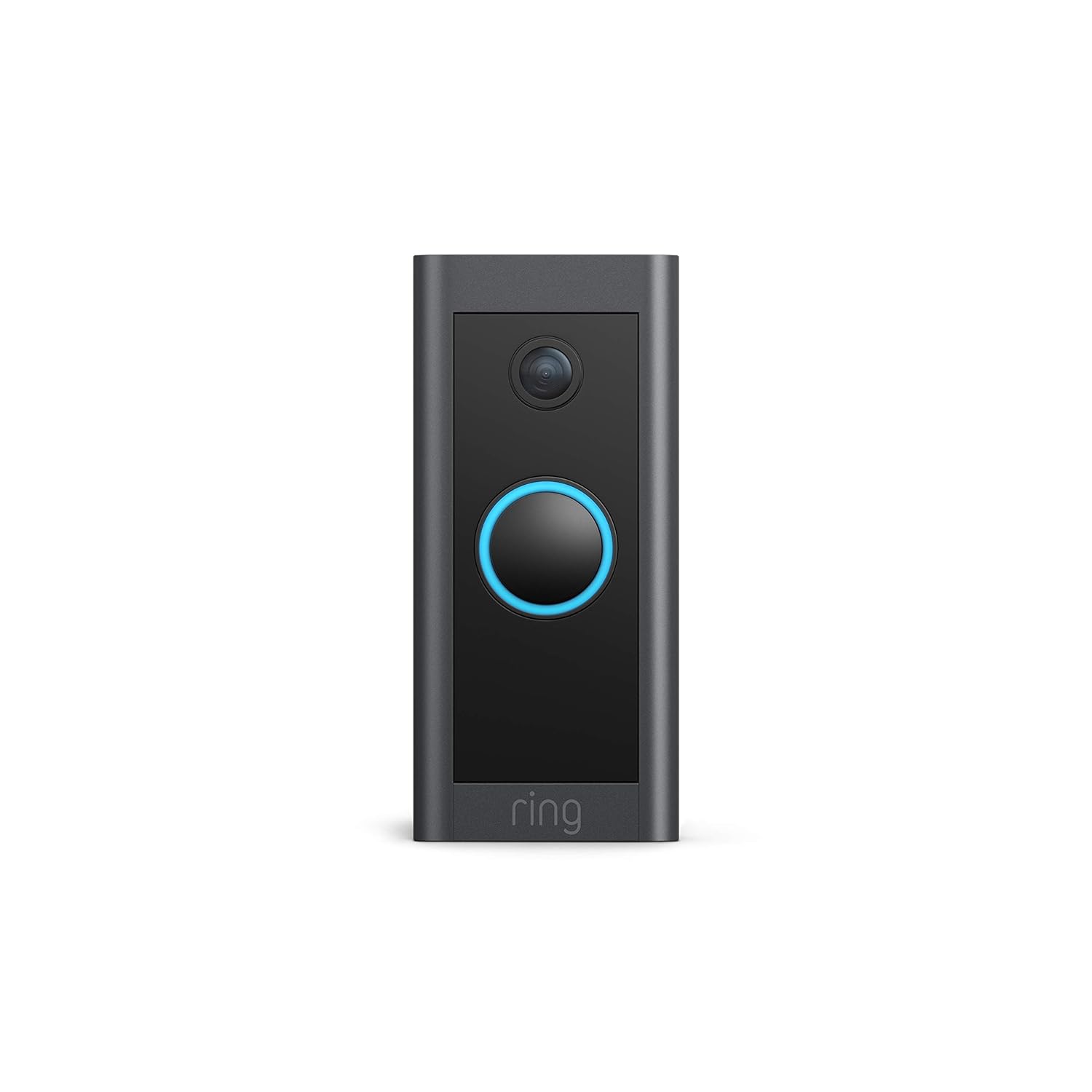
Ntuziaka ọrụ
The Ring Video Doorbell Wired offers various features to enhance your home security and communication.
Akụkụ ndị bụ isi:
- 1080p HD vidiyo: Provides clear, high-definition video with Live View and Night Vision for monitoring your front door.
- Mkparịta ụka Ụzọ Abụọ: Communicate with visitors at your door from anywhere using the Ring app. Features noise cancellation for clear audio.
- Advanced Motion Detection: Customizable motion zones allow you to receive alerts when motion is detected in specific areas.
- Amụma ozugbo: Get instant notifications on your phone when someone rings the doorbell or motion is detected.
- Ọhụụ abalị: Ensures clear visibility even in low-light conditions.
- Njikọ Alexa: Connects with Alexa-enabled devices to hear alerts or view a live feed on screens.


Using the Ring App:
The Ring app is essential for managing your Video Doorbell. Through the app, you can:
- View ihe nkiri vidio dị ndụ.
- Engage in two-way talk with visitors.
- Customize motion detection settings and zones.
- Access recorded videos (with a Ring Protect subscription).
- Manage device settings and privacy options.
Nlekọta
To ensure optimal performance and longevity of your Ring Video Doorbell Wired, consider the following maintenance tips:
- Nhicha: Periodically wipe the camera lens and the doorbell's exterior with a soft, damp cloth to remove dust and dirt. Avoid abrasive cleaners.
- Mmelite ngwanrọ: Ensure your Ring app and doorbell firmware are always up to date. Updates often include performance improvements and security enhancements.
- Connectivity Check: Regularly check your Wi-Fi signal strength in the Ring app to ensure a stable connection.
- Ọnọdụ gburugburu: The doorbell is weather-resistant, designed to operate between -20°C to 50°C (-5°F to 120°F). Ensure it is not exposed to conditions outside this range.
Nchọpụta nsogbu
If you encounter issues with your Ring Video Doorbell Wired, try the following troubleshooting steps:
- Enweghị ike/anaghị agbanwu:
- Verify that the power to your doorbell system is on at the breaker.
- Lelee njikọ wiring ka ị hụ na echekwara ha.
- Confirm your power source meets the required specifications (10-24 VAC, 40VA max, 50/60Hz, or 24VDC, 0.5A, 12W).
- Poor Video Quality/Offline:
- Check your Wi-Fi connection and signal strength in the Ring app.
- Ensure your internet service is active and stable.
- Malitegharịa ekwentị Wi-Fi gị.
- Hichaa oghere igwefoto.
- Okwu nchọpụta ngagharị:
- Adjust motion sensitivity and customize motion zones in the Ring app.
- Ensure there are no obstructions blocking the sensor's view.
- Two-Way Talk Problems:
- Check your device's microphone and speaker settings in the Ring app.
- Ensure your smartphone's volume is up.
- Nyochaa njikọ ịntanetị kwụsiri ike.
For further assistance, refer to the support section or contact Ring customer service.
Nkọwapụta
| Njirimara | Nkọwa |
|---|---|
| Nkezi Oge Ntinye | ~ 15 nkeji |
| Vidiyo | 1080p HD Vidiyo, Live View, Ọhụụ abalị |
| Ubi nke View | 155 Celsius kwụ, 90 Celsius kwụ ọtọ |
| Nchọpụta ngagharị | Nchọpụta ngagharị dị elu nwere mpaghara ngagharị nwere ike ịhazi ya |
| Audio | Ọdịda ụzọ abụọ nwere kagbuo mkpọtụ |
| Ike | Hardwired (10-24 VAC, 40VA max, 50/60Hz, or 24VDC, 0.5A, 12W) |
| Achọrọ ịntanetị | Ịntanetị dị elu |
| Njikọta | 802.11 b/g/n njikọ Wi-Fi @ 2.4 GHz |
| Ọnọdụ ọrụ | -20°C to 50°C (-5°F to 120°F), weather resistant |
| Agba dị | Nwa |
| Akụkụ | 101mm x 45.7mm x 22.4mm (3.98 na x 1.81 na x 0.88 na) |
| Ọgbọ | Ring Video Doorbell Wired 1st Generation – 2021 Release |
Akwụkwọ ikike na nkwado
Akwụkwọ ikike: The Ring Video Doorbell Wired comes with a 1-year limited warranty. Use of the Ring Video Doorbell is subject to the terms found on the official Ring websaịtị.
Nkwado: For more information and assistance, please visit the official Ring Video Doorbell Wired support page. You can typically find this by searching for "Ring Video Doorbell Wired support" on the Ring website or your preferred search engine.


