Okwu mmalite
Thank you for choosing the Haylou Solar LS05 Smartwatch. This manual provides essential information for setting up, operating, maintaining, and troubleshooting your device. Please read it carefully to ensure proper use and to maximize the benefits of your smartwatch. The Haylou Solar LS05 is designed to enhance your daily life with features like fitness tracking, heart rate monitoring, and smart notifications, compatible with both Android and iOS devices.
Kedu ihe dị na Igbe ahụ
- Haylou Solar LS05 Smartwatch (with black rubber strap)
- Ịchaji eriri
- Akwụkwọ ntuziaka onye ọrụ
Melite
1. Ịchaji smartwatch
Before first use, fully charge your Haylou Solar LS05. Connect the charging cable to the charging contacts on the back of the watch and to a USB power source. The watch display will show the charging status.
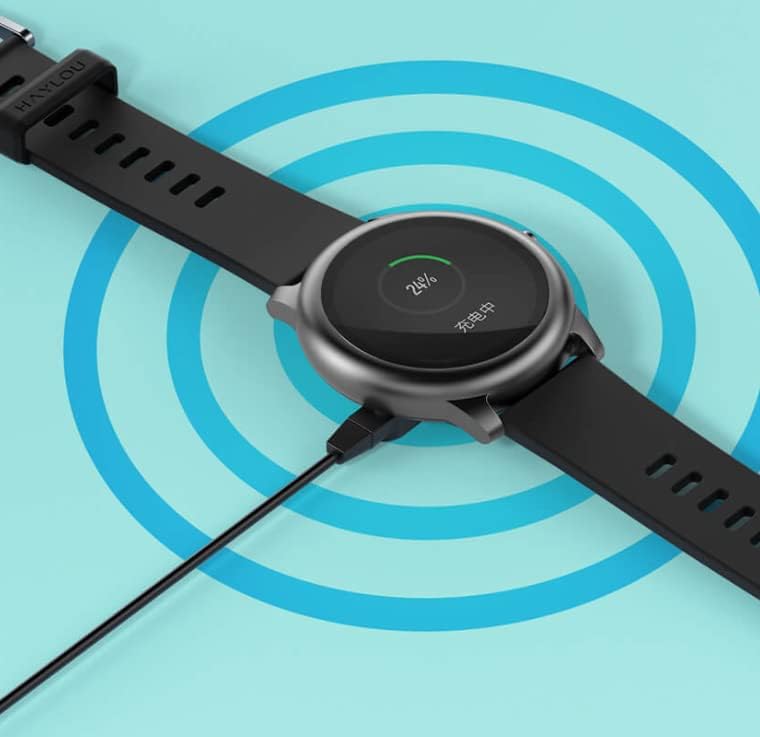
Image: The Haylou Solar LS05 Smartwatch connected to its charging cable, displaying a 24% charge level.
2. Na-agbanye ike
Press and hold the side button for a few seconds until the Haylou logo appears on the screen.
3. Installing the Haylou Fit App
Download the official Haylou Fit app from your smartphone's app store (Google Play Store for Android or Apple App Store for iOS). Chọọ maka "Haylou Fit".
4. Ijikọ na ekwentị mkpanaaka gị
- Gbaa mbọ hụ na agbanyere Bluetooth na ekwentị gị.
- Open the Haylou Fit app and follow the on-screen instructions to create an account or log in.
- In the app, select "Add Device" and choose the Haylou Solar LS05 from the list of available devices.
- Kwenye arịrịọ njikọta na ma ekwentị gị ma smartwatch.
Once paired, your smartwatch will synchronize data with the app and receive notifications.
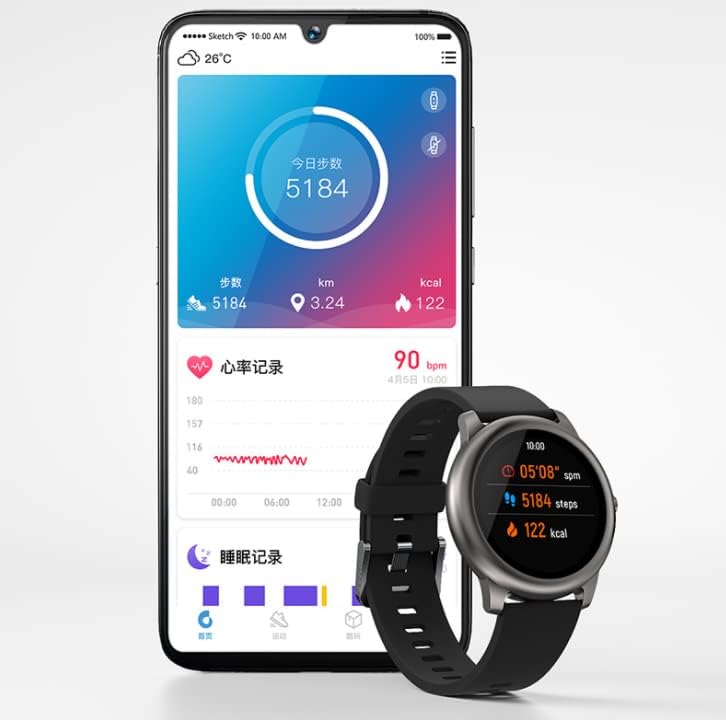
Image: The Haylou Solar LS05 Smartwatch displaying steps and calories, alongside a smartphone showing the Haylou Fit app interface with daily activity and sleep records.
Ntuziaka ọrụ
Nsoro ụzọ
- Ihuenyo mmetụ aka: Swipe up, down, left, or right to navigate through menus and features. Tap to select.
- Bọtịnụ akụkụ: Press to return to the home screen or wake the device. Press and hold to power off or restart.
Atụmatụ igodo
- Ndepụta mmemme: Monitors steps, distance, and calories burned throughout the day.
- Nlekota obi obi: Continuously tracks your heart rate. Access detailed data in the Haylou Fit app.
- Nleba anya ụra: Tracks your sleep patterns, including deep sleep, light sleep, and wake times.
- Ụdị egwuregwu: Select from various sports modes (e.g., running, cycling) to track specific workout data.
- Amamọkwa Smart: Receive call, message, and app notifications directly on your wrist.
- Njikwa egwu: Control music playback on your smartphone directly from the watch.
- Amụma ihu igwe: View current weather conditions and forecasts for the coming days.
- Ọzụzụ iku ume: Mmega iku ume nke e duziri iji nyere gị aka izu ike.
- Oge nche & elekere: Essential tools for timing activities.
- Chọta ekwentị: Use your watch to locate your paired smartphone.
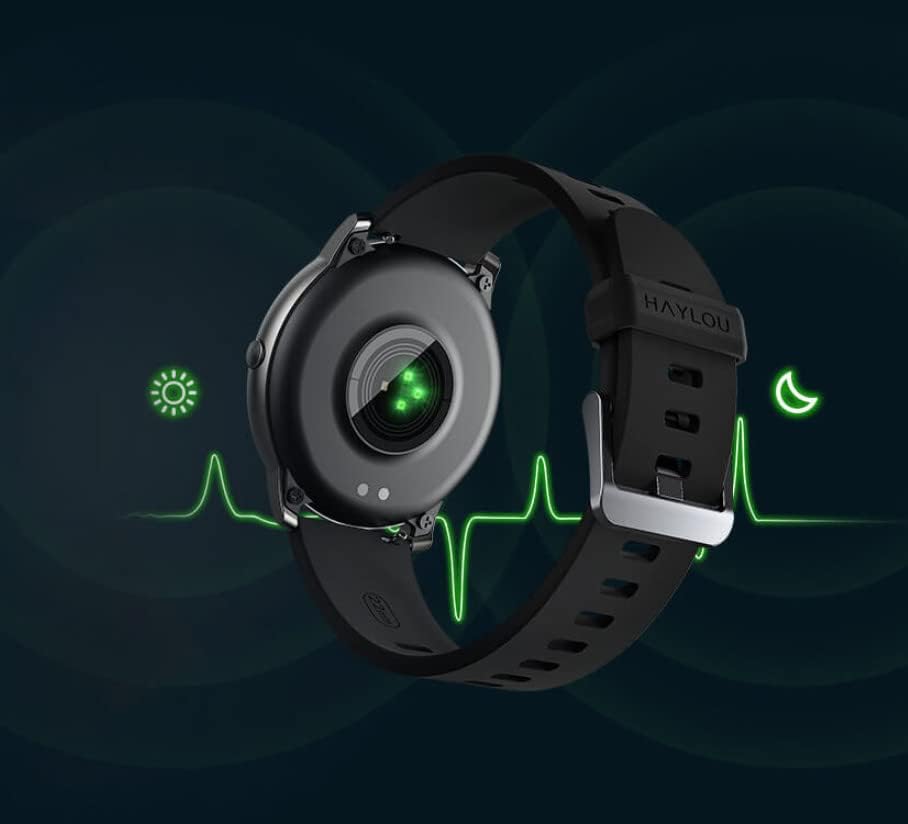
Image: The back of the Haylou Solar LS05 Smartwatch, highlighting the optical heart rate sensor with a green light, indicating active monitoring.
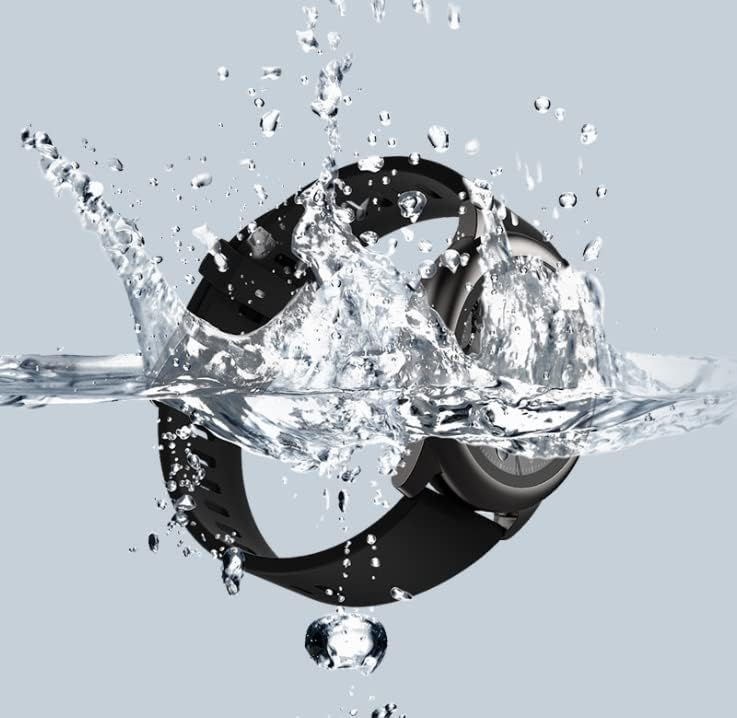
Image: A collage of Haylou Solar LS05 watch faces demonstrating various functions: 'Take a break' for breathing training, 'Find phone' for locating a device, 'Timer and stopwatch', 'Music Control', and 'Weather Forecast'.

Image: The Haylou Solar LS05 Smartwatch worn on a wrist, displaying the current time (00:15:18), heart rate (90 bpm), steps (3.24k), and distance, indicating active use during an activity.
Nlekọta
Nhicha
Regularly clean your smartwatch and strap to prevent skin irritation and maintain device functionality. Use a soft, damp akwa iji hichaa ihuenyo na eriri. Zere kemịkalụ siri ike ma ọ bụ ihe na-emebi emebi.
Mmiri Nguzogide
The Haylou Solar LS05 is water-resistant. It can withstand splashes, rain, and brief immersion. However, it is not suitable for hot showers, saunas, or diving. Avoid prolonged exposure to water and ensure the watch is dry before charging.

Image: The Haylou Solar LS05 Smartwatch partially submerged in water, with water splashing around it, illustrating its water-resistant capabilities.
Omume ịchaji
Use only the provided charging cable. Do not charge the watch in wet conditions. Avoid exposing the watch to extreme temperatures during charging.
Nchọpụta nsogbu
- Elekere anaghị agba ọkụ: Ensure the watch is fully charged. Press and hold the side button for at least 10 seconds to force a restart.
- Enweghị ike ijikọ na smartphone: Make sure Bluetooth is enabled on your phone and the watch is within range. Restart both devices and try pairing again through the Haylou Fit app.
- Inaccurate heart rate/activity data: Hụ na elekere ahụ dị n'aka gị nke ọma, ọ bụghị nke siri ike ma ọ bụ nke na-adịghị oke ike. Hichaa ihe mmetụta dị n'azụ elekere ahụ.
- Amamọkwa anaghị apụta: Check notification settings in the Haylou Fit app and your phone's system settings to ensure permissions are granted for the app to display notifications.
- Ndụ batrị dị mkpụmkpụ: Reduce screen brightness, disable continuous heart rate monitoring if not needed, and limit background app refresh.
Nkọwapụta
| Njirimara | Nkọwa |
|---|---|
| Aha Nlereanya | LS05 |
| Ụdị | haylou |
| Sistemụ nrụọrụ | Yiri OS |
| Akụkụ | 7 x 1 x 6 cm |
| Ibu | 57 grams |
| Batrị | 1 Lithium Polymer (gụnyere) |
| Njikọta | Bluetooth |
| GPS | Mba |
| Atụmatụ pụrụ iche | Nyochaa ọnụọgụ obi |
| Ụdị ngosi | Ihuenyo mmetụ aka |
| Nha ihuenyo | 1.28 sentimita asatọ |
| Mkpebi | 240 x240 |
| Agba | Nwa |
| Ihe eriri eriri | Rubber |
| Ike nchekwa | 512 MB |
Akwụkwọ ikike na nkwado
For warranty information, please refer to the documentation provided at the time of purchase or contact your retailer. Specific warranty terms may vary by region and seller.
For technical support, software updates, and frequently asked questions, please refer to the official Haylou website or the Haylou Fit application. The app often provides troubleshooting tips and direct support options.


