Okwu mmalite
The Cuddeback Solar Power Bank PW-3600 is designed to provide continuous power to compatible Cuddeback trail cameras, extending their operational runtime indefinitely. This unit features a polycrystalline solar panel that charges an internal NiMH battery, which is engineered to perform effectively even in sub-freezing temperatures. Should the solar battery deplete, the connected camera will seamlessly switch to its internal batteries. Once the solar battery recharges sufficiently, it will resume powering the camera.
This manual provides detailed instructions for the proper setup, operation, and maintenance of your Cuddeback Solar Power Bank PW-3600.
Ngwaahịa gafereview
Kedu ihe dị na Igbe ahụ
- Cuddeback Solar Panel with built-in NiMH battery
- Njikọ USB
- Genius Tilt Mount
- Eriri mgbakwasị
- Akwụkwọ ntuziaka (akwụkwọ a)

Image: The Cuddeback Solar Power Bank PW-3600, including the solar panel, connecting cable, Genius Tilt mount, and mounting strap.
Atụmatụ igodo
- Polycrystalline Solar Panel: Efficiently charges the internal battery using sunlight.
- Integrated NiMH Battery: Provides reliable power and performs in cold conditions.
- Automatic Power Switching: Seamlessly transitions between solar and camera internal batteries.
- ndakọrịta: Designed for use with all Cuddeback CuddeLink and Tracks cameras.
- Ihe ngosi LED arụnyere n'ime: Displays power status and charging activity.
Nkọwapụta
| Njirimara | Nkọwa |
|---|---|
| Nlereanya | PW-3600 |
| Isi Iyi Ike | Solar Panel with NiMH Battery |
| Ụdị panel nke anyanwụ | Polycrystalline silicon |
| Voltage | 7.2 volts |
| Akụkụ (L x W x H) | 7 x 6 x 1.5 sentimita (17.8 x 15.2 x 3.8 cm) |
| Ibu Ibu | 2.01 pound (0.91 n'arọ) |
| Ọkwa Nguzogide mmiri | Mmiri na-eguzogide |
| Nleba okpomọkụ | 120°F (49°C) |
| Ụdị nkwụnye | Ugwu Osisi |
| Ngwa dakọtara | CuddeLink and Tracks Cameras |

Foto: Ihu na akụkụ view of the Cuddeback Solar Power Bank PW-3600 with dimensions indicated.
Melite
- Họrọ ebe mgbago: Choose a location that receives direct sunlight for the majority of the day. The solar panel's efficiency is directly related to the amount of direct sunlight it receives. Avoid shaded areas.
- Attach the Genius Tilt Mount: Secure the Genius Tilt Mount to a tree or post using the provided mounting strap. Ensure the mount is stable.
- Ugwu Panel anyanwụ: Attach the Cuddeback Solar Power Bank to the Genius Tilt Mount. Adjust the angle of the panel to face the sun directly for optimal charging.
- Connect to Camera: Use the provided connecting cable to link the solar power bank to your compatible Cuddeback CuddeLink or Tracks camera. Ensure the connection is secure.

Image: The Cuddeback Solar Power Bank PW-3600 mounted on a tree, connected to a trail camera, positioned for direct sunlight exposure.

Image: The Cuddeback Solar Power Bank PW-3600 mounted on a cactus, demonstrating placement for optimal sun exposure in an outdoor environment.
Ọrụ
Once connected and exposed to sunlight, the Cuddeback Solar Power Bank will begin charging its internal NiMH battery. This charged battery then powers your Cuddeback camera. The system is designed for continuous operation, reducing the need for frequent battery changes in your camera.
- Ịchaji: The solar panel converts sunlight into electrical energy to charge the internal NiMH battery.
- Nnyefe ike: The charged NiMH battery provides power to the connected Cuddeback camera.
- Ndabere batrị: If the solar battery's charge level drops too low (e.g., during prolonged periods of low light), the camera will automatically draw power from its own internal batteries.
- Automatic Resumption: When the solar battery recharges sufficiently, it will automatically resume powering the camera, preserving the camera's internal battery life.
Ihe ngosi LED
The solar power bank features built-in LED lights to indicate its operational status:
- Ngosipụta chaja: An LED will illuminate when the solar panel is actively charging the internal battery.
- Ngosipụta ọnọdụ: An LED will show the current power status of the internal battery (e.g., fully charged, low charge). Refer to the specific LED color/pattern in the included quick start guide for detailed interpretation.

Foto: N'azụ view of the Cuddeback Solar Power Bank PW-3600 showing the location of the built-in LED lights for power status and charging indication.
Nlekọta
- Hichaa ogwe anyanwụ: Periodically inspect and clean the surface of the solar panel to remove dirt, dust, snow, or debris. A clean panel ensures maximum sunlight absorption and charging efficiency. Use a soft, damp akwa maka nhicha .
- Lelee njikọ: Ensure all cable connections between the solar power bank and the camera remain secure and free from corrosion.
- Monitor Sunlight Exposure: Regularly check that the solar panel is still receiving adequate direct sunlight, especially after changes in foliage or seasons. Adjust the panel's angle or location if necessary.

Image: The Cuddeback Solar Power Bank PW-3600 mounted in a snowy forest, demonstrating its ability to operate in harsh conditions. Regular cleaning of snow from the panel is recommended.
Nchọpụta nsogbu
- Camera Not Receiving Power:
- Verify the solar panel is receiving direct sunlight.
- Check all cable connections for tightness and proper insertion.
- Ensure the solar panel's surface is clean and free of obstructions.
- Confirm the camera's internal batteries are installed and functional as a backup.
- Shortened Camera Runtime:
- The solar panel may not be receiving sufficient sunlight. Re-evaluate its placement and angle.
- Heavy cloud cover or short daylight hours can reduce charging efficiency.
- Ensure the panel is clean.
- Ihe ngosi LED anaghị arụ ọrụ:
- Ensure the unit is exposed to sunlight for the charging indicator.
- Check for physical damage to the unit or cable.
Ndakọrịta
The Cuddeback Solar Power Bank PW-3600 is fully compatible with all Cuddeback CuddeLink and Tracks series trail cameras. It is designed to integrate seamlessly with these camera systems to provide extended power.
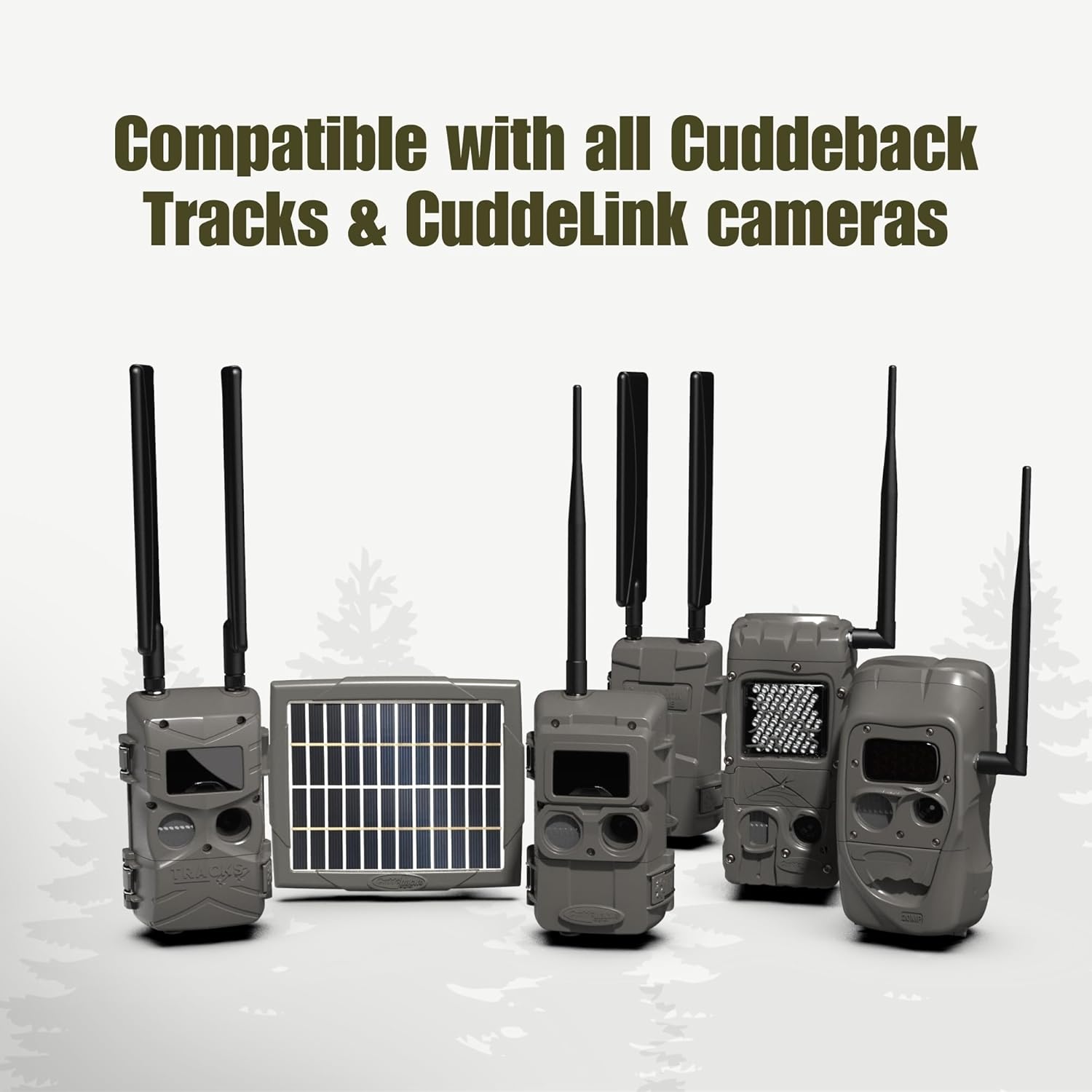
Image: The Cuddeback Solar Power Bank PW-3600 shown alongside several Cuddeback CuddeLink and Tracks cameras, illustrating its broad compatibility.
Ozi nchekwa dị mkpa
Ịdọ aka ná ntị: Ngwaahịa a nwere kemịkalụ mara steeti California na-ebute ọrịa kansa na ntụpọ ọmụmụ ma ọ bụ mmerụ ahụ ọmụmụ ọzọ.
Always handle the product with care and follow all local regulations for disposal.
Akwụkwọ ikike na nkwado
For warranty information, technical support, or service inquiries, please refer to the official Cuddeback website or contact Cuddeback customer service directly. Keep your purchase receipt for warranty claims.
Visit the official Cuddeback websaịtị maka akụrụngwa nkwado kachasị ọhụrụ: Cuddeback Digital Store


