1. Okwu mmalite
Thank you for choosing the Losei D65 Wireless Earbuds. These earbuds are designed to provide a high-quality audio experience with advanced features such as environmental noise canceling (ENC), individual power display, wireless charging, and IPX7 waterproofing. This manual will guide you through the setup, operation, and maintenance of your new earbuds.
2. Kedu ihe dị na Igbe ahụ
- Wireless Sport Earbuds (1 Pair)
- Charging Case (1 PC)
- Type-C Charging Cable (1 PC)
- Original Ear Caps (1 Pair)
- Spare Ear Caps (6 Pairs)
- Akwụkwọ ntuziaka onye ọrụ (Akwụkwọ a)
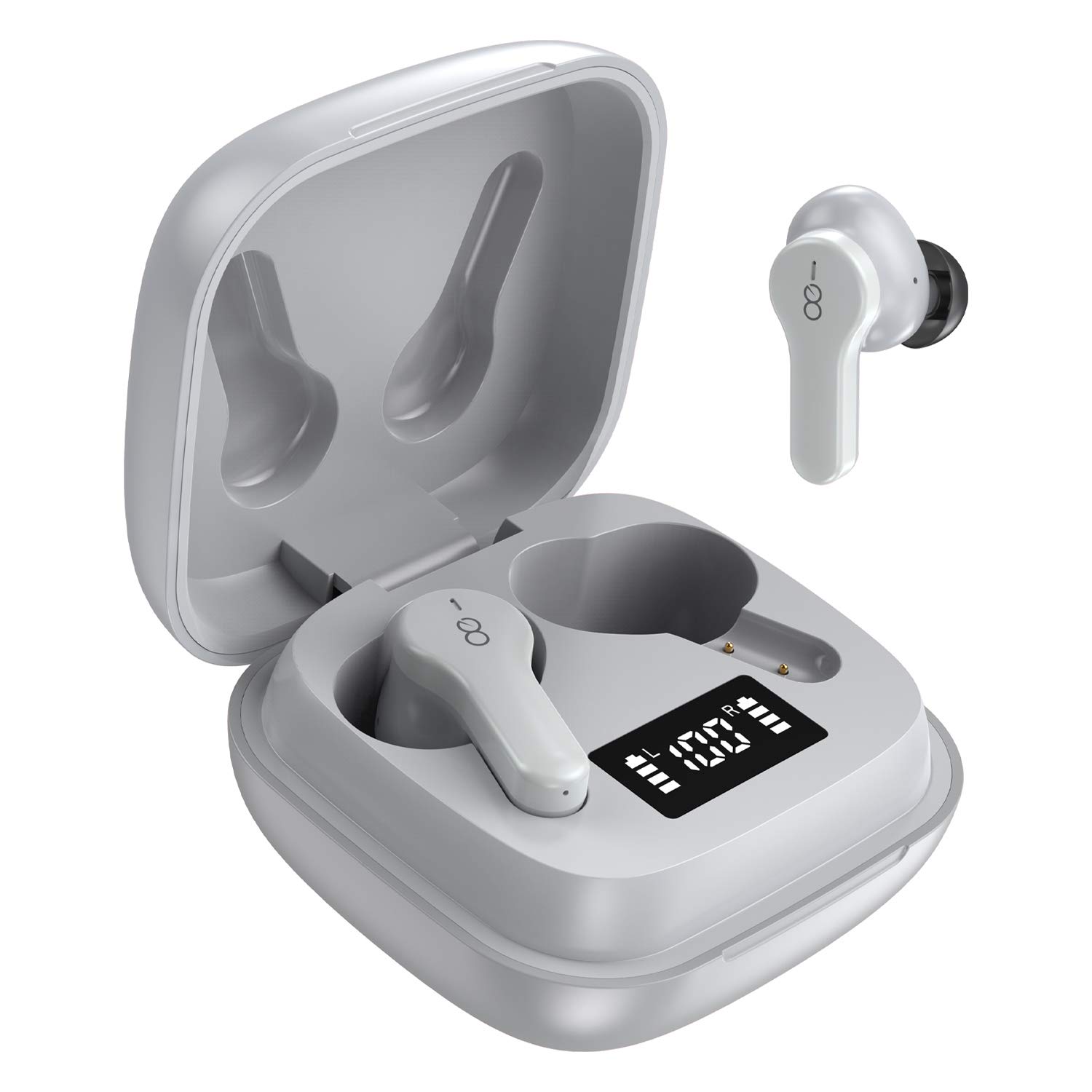
3. Ngwaahịa gafereview
The Losei D65 earbuds feature a compact, in-ear design with touch controls. The accompanying charging case provides portable power and includes a digital display to show battery levels for both the case and individual earbuds.
Akụkụ ndị bụ isi:
- Clear Call with 4-Mics Noise Reduction: Built-in 4 microphones with Environmental Noise Canceling (ENC) technology for clear calls.
- Individual Power Display: Digital display on the charging case shows battery percentage for the case and charging status for each earbud.
- Wireless Charging & Extended Playtime: Supports wireless charging and provides up to 30 hours of total playtime with the charging case.
- Comfortable Fit & IPX7 Waterproof: Ergonomic design with multiple ear tip sizes and IPX7 water resistance for sports and daily use.
- Auto Pairing & Smart Touch Control: Automatic connection to the last paired device and intuitive touch controls for various functions.
4. Nhazi
4.1 Ịchaji ntị na akpa
Tupu ojiji nke mbụ, chajie nke ọma ekwe ntị na akpa nchaji.
- Ịchaji ekwe ntị: Place the earbuds into the charging case. The marquee lights on the case will indicate charging. They will stop when fully charged.
- Ịchaji akpa ahụ (Wired): Connect the provided Type-C charging cable to the charging port on the case and to a USB power source. The digital display will show the battery percentagmmụbaasing. A full charge takes approximately 1.5-2 hours.
- Charging the Case (Wireless): Place the charging case on a compatible wireless charging pad (not included). The digital display will indicate charging status.
The charging case's digital display shows the battery percentage (1-100%). The individual earbud power consumption indicators show 4 grids, each representing 25% battery.
4.2 Jikọọ na ngwaọrụ gị
The Losei D65 earbuds feature automatic pairing.
- Gbaa mbọ hụ na agbanyere Bluetooth ngwaọrụ gị.
- Mepee igbe nchaji. Igwe ntị ga-agbanye na-akpaghị aka wee banye ọnọdụ njikọta.
- On your device, search for Bluetooth devices and select "Losei-D65" from the list.
- Ozugbo ejikọrọ, ị ga-anụ ngwa ngwa nkwenye, na ntị ntị ga-adị njikere maka ojiji.
The earbuds will automatically reconnect to the last paired device when taken out of the charging case.
5. Ntuziaka ọrụ
5.1 Njikwa Smart Touch
The Losei D65 earbuds utilize touch controls for various functions. The sensor area is typically located on the outer surface of each earbud.
- Gwuo/kwụsịtụ: Otu mgbata na ntị ntị.
- Track na-esote: Pịa bọtịnụ ntị aka nri ugboro abụọ.
- Gara aga Track: Kpatụ ntị ugboro abụọ n'akụkụ aka ekpe.
- Olu elu: Pịa ugboro atọ na ntị ntị aka nri.
- Olu ala: Pịa ugboro atọ na ekwe ntị aka ekpe.
- Azịza/Kwụsị Oku: Naanị otu ọpịpị na ntị ntị n'oge oku mbata.
- Jụ oku: Pịa ma jide otu ntị ntị maka sekọnd 2 n'oge oku mbata.
- Mee ka onye enyemaka olu rụọ ọrụ: Pịa ma jide otu ekwe ntị maka sekọnd 3 (mgbe ọ bụghị na oku).
5.2 Multi-Using Modes
The earbuds support different usage scenarios:
- Ọnọdụ Mono: Each earbud can be used independently. This is ideal for driving or when you need to be aware of your surroundings. Simply take one earbud out of the case and connect it.
- Ụdị òkè: You can share one earbud with another person to listen to the same audio content.
- Ọnọdụ stereo: Use both earbuds together for a full, immersive stereo sound experience.
6. Nlekọta
6.1 Nhicha
Ịdị ọcha mgbe niile na-enyere aka ịnọgide na-adị mma na ịdị ọcha.
- Jiri akwa dị nro, kpọrọ nkụ, akwa na-enweghị lint ka ihichapụ ntị ntị na akpa nchaji.
- Maka ntụnye ntị, wepụ ha na ntị ntị ma jiri mmiri ncha dị nro hichaa ya ma ọ bụrụ na ọ dị mkpa, wee sachaa nke ọma ma kpọọ nkụ kpamkpam tupu ị tinyeghachi ya.
- Ejila ihe mkpocha abrasive, mmanya, ma ọ bụ ihe mgbaze kemịkal.
6.2 Nchekwa
Mgbe ejighị ya, chekwaa earbuds n'ime akpa nchaji ha iji chebe ha ma debe ha ebubo.
- Chekwaa n'ebe dị jụụ, ebe kpọrọ nkụ na-adịghị na oke okpomọkụ.
- Zere ikpughe ogologo oge na ìhè anyanwụ kpọmkwem.
6.3 Mgbochi mmiri (IPX7)
The Losei D65 earbuds are IPX7 waterproof, meaning they can withstand immersion in water up to 1 meter for 30 minutes. This makes them suitable for sports and protection against sweat and rain. However, they are not designed for swimming or prolonged submersion. Ensure the earbuds are dry before placing them back in the charging case to prevent damage.
7. Nchọpụta nsogbu
If you encounter issues with your Losei D65 earbuds, refer to the following common solutions:
- Igwe ntị anaghị ejikọta ma ọ bụ jikọọ:
- Gbaa mbọ hụ na akwụgoro ekwe ntị abụọ ahụ.
- Gbanyụọ Bluetooth na ngwaọrụ gị, wee gbanye ya ọzọ.
- Forget/delete "Losei-D65" from your device's Bluetooth list and attempt to pair again.
- Place both earbuds back into the charging case, close the lid, wait a few seconds, then open the lid to reset.
- Naanị otu earbud na-arụ ọrụ:
- Gbaa mbọ hụ na akwụgoro ekwe ntị abụọ ahụ.
- Place both earbuds back into the charging case, close the lid, wait a few seconds, then open the lid. They should reconnect to each other automatically.
- If the issue persists, try resetting the earbuds as described in the pairing section.
- Poor sound quality or low volume:
- Gbanwee olu na ma ngwaọrụ gị yana ntị ntị.
- Ensure the ear tips are properly sealed in your ear canal. Try different sized ear tips for a better fit.
- Clean any debris from the earbud speakers and ear tips.
- Hụ na enweghị ihe mgbochi ọ bụla n'etiti ngwaọrụ gị na ekweisi gị.
- Nchaji anaghị akwụ ụgwọ:
- Lelee eriri nchaji na nkwụnye ọkụ maka mmebi.
- Gbaa mbọ hụ na ejikọrọ eriri Type-C nke ọma na ikpe ahụ yana isi iyi ike.
- If using wireless charging, ensure the case is correctly positioned on a compatible wireless charging pad.
8. Nkọwapụta
| Aha Nlereanya | Losei-D65 |
| Teknụzụ Njikọta | Ikuku (Bluetooth 5.0) |
| Ntinye ntị | Na Ntị |
| Njikwa mkpọtụ | Sound Isolation, Environmental Noise Canceling (ENC) |
| Ọkwa Nguzogide mmiri | IPX7 (ihe mgbochi mmiri) |
| Ụdị njikwa | Njikwa aka |
| Ndụ batrị (Earbuds) | Ruo awa 5 n'otu ụgwọ |
| ngụkọta oge egwuregwu (ya na ikpe) | Ruo awa iri abụọ |
| Oge Njikere (Ikpe) | Ihe ruru. 1.5-2 awa |
| Nchaji Interface | Type-C, Wireless Charging |
| Ngwa dakọtara | Most Bluetooth-enabled devices (Android, iOS, PC, etc.) |
| Ibu Ibu | 0.176 ounces (kwa ntị) |
| Akụkụ ngwaahịa | 1.18 x 1.54 x 1.85 inches (Charging Case) |
9. Akwụkwọ ikike na nkwado
9.1 Ozi akwụkwọ ikike
The Losei D65 Wireless Earbuds come with a Akwụkwọ ikike nnọchi nke ọnwa 12. Additionally, returns are accepted within 30 days for a full refund. This warranty covers manufacturing defects and ensures customer satisfaction.
9.2 Nkwado ndị ahịa
For any questions, issues, or support needs, please contact Losei customer service. Quick-response professional customer service is available to assist you.
Please refer to the product packaging or the official Losei websaịtị maka nkọwa kọntaktị akọwapụtara.


