1. Okwu mmalite
The i-Star Portable DAB/DAB+/FM Radio offers a versatile listening experience with clear digital and analog radio reception. Designed for portability, it features a built-in rechargeable battery and a compact design, making it suitable for use at home or on the go. This manual provides essential information for setting up, operating, and maintaining your radio.

Foto 1: N'ihu view of the i-Star Portable DAB/DAB+/FM Radio, highlighting its compact design and user interface.
2. Nhazi
2.1 Ịkwapụ ihe na ụgwọ mbụ
- Carefully remove the radio and all accessories from the packaging.
- Connect the supplied USB charging cable to the radio's Micro USB port and to a compatible USB power adapter (not included) or a computer's USB port.
- Allow the radio to charge fully before first use. The charging indicator will typically change or turn off when charging is complete. A full charge provides up to 4 hours of playback.
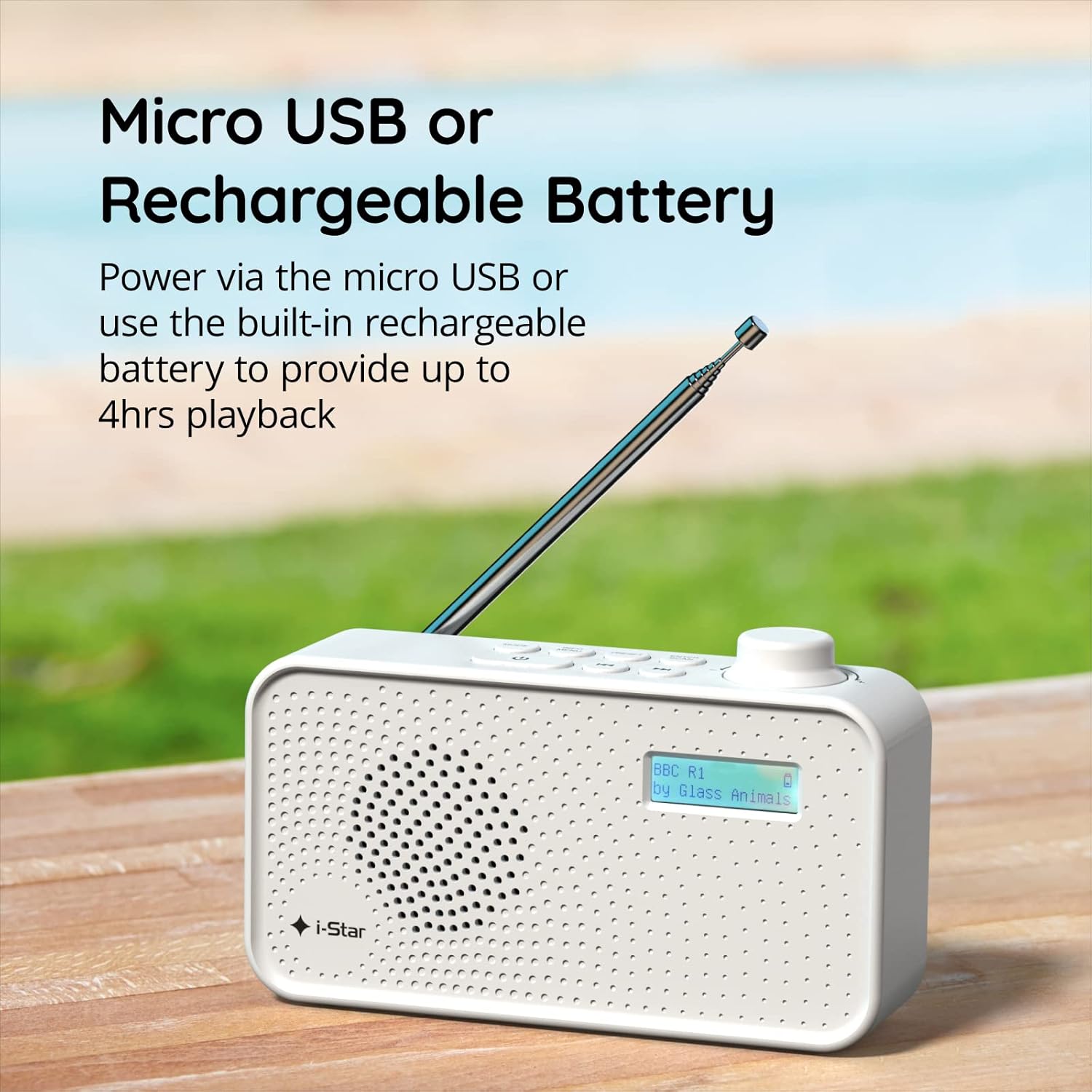
Foto 2: The radio powered via Micro USB or its built-in rechargeable battery.
2.2 First Power On and Automatic Scan
- Extend the telescopic antenna fully for optimal reception.
- Pịa ma jide KWỤRỤ N'ỤSỌ bọtịnụ iji gbanye redio.
- Upon first power-on, the radio will automatically perform a scan for available DAB/DAB+ stations. This process may take a few minutes.
- Once the scan is complete, the radio will tune to the first available station.
3. Ntuziaka ọrụ
3.1 Switching Between DAB/DAB+ and FM Modes
- Pịa MODE button repeatedly to switch between DAB/DAB+ and FM radio modes. The current mode will be displayed on the LCD screen.

Foto 3: The radio supports DAB, DAB+, and FM for a wide range of listening options.
3.2 Ebe ntughari
- DAB/DAB+ Mode: Jiri ihe PRESET or TUNE buttons (left/right arrows) to navigate through the list of available stations. Press Tinye/nyocha ịhọrọ ọdụ ọdụ.
- Ọnọdụ FM: Pịa Tinye/nyocha button to automatically scan for the next available FM station. Alternatively, use the TUNE buttons for manual fine-tuning.
3.3 Nchekwa na Icheta Presets
- Tinyegharịa n'ọdụ ụgbọ mmiri ịchọrọ.
- Pịa ma jide PRESET button until 'Preset Store' appears on the display.
- Jiri ihe TUNE buttons to select a preset number (1-60).
- Pịa Tinye/nyocha to confirm and save the station.
- To recall a saved station, briefly press the PRESET bọtịnụ, wee jiri ya TUNE buttons to select the desired preset number, and press Tinye/nyocha.
3.4 Njikwa olu
- Tugharia ihe Mpịakọta knob (located on the right side) clockwise to increase volume and counter-clockwise to decrease volume.
Ọrụ Ngụ oge ụra 3.5
- To activate the sleep timer, press the INFO / MENU button repeatedly until 'Sleep' appears.
- Jiri ihe TUNE buttons to select the desired sleep duration (e.g., 15, 30, 45, 60, 90 minutes).
- Pịa Tinye/nyocha to confirm. The radio will automatically turn off after the set time.

Foto 4: The sleep timer feature allows the radio to automatically switch off after a set period.
3.6 Ntị ekweisi
- Connect standard 3.5mm headphones (not included) to the headphone jack located on the side of the radio for private listening. The internal speaker will be muted automatically.

Foto 5: Connect headphones for personal listening without disturbing others.
4. Nlekọta
4.1 Nlekọta n'ozuzu
- Debe redio ka ọ ghara ị nweta ìhè anyanwụ kpọmkwem, ebe okpomọkụ na mmiri dị.
- Zere ịtụfu redio ma ọ bụ mee ka ọ daa n'ọnọdụ siri ike.
- Do not attempt to disassemble the radio; this will void the warranty.
4.2 Nhicha
- Jiri ákwà dị nro ma kpọọ nkụ hichaa mpụta redio ahụ.
- Ejila ihe nchacha, waxes, ma ọ bụ ihe mgbaze ka ha nwere ike imebi njedebe.
5. Nchọpụta nsogbu
- Enweghị ike: Ensure the radio is charged or connected to a power source via the USB cable. Check if the STANDBY button has been pressed.
- Enweghị ụda: Check the volume level. Ensure headphones are not connected if you intend to use the speaker.
- Poor Reception (DAB/DAB+ or FM): Fully extend the telescopic antenna. Try repositioning the radio. Perform a full scan for DAB/DAB+ stations. In FM mode, try manual tuning.
- Radio Freezes/Unresponsive: Turn the radio off and on again. If the issue persists, allow the battery to fully discharge and then recharge it.
6. Nkọwapụta
| Njirimara | Nkọwapụta |
|---|---|
| Ụdị | i-Star |
| Nọmba nlereanya | 90059PI |
| Agba | Ọcha |
| Ndị otu redio akwadoro | DAB, DAB+, FM |
| Teknụzụ Ndozi | Digital (DAB/DAB+), Analog (FM) |
| Njikọta | USB (for charging), 3.5mm Headphone Jack |
| Isi Iyi Ike | Rechargeable Lithium-ion Battery (1200 mAh), USB Power |
| Ndụ batrị | Ruo awa 4 (na otu ụgwọ) |
| Atụmatụ pụrụ iche | Portable, Sleep Timer, 60 Station Presets |
| Ngwa gụnyere | USB Charging Cable, User Manual |
| Ibu Ibu | 440 grams |
7. Akwụkwọ ikike na nkwado
This product is covered by a standard manufacturer's warranty. Please refer to the warranty card included in your packaging for specific terms and conditions. For technical support, troubleshooting assistance, or warranty claims, please contact your retailer or the i-Star customer service department. Contact details can typically be found on the product packaging or the official i-Star websaịtị.


