1. Ngwaahịa gafereview
The Bonacell 21.6V 5000mAh Li-ion DC16 Replacement Battery is designed to provide extended power and reliable performance for your compatible DC16 series handheld vacuum cleaner. This high-capacity battery offers a significant upgrade, ensuring longer runtime and consistent suction power for various cleaning tasks.
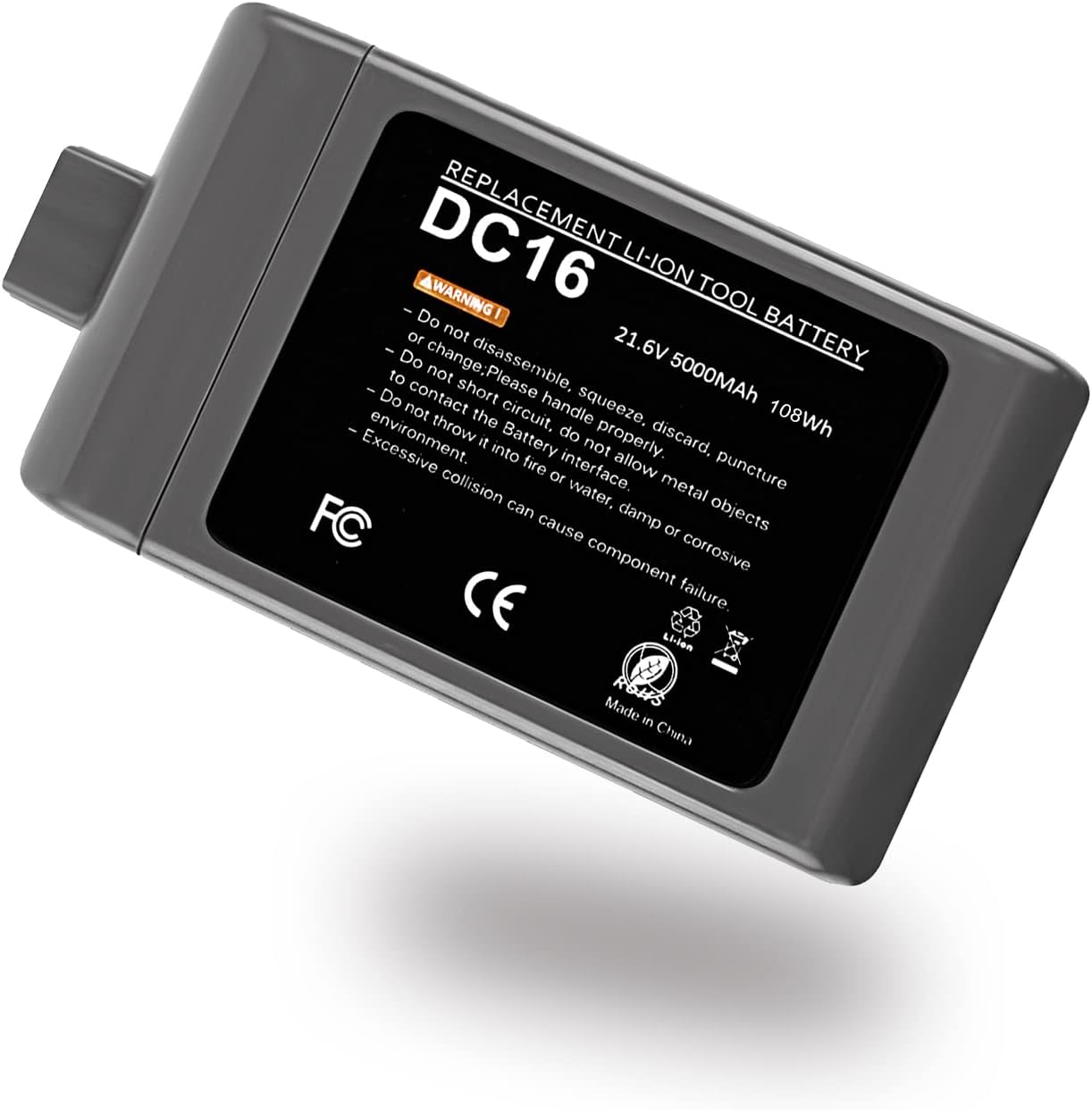
Image 1.1: The Bonacell 21.6V 5000mAh Li-ion DC16 Replacement Battery, showcasing its design and label.
Key features include a 5000mAh capacity for extended use and a 21.6V output, making it a direct and powerful replacement for original DC16 batteries.
2. Ozi nchekwa
Please read and understand all safety warnings before using this product to prevent injury or damage.
- Do not disassemble, squeeze, discard, or puncture the battery. Improper handling can lead to severe damage or injury.
- Handle properly. Zere ịda ma ọ bụ itinye batrị ahụ n'ọnọdụ siri ike.
- Do not allow metal objects to contact the battery interface. This can cause a short circuit, leading to heat generation, fire, or explosion.
- Atụba batrị n'ime ọkụ ma ọ bụ mmiri. Exposure to extreme temperatures or moisture can cause the battery to explode or leak.
- Avoid excessive collision. Physical impact can cause internal damage and component failure.
This battery is equipped with multiple protection features to ensure safe operation:
- Nchekwa oke ụgwọ
- Nchekwa nfefe oke
- Nchekwa okpomọkụ
- Nchekwa sekit dị mkpụmkpụ
- Mmepụta Overvoltage Nchedo
- Mmepụta Nchekwa oke

Image 2.1: Visual representation of the safety and reliability features integrated into the Bonacell DC16 battery.
3. Ndakọrịta
The Bonacell 21.6V 5000mAh Li-ion DC16 Replacement Battery is designed for wide compatibility with various DC16 series handheld vacuum cleaner models. It is a direct replacement for the original battery and fits seamlessly.
Ụdị ndị dakọtara gụnyere, mana ejedebeghị na:
- DC16 Root 6
- DC16 Animal
- DC16 Pink
- DC16 ISSEY MIYAKE exclusive
- D12
- DC12
- DC16 Car & Boat

Image 3.1: Illustration showing the Bonacell DC16 battery compatible with various DC16 vacuum cleaner models.
4. Nkọwapụta
Below are the technical specifications for the Bonacell 21.6V 5000mAh Li-ion DC16 Replacement Battery:
| Nkọwapụta | Uru |
|---|---|
| Voltage | 21.6 volts |
| Ike batrị | 5000 ndeampOge elekere (mAh) |
| Ngwakọta cell batrị | Li-ion |
| Eji akwadoro maka ngwaahịa | Ihe nhicha ọkụ |
| Ibu Ibu | 12.3 ounces |
| Akụkụ ngwugwu | 5.75 x 3.19 x 2.13 sentimita asatọ |
| Onye nrụpụta | Bonacell |

Foto 4.1: Zuru ezu view of the battery specifications including cell type, capacity, and voltage.
5. Ntọala (Nwụnye)
Installing the Bonacell DC16 Replacement Battery is a straightforward process. Ensure your vacuum cleaner is turned off and unplugged from any power source before proceeding.
- Locate the Existing Battery: On your DC16 handheld vacuum cleaner, identify the battery pack. It is typically located at the base or handle of the unit.
- Remove the Old Battery: Depending on your specific DC16 model, there may be release clips or screws securing the battery. Carefully disengage any clips or unscrew any fasteners. Gently pull the old battery out of its compartment.
- Insert the New Battery: Align the Bonacell replacement battery with the battery compartment. Ensure the connectors on the battery align with the corresponding terminals in the vacuum cleaner. Slide the new battery firmly into place until it clicks or is securely seated.
- Secure the Battery: If your model required screws or clips, re-secure them to hold the new battery firmly.
- Ebube mbụ: It is recommended to fully charge the new battery before its first use. Refer to the 'Operating' section for charging instructions.

Foto 5.1: nso nso view of the battery's connection points and casing, aiding in proper installation.
6. .rụ ọrụ
Once the Bonacell DC16 Replacement Battery is installed, you can begin using your vacuum cleaner. Proper charging and discharge practices will help maximize battery life and performance.
6.1 Ịchaji batrị
- Always use the original or a compatible charger designed for your DC16 vacuum cleaner.
- Connect the vacuum cleaner to its charging dock or power adapter. The charging indicator on your vacuum will typically illuminate to show it is charging.
- Allow the battery to charge fully before its first use and after each subsequent use for optimal performance. A full charge typically takes several hours.
6.2 Initial Conditioning
For new batteries, it is often beneficial to perform a few charge and discharge cycles to help the battery reach its full capacity. This involves fully charging the battery, using the vacuum until the battery is depleted, and then fully recharging it. Repeat this process 2-3 times.
6.3 Atụmatụ ojiji
- Avoid completely draining the battery during regular use if possible, though the battery's protection features will prevent over-discharge.
- For best results, store the vacuum with a partial charge if it will not be used for an extended period.

Image 6.1: The DC16 vacuum cleaner in various usage scenarios, demonstrating the renewed functionality with the replacement battery.
7. Nlekọta
Proper maintenance of your Bonacell DC16 Replacement Battery will ensure its longevity and consistent performance.
- Nchekwa: Store the battery in a cool, dry place away from direct sunlight, heat sources, and moisture. Avoid storing in extreme temperatures.
- Nchekwa ogologo oge: If the battery will not be used for an extended period (e.g., several months), it is advisable to charge it to approximately 50-60% capacity before storage. Recharge it every 3-6 months to prevent deep discharge, which can damage the battery.
- Nhicha: Keep the battery contacts clean and free from dust or debris. Use a dry cloth to wipe them if necessary.
- Zenarị Mmebi Ahụ: Protect the battery from drops, impacts, and crushing, as this can compromise its internal structure and safety features.
8. Nchọpụta nsogbu
If you encounter issues with your Bonacell DC16 Replacement Battery, refer to the following common troubleshooting steps:
8.1 Batrị anaghị achaji
- Check Charger Connection: Ensure the vacuum cleaner is properly connected to its charging dock or power adapter.
- Nyochaa ebe a na-ere ọkụ eletrik: Confirm that the power outlet is functional by plugging in another device.
- Lelee chaja: Check the charger for any visible damage to the cable or adapter.
- Re-seat Battery: Remove and re-insert the battery to ensure it is properly seated and making good contact with the vacuum's terminals.
8.2 Reduced Runtime
- Eju zuru ezu: Gbaa mbọ hụ na chajịla batrị nke ọma tupu ojiji ọ bụla.
- Initial Conditioning: If it's a new battery, perform a few full charge/discharge cycles as described in the 'Operating' section.
- Vacuum Maintenance: A clogged filter or brush bar can increase the load on the motor, leading to faster battery drain. Clean or replace filters and clear any obstructions from the brush bar.
- Afọ batrị: All rechargeable batteries have a finite lifespan. If the battery has been in use for a long time, its capacity may naturally degrade.
8.3 Battery Not Fitting Properly
- Nyochaa ndakọrịta: Double-check that your vacuum cleaner model is listed as compatible with this battery.
- Nyochaa ihe mgbochi: Ensure there are no foreign objects or debris in the battery compartment that might prevent proper seating.
- Nhazi ziri ezi: Make sure you are inserting the battery in the correct orientation. Do not force the battery into the compartment.
9. Akwụkwọ ikike na nkwado
Bonacell is committed to providing high-quality products and excellent customer service. As a professional manufacturer of power tool batteries, Bonacell focuses on the stability, safety, and compatibility of its replacement batteries.
For any questions, concerns, or support needs regarding your Bonacell 21.6V 5000mAh Li-ion DC16 Replacement Battery, please contact Bonacell customer service. They are available to provide high-quality pre-sale and after-sale services to ensure your satisfaction.
Please refer to your purchase documentation or the Bonacell official websaịtị maka usoro akwụkwọ ikike akọwapụtara yana ozi kọntaktị.


