Ngwaahịa gafereview
The full-size Logitech Wireless Mouse M510 provides enhanced control and comfort for laptop and PC users. Its ergonomic design with contoured shape and soft rubber grips ensures support for extended use. This mouse features three standard buttons, plus programmable Back/Forward buttons for efficient application switching and full-screen navigation. Side-to-side scrolling and zoom functionality allow for versatile horizontal and vertical navigation through various content types.
Atụmatụ igodo
- Ndụ batrị agbatịkwuru: Up to 2 years of battery life, with an On/Off switch and smart sleep mode to conserve power.
- Onye nnata njikọta Logitech: A tiny USB receiver that stays in your laptop, allowing easy addition of compatible wireless mice or keyboards.
- Ìhè ihe ngosi batrị: Top-mounted indicator to prevent unexpected power loss.
- Nkasi obi ergonomic: Contoured shape with soft rubber grips, gently curved sides, and a broad palm area for all-day support.
- Njikwa mmemme: Three standard buttons plus customizable Back/Forward buttons for enhanced productivity, including application switching and full-screen mode.
- Versatile Scrolling: Side-to-side scrolling and zoom for horizontal and vertical navigation.
- Ndakọrịta sara mbara: Compatible with Windows 10, 11 or later, Linux, and Chrome OS.
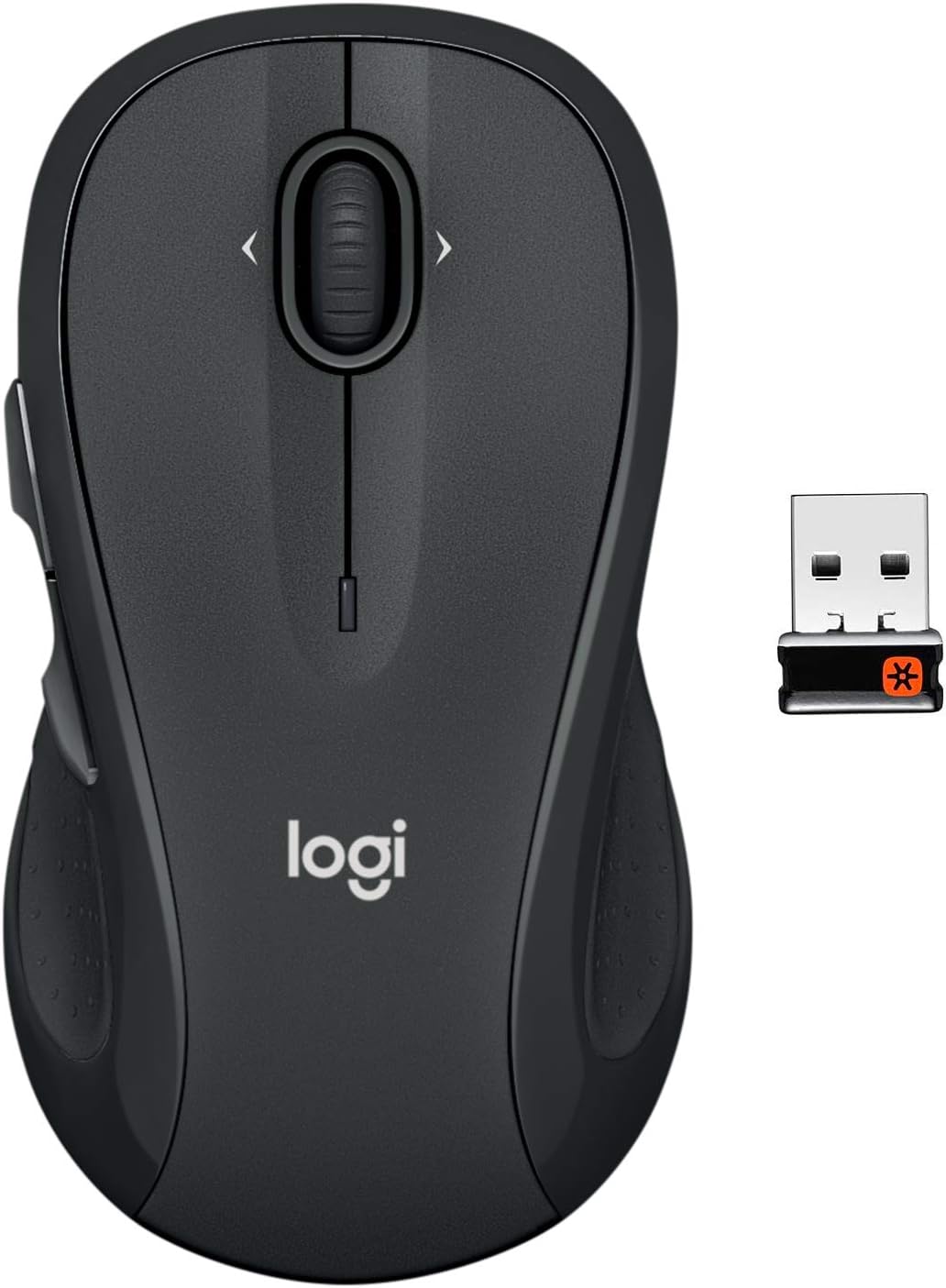
The Logitech M510 Wireless Mouse with its compact Unifying Receiver.
Melite
Ihe ngwugwu
- Logitech Unifying nnata
- 2 AA batrị
Ntinye batrị
The Logitech M510 mouse comes with two AA batteries included. To install or replace batteries:
- Flip the mouse over to reveal the battery compartment on the underside.
- Gbanyụọ mkpuchi oghere batrị.
- Tinye batrị AA abụọ ahụ, hụ na polarity ziri ezi (+/-).
- Dochie mkpuchi oghere batrị.

Open the battery compartment to insert or replace AA batteries.
Connecting the Unifying Receiver
The tiny Logitech USB Unifying receiver allows for a reliable wireless connection. It is designed to stay plugged into your laptop without interference.
- Locate the Unifying receiver, typically stored inside the mouse's battery compartment.
- Tinye ihe nnata Unifying n'ime ọdụ USB dị na kọmputa gị.
- Gbanye òké ahụ site na iji mgba ọkụ/mgbanyụ dị n'okpuru.
- Kọmputa gị kwesịrị ịchọpụta ma jikọọ na òké ahụ na akpaghị aka.

Key features and components of the Logitech M510 mouse.
Operating Your Logitech M510 Mouse
Ergonomic imewe
The Logitech M510 is designed for comfort, allowing your hand to relax hour after hour. Its contoured shape with soft rubber grips and gently curved sides provides excellent support.

The ergonomic design ensures comfortable use for extended periods.
Ọrụ bọtịnụ
The M510 features multiple buttons for enhanced control:
- Pịa aka ekpe/ akanri: Ọrụ òké nkịtị.
- Mpempe akwụkwọ mpịakọta: Maka mpịakọta kwụ ọtọ.
- Programmable Back/Forward Buttons: Located on the side, these buttons can be customized to switch applications, go full screen, or perform other functions.

The M510 offers customizable controls for increased productivity.
Side-to-Side Scrolling and Zoom
The scroll wheel also supports side-to-side scrolling and zoom functionality, allowing you to navigate horizontally through documents, web pages, and images with ease.

Soft rubber grips and a versatile scroll wheel enhance usability.
Vidiyo ngwaahịa ngwaahịa
There are no official
Akwụkwọ ndị emetụtara - M510
 |
Ntuziaka na Atụmatụ Ntọala nke Logitech Wireless Mouse M510 Get started with your Logitech Wireless Mouse M510. This guide provides step-by-step setup instructions, details on key features, and troubleshooting tips for optimal performance. Learn about the Unifying receiver and optional Logitech software. |
 |
Nduzi M510 nke Logitech Wireless Mouse: Ntuziaka Mmalite Ntuziaka a na-enye ntuziaka maka ịtọlite na iji Logitech Wireless Mouse M510. Mụta otu esi ejikọ onye nnata Unifying, hazie bọtịnụ na ngwanrọ nhọrọ, ma dozie nsogbu ndị a na-enwekarị. |
 |
Ntuziaka Mbido M510 Mouse Ikuku Logitech A comprehensive setup guide for the Logitech Wireless Mouse M510, covering installation, features, and troubleshooting. |
 |
Nduzi MX Vertical Advanced Ergonomic Mouse Logitech MX - Ntuziaka Mmalite Nduzi zuru oke maka ịtọlite na iji òké ergonomic dị elu nke Logitech MX Vertical, na-ekpuchi ụzọ njikọ, atụmatụ dị mkpa, njikwa ike, na ozi ndị ọzọ. |
 |
Logitech Marathon Mouse M705: Ntuziaka mmalite & atụmatụ Ntuziaka zuru oke maka ịtọlite na iji Logitech Marathon Mouse M705, gụnyere atụmatụ, nchọpụta nsogbu, na imekọ ntọala nnata. |
 |
Ntuziaka Mbido M510 Mouse Ikuku Logitech A setup guide for the Logitech Wireless Mouse M510, including instructions on how to connect the unifying receiver, power on the device, and optional software downloads for advanced features. |