CREATE/COOL DC Tower Fan User Manual
Model: 901ac5f5-3fab-4ab6-92cb-7ef7d8ca7a54
1. Okwu mmalite
Thank you for choosing the CREATE/COOL DC Tower Fan. This bladeless tower fan is designed to provide efficient and quiet air circulation with its advanced DC motor and 9-speed settings. Featuring a sleek design, remote control, and 90-degree oscillation, it offers optimal comfort for any room.
Biko gụọ akwụkwọ ntuziaka a nke ọma tupu ị rụọ ọrụ ngwaọrụ ahụ iji hụ na ejiri ya nke ọma ma dị nchebe. Debe akwụkwọ ntuziaka a maka ntụaka n'ọdịnihu.
2. Ntuziaka nchekwa
- Kwụpụ fan mgbe ọ bụla na oghere ọkụ tupu ihicha ma ọ bụ rụọ ọrụ ọ bụla.
- Do not operate the fan with a damaged cord or plug. If the cord or plug is damaged, contact qualified service personnel.
- Do not place the fan near water or in excessively humid environments.
- Keep fingers, hair, and loose clothing away from the fan's openings during operation.
- Ensure the fan is placed on a stable, flat surface to prevent tipping.
- Ezubere ngwa a maka iji ndị mmadụ (gụnyere ụmụaka) nwere ike anụ ahụ, mmetụta uche ma ọ bụ nke uche, ma ọ bụ enweghị ahụmịhe na ihe ọmụma, ma ọ bụrụ na enyereghị ha nlekọta ma ọ bụ ntụziaka gbasara iji ngwa ahụ site n'aka onye na-ahụ maka nchekwa ha.
- Ekwesịrị ilekọta ụmụaka ka ha hụ na ha ejighi ngwa eji egwu egwu egwu.
- Do not insert any objects into the fan's openings.
- Ekpuchila fan ahụ mgbe ị na-arụ ọrụ.
3. Ihe ngwugwu
Chọpụta na ihe niile dị na ngwugwu:
- CREATE/COOL DC Tower Fan Unit
- Njikwa anya
- Eriri Ike (ejikọtara ọnụ)
- Akwụkwọ ntuziaka (akwụkwọ a)
4. Nhazi
- Mepee onye ofufe: Carefully remove the tower fan and all accessories from the packaging.
- Nkwanye: Place the fan on a firm, level surface. Ensure there is adequate space around the fan for proper air circulation and oscillation.
- Njikọ Ike: Insert the power plug into a standard electrical outlet. Ensure the voltage matches the fan's requirements (230V).
- Batrị njikwa anya: The remote control may require batteries (not included). Open the battery compartment and insert the correct type and number of batteries, observing polarity.
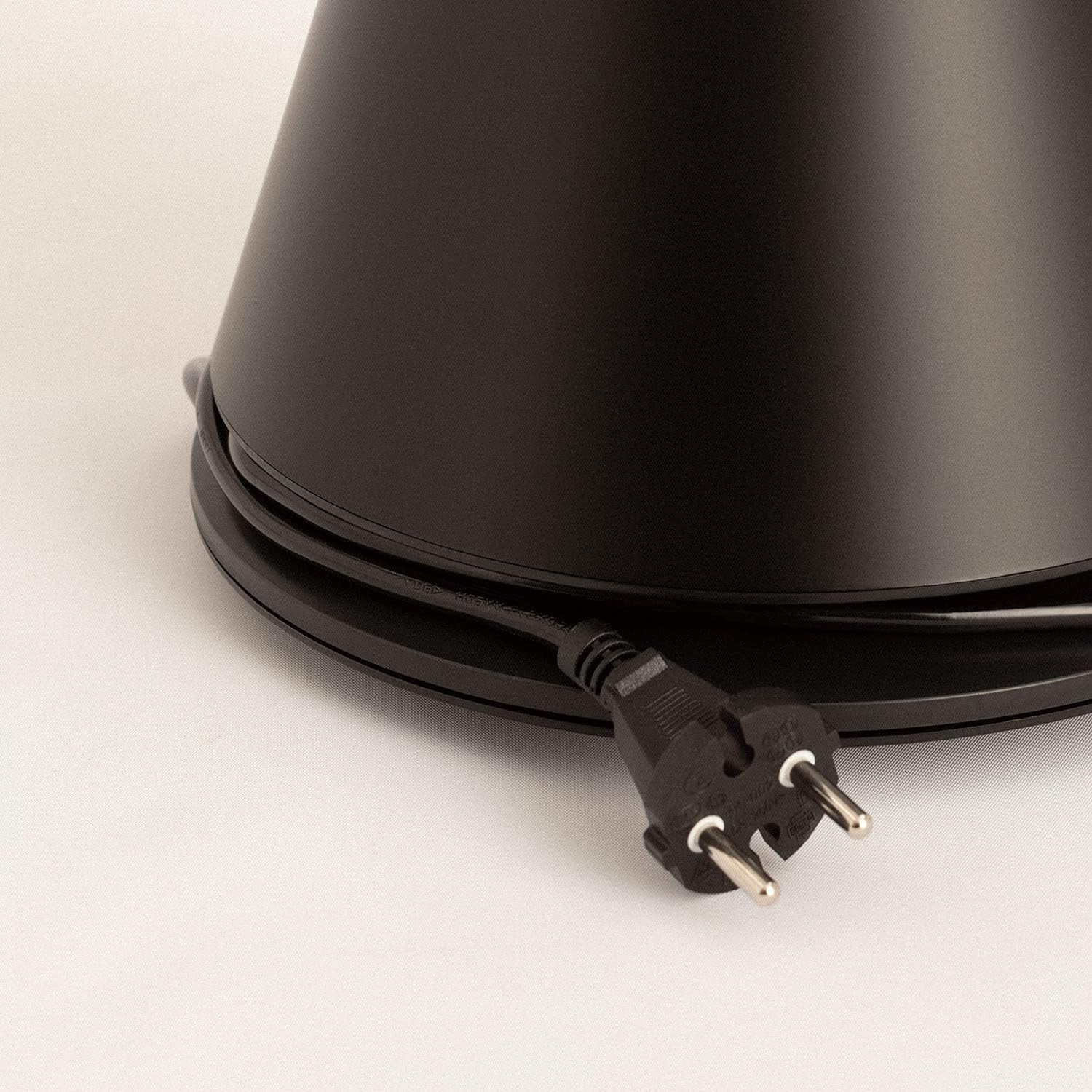
Image: Power cord connected to the fan base.
This image shows the integrated power cord and plug, ready for connection to a wall outlet. The cord is neatly wrapped around the base for storage.
5. Ntuziaka ọrụ
Control Panel (Digital Display Touch-System)
The fan features a digital display touch-system on its top, which also serves as the integrated remote control storage. Touch the icons to control the fan.
Njikwa anya
The magnetic remote control can be stored conveniently on top of the fan. It provides full functionality for operating the fan from a distance.

Image: Remote control for the tower fan.
This image displays the compact remote control with clearly labeled buttons for power, speed adjustment, mode selection, and oscillation control.
Ọrụ:
- Gbanyụọ/ Gbanyụọ: Pịa bọtịnụ ike (⏻) to turn the fan on or off.
- Ndozi ọsọ ọsọ: The fan has 9 speed levels. Use the '+' and '-' buttons to increase or decrease the fan speed.
- Ụdị ifufe: Select between 2 wind modes (e.g., Normal, Sleep, Natural - specific modes may vary). Press the mode button to cycle through available modes.
- Mgbanwe: Press the oscillation button (↻) to activate or deactivate the 90-degree oscillation feature, which distributes air evenly across the room.
- Ngụ oge: Set the fan to automatically turn off after a specified period. Refer to the display for timer settings (e.g., 1-12 hours).

Image: Tower fan placed in a bedroom.
This image shows the sleek black tower fan positioned in a modern bedroom, demonstrating its compact footprint and aesthetic integration into a living space.
6. Nlekọta
Regular cleaning will help maintain the fan's performance and extend its lifespan.
- Na-ehicha Mpụga: Jiri nwayọ hichaa elu mpụta nke fan, damp akwa . Ejila ihe nchacha abrasive ma ọ bụ ihe mgbaze.
- Mwepụ uzuzu: Use a vacuum cleaner with a brush attachment or compressed air to remove dust from the air intake and outlet grilles.
- Nchekwa: Ọ bụrụ na ị na-echekwa fan ahụ ruo ogologo oge, wepụ ya na plọg, hichaa ya nke ọma, ma debe ya n'ebe dị jụụ ma kpọọ nkụ, ọkachasị na ngwugwu mbụ ya.
- Adịnyela fan n'ime mmiri ma ọ bụ mmiri mmiri ọ bụla ọzọ.
7. Nchọpụta nsogbu
| Nsogbu | Ihe nwere ike ime | Ngwọta |
|---|---|---|
| Onye ofufe anaghị agbanwuo. | Not plugged in; Power outlet not working; Power button not pressed. | Hụ na e tinyere fan ahụ n'ime oghere na-arụ ọrụ nke ọma. Pịa bọtịnụ ike. |
| Ikuku ikuku adịghị ike. | Low speed setting; Air inlets/outlets blocked by dust. | Increase the fan speed. Clean the air inlets and outlets. |
| Onye ofufe na-eme mkpọtụ. | Fan not on a level surface; Internal obstruction; High speed setting. | Place the fan on a flat, stable surface. Check for any obstructions. Reduce fan speed. |
| Njikwa anya anaghị arụ ọrụ. | Batteries dead or incorrectly inserted; Obstruction between remote and fan. | Replace batteries, ensuring correct polarity. Remove any obstructions. Ensure remote is pointed at the fan. |
8. Nkọwapụta
| Njirimara | Nkọwa |
|---|---|
| Ụdị | Mepụta |
| Nọmba nlereanya | 901ac5f5-3fab-4ab6-92cb-7ef7d8ca7a54 |
| Akụkụ ngwaahịa | 102 x 23 x 102 cm (approx. 23D x 23W x 102H cm) |
| Ibu | 2.6 kilogram |
| Agba | Nwa |
| Isi Iyi Ike | Igwe ọkụ eletrik |
| Voltage | 230 volts |
| Wattage | 26 Watt |
| Ọkwa mkpọtụ | 2 dB (Note: This value seems unusually low based on customer reviews, typical fan noise is higher. Please refer to actual product performance.) |
| Ọnụọgụ nke Ọsọ ọsọ | 9 |
| Atụmatụ pụrụ iche | Oscillating, Lightweight, DC Motor, Timer, Remote Control |
9. Akwụkwọ ikike na nkwado
CREATE products are manufactured to the highest quality standards. For information regarding warranty coverage, please refer to the warranty card included with your purchase or visit the official CREATE websaịtị.
For technical support, troubleshooting assistance, or spare parts, please contact CREATE customer service. Contact details can typically be found on the product packaging or the official brand websaịtị.
Websaịtị: CREATE Official Store


