1. Okwu mmalite
This manual provides essential instructions for the safe operation, maintenance, and troubleshooting of your Bagotte BG600MAX Robot Vacuum Cleaner. Please read this manual thoroughly before using the appliance and retain it for future reference.
2. Ntuziaka nchekwa dị mkpa
To reduce the risk of injury or damage, read these safety instructions carefully and keep them handy when setting up, using, and maintaining your robot vacuum cleaner.
- This appliance is for indoor use only. Do not use outdoors or on commercial surfaces.
- Ekwela ka ụmụaka jiri igwe nhicha ahụ rụọ ọrụ. Na-elekọta ụmụaka na anụ ụlọ mgbe robot ahụ na-arụ ọrụ.
- Do not place objects on top of the robot.
- Remove obstacles and loose cables from the cleaning path to prevent entanglement.
- Avoid vacuuming very dark-colored high-pile rugs or rugs thicker than 1.02 inches (26 mm).
- Do not expose the robot to direct sunlight.
- Use only the original power adapter and charging base provided.
- Gbaa mbọ hụ na ejirila robọt ahụ chaja nke ọma tupu ejiri ya mee ya nke mbụ.
3. Ihe ngwugwu
Chọpụta na akụrụngwa niile dị na ngwugwu:
- 1 x BG600MAX Robot Vacuum
- 1 x Njikwa Ime Obodo (batrị AAA abụọ gụnyere)
- 1 x Isi Nchaji
- 1 x nkwụnye ọkụ
- 1 x Magnetic Stripe (2 meters)
- 1 x Additional HEPA Strainer
- 1 x Additional Foam Strainer
- 4 x Agba nchacha
- 1 x Ngwa inyeaka
- 1 x Akwụkwọ ntuziaka onye ọrụ
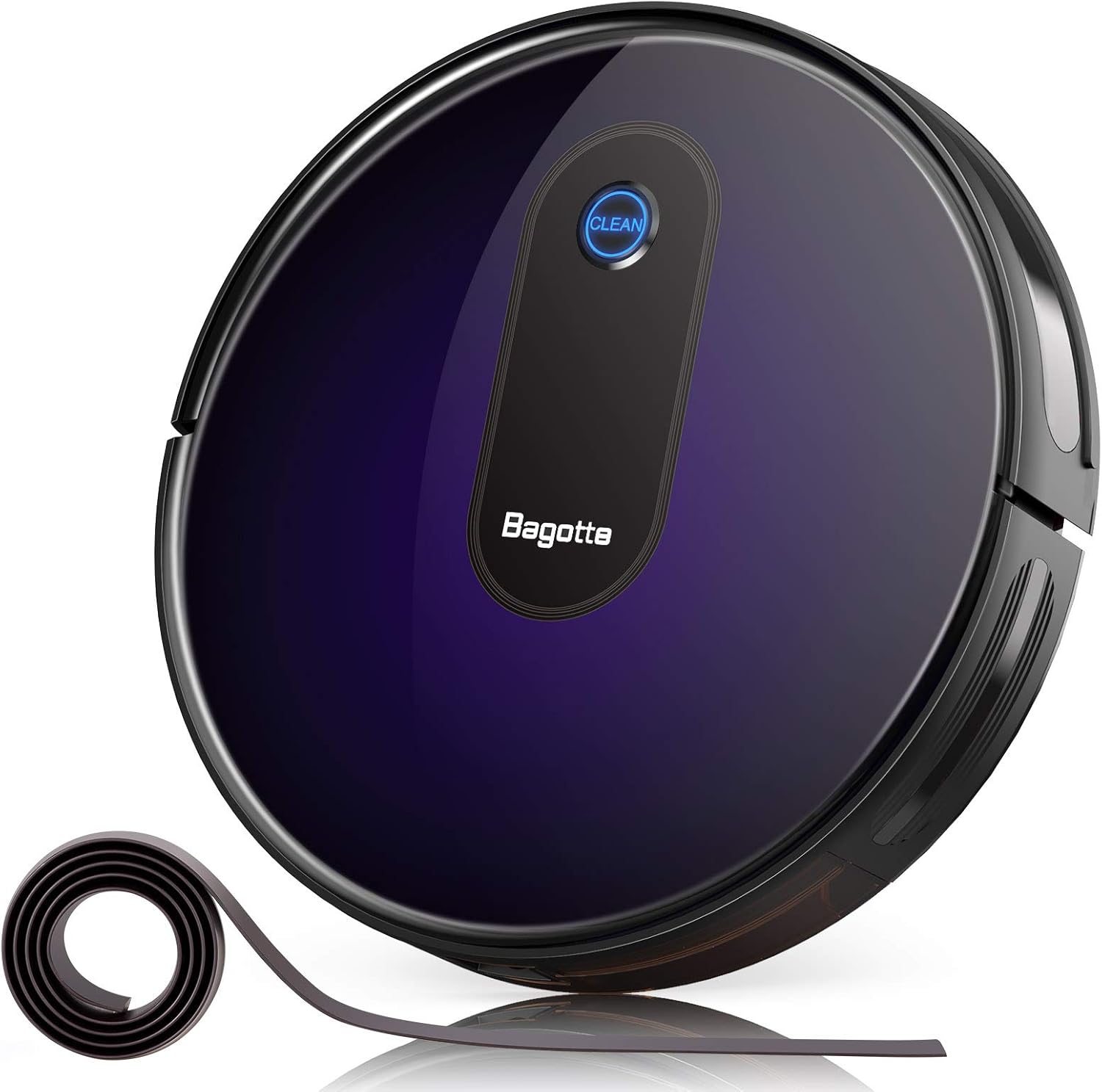
This image displays the Bagotte BG600MAX Robot Vacuum Cleaner along with its charging base, remote control, side brushes, and other accessories as they appear in the package.
4. Ngwaahịa gafereview
The Bagotte BG600MAX is a versatile robot vacuum cleaner designed for efficient floor cleaning. It features multiple cleaning modes, strong suction, and intelligent navigation.
Akụkụ ndị bụ isi:
- Mmanya dị ike: Provides up to 2000Pa suction for thorough cleaning.
- Nhicha 3-n'ime-1: Combines vacuuming, sweeping, and mopping (water tank sold separately).
- Boost-Intellect Technology: Automatically increases suction power on carpets.
- Nhazi dị oke mkpa: At 2.7 inches, it can clean under low-lying furniture.
- Ọrụ dị jụụ: Operates at a low noise level of 55dB in Low/Auto suction mode.
- Anti-Fall Protection: Sensors prevent the robot from falling down stairs.
- Smart Anti-Collision Sensors: Detects and avoids obstacles.
- Boundary Strips: Use the included magnetic strip to define no-go zones.

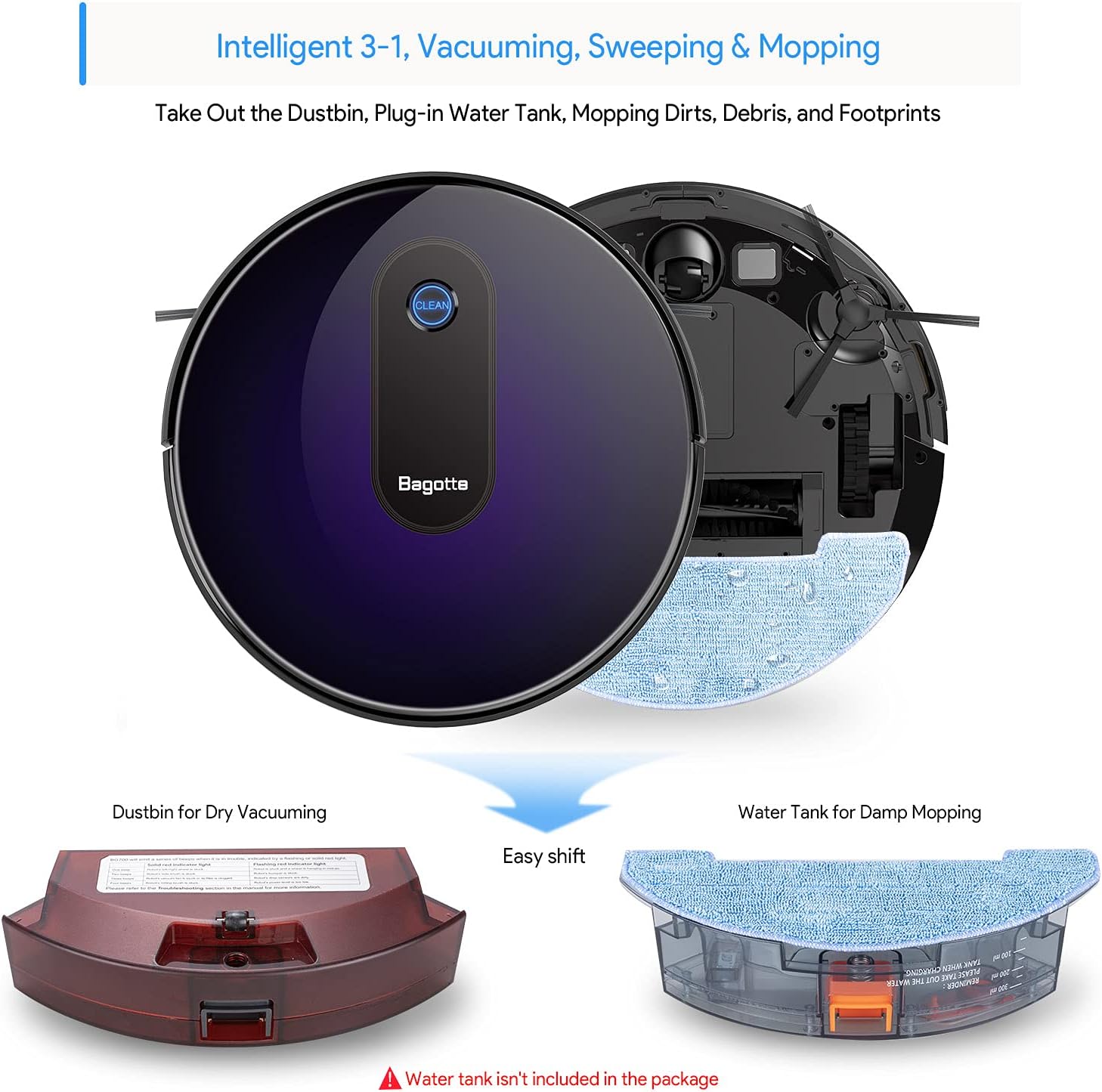
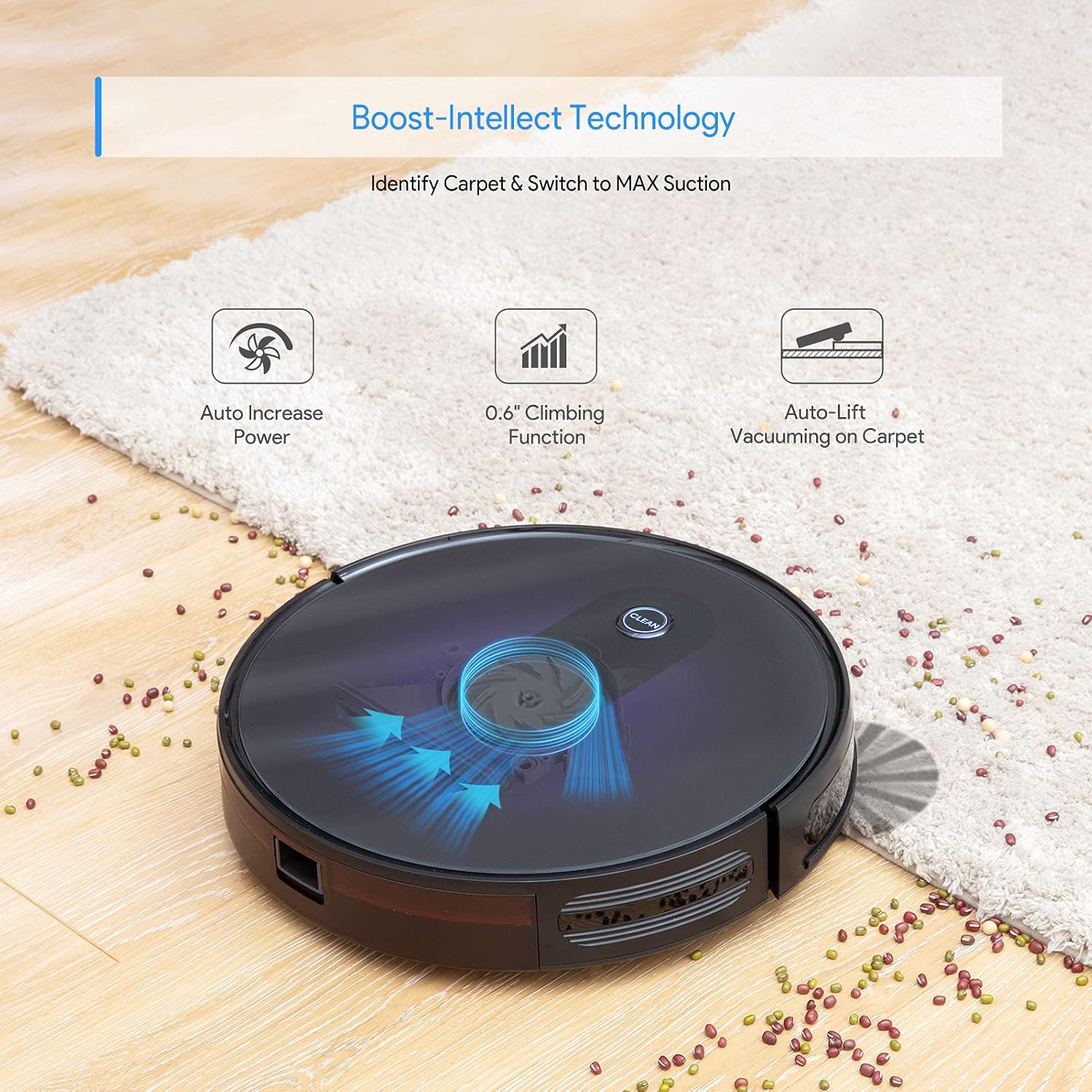
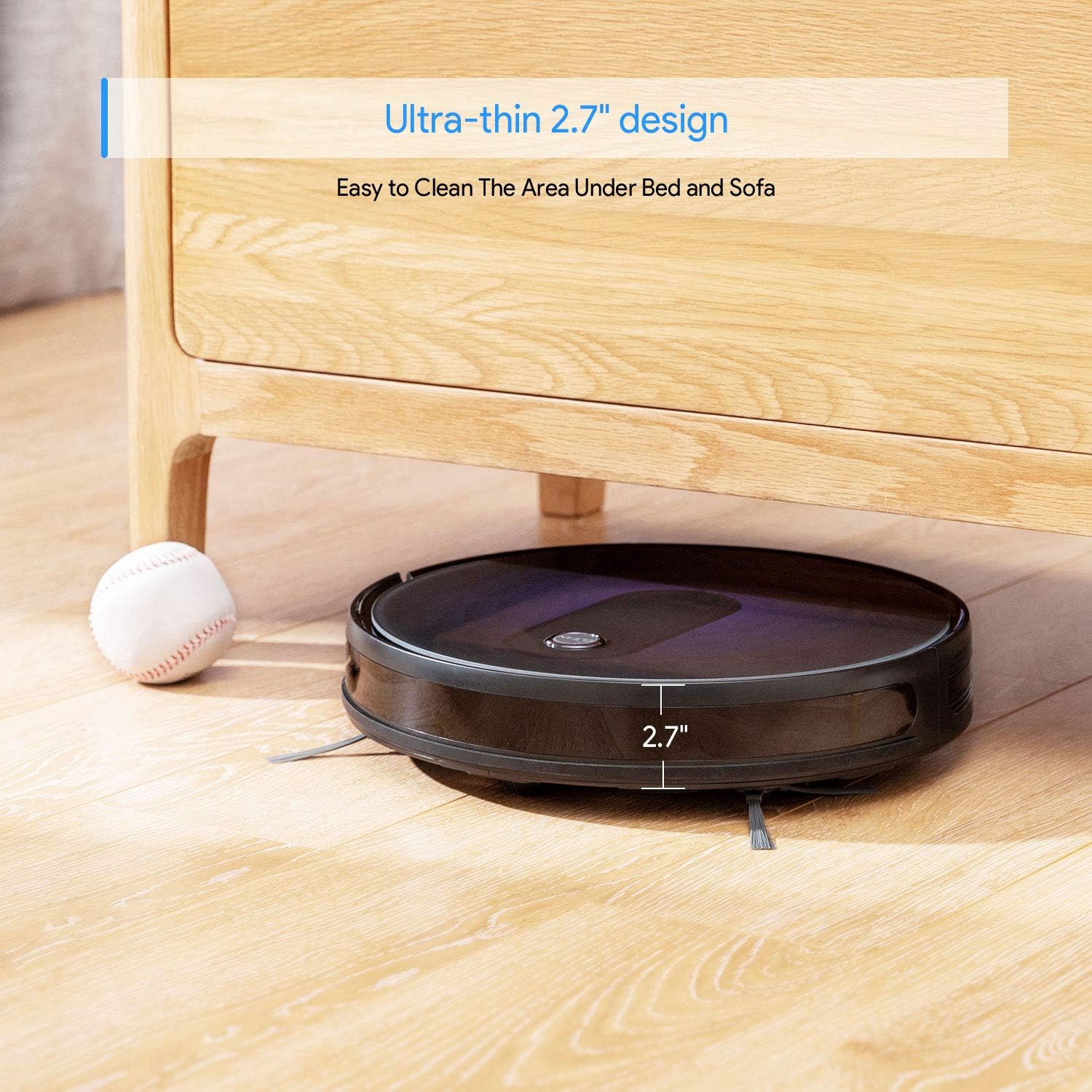

Ngwaahịa gafereview Vidiyo
5. Nhazi
5.1 Nhazi Isi Nchaji
Place the charging base against a wall in an open, uncluttered area. Ensure there is at least 1 meter (3 feet) of clear space to the sides and 2 meters (6 feet) in front of the charging base for optimal robot navigation.
5.2 Ịwụnye ahịhịa akụkụ
Attach the side brushes by pressing them onto the square posts on the bottom of the robot until they click into place.
5.3 Ụgwọ mbụ
Before first use, ensure the robot is fully charged. Connect the power adapter to the charging base and plug it into a wall outlet. Place the robot onto the charging base, aligning its charging contacts with those on the base. The indicator light on the robot will show charging status.
5.4 Gbanyụọ/ gbanyụọ
To power on the robot, press and hold the 'CLEAN' button on the robot or the power button on the remote control until the indicator lights illuminate. To power off, press and hold the 'CLEAN' button until the lights turn off.
Setup and Remote Control Demonstration
6. Ntuziaka ọrụ
The Bagotte BG600MAX offers various cleaning modes to suit different needs.
6.1 Ụdị nhicha
- Nhicha akpaaka: The robot automatically cleans in a systematic pattern. Press the 'CLEAN' button on the robot or 'AUTO' on the remote.
- Nhicha ncha: For concentrated cleaning of a specific dirty area. Place the robot in the center of the area and select 'Spot' mode on the remote.
- Nchacha ọnụ: The robot cleans along walls and furniture edges. Select 'Edge' mode on the remote.
6.2 Iji njikwa anya
The remote control allows you to start/stop cleaning, select cleaning modes, direct the robot manually, and send it back to the charging base.
6.3 Setting Up Boundary Strips
Use the magnetic boundary strips to create virtual walls that the robot will not cross. Cut the strip to the desired length and place it flat on the floor. Ensure the robot's sensors can detect the strip.
Robot in Action Videos
7. Nlekọta
Nlekọta anya mgbe niile na-eme ka arụ ọrụ kacha mma na-agbatị ogologo ndụ nke ihe nhicha ikuku robot gị.
7.1 Cleaning the Dustbin and Filters
- Pịa bọtịnụ mwepụta nke ihe mkpofu wee wepụta ihe mkpofu ahụ.
- Mepee mkpuchi ihe mkpofu ma wụsa ihe dị n'ime ya n'ime ihe mkpofu.
- Remove the primary filter and HEPA filter. Tap them gently to remove dust. Do not wash HEPA filters.
- Rinse the dustbin with water if necessary, ensuring it is completely dry before reinstallation.
- Reinstall the filters and dustbin.
7.2 Nhicha ahịhịa n'akụkụ
Periodically check the side brushes for tangled hair or debris. Gently pull them off their posts and remove any obstructions. If brushes are damaged, replace them with new ones.
7.3 Nhicha ahịhịa isi
Open the main brush cover on the bottom of the robot. Remove the main brush and use the auxiliary tool to cut and remove any tangled hair or fibers. Reinstall the main brush and cover.
7.4 Ihe Nzacha na Nchaji Ndị Na-akpọtụrụ
Wipe the anti-drop sensors, anti-collision sensors, and charging contacts on both the robot and the charging base with a clean, dry cloth to ensure proper function.
8. Nchọpụta nsogbu
If your robot vacuum cleaner encounters issues, refer to the following table for common problems and solutions.
| Nsogbu | Ihe nwere ike ime | Ngwọta |
|---|---|---|
| Robot anaghị agbanye | Batrị dị ala; Gbanyụọ ọkụ | Charge the robot; Ensure power switch on bottom is ON. |
| Robot anaghị akwụ ụgwọ | Charging contacts dirty; Power adapter not connected | Clean charging contacts; Ensure adapter is plugged in. |
| Robot na-arapara mgbe mgbe | Obstacles; High-pile carpets | Clear cleaning area; Use boundary strips for problematic rugs. |
| Arụmọrụ nhicha na-adịghị mma | Full dustbin; Clogged filters/brushes | Empty dustbin; Clean/replace filters and brushes. |
| Njikwa anya anaghị arụ ọrụ | Dead batteries; Obstruction between remote and robot | Replace AAA batteries; Ensure clear line of sight. |
9. Nkọwapụta
Detailed technical specifications for the Bagotte BG600MAX Robot Vacuum Cleaner.
| Nkọwapụta | Uru |
|---|---|
| Ụdị | Bagotte |
| Aha Nlereanya | BG600MAX |
| Akụkụ ngwaahịa | 13"L x 13"W x 2.7"H |
| Ụdị batrị | DC 14.4 V Li-ion 2600 mAh |
| Oge ọrụ kacha | 100 nkeji |
| Oge Nchaji | Nkeji 300-360 |
| DB Noise | 40-60 dB |
| Ikike onye nchịkọta | 0.6l |
| Isi Iyi Ike | Akwanyere batrị |
| Ngwa dakọtara | Amazon Echo |
| Nkwanye elu | Hardwood, Carpet |
10. Akwụkwọ ikike na nkwado
Bagotte offers a 1-year return and replacement policy for this product. If you encounter any issues or require assistance, please contact Bagotte customer support. Do not return the product directly without contacting support first, as they can provide a satisfactory solution.
For further assistance, please visit the official Bagotte websaịtị ma ọ bụ rụtụ aka na ozi kọntaktị enyere na nkwakọ ngwaahịa gị.


