1. Okwu mmalite
This user manual provides comprehensive instructions for the setup, operation, and maintenance of your INSIGNIA NS-24DF311SE21 24-inch Smart HD TV - Fire TV Edition. Please read this manual thoroughly before using your television to ensure proper functionality and safety.
2. Kedu ihe dị na Igbe ahụ
Chọpụta na ihe niile dị na nkwakọ ngwaahịa:
- INSIGNIA NS-24DF311SE21 24-inch Smart HD TV
- Voice Remote with Alexa (includes 2 AAA batteries)
- Ihe nkwụnye TV (2 iberibe)
- Ụdọ ọkụ
- Ntuziaka nhazi ngwa ngwa (akwụkwọ a)
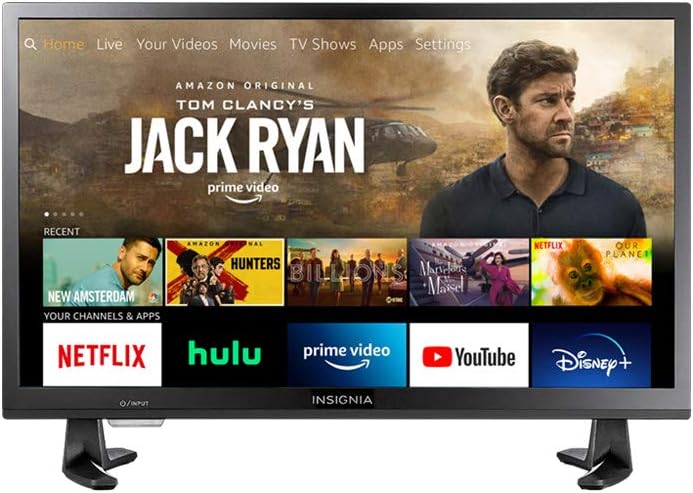
Figure 2.1: INSIGNIA NS-24DF311SE21 Smart HD TV with Fire TV interface.
3. Nhazi
3.1 Na-agbakwunye ihe nkwụnye TV
- Jiri nlezianya dobe TV ihu ala n'elu dị nro ma dị ọcha iji gbochie mmebi ihuenyo.
- Align the stand pieces with the screw holes on the bottom of the TV.
- Jiri skru ndị enyere kee akụkụ ihe ndị ahụ. Hụ na e siri ha ike nke ọma.

Figure 3.1: TV with stand attached.
3.2 Ijikọ ike
Tinye eriri ọkụ eletrik n'ime ihe ntinye ike nke TV ahụ, wee tinye nsọtụ nke ọzọ n'ime ihe nkwụnye mgbidi.
3.3 Ntọala mbụ
- Gbanwuo TV site na iji bọtịnụ ike dị na ime ime.
- Soro ntuziaka na ihuenyo ka ịhọrọ asụsụ gị, jikọọ na netwọk Wi-Fi, wee banye na akaụntụ Amazon gị.
- The TV will guide you through pairing the Voice Remote with Alexa.
4. Ntuziaka ọrụ
4.1 Iji Olu Remote na Alexa
The included Voice Remote with Alexa allows for intuitive control of your TV. Press and hold the microphone button to issue voice commands for searching content, launching apps, controlling smart home devices, and more.
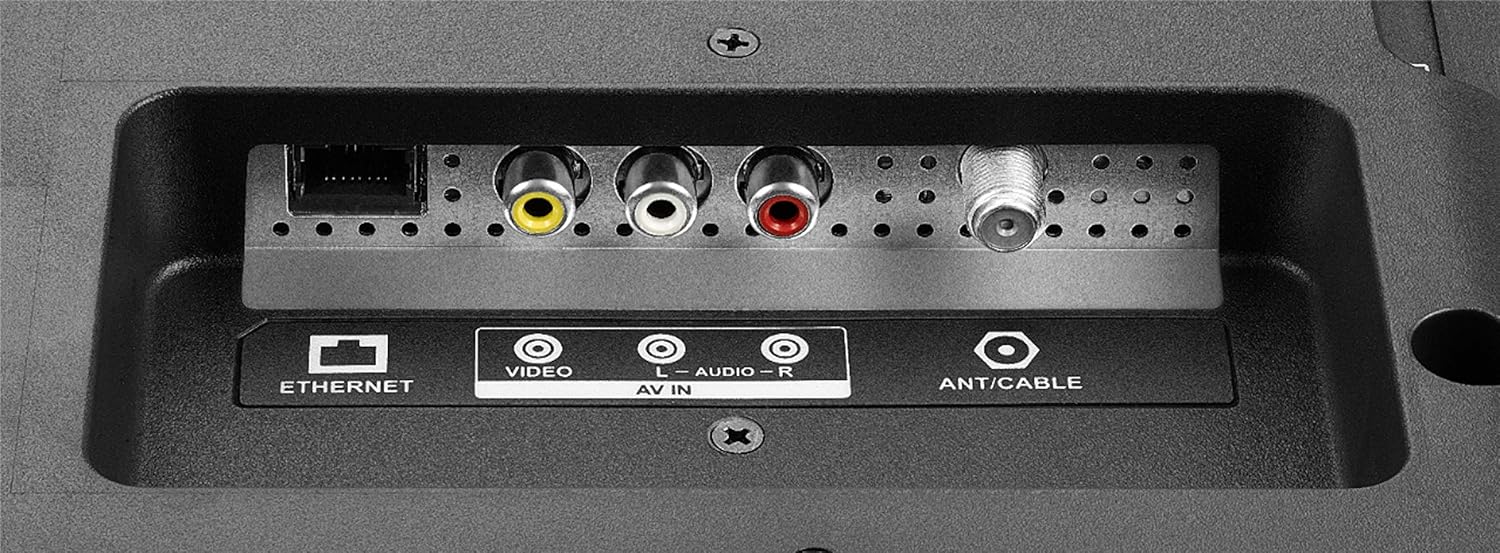
Figure 4.1: Voice Remote with Alexa.
4.2 Na-agagharị Interface TV Ọkụ
The Fire TV interface provides a unified home screen for live TV and streaming channels. Use the navigation buttons on your remote to browse content, access apps, and adjust settings.
- Ụlọ: Returns to the main Fire TV home screen.
- Ngwa: Access your installed applications.
- Ntọala: Configure TV and Fire TV settings.
- Bọtịnụ ndị raara onwe ha nye: Quick access to popular streaming services like Netflix and Amazon Prime Video.

Figure 4.2: Fire TV interface and remote in use.
5. Atụmatụ igodo
- Voice Remote with Alexa: Control your TV, launch apps, search for titles, play music, switch inputs, and manage smart home devices using voice commands.
- Integrated Fire TV Experience: Access over 500,000 streaming movies and TV episodes from tens of thousands of channels and apps.
- Unified Home Screen: Seamlessly integrates live over-the-air TV and streaming channels.
- Ọrụ Smart TV: Built-in Wi-Fi and integrated apps for streaming content.
- Mkpebi HD: Provides clear picture quality for an enhanced viewahụmahụ.
- Multiple HDMI Connections: Facilitates easy connection of external devices.
6. Njikọ
Your INSIGNIA TV offers various ports for connecting external devices.
6.1 Side Panel Connections
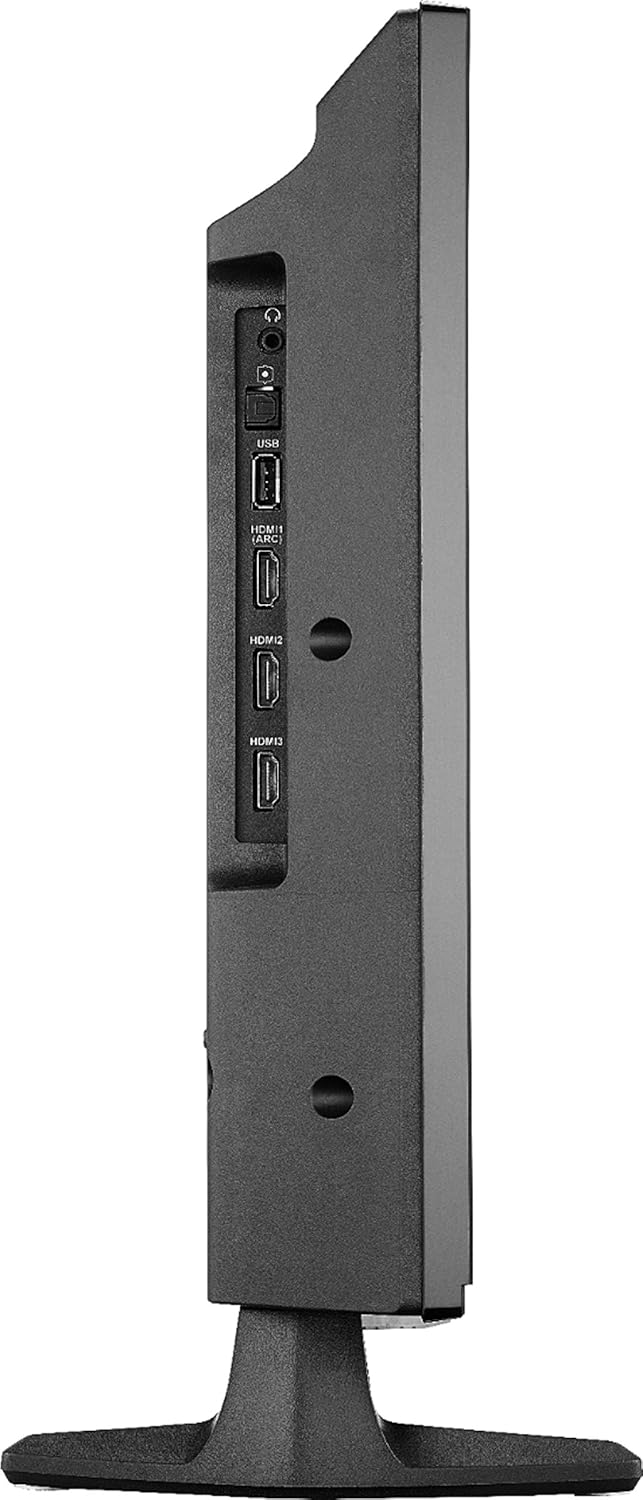
Figure 6.1: Side panel connections.
- USB: Jikọọ ngwaọrụ nchekwa USB maka ịkpọghachi mgbasa ozi.
- HDMI (ARC): Connect HDMI devices. Audio Return Channel (ARC) allows audio to be sent back to a compatible audio system.
- HDMI 2, HDMI 3: Connect additional HDMI devices such as gaming consoles, Blu-ray players, or cable boxes.
- DIGITAL OPTICAL OUTPUT: For connecting to a digital audio receiver or soundbar.
- Jack ekweisi 3.5mm: Maka ijikọ ekweisi.
6.2 Njikọ azụ azụ
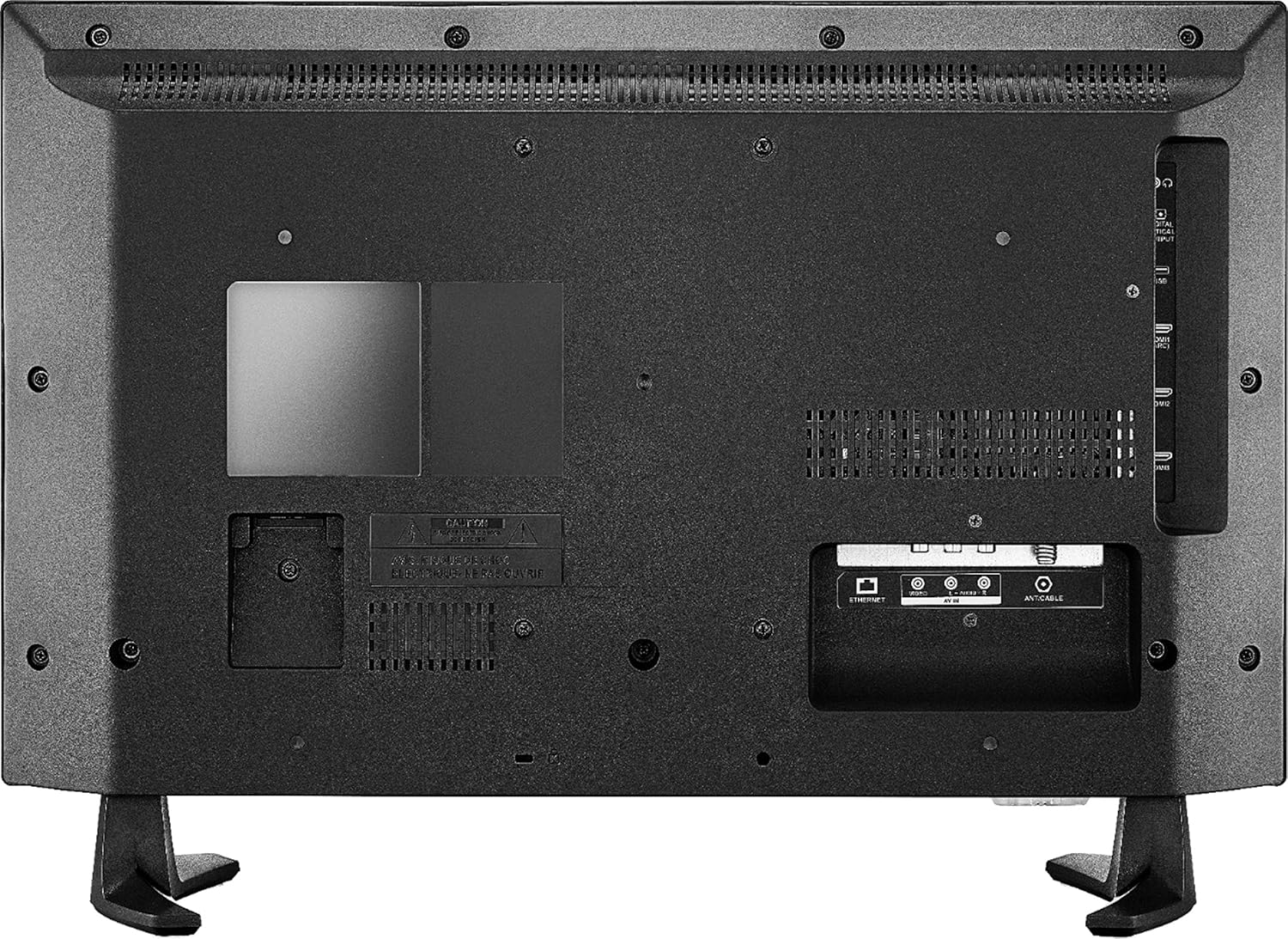
Ọgụgụ 6.2: Njikọ azụ azụ.
- AKTHERKỌ: Maka njikọ ịntanetị ejikọrọ.
- AV IN (Video, L-Audio, R-Audio): Jikọọ ngwaọrụ ndị ochie site na iji eriri vidiyo na ụda stereo.
- ANT/CABLE: Jikọọ antenna maka mgbasa ozi n'ikuku ma ọ bụ njikọ TV USB.
7. Nkọwapụta
| Njirimara | Nkọwa |
|---|---|
| Ụdị | Insignia |
| Nọmba nlereanya | NS-24DF311SE21 |
| Nha ihuenyo | 23.6 Inches (24-inch class) |
| Ngosipụta teknụzụ | Ikanam |
| Mkpebi | HD (720p) |
| Ọnụego ume ọhụrụ | 60 Hz |
| Akụkụ akụkụ | 16:9 |
| Teknụzụ Njikọta | HDMI, Wi-Fi, Ethernet |
| Akụkụ ngwaahịa (D x W x H) | 7.1"D x 21.7"W x 14.4"H |
| Ibu Ibu | 6.4 pound |
| Ụdị Ọkà Okwu | Wuru n'ime |
| Njirimara Pụrụ Iche | Flat Screen, Fire TV Edition |
| Batrị | Batrị AAA 2 (gụnyere maka ime ime) |
| Agba | Nwa |
| VESA Ugwu ndakọrịta | 100 x 100mm (Note: May use 2 mounting points, refer to mounting instructions for details) |
8. Nchọpụta nsogbu
Ọ bụrụ na ị na-enwe nsogbu na TV gị, rụtụ aka na azịza ndị a na-ahụkarị:
- Enweghị ike: Gbaa mbọ hụ na ejikọrọ eriri ọkụ na ma igwe onyonyo na igwe eletrik na-arụ ọrụ. Gbalịa ụzọ ọpụpụ dị iche.
- Enweghị foto/ụda:
- Nyochaa isi mmalite ntinye ziri ezi ahọpụtara (dịka ọmụmaatụ, HDMI 1, antenna).
- Check all cable connections (HDMI, AV, etc.) are secure.
- Ensure the volume is not muted or set to minimum.
- Remote anaghị aza:
- Dochie batrị ndị dị na njikwa anya.
- Gbaa mbọ hụ na enweghị ihe mgbochi n'etiti igwe anya na TV.
- Re-pair the remote if necessary (follow on-screen instructions during initial setup or in TV settings).
- Okwu njikọ netwọkụ:
- Malitegharịa ekwentị Wi-Fi rawụta na modem gị.
- Check TV network settings to ensure it's connected to the correct network.
- If using a wired connection, ensure the Ethernet cable is properly connected.
- Okwu Ogo foto:
- Gbanwee ntọala foto (ọkụ, ọdịiche, agba) na menu TV.
- Ensure the input source is providing a high-quality signal.
For further assistance, consult the online support resources or contact customer service.
9. Nlekọta
- Na-ehicha ihuenyo: Jiri nwayọ hichaa ihuenyo ahụ site na iji akwa dị nro na-enweghị lint. Maka akara ndị isi ike, dị obere dampen akwa na mmiri ma ọ bụ ihe ngwọta na-ehicha ihuenyo kpọmkwem nke e mere maka ngwá electronic. Afesala mmiri mmiri ozugbo na ihuenyo.
- Na-ehicha kabinet: Jiri akwa dị nro ma kpọọ nkụ hichaa kabinet TV. Zere iji ihe nhicha ma ọ bụ ihe mgbaze.
- Igwe ikuku: Gbaa mbọ hụ na egbochighị oghere ikuku na TV ka ọ ghara ikpo oke ọkụ.
- eriri ike: Regularly check the power cord for any damage. If damaged, discontinue use and replace it with an authorized replacement.
10. Ozi nchekwa
Please read and follow all safety instructions to prevent injury or damage to your TV.
- Ewepụla TV na mmiri ozuzo ma ọ bụ mmiri.
- Do not open the TV cabinet; there are no user-serviceable parts inside. Refer all servicing to qualified personnel.
- Gbaa mbọ hụ na ikuku ikuku dị na gburugburu TV.
- Zere idobe TV na ìhè anyanwụ kpọmkwem ma ọ bụ nso ebe okpomọkụ.
- Edokwala ihe ndị dị arọ n'elu TV.
- Keep the TV away from sources of strong magnetic fields.
- This item arrives in packaging that reveals what’s inside and can’t be hidden.
11. Nkwusa gbasara iwu
Web-based services and content require high-speed Internet service. Some services may require a subscription.
12. Akwụkwọ ikike na nkwado
For warranty information and technical support, please refer to the documentation included with your purchase or visit the official INSIGNIA website. You can also find support resources on the Amazon product page for this model.
Akụrụngwa dị n'ịntanetị:


