1. Ngwaahịa gafereview
This manual provides instructions for the Senville 42-inch Oscillating Tower Fan, Model SENTF-19JRA. This appliance is designed to provide cooling airflow in indoor environments.
Akụkụ ndị bụ isi:
- Hedị Arụrụ: The fan's height can be adjusted from 36 inches to 42 inches.
- Njikwa anya: Includes a remote for convenient operation.
- Ọrụ ngụ oge: Features a built-in timer for scheduled operation.
- Ntọala ọsọ ọtụtụ: Offers 3 fan speed settings.
- Mgbanwe: Provides wide oscillation for broad air distribution.
2. Ntuziaka nchekwa dị mkpa
Gụọ ntuziaka niile tupu i jiri ngwa a. Ọ bụrụ na i meghị ihe ndị a, ọ nwere ike ibute nkụchi eletriki, ọkụ, ma ọ bụ nnukwu mmerụ ahụ.
Akpachara anya nchekwa izugbe:
- Kwapụ ihe ikuku na-agbapụta mgbe niile tupu ị sachaa, rụzie, ma ọ bụ kwaga ebe ọzọ.
- Ejila waya maọbụ plọg mebiri emebi rụọ ọrụ fan ahụ. Ọ bụrụ na eriri maọbụ plọg ahụ emebie, kpọtụrụ ndị ahịa.
- Debe ụmụaka na anụ ụlọ n'ebe onye ofufe nọ n'oge ọrụ.
- Do not insert fingers or other objects through the grille when the fan is operating.
- Debe fan ahụ n'elu ebe kwụsiri ike ma dị larịị iji gbochie ya ịda.
- Ejila fan na mmiri ma ọ bụ damp ebe, dị ka ụlọ ịsa ahụ.
- Gbaa mbọ hụ na ọkọnọ ike dabara na voltage specified on the fan's rating label (110 Volts).
- Ngwaahịa a nwere kemịkalụ mara steeti California na-ebute ọrịa kansa na ntụpọ ọmụmụ ma ọ bụ mmerụ ahụ ọmụmụ ọzọ (atụmatụ ịdọ aka ná ntị 65).
3. Ihe ngwugwu
Chọpụta na akụrụngwa niile dị na nkwakọ ngwaahịa:
- Tower Fan Unit
- Base efere
- Njikwa Ime Ime (batrị AAA abụọ adịghị na ya)
- Akwụkwọ ntuziaka onye ọrụ
4. Ngwa ngwaahịa

Figure 4.1: Senville Tower Fan and Remote Control.
Ogwe njikwa
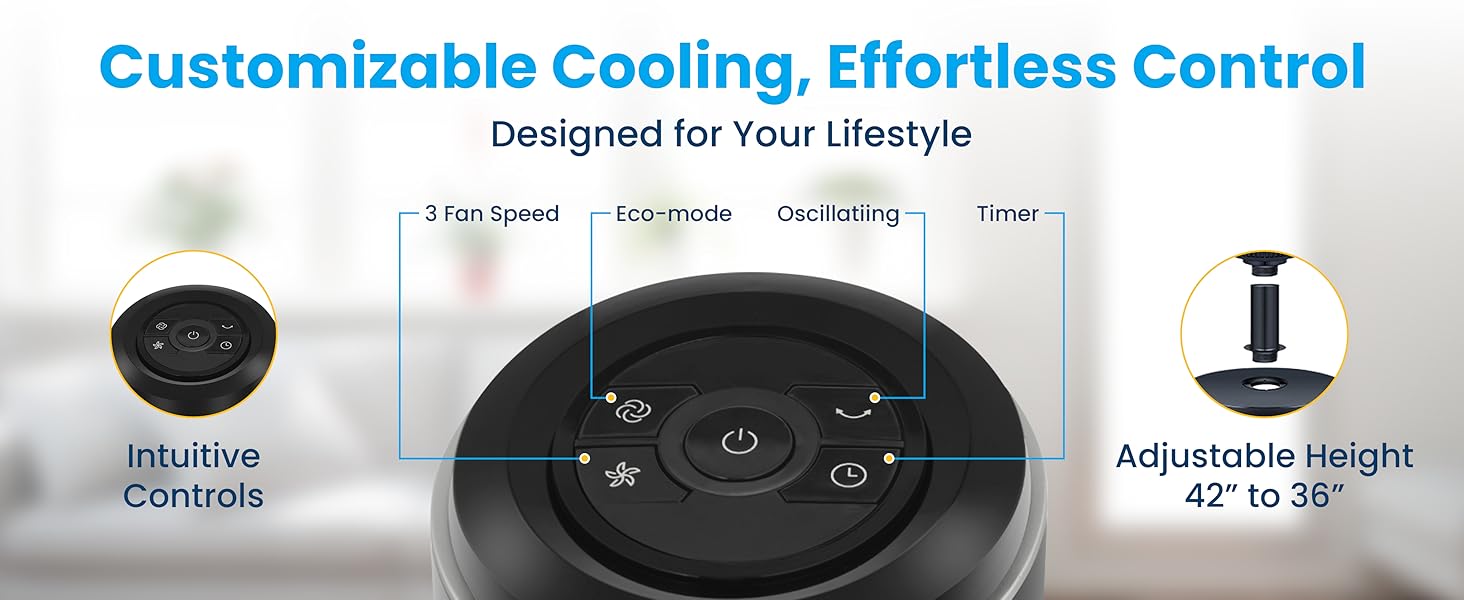
Figure 4.2: Top-mounted control panel with touch buttons for various functions.
Njikwa anya
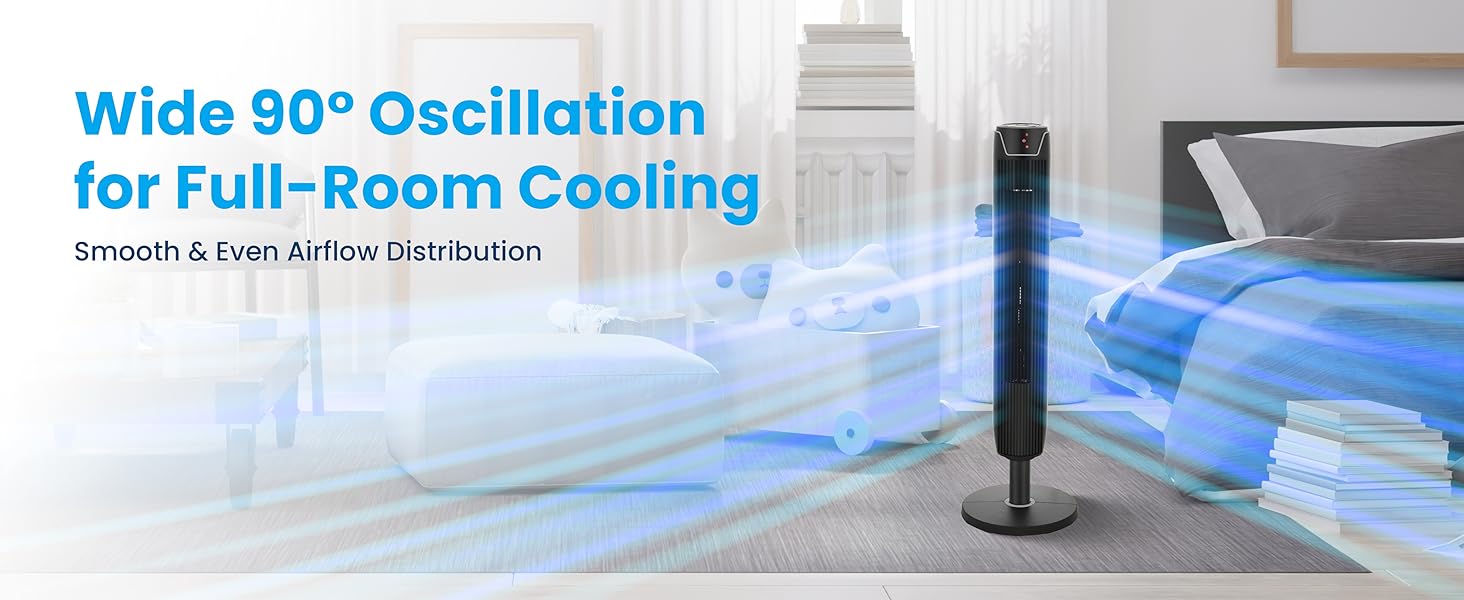
Foto nke 4.3: Njikwa dị anya maka ọrụ dị mfe.
5. Ntuziaka Mgbakọ
Follow these steps to assemble your Senville Tower Fan:
- Jiri nlezianya wepụ ihe niile dị na nkwakọ ngwaahịa.
- Locate the large plastic nut on the bottom of the tower fan unit. Ihe dị mkpa: This nut must be removed before attaching the base. Twist counter-clockwise to remove.
- Align the tower fan unit with the base plate. Ensure the power cord passes through the center hole of the base plate.
- Secure the base plate to the tower fan unit using the large plastic nut previously removed. Twist clockwise until securely tightened.
- Adjust the fan's height if desired. The fan can be set to either 36 inches or 42 inches. To adjust, gently pull the upper section upwards or push downwards until it clicks into the desired position.
Foto nke 5.1: Usoro ịdị elu a na-agbanwe agbanwe.
6. Ntuziaka ọrụ
Ịgbanyụ/ Gbanyụọ
- Tinye eriri ọkụ n'ime oghere AC 110V ọkọlọtọ.
- Pịa bọtịnụ ike () on the control panel or remote control to turn the fan on or off.
Ntọala ọsọ fan
Fan ahụ nwere ntọala ọsọ atọ: Ala, Ọkara, na Elu.
- Pịa bọtịnụ ọsọ (
 ) repeatedly to cycle through the speed settings. The LED display will indicate the current speed.
Ọrụ Oscillation
The fan can oscillate to distribute air across a wider area.
- Pịa bọtịnụ oscillation () to start or stop the oscillation.

Figure 6.1: Wide 90-degree oscillation for broad coverage.
Ọrụ ngụ oge
Hazie fan ahụ ka ọ gbanyụọ na akpaghị aka mgbe oge akọwapụtara gasịrị (ruo awa 7).
- Pịa bọtịnụ ngụ oge () repeatedly to select the desired operating time in 1-hour increments. The LED display will show the set time.
Ọnọdụ Eco
The fan features an Eco Mode for energy efficiency.
- Pịa Eco Mode bọtịnụ () to activate or deactivate Eco Mode. In this mode, the fan adjusts its speed automatically to optimize energy consumption.
7. Nlekọta na nlekọta
Regular cleaning and proper storage will help maintain the fan's performance and extend its lifespan.
Nhicha:
- Kwupuo fan mgbe niile tupu ihicha ya.
- Jiri nwayọọ, damp ákwà iji hichaa elu mpụta nke fan ahụ. Ejila ihe nhicha ma ọ bụ ihe mgbaze.
- Use a vacuum cleaner with a brush attachment to remove dust from the air intake and exhaust grilles.
- Ensure the fan is completely dry before plugging it back in and operating.
Nchekwa:
- Ọ bụrụ na ị na-echekwa fan ruo ogologo oge, wepụ ya ma hichaa ya nke ọma.
- Store the fan in its original packaging or a protective cover in a cool, dry place.
8. Ntuziaka nchọpụta nsogbu
Rụtụ aka na tebụl dị n'okpuru maka okwu nkịtị na azịza ha.
| Nsogbu | Ihe nwere ike ime | Ngwọta |
|---|---|---|
| Onye ofufe anaghị agbanwuo. | Enweghị ọkụ. | Gbaa mbọ hụ na etinyere eriri ọkụ na ebe nchekwa na-arụ ọrụ. Lelee ihe nkesa sekit. |
| Fan is making unusual noise. | Dust accumulation or loose parts. | Unplug the fan and clean the grilles. Ensure the base is securely attached. If rattling persists, apply a small amount of lubricant (e.g., WD-40) to the top and bottom spinning posts. |
| Njikwa anya anaghị arụ ọrụ. | Batrị nwụrụ anwụ ma ọ bụ ihe mgbochi. | Replace the 2 AAA batteries in the remote control. Ensure there are no obstructions between the remote and the fan's sensor. |
| Ikuku ikuku adịghị ike. | Fan speed too low or blocked grilles. | Increase the fan speed setting. Clean any dust or debris from the air intake and exhaust grilles. |
9. Nka na ụzụ nkọwa
| Nkọwapụta | Nkọwa |
|---|---|
| Ụdị | Senville |
| Aha Nlereanya | SENTF-19JRA |
| Agba | Nwa |
| Akụkụ ngwaahịa | 7"D x 7"W x 42"H |
| Elu nwere ike idozi | 36" ruo 42" |
| Isi Iyi Ike | AC |
| Voltage | 110 volts |
| Wattage | 50 watt |
| Ọnụọgụ Ọkwa Ọsọ | 3 |
| Ngụ oge | Ruo awa iri abụọ |
| Usoro njikwa | Remote, Touch Panel |
| Ibu Ibu | 11 pound (5 Kilogram) |
| Ojiji ime ime/n'èzí | Ime ụlọ |
| Asambodo | ETL |
10. Akwụkwọ ikike Ozi
The Senville SENTF-19JRA Tower Fan is backed by a 1-afọ emeputa akwụkwọ ikike. Akwụkwọ ikike a na-ekpuchi ntụpọ dị na ngwa na arụ ọrụ n'okpuru ojiji nkịtị. Biko dowe ihe akaebe nke ịzụrụ ihe maka akwụkwọ ikike.
For additional protection, extended protection plans may be available for purchase:
- Atụmatụ Nchekwa afọ 3
- Atụmatụ Nchekwa afọ 4
- Complete Protect (covers multiple eligible purchases)
11. Nkwado ndị ahịa
For technical support, warranty inquiries, or assistance with your Senville Tower Fan, please contact Senville customer service. Complimentary technical support is available.
Visit the official Senville website for contact information or refer to your purchase documentation.
Senville Store: Senville Amazon Store


