1. Okwu mmalite
Thank you for choosing the Vacmaster Orson Lite 24V Max Cordless Vacuum Cleaner. This manual provides essential information for the safe and efficient use, maintenance, and troubleshooting of your new appliance. Please read these instructions carefully before use and retain them for future reference.
Ntuziaka nchekwa dị mkpa
- Always ensure the vacuum is switched off and unplugged before cleaning or performing maintenance.
- Do not use the vacuum cleaner to pick up water or wet materials.
- Debe ntutu isi, uwe na-adịghị mma, mkpịsị aka na akụkụ ahụ niile pụọ na oghere na akụkụ ndị na-akpụ akpụ.
- Ejila ihe nzacha uzuzu na ihe nzacha n'ebe.
- Debe ihe nhicha ahụ n'ime ụlọ kpọrọ nkụ.
2. Ihe ngwugwu
Carefully unpack your Vacmaster Orson Lite and check that all items are present and in good condition. If any items are missing or damaged, please contact customer support.
- Main Vacuum Unit (with integrated battery)
- Mgbatị Mgbatị
- Powered Floor Head
- 2-in-1 Crevice Tool and Dusting Brush
- Wall Mount / Charging Dock
- Charging Adapter (UK)
- 2 Washable HEPA 13 Filters
- Akwụkwọ ntuziaka onye ọrụ

Foto: Ofeview of the Vacmaster Orson Lite cordless vacuum cleaner and its included accessories, such as the main unit, extension wand, floor head, and various attachments.
3. Mgbakọ
Follow these steps to assemble your Vacmaster Orson Lite vacuum cleaner.
- Tinye mkpanaka ndọtị ahụ: Tinye mkpanaka ndọtị ahụ n'ime isi ihe na-ekpo ọkụ ruo mgbe ọ pịara nke ọma n'ebe ọ nọ.
- Connect the Floor Head: Attach the powered floor head to the other end of the extension wand, ensuring it clicks firmly.
- Wụnye Wall Mount: Choose a suitable location near a power outlet. Secure the wall mount/charging dock to the wall using appropriate screws and anchors (not included). Ensure it is mounted at a height that allows the vacuum to hang freely.

Image: The Vacmaster Orson Lite cordless vacuum cleaner securely stored on its wall-mounted charging dock, ready for use.
4. Ịchaji batrị
The Vacmaster Orson Lite is powered by a 24V Max lithium-ion battery. For optimal performance, fully charge the battery before first use.
- Jikọọ chaja: Plug the charging adapter into a wall outlet and connect the other end to the charging port on the wall mount or directly to the vacuum unit.
- Ihe ngosi ụgwọ: The LED battery display on the vacuum will show the charging status. It will illuminate progressively as the battery charges and indicate a full charge when all segments are lit.
- Oge nchaji: Ụgwọ zuru ezu na-ewekarị awa 4-5.

Image: Close-up of the Vacmaster Orson Lite's control panel, showing the LED battery display indicating the current charge level.
5. Ọrụ
The Vacmaster Orson Lite offers versatile 3-in-1 cleaning for various surfaces.
Nhọrọ Mgbanye/Mgbanyụ Ike na Ọsọ
- Pịa bọtịnụ ike dị na aka ahụ iji gbanye ma ọ bụ gbanyụọ vacuum ahụ.
- Press the speed selection button to switch between standard and Turbo modes. Turbo mode provides increased suction for stubborn dirt and pet hair, but reduces runtime.
- The LED battery display indicates remaining power during use.
Ụdị nhicha
- Upright Stick Vacuum: For cleaning hard floors and carpets. The powered floor head features LED task lights to illuminate dust and debris.
- Igwe eji aka ehicha: Detach the extension wand and floor head to use the main unit as a handheld vacuum for furniture, car interiors, or small spills.
- With 2-in-1 Tool: Attach the crevice tool and dusting brush directly to the main unit or the extension wand for cleaning tight spaces, upholstery, or delicate surfaces.

Image: A user operating the Vacmaster Orson Lite in handheld mode, effectively cleaning stairs with its compact design.
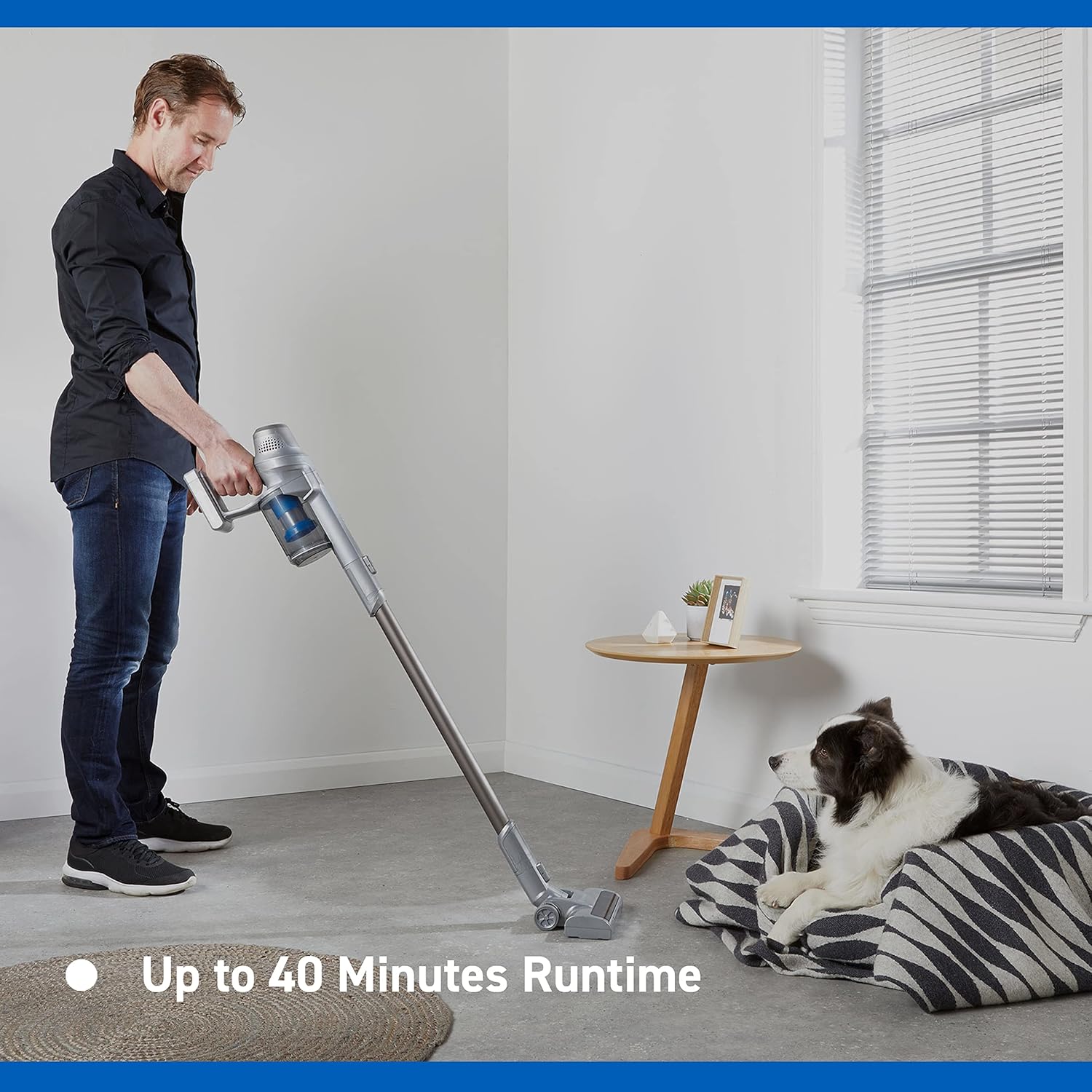
Image: Close-up of the Vacmaster Orson Lite's powered floor head, showcasing its integrated LED task lights illuminating debris on a hard floor.

Image: A man using the lightweight Vacmaster Orson Lite with its extension wand to easily clean dust from a high corner of a room.
6. Nlekọta
Regular maintenance ensures your Vacmaster Orson Lite operates efficiently and prolongs its lifespan.
Ịmefu Ntanụ Ahịa
- Hụ na agbanyụrụla igwe nhicha ahụ.
- Press the dust bin release button to detach the dust bin from the main unit.
- Position the dust bin over a trash receptacle and press the bottom release button to open the flap and empty the contents.
- Close the flap and reattach the dust bin to the main unit until it clicks securely.

Image: A hand demonstrating the easy-to-empty dust bin feature of the Vacmaster Orson Lite, showing debris being released into a trash can.
Na-ehicha ihe nzacha
The Vacmaster Orson Lite includes 2 washable HEPA 13 filters. Clean them regularly to maintain suction power.
- Wepụ ihe mkpofu ahụ dịka akọwara n'elu.
- Twist and pull out the filter assembly from the dust bin.
- Tap the filters gently to remove loose dust. For a deeper clean, rinse the filters under cold running water until the water runs clear.
- Allow the filters to air dry completely for at least 24 hours before reassembling. Do not use a dryer or heat source.
- Reinsert the dry filters into the dust bin and reattach the dust bin to the vacuum.
Na-ehicha akwụkwọ mpịakọta ahịhịa
Periodically check the brush roll in the powered floor head for tangled hair or debris. Use scissors to cut away any tangled material and remove it by hand.
7. Nchọpụta nsogbu
If you encounter issues with your Vacmaster Orson Lite, refer to the following common problems and solutions.
| Nsogbu | Ihe nwere ike ime | Ngwọta |
|---|---|---|
| Vacuum anaghị agbanye | Batrị agwụla Ejikọghị batrị nke ọma | Chajie batrị zuru oke Gbaa mbọ hụ na etinyere batrị na nchekwa |
| Ọnwụ nke mmiri ara | Ntu uzuzu juru Akpọchiela ihe nzacha Blockage in nozzle, wand, or hose | Wepụ ihe mkpofu uzuzu Hichaa ma ọ bụ dochie ihe nzacha Lelee ma kpochapụ ihe mgbochi ọ bụla |
| Mpempe akwụkwọ ahịhịa anaghị agbagharị | Tangled debris Floor head not properly connected | Clean brush roll of hair and debris Ensure floor head is securely attached |
| Oge ịgba ọsọ dị mkpirikpi | Anaghị chajịa batrị Using Turbo mode excessively Mmebi batrị | Chajịa batrị zuru oke Use standard mode for general cleaning Contact customer support if battery life significantly decreases |
8. Nkọwapụta
| Njirimara | Nkọwapụta |
|---|---|
| Ụdị | Vacmaster |
| Nọmba nlereanya | VSE2101EU |
| Akụkụ ngwaahịa (L x W x H) | 23.5 x 22.5 x 116 cm |
| Ibu Ibu | 2.55 kilogram |
| Ike | 450 Watt |
| Voltage | 24 volts |
| Ọnụọgụ nke Ọsọ ọsọ | 2 |
| Ọkwa ụda | 70 decibel |
| Oge ịgba ọsọ | Ruo nkeji iri abụọ |
| Ụdị batrị | 1 Lithium-ion (gụnyere) |
| Atụmatụ pụrụ iche | Lightweight, Cordless, Bagless |
| Ụdị nzacha | Washable HEPA 13 |
| Onye nrụpụta | Cleva |
| Mba onye si | China |
9. Akwụkwọ ikike na nkwado
Ozi akwụkwọ ikike
The Vacmaster Orson Lite VSE2101EU comes with a 2-afọ akwụkwọ ikike on spare parts, covering defects in materials and workmanship from the date of purchase. This warranty does not cover damage caused by misuse, neglect, accident, or unauthorized modification. Please retain your proof of purchase for warranty claims.
Nkwado ndị ahịa
For technical assistance, warranty claims, or to order replacement parts, please visit the official Vacmaster websaịtị ma ọ bụ kpọtụrụ ngalaba ọrụ ndị ahịa ha. Enwere ike ịchọta ozi kọntaktị na nkwakọ ngwaahịa ngwaahịa ma ọ bụ onye ọrụ nke ika ahụ websaịtị.


