1. Okwu mmalite
This manual provides detailed instructions for the setup, operation, maintenance, and troubleshooting of your BIGGERFIVE Slim Kids Fitness Tracker Watch. Please read this manual thoroughly to ensure proper use and to maximize the benefits of your new device.
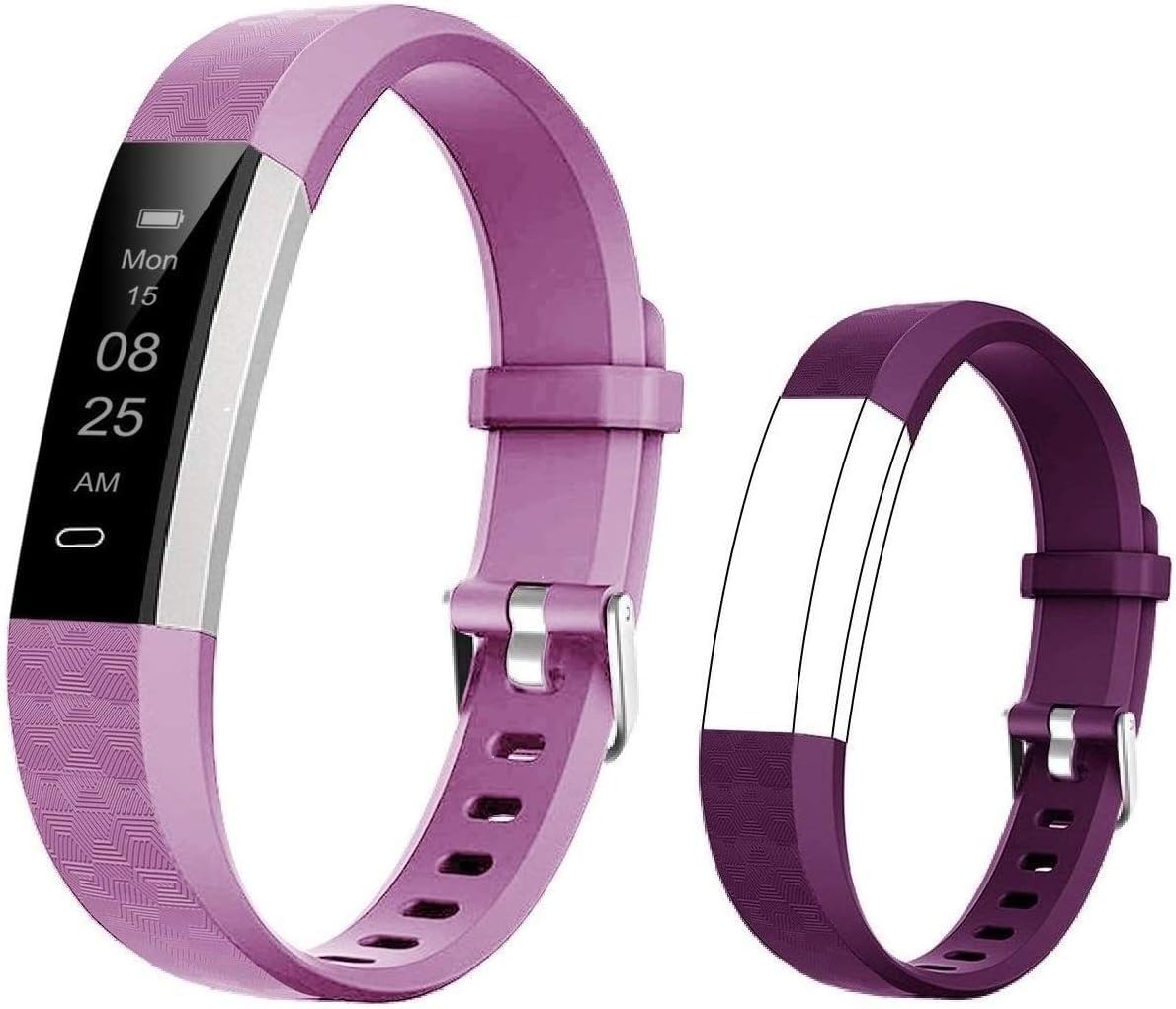
The BIGGERFIVE Slim Kids Fitness Tracker Watch, shown with both light purple and dark purple interchangeable bands.
2. Atụmatụ igodo
- High Quality Dual Straps: The fitness tracker includes two slim and adjustable wristbands, suitable for children aged 5 and above. Made from flexible, durable TPU material, they are lightweight (17g) and comfortable for extended wear.
- All-Day Activity Tracking: Automatically tracks steps, distance covered, and calories burned. Data can be viewed directly on the watch display or through the companion mobile application.
- Sleep Tracker & Vibrating Alarm Clock: Monitors sleep quality and patterns throughout the night, with detailed data available in the app. Features a silent vibration alarm clock to wake users without disturbing others.
- Built-in USB Design & Long Battery Life: The tracker features an integrated USB plug for convenient charging with any standard USB adapter, eliminating the need for an extra charger. A 1-2 hour charge provides up to 7 days of battery life.
- ndakọrịta: Works with the free "VeryFitPro" application, compatible with most smartphones.
- Ihe mgbochi mmiri IP67: Designed to be resistant to water splashes and brief immersion, suitable for daily activities like hand washing or playing in the rain.
- Ncheta ịnọdụ ala: Can be set to alert the user when they have been inactive for a prolonged period, encouraging movement.

Nfefeview of the fitness tracker's main functions.
3. Ntuziaka Nhazi
3.1 Ịchaji ngwaọrụ
To charge your fitness tracker, gently remove one end of the strap to reveal the built-in USB plug. Insert this plug directly into any standard USB port (e.g., computer, USB wall adapter, power bank). The charging indicator on the screen will illuminate. If the indicator does not appear, try flipping the charging port over and reinserting it, as it may only connect in one orientation.

Proper method for USB charging the fitness tracker.
3.2 Ngwa nwụnye na ijikọ
- Download the "VeryFitPro" app from your smartphone's app store (App Store for iOS, Google Play Store for Android).
- Gbaa mbọ hụ na agbanyere Bluetooth na ekwentị gị.
- Open the "VeryFitPro" app and follow the on-screen instructions to search for and pair with your BIGGERFIVE fitness tracker. The app will guide you through the connection process.
- Once paired, the time and date on your tracker will automatically synchronize with your phone.
3.3 Ịgbanwe eriri ahụ
The fitness tracker comes with an adjustable strap designed to fit wrist sizes from approximately 5.1 inches to 7.5 inches, making it suitable for a wide range of children's wrists. Adjust the buckle to find a comfortable and secure fit.

The adjustable strap ensures a comfortable fit for various wrist sizes.
4. Ntuziaka ọrụ
4.1 Nsoro ụzọ
Tap the touch-sensitive area on the watch display to cycle through different modes and view information such as time, date, steps, distance, calories, and battery level.
4.2 Ndepụta ihe omume
The tracker automatically records your child's daily steps, distance traveled, and calories burned. This data is displayed on the watch and can be viewed in more detail within the "VeryFitPro" app.

The tracker monitors distance, calories, and steps during activities.
4.3 Nyochaa ụra
Wear the tracker to bed, and it will automatically monitor sleep duration and quality. Access detailed sleep trend data, including deep sleep, light sleep, and awake times, through the "VeryFitPro" app.

The device tracks sleep quality and can be used with a vibrating alarm.
4.4 Elekere mkpu
Set up to 10 vibrating alarms through the "VeryFitPro" app. The silent vibration will gently wake your child without disturbing others.
Ihe ncheta 4.5
Configure sedentary reminders in the app to encourage your child to move after periods of inactivity. The tracker will vibrate to alert them.
5. Nlekọta
5.1 Nhicha
Regularly clean the tracker and strap with a soft, damp cloth. Avoid using harsh chemicals or abrasive cleaners, as these can damage the device.
5.2 Mmiri Nguzogide
The BIGGERFIVE Slim Kids Fitness Tracker Watch is IP67 waterproof, meaning it is resistant to splashes, rain, and brief immersion in water (up to 1 meter for 30 minutes). It is suitable for daily use like hand washing or playing in the rain. However, it is not recommended for swimming, showering with hot water, or diving, as steam and prolonged submersion can affect its performance.
5.3 Nlekọta batrị
To prolong battery life, avoid fully discharging the battery frequently. Charge the device when the battery level is low. Store the device in a cool, dry place when not in use for extended periods.
6. Nchọpụta nsogbu
- Ngwaọrụ anaghị akwụ ụgwọ: Ensure the USB plug is inserted correctly into the USB port. If the charging indicator does not appear, try flipping the plug over. Ensure the USB port is functional.
- Cannot connect to the app: Make sure Bluetooth is enabled on your phone. Confirm you are using the correct app, "VeryFitPro," not a different BIGGERFIVE app. Restart both your phone and the fitness tracker (if possible) and try pairing again. Ensure the tracker's battery is not completely drained.
- Inaccurate step count: Ensure the tracker is worn snugly on the wrist. Arm movements not associated with walking (e.g., typing, waving) can sometimes be misinterpreted as steps.
- Ihuenyo anaghị aza: Ensure the device is charged. If unresponsive, try connecting it to a charger to see if it powers on.
7. Nkọwapụta
| Njirimara | Nkọwa |
|---|---|
| Nọmba nlereanya | ID115U |
| Akụkụ ngwaahịa | 21.08 x 1.52 x 0.89 cm |
| Ibu Ibu | 17 g |
| Ụdị batrị | Batrị Lithium Polymer 1 (achọrọ) |
| Ụdị ngosi | OLED |
| Ngosipụta nha | 3.5 sentimita asatọ |
| Teknụzụ Njikọta | USB, Bluetooth |
| Mmiri Nguzogide | IP67 |
| Ogologo afọ | Kid (5+ years) |
| Agba | Pink & Purple (Dual Bands) |
8. Akwụkwọ ikike na nkwado
BIGGERFIVE is committed to providing high-quality products. For any questions, concerns, or technical support regarding your fitness tracker, please contact BIGGERFIVE customer service. Refer to the product packaging or the official BIGGERFIVE websaịtị maka ozi kọntaktị kacha ugbu a.
Biko debe akwụkwọ nnata ịzụrụ ihe gị dị ka ihe akaebe nke ịzụrụ ihe maka akwụkwọ ikike ọ bụla.


