1. Okwu mmalite
Thank you for choosing the FeinTech LED Desk Lamp LTL00600. This high-quality desk lamp is designed to provide optimal lighting for your workspace while offering convenient features such as a USB charging port, adjustable brightness, and customizable color temperature. Please read this manual thoroughly before use to ensure proper operation and to maximize the lifespan of your product.
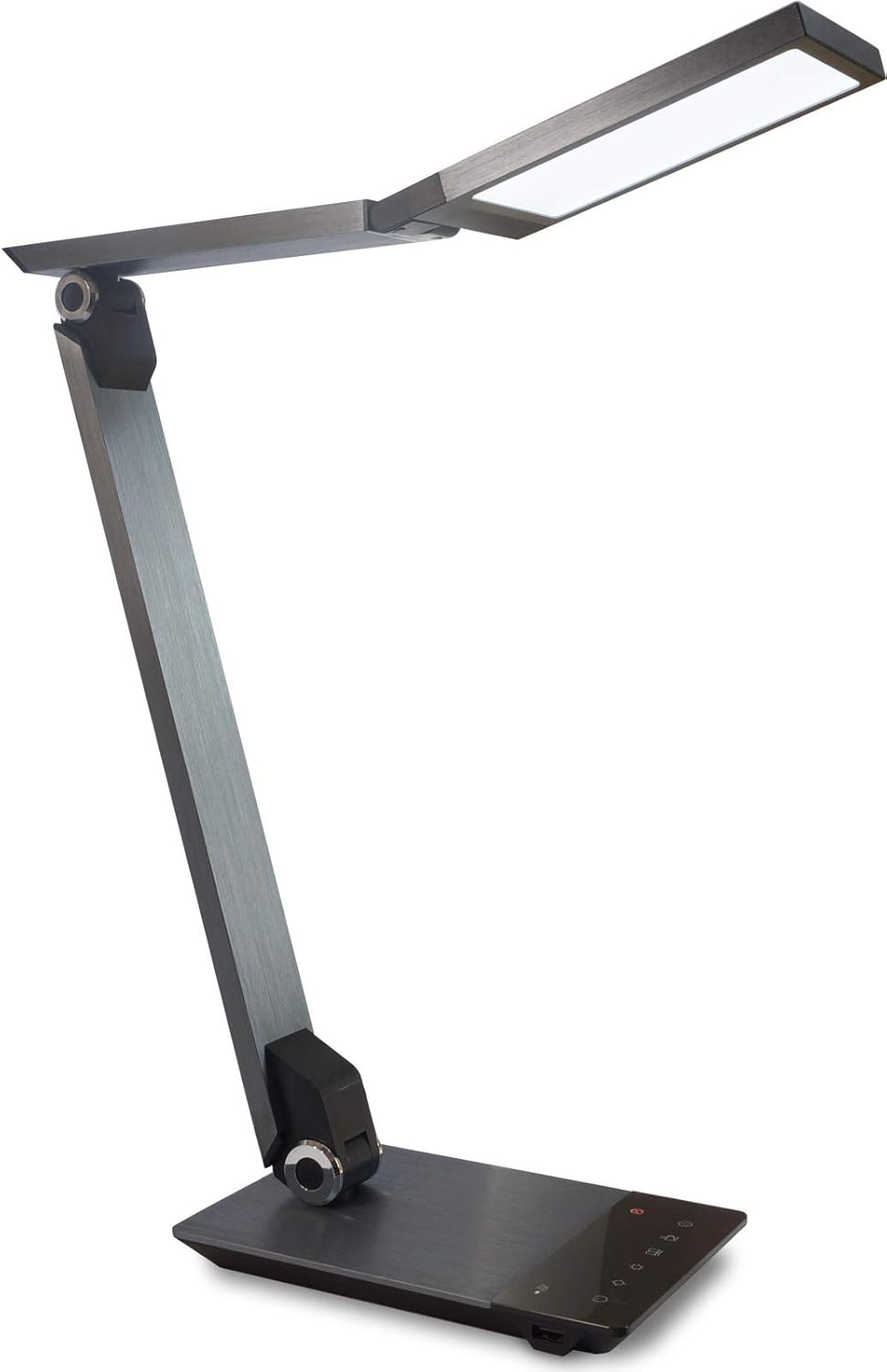
Image 1.1: FeinTech LED Desk Lamp LTL00600. This image displays the lamp in its upright position, showcasing its brushed aluminum finish and sleek design.
2. Ntuziaka nchekwa
To prevent damage or injury, please observe the following safety precautions:
- Ensure the power adapter is connected to a suitable power outlet.
- Ekpughela ihe lamp to water or excessive humidity.
- Avoid disassembling or modifying the lamp. Repairs should only be performed by qualified personnel.
- Debe lamp pụọ na isi mmalite okpomọkụ na ìhè anyanwụ.
- Hichaa lamp naanị na ákwà dị nro ma kpọọ nkụ. Ejila ihe nhicha ma ọ bụ ihe mgbaze.
- Do not look directly into the LED light source for extended periods.
3. Ihe ngwugwu
Biko lelee ma ihe niile dị na ngwugwu ahụ:
- FeinTech LED Desk Lamp (Model: LTL00600)
- Ihe nkwụnye ọkụ (12V/2A)
4. Ngwaahịa gafereview
Familiarize yourself with the components of your FeinTech LED Desk Lamp:
- Lamp Isi: Contains the LED light source.
- Ogwe aka nwere ike idozi: Multiple joints for flexible positioning.
- Ntọala: Provides stability and houses the control panel and USB port.
- Ogwe njikwa: Touch-sensitive buttons for power, brightness, color temperature, and timer.
- USB Nchaji Port: Located on the side of the base for device charging.

Foto 4.1: Elu-ala view nke lamp's base and control panel. This image highlights the touch-sensitive buttons for various functions.

Foto 4.2: Akụkụ view nke lamp's base, showing the integrated USB charging port. This port allows for convenient charging of compatible devices.
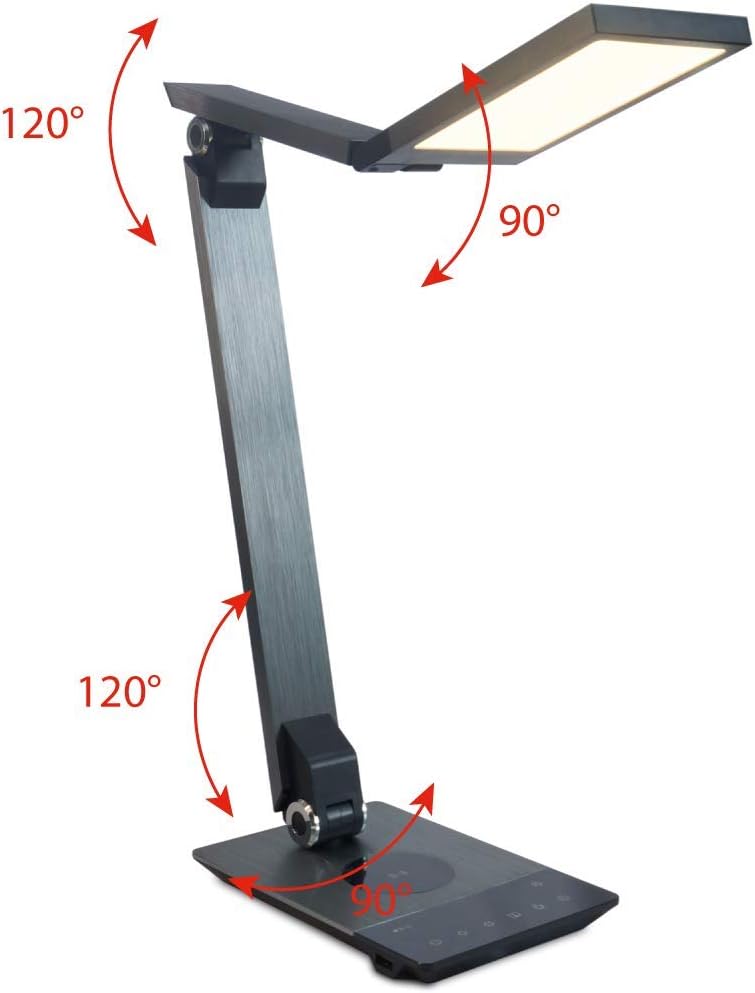
Image 4.3: Diagram illustrating the articulation angles of the lamp's joints. The lamp head can rotate 90 degrees, the upper arm 120 degrees, and the lower arm 120 degrees, allowing for flexible positioning.
5. Nhazi
Soro usoro ndị a maka nhazi mbụ:
- Ịkwapu: Jiri nlezianya wepụ ihe niile dị na nkwakọ ngwaahịa.
- Nkwanye: Debe lamp base on a stable, flat surface. Ensure there is enough space for the lamp to be adjusted without obstruction.
- Njikọ Ike: Insert the power adapter cable into the DC input port on the back of the lamp base. Plug the power adapter into a standard electrical outlet.
6. Ntuziaka ọrụ
The FeinTech LED Desk Lamp features intuitive touch controls on its base.
6.1 Gbanyụọ ma ọ bụ gbanyụọ
- Metụ ya bọtịnụ ike on the control panel (refer to Image 4.1) to turn the lamp gbanye ma ọ bụ gbanyụọ.
6.2 Brightness Adjustment (Dimming)
- Site na lamp on, touch and hold the Ihie Up or Ihie gbadara agbada buttons (refer to Image 4.1) to steplessly adjust the light intensity.
- Ndị lamp base will vibrate slightly when the minimum or maximum brightness level is reached.
6.3 Ndozi okpomoku agba
- Site na lamp on, touch and hold the Color Temperature Up or Color Temperature Down buttons (refer to Image 4.1) to steplessly adjust the light color from warm white (2700K) to cool white (6500K).
- Ndị lamp base will vibrate slightly when the minimum or maximum color temperature is reached.
6.4 Favorite Settings
- Ndị lamp allows you to store and recall 3 favorite light settings (brightness and color temperature).
- To save a setting: Adjust the brightness and color temperature to your desired level. Then, touch and hold one of the Bọtịnụ ndị ọkacha mmasị (refer to Image 4.1) until the lamp flashes briefly, indicating the setting is saved.
- To recall a setting: Simply touch the corresponding Bọtịnụ ọkacha mmasị.
- The last used brightness and color temperature settings are automatically saved even after the lamp agbanyụrụ.
Ọrụ Nchaji USB 6.5
- Connect your smartphone or other compatible device to the USB charging port on the side of the lamp base (refer to Image 4.2) using a suitable USB cable.
- The intelligent USB port delivers up to 2.4A for fast charging.
- An LED indicator will signal ongoing and completed charging status.
6.6 Ọrụ ngụ oge
- Metụ ya bọtịnụ ngụ oge (refer to Image 4.1) to activate the timer function.
- The first touch activates a 3-minute timer.
- A second touch activates a 1-hour timer.
- Ndị lamp will automatically turn off after the selected time period.
7. Nlekọta
Iji nọgide na-enwe lamp's appearance and functionality:
- Kwụpụ mgbe niile lamp site na ọkụ ọkụ tupu ihicha.
- Hichapụ lamp jiri akwa dị nro, kpọrọ nkụ, akwa enweghị akwa.
- Do not use liquid or aerosol cleaners, as they may damage the finish or internal components.
- Avoid scratching the brushed aluminum surface.
8. Nchọpụta nsogbu
Ọ bụrụ na ị na-enwe nsogbu na iL gịamp, rụtụ aka na nsogbu na ngwọta ndị a na-ahụkarị:
| Nsogbu | Ihe nwere ike ime | Ngwọta |
|---|---|---|
| Lamp adịghị agbanye. | Enweghị ọkụ. | Check if the power adapter is securely connected to the lamp and the electrical outlet. Test the outlet with another device. |
| Ịchaji USB anaghị arụ ọrụ. | Ngwaọrụ ahụ adabaghị ma ọ bụ eriri adịghị mma. | Ensure your device is compatible with USB charging. Try a different USB cable. Verify the lamp agbanyere ya. |
| Njikwa mmetụ anaghị anabata. | Nsogbu ngwanrọ nwa oge ma ọ bụ nsogbu ọkụ eletrik. | Disconnect the power adapter for 30 seconds, then reconnect it. Ensure your fingers are clean and dry when operating the touch controls. |
9. Nkọwapụta
| Nọmba nlereanya | LTL00600 |
| Akụkụ (L x W x H) | 36 x 13.5 x 44 cm (ihe dị ka 14.2 x 5.3 x 17.3 sentimita) |
| Ibu | 1.84 n'arọ (ihe dị ka 4.06 lbs) |
| Ihe onwunwe | Aluminom chara acha |
| Isi Iyi Ìhè | Ikanam |
| Max. Light Output | 500 lumens (1000 lux at 40 cm distance) |
| Okpomọkụ agba (CCT) | 2700 K (Warm White) to 6500 K (Cool White) |
| Power Consumption (Lamp naanị) | Oke. 10 W |
| Power Consumption (Lamp & Charging) | Oke. 22 W |
| USB mmepụta | Ruo 2.4 A |
| Ntinye Voltage (Ihe nkwụnye) | 12V/2 A |
| Ngbanwe Ụdị | Metụ aka |

Image 9.1: Diagram showing the dimensions of the FeinTech LED Desk Lamp. Ndị lamp measures approximately 36 cm in length, 13.5 cm in width, and 44 cm in height.
10. Akwụkwọ ikike na nkwado
FeinTech products are designed for reliability and performance. For warranty information or technical support, please refer to the warranty card included with your purchase or visit the official FeinTech websaịtị. Biko dowe ihe akaebe nke ịzụrụ ihe maka akwụkwọ ikike.


