1. Okwu mmalite
This manual provides essential information for the safe installation, operation, and maintenance of your EMOS A6003.0 LED Rotary Dimmer. Please read these instructions carefully before installation and retain them for future reference. This flush-mounted rotary dimmer is designed for controlling the brightness of compatible light sources.
2. Ozi nchekwa
- Ihe ize ndụ eletrik: A ga-arụrịrị nrụnye site n'aka onye ọrụ ọkụ eletrik ruru eru dịka koodu eletriki mpaghara na nke obodo siri dị.
- Ịkwụsị ike: Always disconnect power at the circuit breaker before installing, servicing, or removing the dimmer.
- ndakọrịta: This dimmer is designed for use only with dimmable light sources. Using non-dimmable light sources may cause damage to the dimmer or the light source.
- Eji ime ụlọ naanị: The dimmer has an IP20 protection class, making it suitable for indoor use in dry environments only. Do not expose to moisture or extreme temperatures.
- Oke ibu: Do not exceed the specified maximum load for the dimmer.
3. Ihe ngwugwu
Chọpụta na akụrụngwa niile dị na ngwugwu:
- 1 x EMOS A6003.0 Rotary Dimmer
- Ngwa mgbakwunye
- Instruction Manual (English language)

Figure 3.1: EMOS A6003.0 Rotary Dimmer in its retail packaging.
4. Nkọwapụta
| Njirimara | Nkọwapụta |
|---|---|
| Nọmba nlereanya | A6003.0 |
| Ntinye Voltage | 230V, 50 Hz |
| Output (Halogen/Fluorescent) | 7-110 W/VA |
| Output (Dimmable LED) | 3-60 W/VA |
| Klas nchekwa | IP20 (Ojiji ime ụlọ) |
| Usoro njikwa | Rotary Knob with Push Function |
| Akụkụ (W x H x D) | 80 x 80 x 59 mm (ihe dị ka) |
| Ibu | 133 grams (ihe dị ka) |
| nnabata | CE |
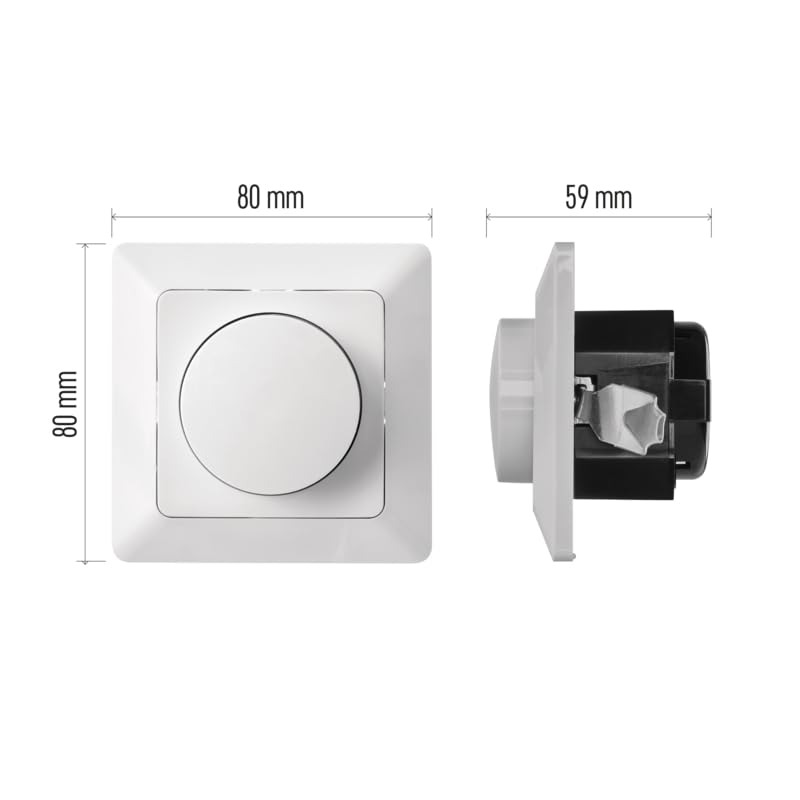
Figure 4.1: Approximate dimensions of the EMOS A6003.0 Dimmer.
5. Nwụnye
Ihe dị mkpa: Installation should only be carried out by a qualified electrician. Ensure the main power supply is switched off at the circuit breaker before commencing installation.
5.1 eserese waya
The dimmer requires connection to the live (L) wire and the switched live (load) wire to the light fixture. Refer to the markings on the dimmer terminals for correct connection.

Ọgụgụ 5.1: N'azụ view of the dimmer showing connection terminals. L1 is typically the incoming live, and the arrowed terminals are for the switched live to the load.
5.2 Na-arịgo
- Gbaa mbọ hụ na agbanyụrụ ọkụ.
- Connect the wiring according to the diagram in Section 5.1.
- Carefully place the dimmer mechanism into a standard flush-mounted wall box.
- Secure the dimmer to the wall box using the provided mounting accessories.
- Attach the front plate and rotary knob.
- Weghachite ike na sekit breaker.

Foto 5.2: N'ihu view of the EMOS A6003.0 Rotary Dimmer.
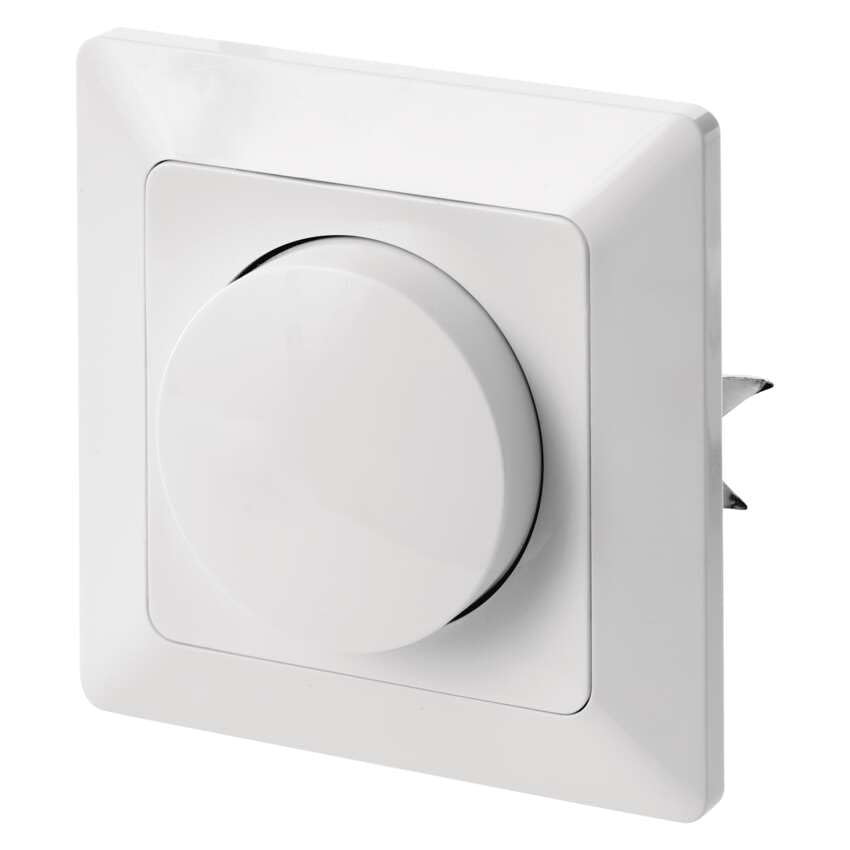
Foto 5.3: Akụkụ view of the dimmer, illustrating its flush-mounted design.
6. Ọrụ
The EMOS A6003.0 dimmer features a simple rotary knob for control.
- Agbanye/ Gbanyụọ: Press the rotary knob to switch the connected light source on or off.
- Igha: Tụgharịa igodo ahụ n'akụkụ elekere ka iwelie nchapụta na ihu elekere ka ibelata nchapụta.
- Ndozi ihie kacha nta: Some dimmable LED bulbs may require adjustment of the dimmer's minimum brightness setting to prevent flickering or ensure stable operation at low levels. Consult the dimmer's internal adjustment screw if available and necessary, following the manufacturer's guidelines.
7. Nlekọta
The EMOS A6003.0 LED Rotary Dimmer requires minimal maintenance.
- Nhicha: To clean the dimmer, wipe the surface with a soft, dry cloth. Do not use abrasive cleaners, solvents, or excessive moisture, as these can damage the finish or internal components.
- Enweghị akụkụ ndị ọrụ-ọrụ: There are no user-serviceable parts inside the dimmer. Do not attempt to open or repair the unit yourself.
8. Nchọpụta nsogbu
If you encounter issues with your dimmer, refer to the following common problems and solutions:
| Nsogbu | Ihe nwere ike ime | Ngwọta |
|---|---|---|
| Ìhè anaghị agbanwuo. | No power, incorrect wiring, faulty bulb, dimmer failure. | Check circuit breaker. Verify wiring connections. Test with a known working bulb. If problem persists, consult a qualified electrician. |
| Light does not dim or flickers. | Non-dimmable bulb, incompatible bulb, load too low/high, minimum brightness not adjusted. | Ensure bulbs are explicitly marked as dimmable. Check if the total wattage of bulbs is within the dimmer's specified range (3-60W/VA for LED, 7-110W/VA for Halogen/Fluorescent). Adjust the dimmer's minimum brightness setting if applicable. |
| Dimmer na-ekpo ọkụ. | Normal operation, overloaded circuit. | A slight warmth during operation is normal. If the dimmer becomes excessively hot, immediately disconnect power and check the total load connected to ensure it does not exceed the dimmer's maximum capacity. |
9. Akwụkwọ ikike na nkwado
For warranty information or technical support regarding your EMOS A6003.0 LED Rotary Dimmer, please refer to the warranty card included with your purchase or contact EMOS customer service directly. Contact details can typically be found on the EMOS official websaịtị ma ọ bụ na akwụkwọ ịzụrụ ihe gị.


