1. Okwu mmalite
This user manual provides detailed instructions for the DOOGEE S68 Pro rugged smartphone. It covers essential information regarding device setup, operation, maintenance, and troubleshooting to ensure optimal performance and longevity of your device. Please read this manual thoroughly before using your new smartphone.
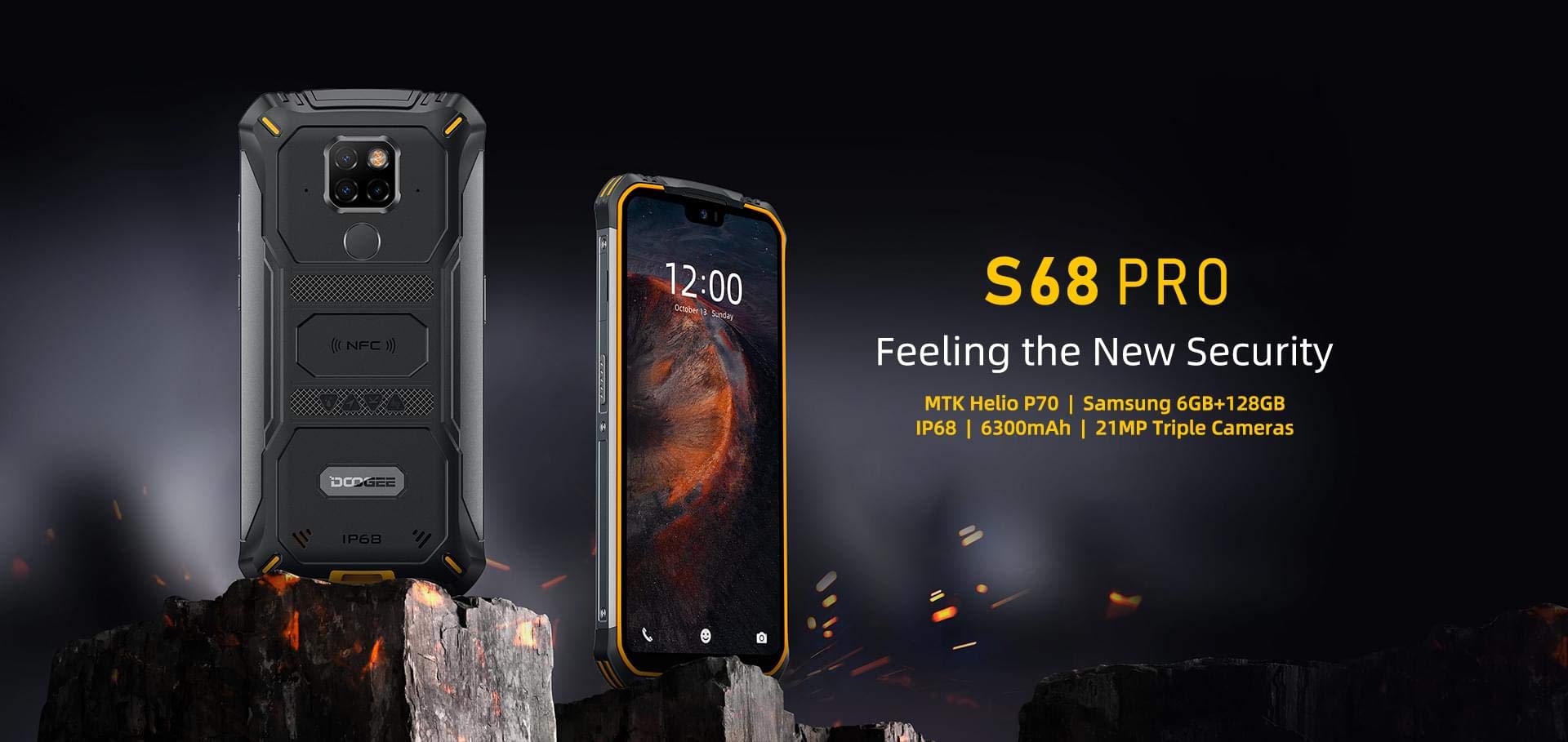
Image: The DOOGEE S68 Pro rugged smartphone, showcasing ya siri ike imewe.
2. Ngwaahịa gafereview
The DOOGEE S68 Pro is a rugged smartphone designed for durability and high performance. It features a 5.9-inch FHD+ display, a powerful Helio P70 Octa Core processor, 6GB RAM, and 128GB internal storage. The device is equipped with a triple rear camera system, NFC for payments, and a large 6300mAh battery with wireless charging capabilities. Its robust construction ensures resistance to water, dust, and drops.

Foto: Ofeview of the DOOGEE S68 Pro's key features, including its display, processor, memory, battery, and camera.
2.1 Akụkụ anụ ahụ
- Ngosipụta: 5.9-inch FHD+ Notch Screen (1080*2280 pixels, ~428 ppi density).
- Sistemu igwefoto azụ: Triple camera setup including a 21MP standard lens, 8MP telephoto lens, and 8MP 130° wide-angle lens, accompanied by a dual flash.
- Igwefoto ihu: 16MP wide-angle lens.
- NFC: Integrated for contactless payments and data transfer.
- Nchaji ọdụ ụgbọ mmiri: Ụdị-C USB.
- Ihe mmetụta: G-sensor, Proximity sensor.
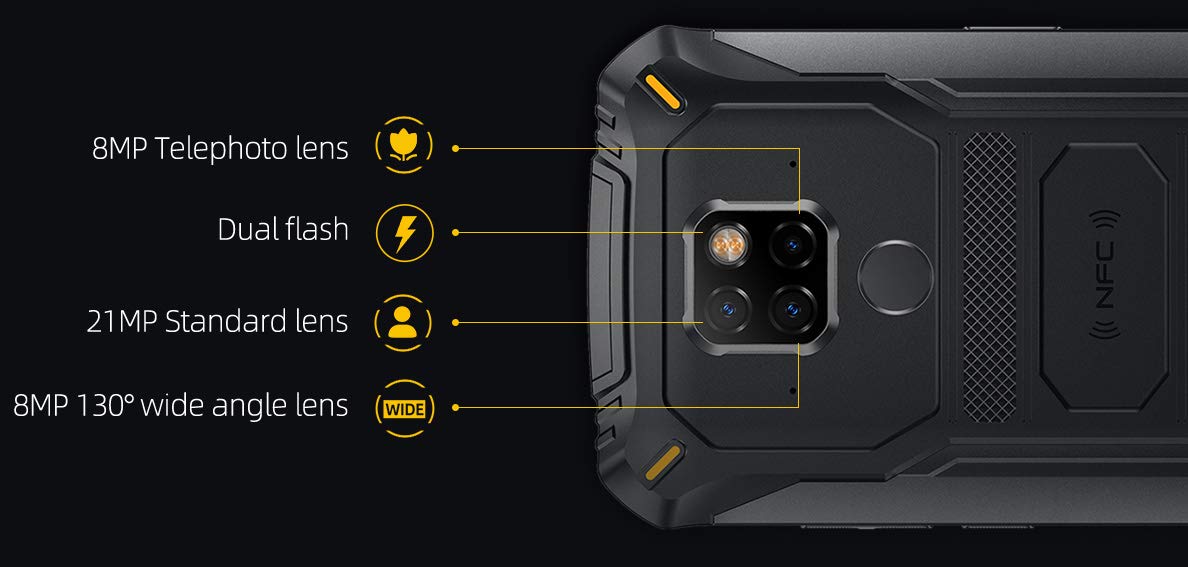
Foto: Zuru ezu view of the DOOGEE S68 Pro's triple rear camera system, highlighting the telephoto, standard, and wide-angle lenses, along with the dual flash and NFC area.
3. Nhazi
3.1 Nwụnye Kaadị SIM na Kaadị TF
- Chọta tray kaadị SIM n'akụkụ ngwaọrụ ahụ.
- Fanye ngwaọrụ ejector SIM n'ime obere oghere dị n'akụkụ traị ahụ wee gbanye nwayọọ ruo mgbe traị ahụ pụtara.
- Place your Nano SIM card(s) and/or TF card (microSD, up to 128GB) into the designated slots on the tray. Ensure the gold contacts are facing down.
- Jiri nlezianya tinyegharịa traị ahụ n'ime ekwentị ruo mgbe ọ batara n'ime ya.
3.2 Ike mbido
- Press and hold the Power button (usually on the right side) until the DOOGEE logo appears on the screen.
- Soro ntuziaka ndị dị na ihuenyo iji mezue ntọala mbụ, gụnyere nhọrọ asụsụ, njikọ Wi-Fi, nbanye akaụntụ Google, na ntọala nchekwa.
4. Ntuziaka ọrụ
4.1 Sistemụ arụmọrụ
The DOOGEE S68 Pro runs on Android 9.0 Pie, offering a user-friendly interface and access to a wide range of applications through the Google Play Store.
4.2 Arụmọrụ
The device is powered by a Helio P70 Octa Core processor (4xCortex-A53 up to 2.0GHz, 4xCortex-A73 up to 2.0GHz) and an ARM Mali-G72-MP2 700MHz GPU, providing efficient performance for multitasking and gaming.

Image: The DOOGEE S68 Pro being used for gaming, demonstrating its processing capabilities.
4.3 Ebe nchekwa na nchekwa
Ọ na-abịa 6GB RAM for smooth operation and 128GB ROM for storing your files and applications. Storage can be expanded up to 128GB via a microSD card.
4.4 Njikọta
- Wi-Fi: Jikọọ na netwọk ikuku maka ịnweta ịntanetị.
- Bluetooth: Jikọta ya na ngwaọrụ ndị ọzọ nwere Bluetooth dịka ekweisi ma ọ bụ ọkà okwu.
- NFC: Use for quick pairing, data exchange, and mobile payments.
- GPS: Maka ọrụ igodo na ọnọdụ.
- OTG (N'oge Na-aga): Connect USB devices such as flash drives or keyboards.
4.5 Ọrụ igwefoto
The triple rear camera system allows for versatile photography, including standard shots, wide-angle landscapes, and telephoto close-ups. The 16MP front camera is suitable for selfies and video calls. The LED flash assists in low-light conditions.
4.6 Batrị na Nchaji
Ejiri ngwaọrụ a batrị 6300mAh, providing extended usage time. It supports 12V2A fast charging na Nchaji ikuku 10W. Additionally, it features Nchaji ikuku 5W tụgharịa, allowing you to charge other compatible devices.
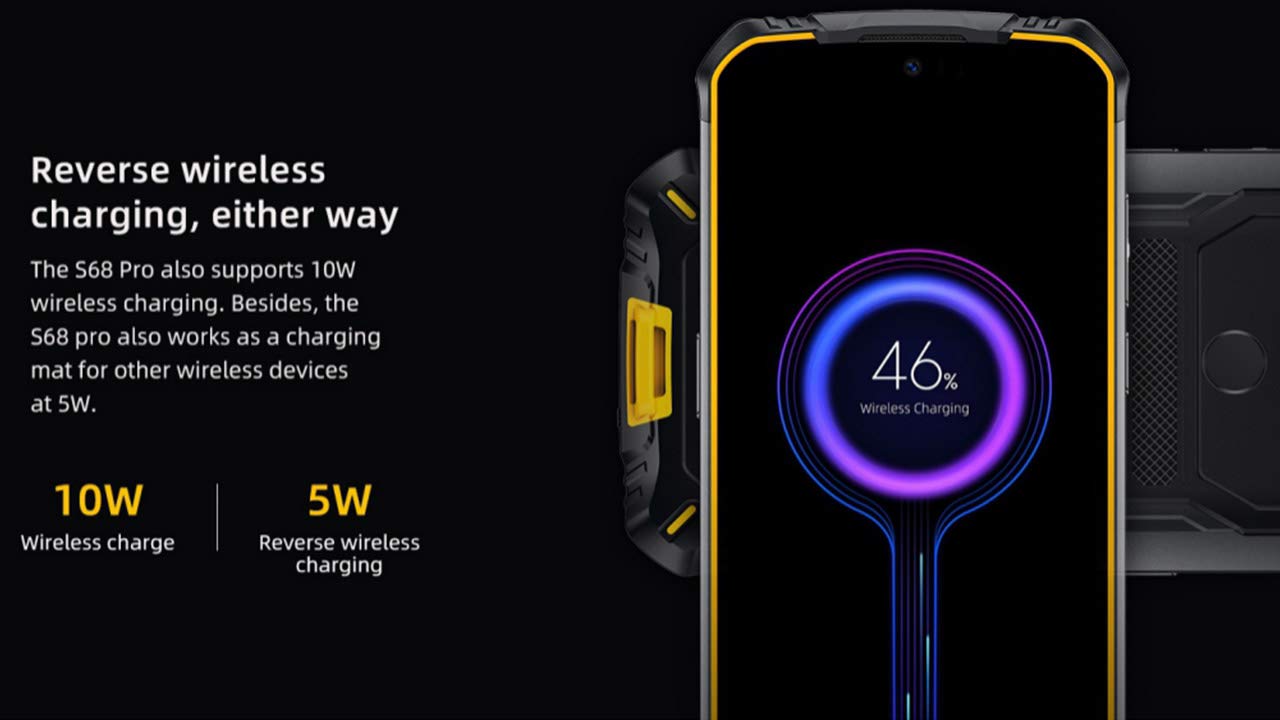
Image: The DOOGEE S68 Pro demonstrating its reverse wireless charging capability, charging another device.
4.7 Rugged Features
The DOOGEE S68 Pro is designed to withstand harsh environments. It boasts an IP68 ọkwa for water and dust resistance and is built to be drop-proof, making it suitable for outdoor activities and demanding work conditions.

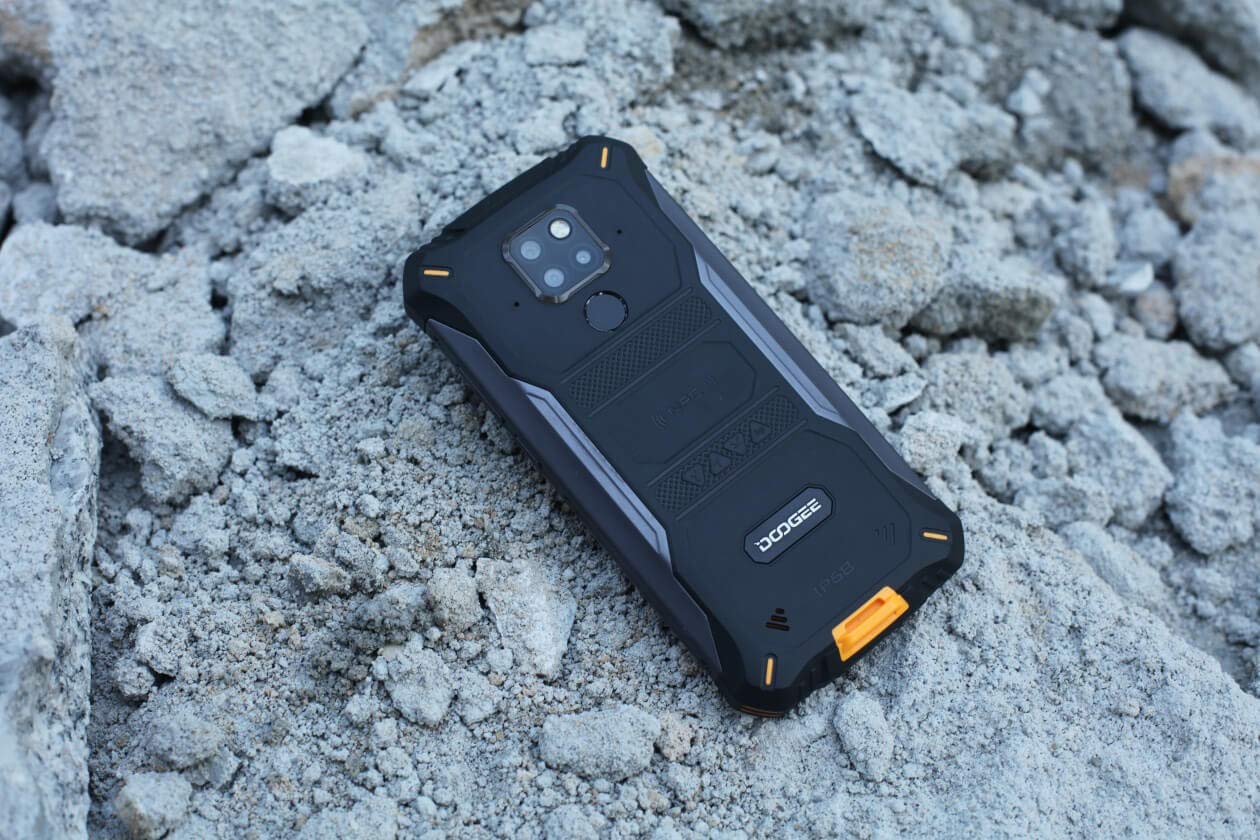
Images: The DOOGEE S68 Pro demonstrating its ruggedness by being submerged in mud and resting on rough terrain.
5. Nlekọta
To maintain your DOOGEE S68 Pro in optimal condition, follow these guidelines:
- Nhicha: Jiri nwayọọ, damp cloth to clean the device. For stubborn dirt, especially after exposure to mud or dust, rinse gently with clean water and ensure all ports are dry before charging.
- Zere oke okpomọkụ: Do not expose the phone to excessively high or low temperatures for prolonged periods.
- Nchekwa ọdụ ụgbọ mmiri: Ensure all port covers are securely closed when the phone is exposed to water or dust.
- Mmelite ngwanrọ: Regularly update your device's software to benefit from the latest security patches and performance improvements.
6. Nchọpụta nsogbu
If you encounter issues with your DOOGEE S68 Pro, refer to the following common solutions:
- Ngwaọrụ anaghị agbanwu: Hụ na batrị ahụ chajị. Jikọọ ekwentị ahụ na chaja ya ma chere nkeji ole na ole tupu ị nwaa ịgbanye ya ọzọ.
- Okwu ịchaji: Check the charging cable and adapter for damage. Ensure the Type-C port is clean and free of debris. Try a different charger if available.
- Poor Network Signal: Move to an area with better network coverage. Check if your SIM card is properly inserted.
- Ngwa ndị na-emebi emebi: Clear the cache and data of the problematic app in Settings > Apps. If the issue persists, uninstall and reinstall the app.
- Ihuenyo mmetụ anaghị anabata: Restart the device. If the issue continues, perform a factory reset (note: this will erase all data).
7. Nkọwapụta
| Njirimara | Nkọwapụta |
|---|---|
| Sistemụ nrụọrụ | Android 9.0 Pie |
| Nhazi | Helio P70 Octa Core (4xCortex-A53, 4xCortex-A73) |
| RAM | 6 GB |
| Nchekwa ime (ROM) | 128 GB |
| Nchekwa enwere ike ịgbasa | microSD ruo 128GB |
| Ngosipụta nha | 5.9 inch FHD+ Notch Screen |
| Ngosipụta mkpebi | 1080*2280 pixels (~428 ppi) |
| Igwefoto azụ | 21MP + 8MP + 8MP Triple Camera |
| Igwefoto ihu | 16MP |
| Ike batrị | 6300mAh |
| Ịchaji | 12V2A Fast Charge, 10W Wireless Charge, 5W Reverse Wireless Charge |
| Njikọta | Wi-Fi, Bluetooth, NFC, GPS, OTG |
| Obi mgbawa | IP68 Water & Dust Resistant, Drop-proof |
| Akụkụ | 16.35 x 8 x 1.64 cm |
| Ibu | 260 g |
8. Akwụkwọ ikike na nkwado
Your DOOGEE S68 Pro comes with a standard brand warranty. For detailed warranty information, service, and support, please refer to the official DOOGEE website or the product detail page on the retailer's websaịtị.
For further information, visit the product detail page: DOOGEE S68 Pro Product Page
9. Product Video Overview
Vidiyo: Onye ọrụ gọọmentị gafereview of the DOOGEE S68 Pro Rugged Phone, highlighting its key features and specifications.


