Okwu mmalite
Thank you for choosing the MEDION P66096 Shower Radio. This device is designed to provide entertainment and convenience in your bathroom environment, featuring FM radio, Bluetooth connectivity, and an IPX6 waterproof rating. Please read this manual carefully before using the product to ensure proper operation and to maximize its lifespan.
Ozi nchekwa
Observe the following safety guidelines to prevent damage to the device or injury to yourself.
- Nguzogide mmiri: The MEDION P66096 is IPX6 rated, meaning it is protected against strong jets of water. It is suitable for use in a shower environment but should not be submerged in water.
- Nchekwa batrị: The device contains a built-in lithium-polymer battery. Do not attempt to replace the battery yourself. Do not expose the device to extreme temperatures, direct sunlight, or fire.
- Nhicha: Jiri nwayọọ, damp akwa maka nhicha . Ejila ihe nchacha abrasive ma ọ bụ ihe mgbaze.
- Nkwanye: Ensure the suction cup is securely attached to a clean, smooth, non-porous surface to prevent the radio from falling.
- Ịchaji: Only use the provided micro USB charging cable. Ensure the charging port is dry before connecting the cable.

The MEDION P66096 shower radio is designed for use in wet environments, offering IPX6 water protection against strong water jets.
Ihe ngwugwu
Biko lelee ma ihe niile dị na ngwugwu ahụ:
- MEDION P66096 Shower Radio
- Igwe chaja USB Micro
- Akwụkwọ ntuziaka (akwụkwọ a)
- Akwụkwọ ikike kaadị
Ngwaahịa gafereview
Familiarize yourself with the buttons, display, and ports of your shower radio.

N'ihu view of the shower radio, highlighting the LED display and control buttons.

Zuru ezu view of the LED display, showing the current time and battery status.
Njikwa na ngosi:
- Bọtịnụ Ike (⑁): Press and hold to turn the device on or off. Short press to change display brightness.
- Bọtịnụ Ụdị (M): Short press to switch between FM radio and Bluetooth modes.
- Call Button (☎): In Bluetooth mode, short press to answer/end calls. Long press to reject a call.
- Play/Pause Button (⏸/⏸): In FM mode, long press to auto-scan and save stations. In Bluetooth mode, short press to play/pause music.
- Previous/Volume Down (⏪): Short press to go to the previous station/track. Long press to decrease volume.
- Next/Volume Up (⏩): Short press to go to the next station/track. Long press to increase volume.
- Ikanam Display: Shows time, current mode (FM/BT), frequency, and battery level.
Ports and Suction Cup:

Akụkụ view of the shower radio, illustrating the micro USB charging port and the removable suction cup.
- Micro USB Port: Used for charging the internal battery. Located on the side, protected by a waterproof cover.
- Iko mmiri ara: Detachable suction cup for mounting the radio on smooth, non-porous surfaces.
Melite
1. Nchaji mbụ
Before first use, fully charge the shower radio. Open the waterproof cover on the side and connect the micro USB charging cable to the port. Connect the other end to a USB power adapter (not included) or a computer USB port. The LED display will indicate charging status. A full charge takes approximately 3-4 hours.
2. Ịtinye redio
Ensure the surface where you intend to mount the radio is clean, dry, and smooth (e.g., tile, glass). Press the suction cup firmly against the surface until it adheres securely. You can also place the radio on a flat surface without using the suction cup.
Ntuziaka ọrụ
Gbanyụọ/ Gbanyụọ
Pịa ma jide Power Button (⑁) for approximately 3 seconds to turn the radio on or off.
Nhọrọ ọnọdụ
Mkpirisi pịa Bọtịnụ ọnọdụ (M) to switch between FM radio mode and Bluetooth mode.
FM Radio arụ ọrụ
- Jiri nke ahụ gbanwee gaa na ọnọdụ FM Bọtịnụ ọnọdụ (M).
- To auto-scan and save available FM stations, long press the Play/Pause Button (⏸/⏸). The radio will scan and store stations automatically.
- To navigate through saved stations, short press the Previous (⏪) or Next (⏩) bọtịnụ.
- To adjust the volume, long press the Previous (⏪) (volume down) or Next (⏩) (volume up) buttons.
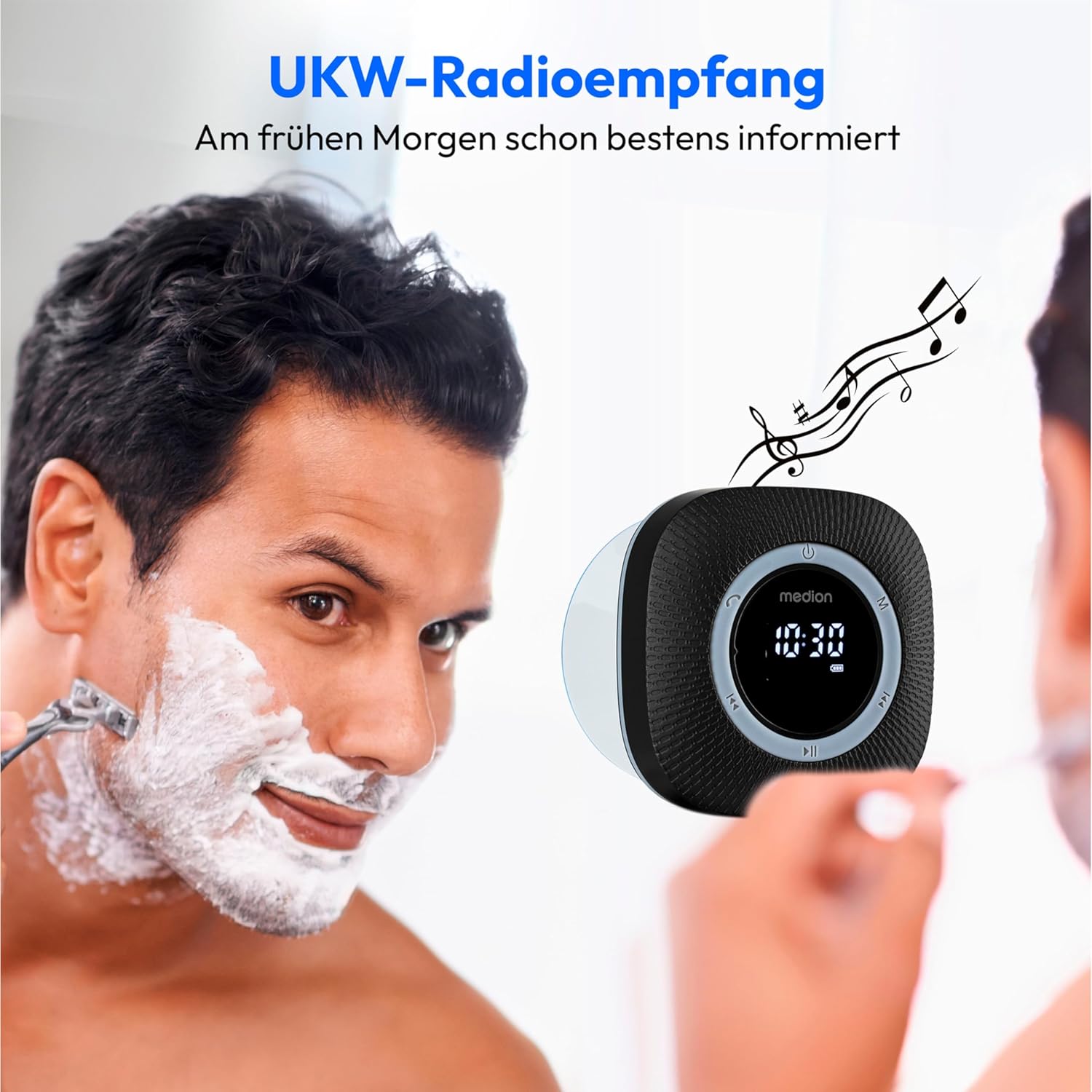
Enjoy FM radio reception with clear sound, perfect for your morning routine.
Ọrụ Bluetooth
- Jiri ya gbanwee gaa na ọnọdụ Bluetooth. Bọtịnụ ọnọdụ (M). The display will show 'BT' and the radio will enter pairing mode, indicated by a flashing Bluetooth icon.
- On your smartphone or tablet, enable Bluetooth and search for available devices. Select 'MEDION P66096' from the list.
- Once paired, the Bluetooth icon on the radio's display will stop flashing. You can now stream audio from your device to the shower radio.
- Jiri ihe Play/Pause Button (⏸/⏸) to control playback. Use the Previous (⏪) na Next (⏩) buttons to skip tracks. Adjust volume by long pressing these buttons.

Wirelessly stream your favorite music from your smartphone or tablet via Bluetooth 5.0.
Oku na-enweghị aka
When connected via Bluetooth to your smartphone, the radio can be used for hands-free calls:
- Azịza/Kwụsị Oku: Mkpirisi pịa Call Button (☎).
- Jụ oku: Pịa ogologo Call Button (☎).
Setting Clock and Alarm
The radio features an LED clock display and an alarm function. Refer to the detailed instructions in the included printed manual for specific steps on setting the time and alarm, as button combinations may vary.
Ịchaji batrị
The MEDION P66096 has a built-in rechargeable lithium-polymer battery, providing up to 12 hours of music playback on a full charge.
- When the battery is low, the battery icon on the LED display will flash.
- Connect the micro USB charging cable to the radio's charging port and a USB power source.
- The battery icon will show charging progress. Once fully charged, the icon will indicate a full battery.
- Ensure the waterproof cover for the USB port is securely closed after charging to maintain water resistance.

The integrated lithium-polymer battery provides up to 12 hours of continuous music playback.
Nlekọta
- Nhicha: Jiri nwayọ hichaa redio, damp akwa . Ejila kemịkalụ siri ike ma ọ bụ ihe abrasive.
- Nchekwa: Mgbe a naghị eji redio ahụ ruo ogologo oge, debe ya n'ebe dị jụụ ma kpọọ nkụ.
- Nlekọta batrị: To prolong battery life, avoid fully discharging the battery frequently. Charge it regularly, even if not in constant use.
Nchọpụta nsogbu
| Nsogbu | Ihe nwere ike ime | Ngwọta |
|---|---|---|
| Redio anaghị agba. | Agbanyụrụ batrị. | Jiri eriri USB chajịa batrị. |
| Enweghị ụda ma ọ bụ obere olu. | Olu dị obere ma ọ bụ mechie. | Mee ka olu site na iji Next (⏩) button. Check volume on connected Bluetooth device. |
| Enweghị ike ijikọ site na Bluetooth. | Radio is not in pairing mode or too far from device. | Ensure radio is in Bluetooth mode (flashing 'BT'). Move device closer to the radio. Forget device on your phone and re-pair. |
| Nnabata redio FM na-adịghị mma. | Mgbama ma ọ bụ nnyonye anya adịghị ike. | Try repositioning the radio. Perform an auto-scan again. |
| Iko mmiri anaghị ejide. | Surface is not clean, smooth, or non-porous. | Clean the surface and the suction cup. Ensure the surface is completely smooth and dry. |
Nkọwapụta
| Njirimara | Nkọwa |
|---|---|
| Ụdị | MGBE |
| Nọmba nlereanya | P66096 |
| Agba | Nwa |
| Teknụzụ Njikọta | Bluetooth 5.0 |
| Teknụzụ Ndozi | FM |
| Ndị otu redio akwadoro | FM (87.5 MHz) |
| Atụmatụ pụrụ iche | Integrated Battery, Bluetooth, Microphone, LED Display, Clock with Alarm Function, Suction Cup |
| Ogo Nchekwa mmiri | IPX6 (Protected against strong water jets) |
| Isi Iyi Ike | Battery Powered (1 Lithium-polymer battery, included) |
| Ndụ batrị | Ruo awa iri abụọ |
| Ngwa dakọtara | Smartphones, mbadamba |
| Ngwa gụnyere | Shower Radio, Micro USB Charging Cable |
Akwụkwọ ikike na nkwado
Your MEDION P66096 Shower Radio comes with a warranty. Please refer to the included warranty card for detailed information regarding warranty terms and conditions, including the duration and coverage. For technical support or service inquiries, please contact MEDION customer service through the contact information provided on your warranty card or the official MEDION websaịtị.