1. Okwu mmalite
Thank you for choosing TREBLAB Z2 Hybrid Active Noise Cancelling Wireless Headphones. This manual provides essential information for setting up, operating, and maintaining your headphones to ensure optimal performance and longevity. Please read it carefully before use.
2. Kedu ihe dị na Igbe ahụ
- TREBLAB Z2 Headphones
- TREBLAB Z2 Carrying Case
- 3.5mm USB USB (AUX)
- USB Type-C Nchaji USB
- User Manual; Quick Start Guide; Catalogue; Warranty card
3. Ngwaahịa gafereview
Atụmatụ ekweisi
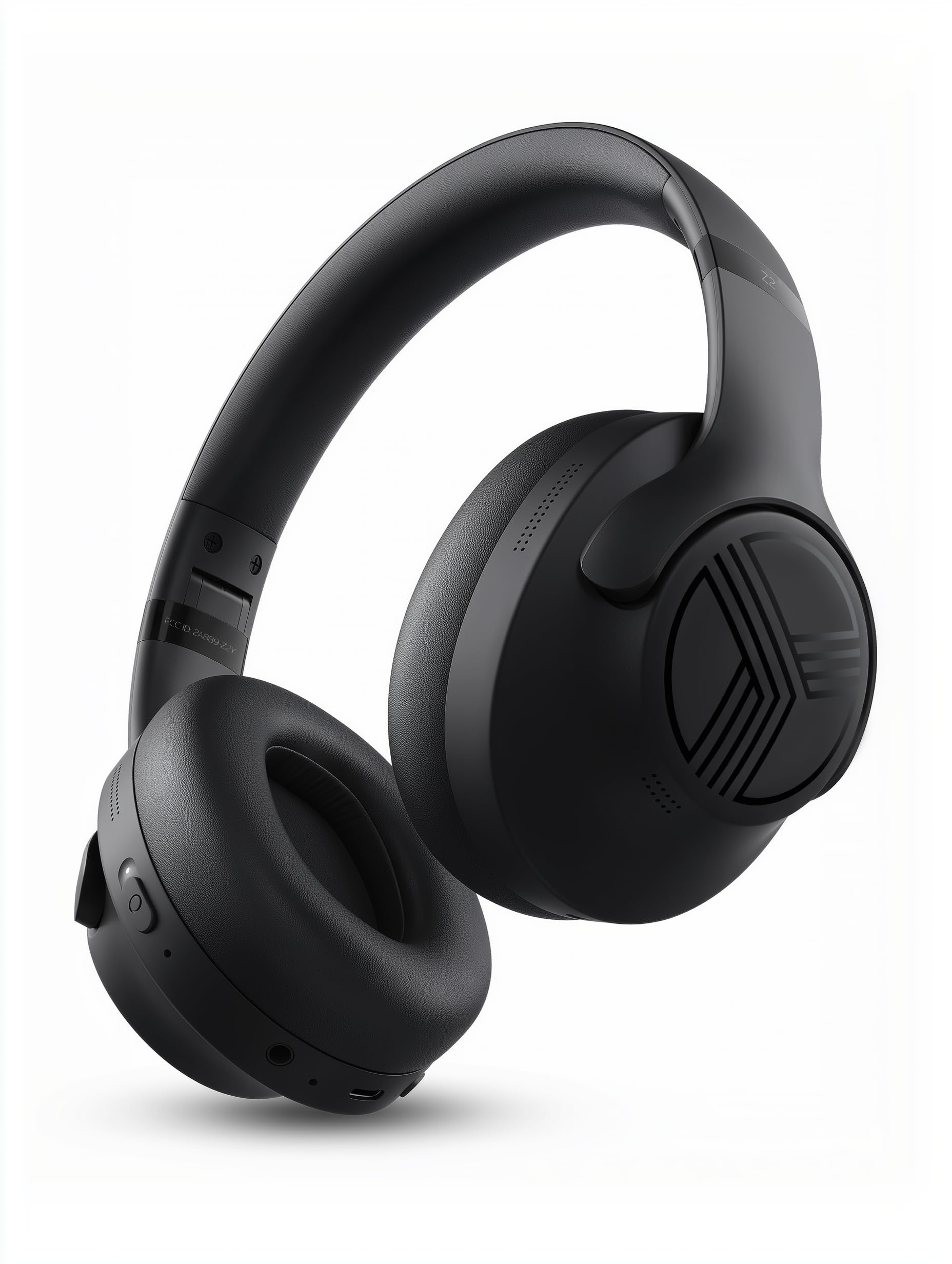
The TREBLAB Z2 headphones are designed for versatility and performance, featuring Hybrid Active Noise Cancelling (ANC) to minimize distractions, a long-lasting battery, and a comfortable, sweat-resistant design suitable for various activities.
- Ịkagbu mkpọtụ ngwakọ na-arụ ọrụ: Blocks external noise for immersive audio.
- Ogologo oge egwuregwu: Up to 58 hours of battery life (without ANC, at 70% volume).
- Bass miri emi: Powerful audio with balanced sound.
- IPX4 Water Resistant & Sweatproof: Durable for workouts and outdoor use.
- Bluetooth 5.3 & Njikọ Multipoint: Stable wireless connection to multiple devices.
- Igwe okwu arụnyere n'ime ya: Clear voice pickup for calls.
- Nhazi a na-agbanwe agbanwe: Lightweight and comfortable for extended wear and easy storage.
Njikwa na ọdụ ụgbọ mmiri
The headphones feature intuitive button controls for playback, volume, calls, and ANC activation. All controls and ports are conveniently located on the earcups.
- Power/Play/Pause/Phone Button: Central control for power, media playback, and call management.
- Mgbakwunye olu/Bọtịnụ egwu na-esote: Adjust volume or skip to the next song.
- Mbelata olu/Bọtịnụ egwu gara aga: Adjust volume or go to the previous song.
- ANC On/Off Switch: Activate or deactivate Active Noise Cancelling.
- Micro USB/USB Type-C Charging Port: Maka ịchaji ekweisi.
- AUX Input (3.5mm Jack): Maka njikọ waya.
- Igwe okwu: Maka oku na-enweghị aka na iwu onye enyemaka olu.
- Ihe ngosi LED: Na-egosi ike, njikọta, na ọnọdụ chaja.
4. Nhazi
4.1 Ịchaji ekweisi
Before first use, fully charge your TREBLAB Z2 headphones. A full charge takes approximately 3 hours.
- Connect the USB Type-C charging cable to the charging port on the headphone.
- Jikọọ nsọtụ nke ọzọ nke eriri na isi iyi ike USB dakọtara (dịka ọmụmaatụ, nkwụnye mgbidi, ọdụ ụgbọ USB kọmputa).
- The LED indicator will show red during charging and turn off when fully charged.
4.2 Njikọ Bluetooth
Iji jikọọ ekweisi gị na ngwaọrụ site na Bluetooth:
- Gbaa mbọ hụ na agbanyụrụ ekweisi ma gbanyụọ ya.
- Press and hold the Power/Play/Pause button for a few seconds until the LED indicator flashes blue and red, indicating pairing mode.
- Na ngwaọrụ gị (smartphone, tabletị, kọmpụta), mee ka Bluetooth nwee ike wee chọọ ngwaọrụ dị.
- Select "TREBLAB Z2" from the list of found devices.
- Once successfully paired, the LED indicator will flash blue slowly, and you will hear a confirmation tone.
For multipoint connection, pair the first device, then disable Bluetooth on the first device. Put the headphones back into pairing mode and connect to the second device. Once connected, re-enable Bluetooth on the first device, and the headphones should connect to both.
5. Ntuziaka ọrụ
5.1 Gbanyụọ ma ọ bụ gbanyụọ
- Ike Na: Press and hold the Power/Play/Pause button for 3 seconds.
- Gbanyụọ: Press and hold the Power/Play/Pause button for 5 seconds.
5.2 Nghaghachi egwu
- Gwuo/kwụsịtụ: Pịa bọtịnụ Power/Play/Pause dị mkpirikpi.
- Track na-esote: Long press the Volume Up/Next Track button.
- Gara aga Track: Long press the Volume Down/Previous Track button.
- Olu elu: Short press the Volume Up/Next Track button.
- Olu ala: Short press the Volume Down/Previous Track button.
5.3 Njikwa oku
- Oku azaa: Pịa bọtịnụ Power/Play/Pause dị mkpirikpi.
- Oku ngwụcha: Pịa obere bọtịnụ Power/Play/Pause mgbe ị na-akpọ oku.
- Jụ oku: Long press the Power/Play/Pause button for 2 seconds.
- Agbagharị: Double-press the Power/Play/Pause button.
5.4 Mkpọtụ Na-arụ Ọrụ (ANC)
To activate ANC, slide the ANC switch on the left earcup to the 'ON' position. The LED indicator will light up. Slide to 'OFF' to deactivate.
5.5 Onye enyemaka olu
Activate your device's voice assistant (Siri, Google Assistant, Alexa) by pressing the Power/Play/Pause button for 1 second.
6. Nlekọta
- Clean headphones with a soft, damp akwa . Ejila kemịkalụ siri ike.
- Store headphones in the provided carrying case when not in use to protect them from dust and damage.
- Avoid exposing headphones to extreme temperatures, direct sunlight, or excessive moisture.
- Anwala ịkwasa ma ọ bụ gbanwee ekweisi, n'ihi na nke a ga-emebi akwụkwọ ikike.
7. Nchọpụta nsogbu
| Nsogbu | Ngwọta |
|---|---|
| Igwe ekweisi agaghị agbanwu | Ensure headphones are fully charged. |
| Enweghị ike ijikọ site na Bluetooth | Ensure headphones are in pairing mode (flashing blue/red LED). Turn off and on Bluetooth on your device. Clear previous pairings on your device. |
| Enweghị ụda ma ọ bụ olu dị ala | Check volume levels on both headphones and connected device. Ensure headphones are properly paired. Try a wired connection with the AUX cable. |
| ANC anaghị arụ ọrụ nke ọma | Ensure ANC switch is in the 'ON' position. Check for proper fit of earcups over ears. |
8. Nkọwapụta
| Njirimara | Nkọwa |
|---|---|
| Aha Nlereanya | Z2 |
| Njikwa mkpọtụ | Nkagbu mkpọtụ ngwakọ na-arụ ọrụ |
| Ụdị Bluetooth | 5.3 |
| Oke Bluetooth | 33 ụkwụ (10 mita) |
| Ndụ Batrị (Kachasị) | Up to 58 hours (No ANC, 70% volume) |
| Ndụ Batrị (ANC Gbanyere) | Up to 51 hours (ANC + Wireless, 70% volume) |
| Oge Nchaji | Awa 3 |
| Nha ọkwọ ụgbọ ala ọdịyo | 40 millimeters |
| Nzaghachi ugboro ugboro | 20 Hz - 20 kHz |
| Mmetụta | 103 dB |
| Mgbochi | 32 ohms |
| Ọkwa Nguzogide mmiri | IPX4 (Mmiri na-eguzogide mmiri na mmiri na-anaghị agbapụta) |
| Ibu Ibu | 8.5 ounces |
| Akụkụ | 6.4 x 3.2 x 8 sentimita asatọ |
9. Akwụkwọ ikike na nkwado
Your TREBLAB Z2 headphones are covered by a 1-YEAR WARRANTY & 30-DAY RETURNS. For any questions, suggestions, or issues, please refer to the warranty card included in the box or contact TREBLAB customer support.
10. Media Osisi
Onyonyo ngwaahịa