1. Okwu mmalite
Thank you for choosing the FLYLINKTECH Portable Car Battery Jump Starter. This device is designed to provide a reliable and safe solution for jump-starting 12V vehicles with up to 5.0L gas or 4.0L diesel engines. It also functions as a portable power bank and features an integrated LED flashlight. Please read this manual thoroughly before use to ensure proper operation and safety.

Image: The FLYLINKTECH Portable Car Battery Jump Starter, showing the main unit, smart clamps, and charging cables.
2. Ozi nchekwa
WARNING: Read all safety warnings and instructions before using this product. Failure to follow the warnings and instructions may result in electric shock, fire, and/or serious injury.
- Do not attempt to jump-start vehicles with engines larger than specified (5.0L gas or 4.0L diesel).
- Ejila ihe nmali elu ma ọ bụrụ na batrị clamps ma ọ bụ eriri mebiri emebi.
- Ensure proper polarity connection: Red clamp dị mma (+), Black clamp to negative (-). Reverse polarity can cause damage.
- Debe ebe ụmụaka na-apụghị iru.
- Ewepụla ngwaahịa a na mmiri ozuzo ma ọ bụ snow.
- Akpọsakwala otu ahụ. Kpọtụrụ ndị ọrụ ruru eru ọrụ niile.
- Avoid short-circuiting the clamps.
- The device features intelligent chip protection against overcurrent, short-circuit, overload, overvoltage, overcharge, over-discharge, and reverse polarity. However, always exercise caution.
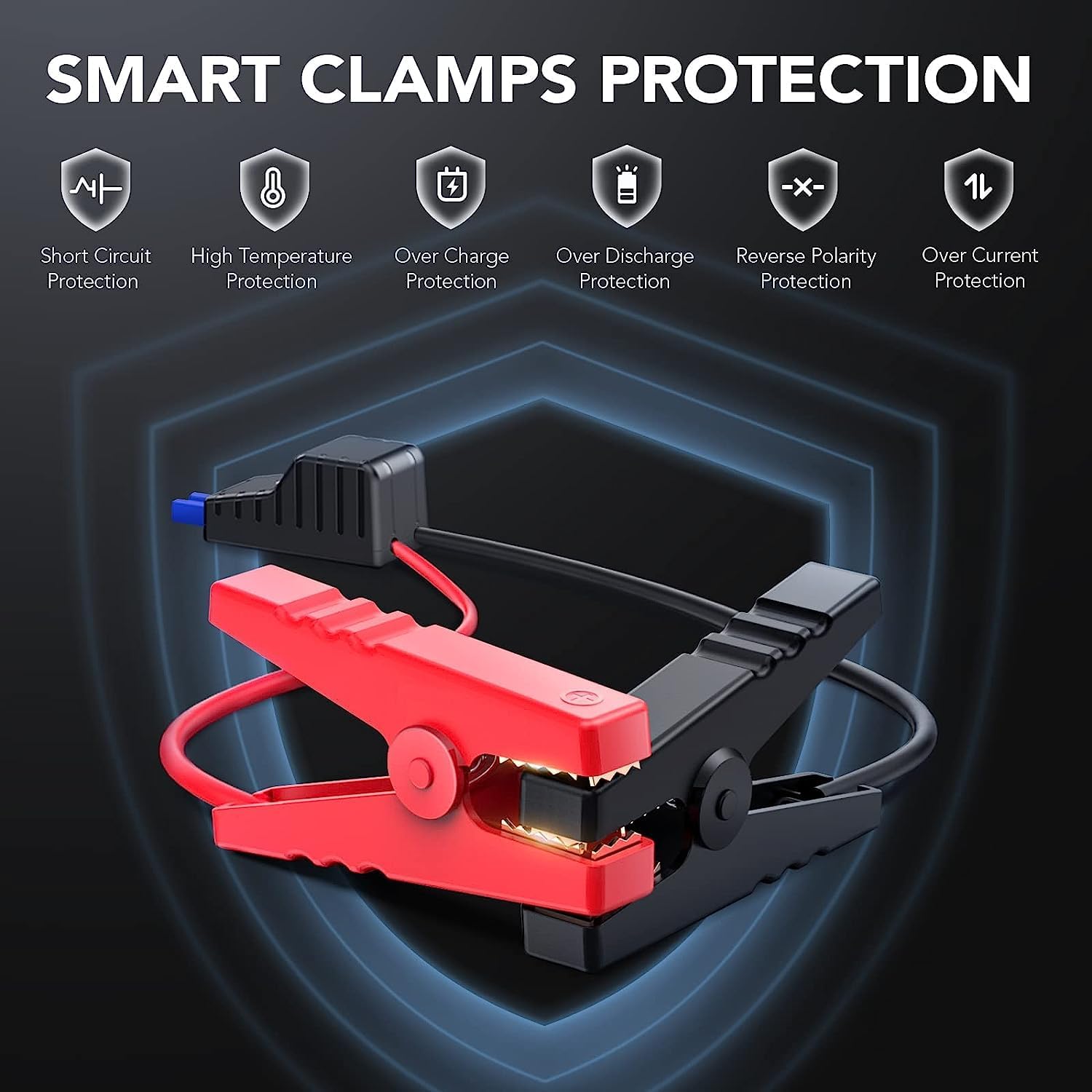
Image: Illustration of the smart clamps and their integrated safety protection features.
3. Ihe ngwugwu
Chọpụta na ihe niile dị na ngwugwu gị:
- FLYLINKTECH Jump Starter Unit
- Smart Jumper Cables (with Red and Black clamps)
- Igwe chaja USB Micro
- Akwụkwọ ntuziaka onye ọrụ
- EC5 Cigarette Lighter Adapter (Optional, may vary by package)

Image: All components included in the product package.
4. Ngwaahịa gafereview
Familiarize yourself with the components of your jump starter:

Image: Detailed diagram labeling the various ports, buttons, and indicators on the jump starter unit and its clamps.
- Bọtịnụ ike: Na-agbanyụ/gbanyụọ ngwaọrụ ahụ ma na-agbagharị site na ụdị ọkụ ọkụ.
- Ọkụ egosi LED: Show the battery charge level.
- Igwe ọkụ: Ọkụ ọkụ agbakọtara ọnụ nwere ọtụtụ ụdịdị.
- Ntinye USB USB: For charging the jump starter unit.
- USB mmepụta: For charging external devices (e.g., smartphones, tablets).
- Auto Jump Port: Connects to the smart jumper cables.
- Smart Jumper Cables: Red (+) and Black (-) clamps with built-in safety features.
5. Charging the Jump Starter
Before first use, fully charge the jump starter. It is recommended to recharge the unit every 3-6 months to maintain battery health, even if not in use.
- Connect the Micro USB charging cable to the Micro USB Input port on the jump starter.
- Connect the other end of the USB cable to a 5V/2A USB wall adapter (not included) or a car charger.
- The LED indicator lights will illuminate and flash to show the charging progress. All lights will be solid when fully charged.
6. Ntuziaka ọrụ
6.1. Malie Malite Ụgbọala
Ensure the jump starter is at least 75% charged (3 LED lights illuminated) before attempting to jump-start a vehicle.

Image: The jump starter connected to a vehicle battery, ready for use.

Image: Visual guide for vehicle compatibility based on engine displacement.
- Connect Smart Clamps: Insert the blue plug of the smart jumper cables into the Auto Jump Port on the jump starter. Ensure a firm connection.
- Attach to Car Battery: Jikọọ uhie (+) clamp to the positive terminal of the car battery and the black (-) clamp gaa na njedebe na-adịghị mma. Smart clamps will indicate a successful connection (e.g., a green light). If an error is detected (e.g., reverse polarity), an alarm may sound or a red light may appear.
- Ụgbọ ala: Ozugbo clamps are correctly attached and the indicator is green, start your vehicle.
- Wepu Clamps: After the vehicle starts, immediately remove the smart clamps from the car battery, then disconnect the smart clamps from the jump starter unit.

Image: Step-by-step visual instructions for jump starting a vehicle.
6.2. Using as a Portable Power Bank
The jump starter can charge various USB-powered devices.
- Connect your device's USB charging cable to the USB Output port on the jump starter.
- Ihe mmalite mbuli elu ga-amalite ịchaji ngwaọrụ gị na akpaghị aka.
- Lelee ọnọdụ chajị ngwaọrụ gị.

Image: The jump starter functioning as a power bank, charging a smartphone and a tablet.
6.3. LED Flashlight Modes
The integrated LED flashlight has three modes:
- Normal Light: Pịa bọtịnụ ike otu ugboro ka ịgbanwuo.
- Ụdị SOS: Press the power button a second time to activate the SOS signal.
- Ìhè strok: Press the power button a third time for a flashing strobe light.
- Pịa bọtịnụ ike ugboro anọ ka ịgbanyụ ọkụ ọkụ.

Image: The jump starter's LED flashlight in use, highlighting its three modes.
7. Mmezi na Nchekwa
- Nhicha: Jiri akwa kpọrọ nkụ, dị nro hichaa otu ahụ. Ejila kemịkalụ siri ike ma ọ bụ ihe abrasive.
- Ịchaji: Recharge the unit every 3-6 months to prevent deep discharge and prolong battery life.
- Nchekwa: Store the jump starter in a cool, dry place, away from direct sunlight and extreme temperatures.
- Oke okpomọkụ: The device is designed to operate and be stored within a temperature range of -20°C to 60°C (-4°F to 140°F).
- Mgbochi mmiri na uzuzu: The unit has an IP67 rating, making it resistant to water and dust. However, avoid prolonged submersion.
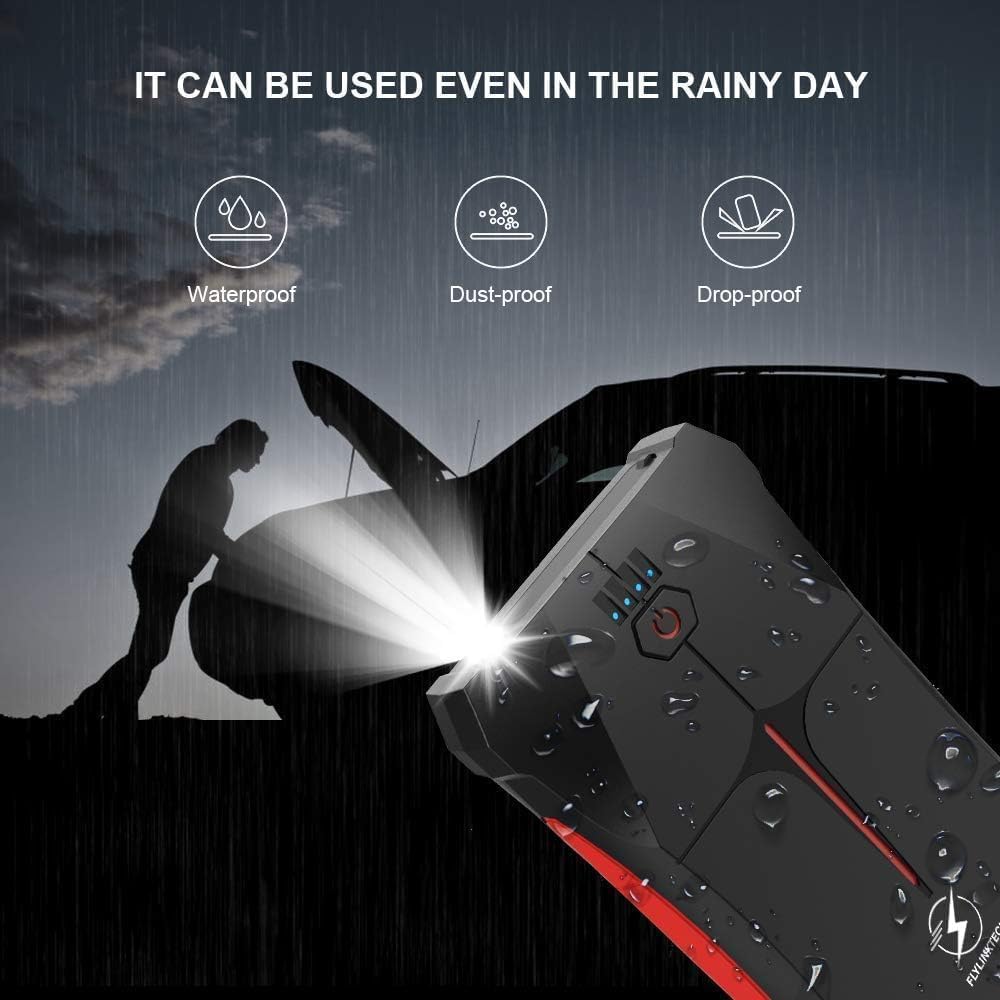
Image: The jump starter demonstrating its weather-resistant properties (waterproof, dust-proof, drop-proof).

Image: The jump starter's operational temperature range from -20°C to 60°C.
8. Nchọpụta nsogbu
| Nsogbu | Ihe nwere ike ime | Ngwọta |
|---|---|---|
| Jump starter does not turn on. | Ahapụla batrị kpamkpam. | Gbanye ihe mmalite ahụ nke ọma. |
| Ụgbọala anaghị amalite. | ezighi ezi clamp njikọ. | Hụ na cl uhieamp is on positive (+), black on negative (-). Check smart clamp egosi. |
| Jump starter battery is low. | Tinyegharịa ihe mmalite ihe mwụli elu. | |
| Batrị ụgbọala emebiela nke ukwuu. | Gakwuru ọkachamara n'ihe gbasara mekaniki. | |
| Smart clamps show error/alarm. | Reverse polarity or short circuit. | Disconnect immediately and re-attach clamps n'ụzọ ziri ezi. |
| USB device not charging. | Jump starter battery is low. | Tinyegharịa ihe mmalite ihe mwụli elu. |
| USB cable or device fault. | Try a different USB cable or device. |
9. Nkọwapụta
| Njirimara | Nkọwa |
|---|---|
| Nlereanya | CF200 |
| Ọnụ ugbu a | 800A |
| Ike batrị | 13200mAh (Lithium-polymer/Lithium-ion) |
| Malite Voltage | 12V |
| Ntụle injin gas | Ihe dị ka 5.0L |
| Ntụle injin mmanụ dizel | Ihe dị ka 4.0L |
| USB mmepụta | 5V/2.1A |
| Ntinye Micro USB | 5V/2A |
| Okpomọkụ na-arụ ọrụ | -20°C ruo 60°C (-4°F ruo 140°F) |
| Akụkụ (L x W x H) | 15.8 x 8.5 x 2 cm (6.2 x 3.3 x 0.8 inch) |
| Ibu | 370g (0.82 lbs) |
| Mgbochi mmiri/Uzuzu | IP67 |
| Asambodo | CE |
10. Akwụkwọ ikike na nkwado
FLYLINKTECH provides a 3-year warranty for this product from the date of purchase. This warranty covers manufacturing defects and workmanship under normal use. It does not cover damage caused by misuse, accidents, unauthorized modifications, or natural disasters.
For warranty claims, technical support, or any questions regarding your product, please contact FLYLINKTECH customer service. Please have your purchase receipt and product model number (CF200) ready when contacting support.
Ozi mkpọtụrụ:
- Email: nkwado@flylinktech.hk
- Websaịtị: www.flylinktech.com (Please check for the most current contact details)
Note: No official product videos were found in the provided data for embedding in this manual.


