1. Okwu mmalite
Daalụ maka ịzụrụasing the 2BOOM BX390 Bass King Wireless Bluetooth Boombox Stereo Speaker. This manual provides essential information for setting up, operating, and maintaining your speaker to ensure optimal performance and longevity. Please read this manual thoroughly before using the product.

Image 1.1: The 2BOOM BX390 Bass King Wireless Bluetooth Boombox Stereo Speaker.
This image shows the 2BOOM BX390 Bass King speaker in blue, featuring a cylindrical design with a handle/strap attached. The front panel displays the control interface and speaker grille.
2. Ihe ngwugwu
Biko lelee ngwungwu maka ihe ndị a:
- 1 x 2BOOM BX390 Bass King Speaker
- 1 x 3.5mm Aux Cable
- 1 x eriri USB
- Akwụkwọ ntuziaka onye ọrụ 1 x (akwụkwọ a)
- 1 x Attachable Shoulder Strap

Image 2.1: The 2BOOM BX390 speaker shown with its detachable shoulder strap, 3.5mm Aux cable, and USB charging cable.
This image displays the blue 2BOOM BX390 speaker from an angled perspective, highlighting the included shoulder strap attached to its side rings. The USB charging cable and 3.5mm Aux cable are visible in the foreground.
3. Akụrụngwa Ngwaahịa
- Powerful Bass Sound: Equipped with 4-inch subwoofers and vibrating disks for crisp, clear, loud sound, booming low tones, and dynamic sound effects.
- Njikọ Bluetooth: Connects wirelessly to smartphones, tablets, and other Bluetooth-enabled devices up to 33 ft.
- Igwe okwu arụnyere n'ime ya: Supports hands-free calls.
- Nhazi na-adịgide adịgide na nke enwere ike ibugharị: Features a rugged, rubberized exterior and an attachable strap for easy carrying.
- Nhọrọ ntinye otutu: Includes FM Radio, Aux-in Line, USB port, and SD Card slot.
- Ogwe njikwa agbakwunyere: Direct control over volume, bass, and sound equalizer.

Image 3.1: The 2BOOM BX390 speaker with visual callouts for Deep Digital Bass, FM Radio, Long-Lasting Battery, and Straps Included.
This image shows the blue 2BOOM BX390 speaker from the front, with graphic overlays pointing out its key features: deep digital bass, FM radio capability, long-lasting battery, and the inclusion of straps for portability.
4. Njikwa na Ọdụ Ụgbọ Mmiri
Familiarize yourself with the control panel and input ports of your BX390 speaker:

Image 4.1: Detailed diagram of the 2BOOM BX390 control panel and input ports.
Ihe onyonyo a na-enye nso nso view of the speaker's front panel, clearly labeling each button, port, and indicator. Labels include USB, DC 5V (charging), AUX, Previous, Play/Pause, Next, Mode, EQ, SD card slot, LED display, Power ON/OFF switch, Volume controls, and Bass controls.
- Ọdụ ụgbọ mmiri USB: Maka ịkpọghachi draịva USB.
- DC 5V (Charging Port): Connect the USB charging cable here to charge the speaker.
- Ntinye AUX: 3.5mm jack for connecting external audio devices via an Aux cable.
- Previous / Volume -: Short press for previous track; long press to decrease volume.
- Gwuo/kwụsịtụ: Press to play or pause audio. In FM mode, short press to auto-scan.
- Next / Volume +: Short press for next track; long press to increase volume.
- Ụdị: Press to switch between Bluetooth, FM Radio, USB, SD Card, and AUX modes.
- EQ (ihe nhata): Press to cycle through different equalizer presets.
- Oghere kaadị SD: Insert an SD card for audio playback.
- Ikanam Display: Na-egosi ụdị dị ugbu a, nọmba egwu, ma ọ bụ ugboro FM.
- Mgba ọkụ/ Gbanyụọ Ike: Slide to turn the speaker on or off.
- Mpịakọta +/-: Bọtịnụ ka iwelie ma ọ bụ ibelata olu mkpokọta.
- Bass +/-: Buttons to increase or decrease the bass level.
5. Nhazi
5.1 Ịchaji ọkà okwu
Before first use, fully charge the speaker. Connect the supplied USB charging cable to the DC 5V port on the speaker and the other end to a USB power adapter (not included) or a computer's USB port. The LED display may indicate charging status.
- Oge nchaji nwere ike ịdị iche.
- Disconnect the charger once fully charged to preserve battery life.
5.2 Gbanyụọ/ gbanyụọ
To turn the speaker ON, slide the Power ON/OFF switch to the 'ON' position. You will hear an audible prompt, and the LED display will light up.
To turn the speaker Gbanyụọ, slide the Power ON/OFF switch to the 'OFF' position.
6. Ntuziaka ọrụ
6.1 Ọnọdụ Bluetooth
The speaker automatically enters Bluetooth pairing mode when powered on if no other input source is connected, or after pressing the MODE button until "Bluetooth" is indicated.
- Gbaa mbọ hụ na agbanyere ọkà okwu.
- Na ngwaọrụ Bluetooth gị (smartphone, tabletị, wdg), gbanye Bluetooth wee chọọ ngwaọrụ dịnụ.
- Họrọ"2BOOM BX390" or similar from the list.
- Once paired, the speaker will confirm with an audible prompt.
- Ị nwere ike ugbu a kpọọ ụda site na ngwaọrụ gị site na ọkà okwu.
Mara: The speaker will automatically reconnect to the last paired device if it's within range and Bluetooth is enabled.
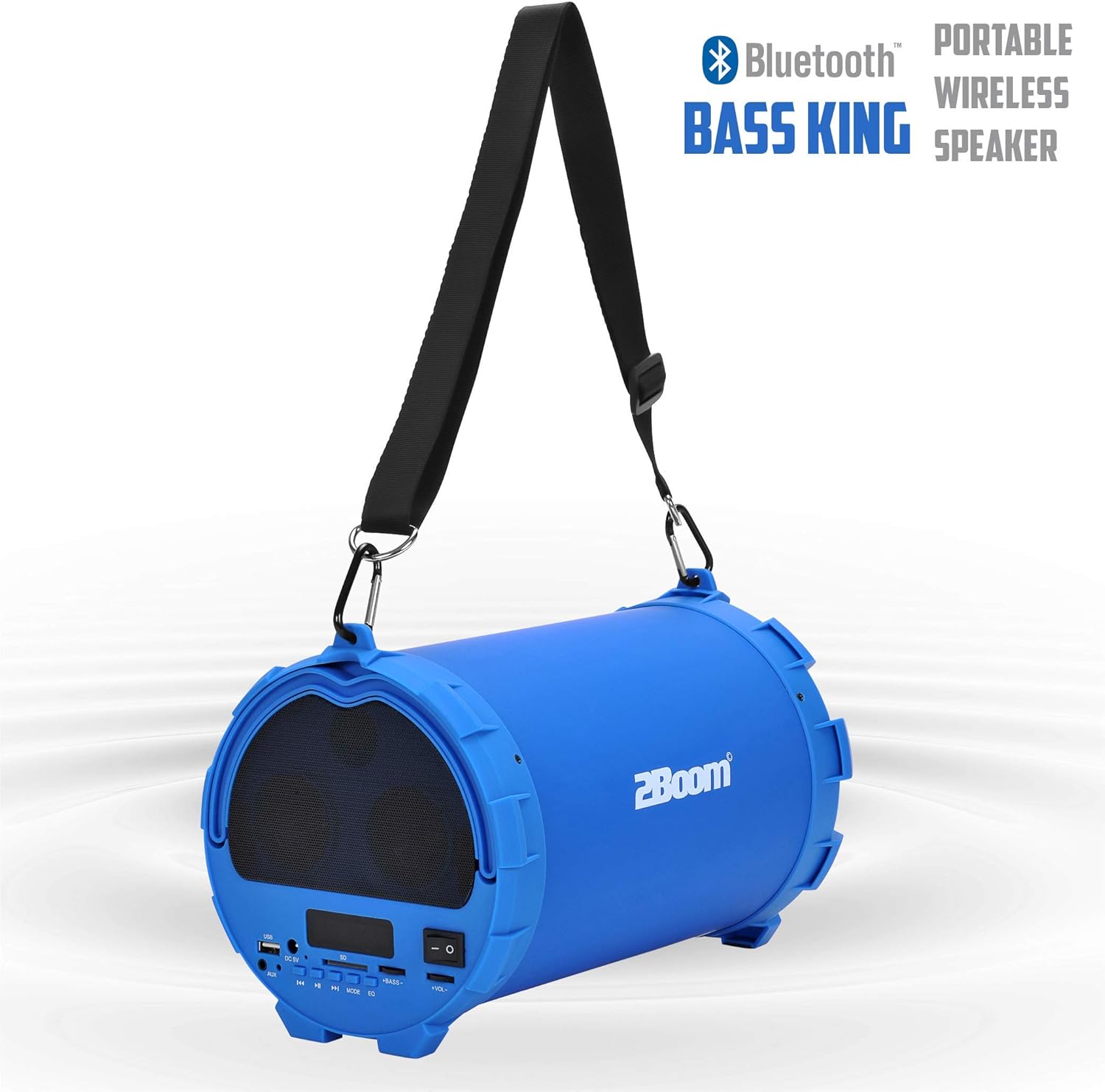
Image 6.1: The 2BOOM BX390 speaker highlighting its Bluetooth connectivity.
This image shows the blue 2BOOM BX390 speaker with a prominent "Bluetooth" logo and "PORTABLE WIRELESS BASS KING SPEAKER" text, emphasizing its wireless audio capabilities.
Ọnọdụ redio FM 6.2
To switch to FM Radio mode, press the MODE button until "FM" or the radio frequency is displayed.
- Na ọnọdụ FM, pịa obere pịa Gwuo/kwụsịtụ button to automatically scan and save available FM stations. The speaker will cycle through frequencies and store them.
- Jiri ihe Nke gara aga na Osote bọtịnụ ka ịnyagharịa n'etiti ọdụ ndị echekwara.
- For better reception, extend the antenna (if applicable, or reposition the speaker).
6.3 USB / SD Card Mode
The speaker supports audio playback from USB flash drives and SD cards.
- Fanye USB flash mbanye n'ime Ọdụ ụgbọ mmiri USB ma ọ bụ kaadị SD n'ime Oghere kaadị SD.
- The speaker will automatically switch to the corresponding mode (USB or SD) and begin playing audio files. Ọ bụrụ na ọ bụghị, pịa MODE bọtịnụ ịhọrọ.
- Jiri ihe Nke gara aga, Gwuo/kwụsịtụ, na Osote bọtịnụ iji jikwaa ịkpọghachi.
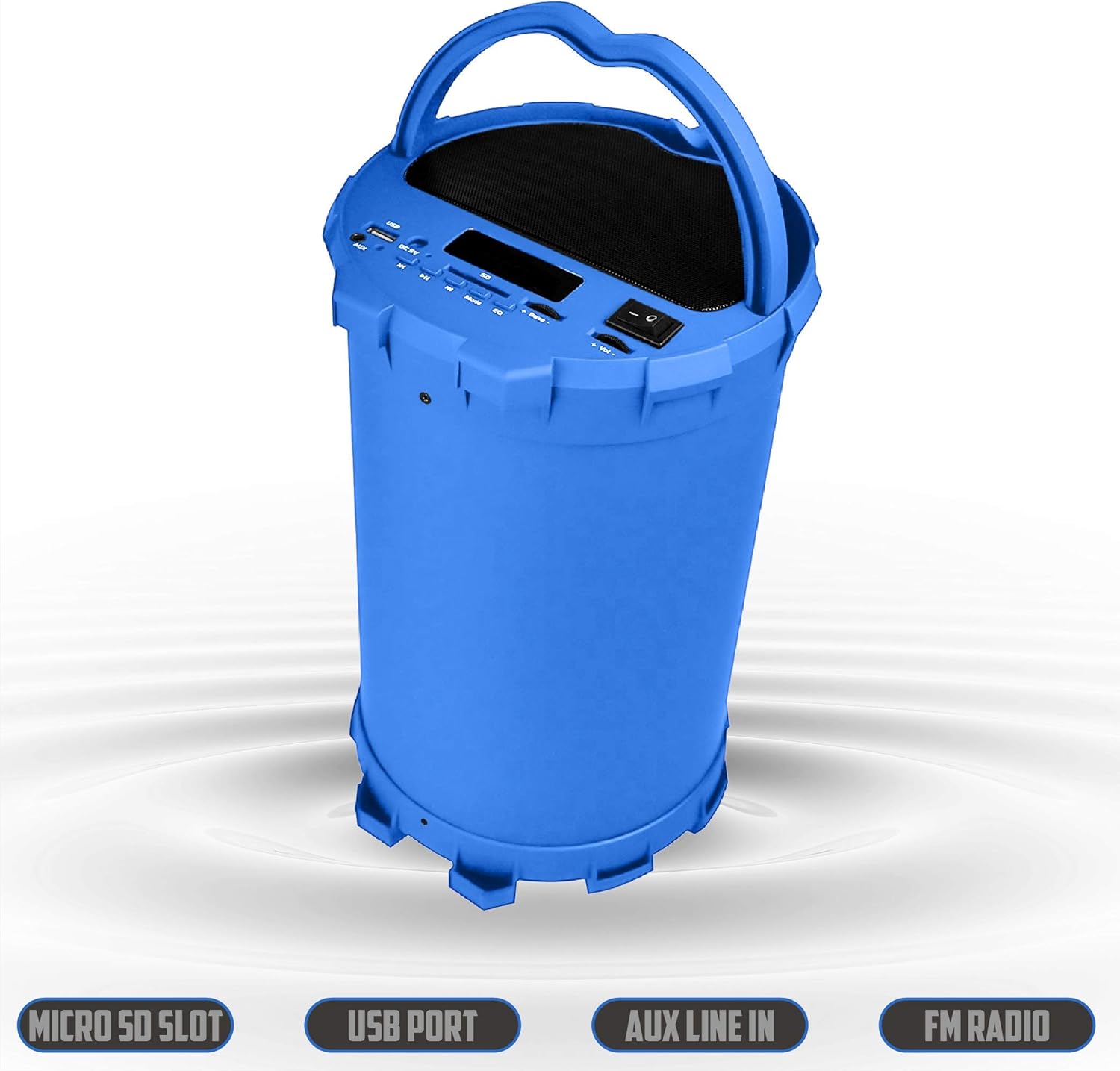
Image 6.2: The 2BOOM BX390 speaker shown upright, emphasizing the Micro SD Slot, USB Port, Aux Line In, and FM Radio capabilities.
This image displays the blue 2BOOM BX390 speaker in an upright position, with graphic overlays highlighting the Micro SD Slot, USB Port, Aux Line In, and FM Radio features on its control panel.
6.4 Ụdị ntinye AUX
Connect external audio devices (e.g., MP3 players, computers) using the supplied 3.5mm Aux cable.
- Connect one end of the 3.5mm Aux cable to the Ntinye aka AUX ọdụ ụgbọ mmiri na ọkà okwu.
- Connect the other end to the audio output jack of your external device.
- The speaker will automatically switch to AUX mode. If not, press the MODE bọtịnụ ịhọrọ.
- Jikwaa ọkpụkpọ dị na mpụga ngwaọrụ gị.
6.5 Adjusting Volume, Bass, and Equalizer
- Olu: Jiri ihe Mpịakọta +/- buttons (long press Previous/Next) to increase or decrease the overall volume.
- Bass: Jiri ihe Bass +/- buttons to adjust the bass level to your preference.
- Ihe nhata (EQ): Pịa EQ button to cycle through various preset equalizer modes (e.g., Pop, Rock, Jazz, Classical, Normal) to optimize sound for different music genres.
7. Nlekọta
- Nhicha: Jiri ákwà dị nro ma kpọọ nkụ hichaa mpụta okwu ahụ. Ejila ihe nhicha ma ọ bụ ihe mgbaze.
- Nchekwa: Chekwaa ọkà okwu n'ebe dị jụụ, kpọrọ nkụ pụọ na ìhè anyanwụ kpọmkwem na oke okpomọkụ mgbe ọ naghị eji ya ogologo oge.
- Nlekọta batrị: Ka ịgbatị ndụ batrị ogologo, zere ịchaji batrị ugboro ugboro. Na-anya ọkà okwu oge niile, ọ bụrụgodị na ejighị ya.
- Nguzogide mmiri: Igwe okwu a anaghị egbochi mmiri. Zere ikpughe na mmiri ma ọ bụ oke mmiri.
8. Nchọpụta nsogbu
| Nsogbu | Ihe nwere ike ime | Ngwọta |
|---|---|---|
| Enweghị ike | Batrị dị obere ma ọ bụ nwụrụ anwụ. | Charge the speaker fully using the supplied USB cable. |
| Enweghị ụda | Volume is too low; incorrect mode selected; device not connected properly. | Increase volume on speaker and connected device. Press MODE to select correct input. Reconnect Bluetooth or Aux cable. |
| Njikọ Bluetooth adaghị | Ọkà okwu adịghị n'ụdị njikọta; ngwaọrụ tere aka; nnyonye anya. | Ensure speaker is in Bluetooth mode. Move device closer to speaker. Turn off other Bluetooth devices. Forget "2BOOM BX390" on your device and re-pair. |
| Nnabata FM adịghị mma | Weak signal; speaker position. | Reposition the speaker. Try auto-scanning again. |
| Kaadị USB/SD anaghị egwu egwu | Enweghị nkwado file usoro; e tinyeghị kaadị/draịva nke ọma; mebiri emebi files. | Gbaa mbọ hụ files are in a supported format (e.g., MP3). Reinsert the USB drive/SD card. Try a different drive/card. |
9. Nkọwapụta
| Njirimara | Nkọwa |
|---|---|
| Ụdị | 2BOOM |
| Nlereanya | BX390 Bass King |
| Teknụzụ Njikọta | Enyemaka, Bluetooth, USB |
| Ụdị Ọkà Okwu | Stereo |
| Ngwa dakọtara | Laptọọpụ, Smartphone, Mbadamba ụrọ |
| Subwoofers | 4-inch (Quantity not specified, but implied by "subwoofers" and "dual subwoofers" in image) |
| Oke Bluetooth | Ruo 33 ft (mita 10) |
| Ntinye ọdụ ụgbọ mmiri | USB, SD Card, 3.5mm AUX |
| Redio | Redio FM |
10. Akwụkwọ ikike na nkwado
The 2BOOM BX390 Bass King speaker comes with an UNLIMITED 2BOOM WARRANTY.
For warranty claims or technical support, please contact 2BOOM customer service. Refer to the product packaging or 2BOOM's official websaịtị maka ozi kọntaktị.
Biko dowe ihe akaebe nke ịzụrụ ihe maka ebumnuche ikike.


