1. Okwu mmalite
Thank you for choosing the Havit HV-MS989GT Wireless Optical Mouse. This manual provides essential information for the proper setup, operation, and maintenance of your new device. Please read it thoroughly before use and retain it for future reference.
2. Ozi nchekwa
- To protect the mouse, avoid using it on rough surfaces. A high-quality mouse pad is recommended for optimal performance and longevity.
- The optical sensor emits a strong light. Do not direct the light towards your eyes or the eyes of others.
- The mouse contains precise electronic components. Do not twist, disassemble, or attempt to repair the mouse yourself, as this may shorten its service life or cause damage.
- Debe ngwaọrụ ahụ na mmiri na mmiri mmiri ndị ọzọ.
- Ewepụla ngwaọrụ ahụ na oke okpomọkụ.
3. Ihe ngwugwu
Biko lelee ihe dị n'ime ngwugwu mgbe imepechara:
- Havit HV-MS989GT Wireless Optical Mouse
- Onye nnata USB Nano
- Batrị AA (enwere ike itinye ya ma ọ bụ tinye ya iche)
- Akwụkwọ ntuziaka (akwụkwọ a)
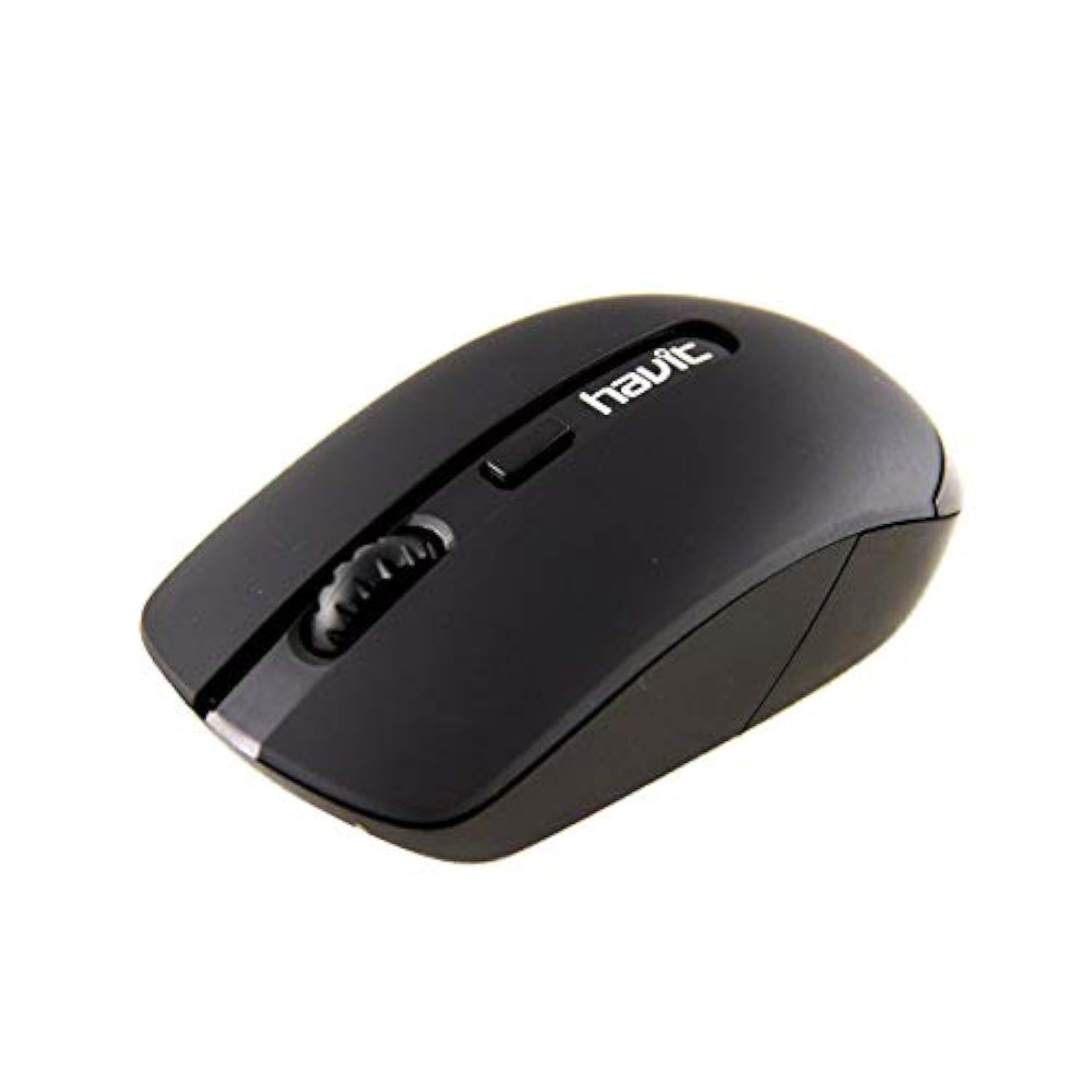
Image 1: Havit HV-MS989GT Wireless Optical Mouse in its retail packaging.
4. Ngwaahịa gafereview
The Havit HV-MS989GT is a 2.4 GHz wireless optical mouse designed for comfort and precision. It features an ambidextrous design, making it suitable for both left and right-handed users.
- Bọtịnụ aka ekpe: Ọrụ pịa ọkọlọtọ.
- Bọtịnụ aka nri: Ọrụ pịa nri ọkọlọtọ.
- Mpempe akwụkwọ mpịakọta: For scrolling documents and web peeji. Ọ nwekwara ike ịrụ ọrụ dị ka bọtịnụ pịa etiti.
- Ihe mmetụta anya: Located on the underside for precise tracking.
- Akụkụ batrị: Located on the underside of the mouse.
- USB Nano Receiver Storage: A dedicated slot on the underside of the mouse for convenient storage of the receiver when not in use or during travel.

Foto 2: nso nso view of the Havit HV-MS989GT mouse, highlighting the scroll wheel and main buttons.
5. Nhazi
- Wụnye Batrị: Open the battery compartment cover on the underside of the mouse. Insert one AA battery, ensuring correct polarity (+/-). Close the cover.
- Jikọọ eriri USB: Remove the USB Nano Receiver from its storage slot on the underside of the mouse. Plug the receiver into an available USB port on your computer (PC or laptop).
- Ike Na: The mouse should automatically power on and connect to the receiver. If there is an ON/OFF switch, ensure it is in the "ON" position. Your computer's operating system will typically install the necessary drivers automatically.
- Ọrụ nnwale: Move the mouse to check if the cursor responds on your screen. If not, refer to the Troubleshooting section.
6. Ntuziaka ọrụ
- Ịrụ ọrụ ikuku: The mouse operates using 2.4 GHz wireless technology, providing a stable connection up to 8 meters from the USB receiver.
- Ambidextrous imewe: The ergonomic design allows for comfortable use by both left-handed and right-handed individuals.
- Ọrụ ihi ụra akpaka: To conserve battery life, the mouse features an integrated automatic sleep function. If inactive for a period, it will enter a low-power sleep mode. To wake it up, simply move the mouse or click any button.
- Mmetụta DPI: The mouse provides a resolution range of 800-1600 DPI for precise and quick tracking.
- Ndakọrịta sistemụ: Compatible with Windows 2000, XP, Vista, Windows 7, Windows 8, Windows 10, Linux, and Mac operating systems.
7. Nlekọta
- Nhicha: Jiri ákwà dị nro ma kpọọ nkụ hichaa òké ahụ. Zere iji kemịkalụ siri ike ma ọ bụ ihe ndị na-emebi ihe.
- Ngbanwe batrị: When the mouse performance degrades or it stops responding, replace the AA battery. Ensure proper polarity when inserting the new battery.
- Nchekwa nnata: Always store the USB Nano Receiver in its dedicated slot on the mouse when traveling or not in use to prevent loss.
- Elu kacha mma: For best tracking performance and to protect the optical sensor, use the mouse on a clean, smooth surface, preferably with a high-quality mouse pad.
8. Nchọpụta nsogbu
| Nsogbu | Ngwọta enwere ike |
|---|---|
| Mouse not responding or cursor not moving. |
|
| Mmegharị kọsọ na-ezighi ezi. |
|
| Oke na-akwụsịkarị. |
|
9. Nkọwapụta
| Ụdị | Havit |
| Nọmba nlereanya | HV-MS989GT |
| Ụdị òké | Igwe anya |
| Njikọta | Igwe na-enweghị ikuku (2.4 GHz) |
| Anya ikuku | 8 mita |
| Akụkụ (L x W x H) | 104 × 58 × 37 mm |
| Ọnụọgụ bọtịnụ | 4 |
| Mkpebi DPI | 800-1600 DPI |
| Ndụ isi | 1,000,000 pịa |
| Ịnye ọkụ | 1 x AA batrị |
| Sistemu eji arụ ọrụ akwadoro | Windows 2000, XP, Vista, Windows 7, Windows 8, Windows 10, Linux, Mac |
| Ntuzi aka | Ambidextrous |
10. Akwụkwọ ikike na nkwado
For warranty information, please refer to the warranty card included with your product or contact your retailer. You may also visit the official Havit websaịtị maka akụrụngwa nkwado na ozi kọntaktị.
For additional assistance, please contact Havit customer support through their official channels.


