1. Okwu mmalite
Thank you for choosing the Hoco ES24 Wireless Sound Earphones. This manual provides detailed instructions on how to set up, operate, and maintain your earphones. Please read this manual carefully before use to ensure optimal performance and longevity of your device.
2. Ihe ngwugwu
Gbaa mbọ hụ na ihe niile edepụtara n'okpuru dị na ngwugwu gị:
- Hoco ES24 Wireless Earphones (Left and Right)
- Nchaji case
- Igwe nchaji USB
- Ọtụtụ nha nke ntị (S, M, L)
- Akwụkwọ ntuziaka onye ọrụ

Image: The Hoco ES24 earphones, charging case, USB cable, and various ear tip sizes included in the package.
3. Ngwaahịa gafereview
The Hoco ES24 earphones are designed for comfortable, wireless audio experience. They come with a compact charging case that not only protects the earphones but also recharges them on the go.

Image: The Hoco ES24 earphones resting inside their open charging case, showcasing ha kọmpat imewe.
4. Nhazi
4.1 Nchaji izizi
- Tupu ejie ya nke mbụ, chajie nke ọma ekweisi na akpa nchaji.
- Tinye ekwe ntị abụọ n'ime igbe nchaji.
- Jikọọ eriri USB na-ebunye n'ọdụ ụgbọ mmiri na akpa ahụ yana isi iyi ike (dịka ọmụmaatụ, eriri USB nkwụnye, ọdụ ụgbọ USB kọmputa).
- The LED indicator on the charging case will show the charging status. A full charge typically takes about 1 hour for fast charging.

Image: The Hoco ES24 charging case displaying the battery percentage via an LED screen, indicating charging status and capacity.
5. Ntuziaka ọrụ
5.1 Gbanyụọ/ gbanyụọ
- Ike Na: Open the charging case, and the earphones will automatically power on. Alternatively, press and hold the touch control area on both earphones for 3 seconds.
- Gbanyụọ: Place the earphones back into the charging case and close the lid. They will automatically power off and begin charging. Alternatively, press and hold the touch control area on both earphones for 5 seconds.
5.2 Njikọ Bluetooth
- Njikọ oge mbụ:
a. Ensure the earphones are charged.
b. Open the charging case. The earphones will automatically enter pairing mode, indicated by a flashing LED light on one of the earbuds.
c. On your device (smartphone, tablet, etc.), enable Bluetooth and search for available devices.
d. Select "Hoco ES24" from the list of devices. Once connected, the LED indicator on the earphone will stop flashing. - Njikọta na-esote:
Once paired, the earphones will automatically connect to the last paired device when taken out of the charging case, provided Bluetooth is enabled on your device.
5.3 Njikwa mmetụ
The Hoco ES24 earphones feature touch-sensitive controls for easy management of music and calls.
- Gwuo/kwụsịtụ: Otu pịa na ekweisi ọ bụla.
- Track na-esote: Pịa aka nri ugboro abụọ.
- Gara aga Track: Pịa aka ekpe ugboro abụọ.
- Azịza/Kwụsị Oku: Single tap on either earphone during an incoming call or active call.
- Jụ oku: Press and hold either earphone for 2 seconds during an incoming call.
- Mee ka onye enyemaka olu rụọ ọrụ: Triple tap on either earphone.

Image: A user wearing the Hoco ES24 earphones, illustrating their in-ear fit and highlighting features like Bluetooth 5.0 connectivity and clear call quality.
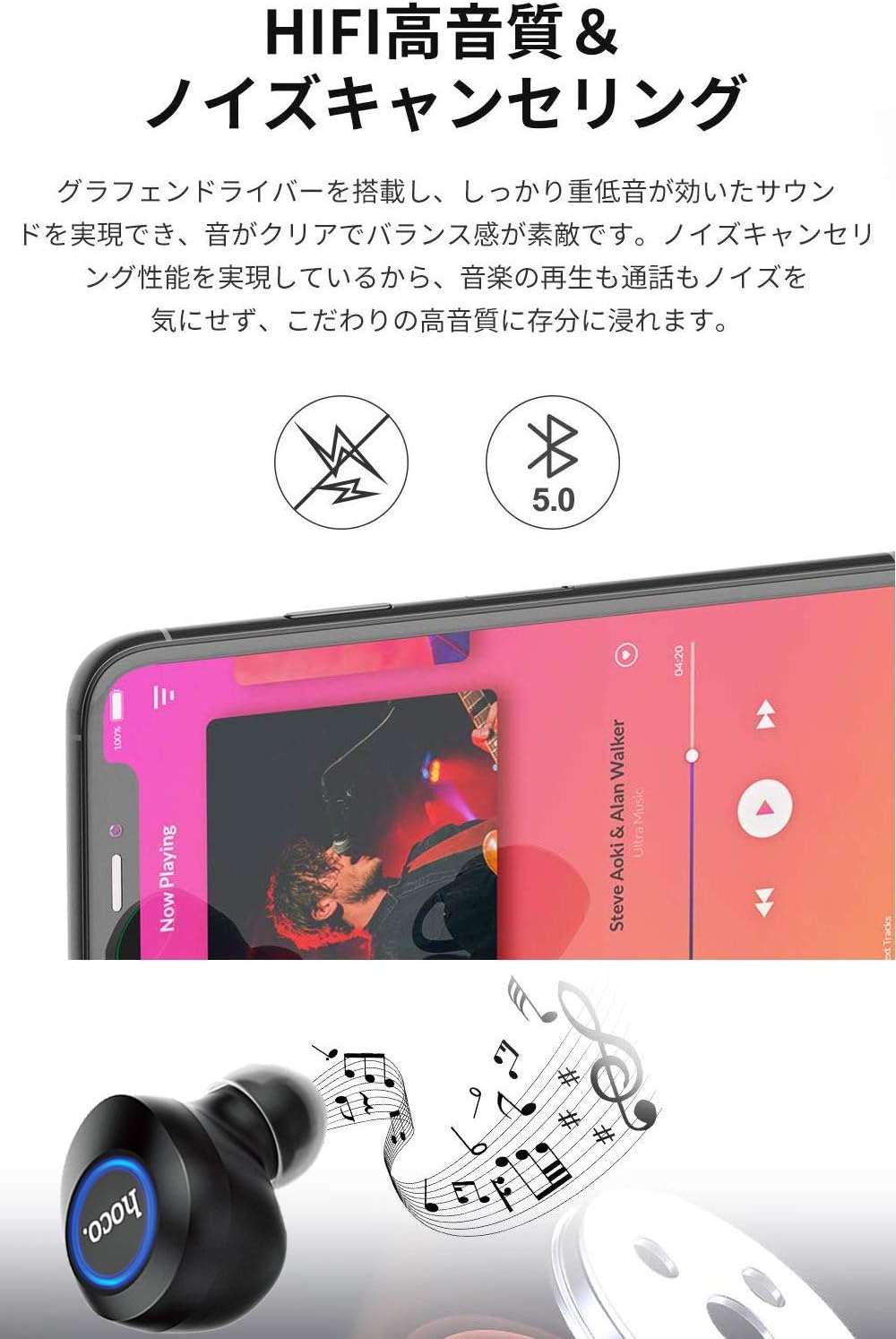
Image: A close-up of a Hoco ES24 earphone, with a smartphone screen in the background showing music playback, emphasizing HiFi sound quality and noise cancellation capabilities.
6. Nlekọta
6.1 Nhicha
- Jiri ákwà dị nro, kpọrọ nkụ, na nke na-enweghị lint hichaa ekwe ntị na akpa chaja mgbe niile.
- Ejila ihe mkpocha abrasive, mmanya, ma ọ bụ ihe mgbaze kemịkal.
- Jiri nwayọọ wepụ ihe ntị ntị ma ọ bụ irighiri ihe ọ bụla na ndụmọdụ ntị na ntupu okwu site na iji obere ahịhịa dị nro ma ọ bụ swab owu.
6.2 Nchekwa
- Mgbe ejighị ya, chekwaa ntị ntị n'akpa chaja ha iji chebe ha pụọ na uzuzu na mmebi.
- Avoid storing the device in extreme temperatures (hot or cold) or in humid environments.
6.3 Nlekọta batrị
- Iji mee ka batrị dị ogologo, zere iwepụ ekwe ntị na ihe mkpuchi chaja mgbe niile.
- Chaji ngwaọrụ ahụ mgbe niile, ọbụlagodi na ọ naghị eji ya ugboro ugboro.
7. Nchọpụta nsogbu
If you encounter any issues with your Hoco ES24 earphones, refer to the following common problems and solutions:
| Nsogbu | Ngwọta |
|---|---|
| Ekwe ntị anaghị agba ọkụ. | Ensure the earphones and charging case are fully charged. Place earphones in the case and close the lid, then open again. |
| Enweghị ike ijikọ na ngwaọrụ. | Make sure Bluetooth is enabled on your device. Ensure earphones are in pairing mode (flashing LED). Turn off and on your device's Bluetooth. Forget "Hoco ES24" from your device's Bluetooth list and try pairing again. |
| No sound from one or both earphones. | Check device volume. Ensure earphones are properly connected. Try re-pairing. Clean any debris from the speaker mesh. |
| Nchaji anaghị akwụ ụgwọ. | Verify the USB cable is securely connected to both the case and the power source. Try a different USB cable or power adapter. |
| Njikwa mmetụ anaghị anabata. | Ensure your fingers are clean and dry. Restart the earphones by placing them in the case and taking them out again. |
8. Nkọwapụta
Below are the technical specifications for the Hoco ES24 Wireless Sound Earphones:
- Ụdị: ES24
- Njikọta: Ikuku (Bluetooth 5.0)
- Ihe kpatara ụdị: N'ime ntị
- Ihe: Plastic
- Usoro njikwa: Metụ aka
- Igwe okwu: Ee
- Ịkagbu mkpọtụ: No (Passive noise isolation may be present due to in-ear design)
- Ngwa dakọtara: All devices with Bluetooth functionality
- Ibu ihe: 55 grams (earphones + case)
- Akụkụ ngwaahịa: 2.38 x 2.1 x 2.35 cm (earphone dimensions)
- Ngwa gụnyere: Protective charging case
- Agba: Nwa
- Ogologo afọ: Okenye
- Oge nchaji: Approximately 1 hour (fast charge)
- Oge ojiji: Approximately 4-5 hours (single use)
9. Ozi nchekwa
Biko debe ụkpụrụ nchekwa ndị a iji gbochie mmebi ngwaọrụ ma ọ bụ imerụ onwe gị ahụ:
- Ewepụla, rụkwaa, ma ọ bụ gbanwee ngwaahịa.
- Debe ngwaọrụ ahụ pụọ na mmiri, mmiri, na oke okpomọkụ.
- Zere ikpughe ogologo oge n'ogo dị elu iji gbochie mmebi ntị.
- Debe ebe ụmụaka na anụ ụlọ na-apụghị iru.
- Tụfuo ngwaahịa ahụ nke ọma dịka iwu mpaghara siri dị.
10. Akwụkwọ ikike na nkwado
Hoco products are designed and manufactured to the highest quality standards. For warranty information, technical support, or customer service inquiries, please refer to the warranty card included in your package or contact your local retailer or Hoco customer support directly. Please retain your proof of purchase for any warranty claims.


