Okwu mmalite
This manual provides comprehensive instructions for the Hoco ES20 Original Series Wireless V5.0 Earphones. Please read this manual carefully before using the product to ensure proper operation and to maximize your user experience. Keep this manual for future reference.
Ngwaahịa gafereview
The Hoco ES20 earphones are designed for wireless audio playback and hands-free communication. The package includes two wireless earphones and a portable charging case.

Foto nke 1: Hoco ES20 Wireless Earphones. This image displays both the left and right earphones, highlighting their in-ear design and compact form factor.
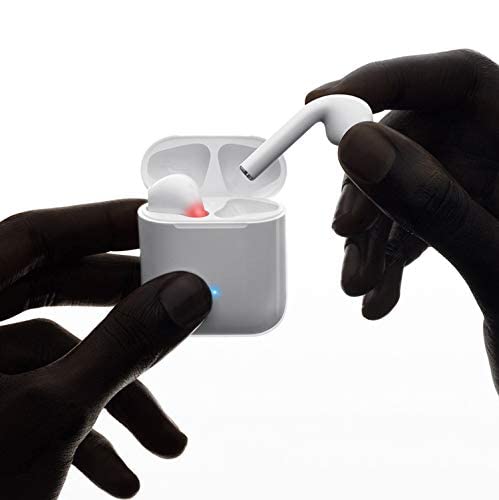
Foto nke 2: Hoco ES20 Earphones in Charging Case. The earphones are shown placed inside their charging case, indicating the charging status with an illuminated LED.
Nkọwapụta
| Njirimara | Nkọwa |
|---|---|
| Ụdị ikuku | V5.0 |
| Protocol akwadoro | Headset, Hands-free, A2DP, Avrcp |
| Ugboro mbufe | 2.4GHz |
| Nzipu Range | 10 mita |
| Nchaji Voltage | DC5V |
| Oge Nchaji (Earphone) | Ihe dị ka elekere 1 |
| Oge Okwu | awa 2 |
| Oge Egwu Egwu | awa 2 |
| Ịchaji Ike batrị Case | 400mAh |
| Earphone Battery Capacity (Each) | 40mAh |
| Oge Njikere | awa 200 |
| Total Weight (with case) | 44.8g |
| Ibu otu ekwe ntị | 3.8g |
| Ngwa gụnyere | Bluetooth Headphones, 1 Charging Cable |
Melite
1. Ịchaji ekwe ntị na akpa
- Tinye ekwe ntị abụọ ahụ n'ime akpa chaja. Hụ na ha nọdụrụ nke ọma.
- Connect the charging cable to the charging port on the case and to a DC5V power source (e.g., USB wall adapter, computer USB port).
- The indicator light on the charging case will show charging status. A full charge for the earphones takes approximately 1 hour. The charging case itself has a 400mAh battery capacity.
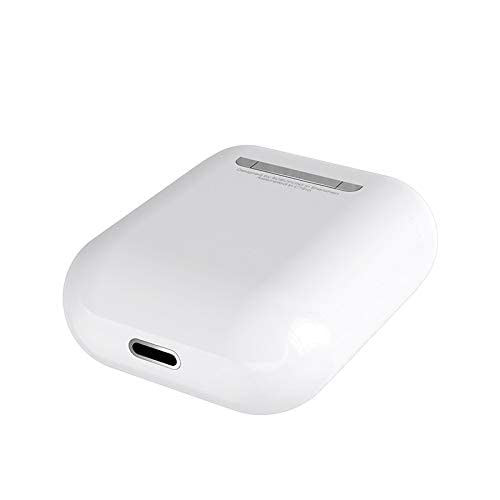
Foto nke 3: Hoco ES20 Charging Case Port. This image shows the charging port located at the bottom of the charging case, where the charging cable is connected.
2. Ijikọ na ngwaọrụ
- Gbaa mbọ hụ na akwụgoro ekwe ntị.
- Mepee igbe nchaji. Igwe ntị ga-abanye na ọnọdụ njikọta na-akpaghị aka.
- Na ekwentị gị ma ọ bụ ngwaọrụ ọzọ nwere Bluetooth, gaa na ntọala Bluetooth.
- Chọọ maka available devices and select "Hoco ES20" (or similar name) from the list.
- Once connected, the earphones will indicate successful pairing (e.g., an audio prompt or LED change).
- For Apple phones and some Android phones, the battery level of the earphones may be displayed on your device.
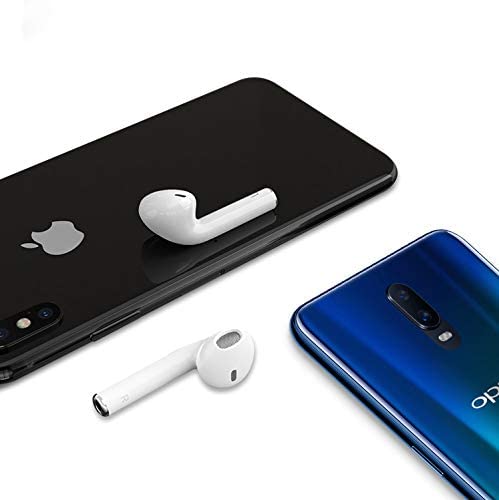
Foto nke 4: Hoco ES20 Earphones with Smartphones. This image illustrates the earphones positioned near two different smartphones, demonstrating their compatibility with various mobile devices.
Ntuziaka ọrụ
Basic Functions (Touch Control)
- Ike Na: Earphones power on automatically when removed from the charging case.
- Gbanyụọ: Earphones power off automatically when placed back into the charging case.
- Gwuo/kwụsịtụ: Tap the touch area on either earphone once.
- Azịza/Kwụsị Oku: Tap the touch area on either earphone once during an incoming call or an active call.
- Jụ oku: Press and hold the touch area on either earphone for approximately 2 seconds during an incoming call.
- Track na-esote: Kpatụ mpaghara mmetụ aka na ekwe ntị aka nri ugboro abụọ.
- Gara aga Track: Pịa mpaghara aka ekpe ugboro abụọ.
- Mee ka onye enyemaka olu rụọ ọrụ: Triple-tap the touch area on either earphone.
Nlekọta
- Keep the earphones and charging case clean and dry.
- Avoid exposing the product to extreme temperatures, humidity, or corrosive substances.
- Do not attempt to disassemble or modify the earphones or charging case, as this will void the warranty and may cause damage.
- Use a soft, dry cloth to clean the earphones and charging contacts.
- Chekwaa ekwe ntị n'akpa chaja ha mgbe ejighị ya iji chekwaa ya ma debe ya chaja.
Nchọpụta nsogbu
Okwu na ngwọta nkịtị
- Igwe ntị anaghị ejikọta:
- Gbaa mbọ hụ na akwụgoro ekwe ntị abụọ ahụ.
- Place earphones back in the case, close it, then open it again.
- Gbanyụọ ma gbanye Bluetooth na ngwaọrụ gị.
- Delete "Hoco ES20" from your device's Bluetooth list and try pairing again.
- Naanị otu ekwe ntị na-arụ ọrụ:
- Gbaa mbọ hụ na akwụgoro ekwe ntị abụọ ahụ.
- Place both earphones back in the charging case, close the lid, wait a few seconds, then open the lid and remove them together.
- If the issue persists, try resetting the earphones (refer to manufacturer's website if a specific reset procedure is not in this manual).
- Enweghị ụda ma ọ bụ obere olu:
- Lelee ọkwa olu dị na ngwaọrụ gị na ekwe ntị gị.
- Hụ na ekwe ntị ndị ahụ jikọtara na ngwaọrụ gị nke ọma.
- Gbalịa ịkpọ ụda sitere na ngwa ma ọ bụ isi mmalite dị iche.
- Nsogbu ịchaji:
- Gbaa mbọ hụ na ejikọrọ eriri chajị na echekwabara na ikpe ahụ yana isi iyi ike.
- Lelee ma ọdụ ụgbọ mmiri dị na akpa ahụ dị ọcha na enweghị irighiri ihe.
- Gbalịa iji eriri chaja dị iche ma ọ bụ nkwụnye ọkụ.
- Poor connection/intermittent audio:
- Ensure your device is within the 10-meter transmission range.
- Avoid obstacles between your device and the earphones.
- Wedata ndabichi sitere na ngwaọrụ ikuku ndị ọzọ.
Akwụkwọ ikike na nkwado
The Hoco ES20 Wireless Earphones come with a Akwụkwọ ikike nke ọnwa 6 site na ụbọchị ịzụrụ. Akwụkwọ ikike a na-ekpuchi ntụpọ nrụpụta. Biko dowe ihe akaebe nke ịzụrụ ihe maka akwụkwọ ikike.
For technical support or warranty inquiries, please contact your retailer or the official Hoco support channels. Refer to the product packaging or Hoco's official websaịtị maka ozi kọntaktị.


