Okwu mmalite
This manual provides instructions for the setup, operation, and maintenance of your LG 32QN600-B QHD 32-inch IPS monitor. Please read this manual thoroughly before operating your device to ensure safe and optimal performance. Keep this manual for future reference.
Ozi nchekwa dị mkpa
Na-agbaso ihe ndị dị mkpa gbasara nchekwa mgbe niile mgbe ị na-eji ngwaahịa a iji belata ihe egwu nke ọkụ, ọkụ eletrik, na mmerụ ahụ nye mmadụ. Nke a gụnyere, mana ejedebeghị na:
- Akwụsịla oghere ikuku.
- Awụnyela n'akụkụ ebe okpomọkụ ọ bụla.
- Chebe eriri ọkụ ka ị ghara ịgagharị ma ọ bụ tuo ya.
- Jiri naanị mgbakwunye / ngwa ndị nrụpụta akọwapụtara.
- Tụtụ aka n'aka ndị ọrụ ruru eru.
Melite
1. Iwepu ngwongwo
Carefully remove all components from the packaging. Ensure all parts listed in the packing list are present and undamaged. Keep packaging materials for future transport or return.
2. Stand Assembly / Wall Mounting
The monitor can be set up using its adjustable Edge-ArcLine stand or mounted to a wall using a VESA compatible mount (100 x 100 mm). Follow the instructions provided with the stand or wall mount kit for proper assembly.

Foto: N'azụ view of the LG 32QN600-B monitor with its Edge-ArcLine stand attached. The stand provides stability and allows for tilt and height adjustments.
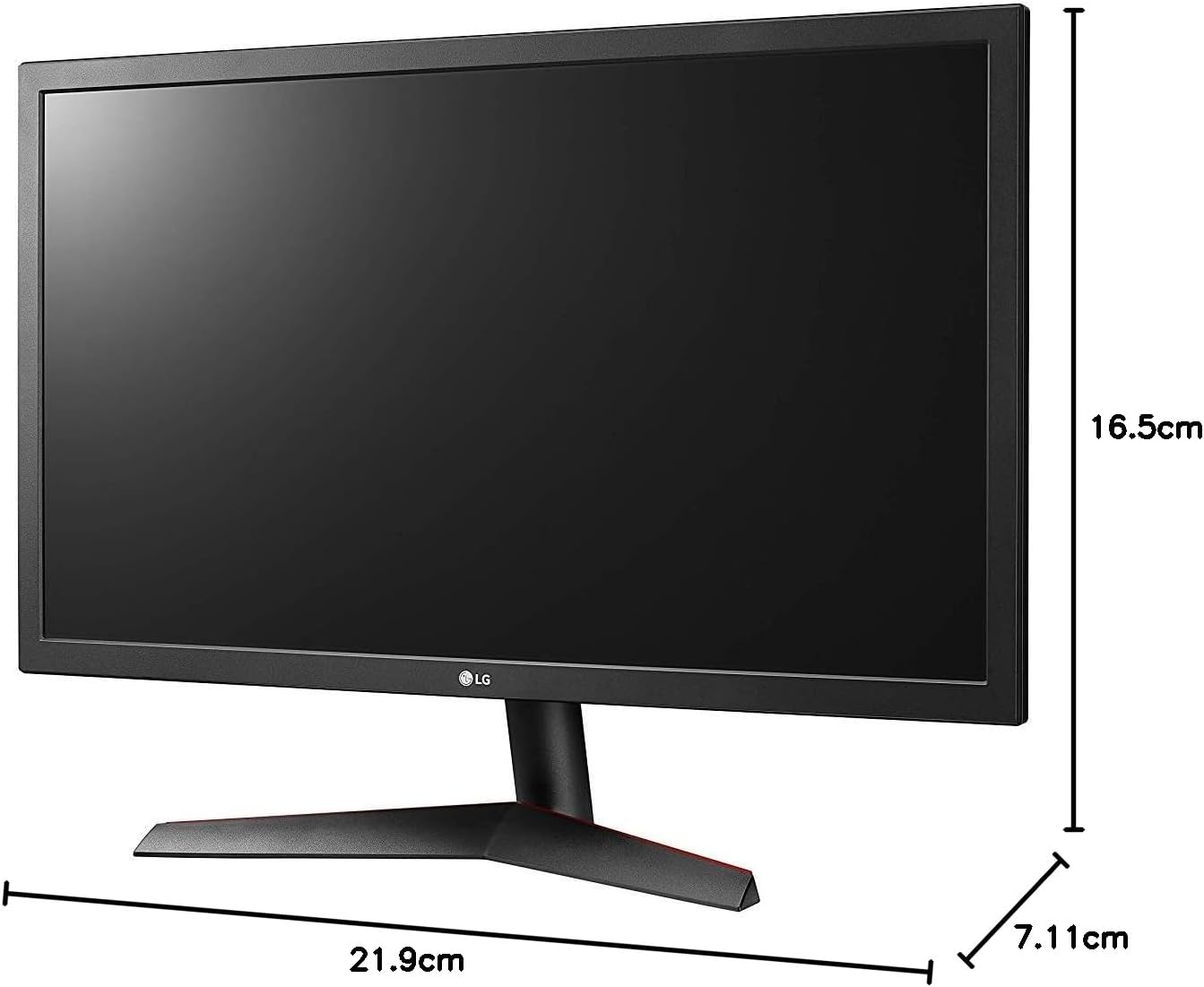
Image: Diagram illustrating the approximate dimensions of a similar LG monitor, showing width, height, and depth. Note: Specific dimensions for the 32QN600-B model are not provided in the available data.
3. Ijikọ na Kọmputa
Connect the monitor to your computer using one of the following cable types. Ensure the monitor and computer are powered off before making connections.
- Njikọ HDMI: Use an HDMI cable to connect the monitor's HDMI port to the HDMI port on your computer's graphics card. This monitor supports 2 HDMI inputs.
- Njikọ DisplayPort: Use a DisplayPort cable to connect the monitor's DisplayPort to the DisplayPort on your computer's graphics card. This monitor supports 1 DisplayPort input.

Image: Close-up of the rear panel of the LG 32QN600-B monitor, displaying the available input ports including HDMI and DisplayPort connections.
4. Njikọ ike
Jikọọ ihe nkwụnye ọkụ eletrik na ntinye ike nke ihe nlele ahụ, wee tinye eriri ọkụ eletrik ahụ na oghere mgbidi.
Na-arụ ọrụ Monitor
1. Gbanyụọ / gbanyụọ

Foto: N'ihu view of the LG 32QN600-B QHD 32-inch IPS monitor, showing the display and stand.
Press the power button (usually a joystick-style button located on the bottom center of the monitor) to turn the monitor on or off.
2. Ngosipụta n'ihuenyo (OSD) Ntugharị menu
The OSD menu allows you to adjust various monitor settings. Use the joystick button to navigate the menu:
- Press the joystick button to open the main OSD menu.
- Bugharịa joystick ahụ elu/ala/aka ekpe/aka nri iji lelee nhọrọ menu.
- Pịa bọtịnụ joystick iji họrọ nhọrọ ma ọ bụ kwado ntọala.
- Move the joystick left to exit a sub-menu or the OSD.
3. Ntọala foto
Hazie ntọala ngosi maka kacha mma viewahụmahụ nke:
- Icha ọkụ: Na-achịkwa ìhè n'ozuzu nke ihuenyo ahụ.
- Ntughari: Na-edozi ọdịiche dị n'etiti ìhè na ebe gbara ọchịchịrị.
- Okpomọkụ agba: Changes the color warmth or coolness.
- Gamma: Adjusts the mid-tone luminance.
4. Atụmatụ Pụrụ Iche
The LG 32QN600-B monitor includes several features to enhance your viewahụmịhe egwuregwu na ahụmịhe egwuregwu:
- Ndakọrịta HDR 10: Supports High Dynamic Range content for enhanced contrast and color detail.
- Ụdị ọgụgụ: Reduces blue light emissions to minimize eye strain during long reading sessions.
- Nchekwa Flicker: Virtually eliminates screen flicker to reduce eye fatigue.
- AMD FreeSync: Synchronizes the monitor's refresh rate with compatible AMD graphics cards to reduce screen tearing and stuttering for smoother gameplay.
- Dynamic Action Sync (DAS): Minimizes input lag, allowing for quicker responses in fast-paced games.
- Black Stabilizer: Automatically brightens dark areas in games, making it easier to spot objects or enemies hidden in shadows.
Nlekọta
Nhicha Nyochaa
To clean the monitor, ensure it is powered off and unplugged from the power outlet. Use a soft, lint-free cloth lightly dampened with water or a mild, non-abrasive screen cleaner. Do not spray cleaner directly onto the screen. Avoid using harsh chemicals, abrasives, or solvents.
Nlekọta izugbe
Avoid placing heavy objects on the monitor or its cables. Do not expose the monitor to direct sunlight, high humidity, or extreme temperatures. Ensure adequate ventilation around the monitor.
Nchọpụta nsogbu
If you experience issues with your monitor, refer to the following common problems and solutions:
| Nsogbu | Ihe kpatara/ Ngwọta nwere ike ime |
|---|---|
| Enweghị ike | Ensure the power cord is securely connected to the monitor and a working power outlet. Check if the power adapter is functioning. |
| Enweghị mgbaama / Ihuenyo efu | Verify that the video cable (HDMI or DisplayPort) is securely connected to both the monitor and the computer. Ensure the correct input source is selected in the OSD menu. Check if the computer is powered on and not in sleep mode. |
| Onyonyo na-agbagọ ma ọ bụ agbagọ | Adjust the resolution settings on your computer to match the monitor's native resolution (2560 x 1440). Check the video cable for damage. Perform an auto-adjustment or reset picture settings in the OSD menu. |
| Agba ezighi ezi | Adjust color settings (color temperature, gamma) in the OSD menu. Ensure your graphics card drivers are up to date. |
| Screen tearing or stuttering (during gaming) | Ensure AMD FreeSync is enabled on both the monitor (via OSD) and your compatible AMD graphics card settings. |
If the problem persists after trying these solutions, contact LG customer support.
Nkọwapụta
| Aha Nlereanya | LG 32QN600-B |
| Nha ihuenyo | 32 sentimita asatọ |
| Ụdị panel | IPS |
| Mkpebi | QHD (2560 x 1440) |
| Akụkụ akụkụ | 16:9 |
| Nkwado HDR | HDR 10 dakọtara |
| Icha ọkụ (Ọ na-ahụkarị) | 350 nits |
| Agba Gamut | DCI-P3 90% (Ọkachamara) |
| Teknụzụ mmekọrịta na-agbanwe agbanwe | AMD FreeSync |
| Njikọta | 2 x HDMI, 1 x DisplayPort |
| Ụlọ elu VESA | 100 x 100 mm |
| Atụmatụ pụrụ iche | Reader Mode, Flicker Safe, Dynamic Action Sync, Black Stabilizer |
| Ntinye ike | 100-240 volts |
| Akụkụ (W x H x D) | Specific dimensions for the 32-inch model are not available in the provided data. |
| Ibu | Specific weight for the 32-inch model is not available in the provided data. |
Ozi akwụkwọ ikike
LG monitors typically come with a limited manufacturer's warranty. For detailed information regarding your product's warranty period, coverage, and terms and conditions, please refer to the warranty card included with your product or visit the official LG websaịtị. Debe ihe akaebe nke ịzụrụ maka akwụkwọ ikike.
Nkwado ndị ahịa
For technical assistance, troubleshooting beyond this manual, or service inquiries, please contact LG Customer Support:
- Websaịtị: Gaa leta LG gọọmentị website for support resources, FAQs, and driver downloads.
- Ekwentị: Gaa na akwụkwọ ngwaahịa gị ma ọ bụ LG websaịtị maka nọmba kọntaktị mpaghara.