1. Ntuziaka nchekwa dị mkpa
Please read all instructions carefully before using the appliance and retain them for future reference. Incorrect operation can lead to damage to the appliance and injury to the user.
- Always ensure the appliance is unplugged before cleaning, assembling, or disassembling parts.
- Ejila moto ahụ banye na mmiri ma ọ bụ mmiri mmiri ọ bụla ọzọ.
- Keep hands and utensils out of the bean hopper and grinding chamber during operation to prevent injury.
- Ezubere ngwa a maka iji ndị mmadụ (gụnyere ụmụaka) nwere ike anụ ahụ, mmetụta uche ma ọ bụ nke uche, ma ọ bụ enweghị ahụmịhe na ihe ọmụma, ma ọ bụrụ na enyereghị ha nlekọta ma ọ bụ ntụziaka gbasara iji ngwa ahụ site n'aka onye na-ahụ maka nchekwa ha.
- Ekwesịrị ilekọta ụmụaka ka ha hụ na ha ejighi ngwa eji egwu egwu egwu.
- Ejila ngwa ọ bụla nwere eriri ma ọ bụ plọg mebiri emebi rụọ ọrụ, ma ọ bụ mgbe ngwa ahụ dara ma ọ bụ mebie n'ụzọ ọ bụla.
- Use the appliance only for its intended purpose: grinding whole coffee beans.
- Ensure the collection container is correctly in place before operating the grinder.
2. Ngwaahịa gafereview
The CASO Barista Crema coffee grinder is designed for precise and aroma-friendly grinding of coffee beans, offering various grind settings for different brewing methods.

Foto 2.1: N'ihu view of the CASO Barista Crema coffee grinder.
Ngwa:
- Bean Hopper: Transparent container for whole coffee beans (max. 190g capacity).
- Mkpuchi Agwa Hopper: Covers the bean hopper.
- Grind Size Selector Dial: Adjusts the fineness of the grind.
- Grinding Mechanism (Burr Grinder): Professional disc grinder for consistent results.
- Coffee Grounds Collection Container: Removable container for ground coffee (max. 140g capacity).
- Bọtịnụ ike: Na-amalite usoro ịkpụcha.
- Nhicha ahịhịa: For maintaining the grinding mechanism.
- Kọfị Kọfị: For measuring coffee beans.

Figure 2.2: Grinder in operation with beans and ground coffee.

Figure 2.3: Removable coffee grounds collection container.

Figure 2.4: Included coffee scoop.
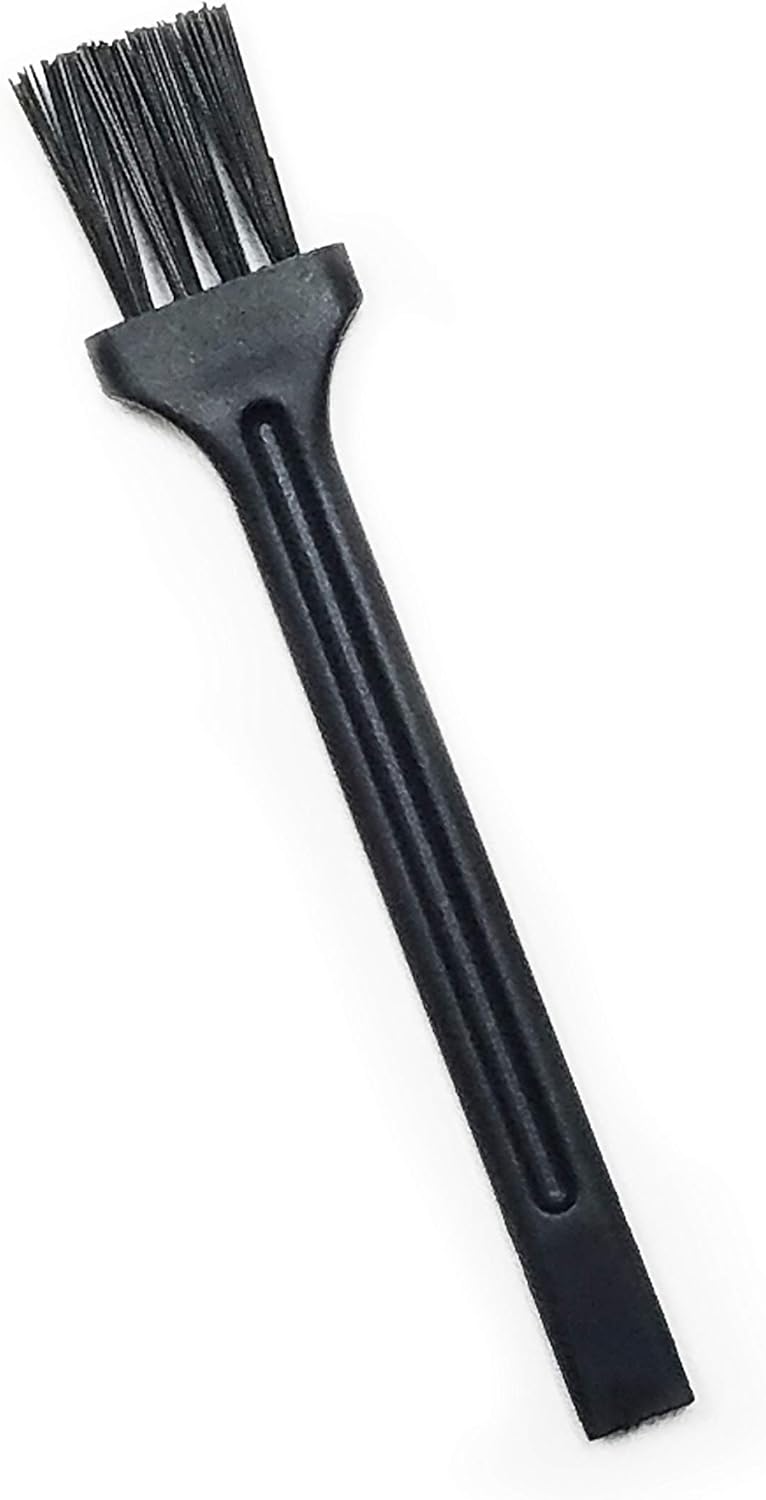
Figure 2.5: Included cleaning brush.
3. Ntọlite na mbido ojiji
3.1 Mwepu na mkpochapụ mbụ
- Jiri nlezianya wepụ ihe niile nkwakọ ngwaahịa.
- Jiri mgbasa ozi hichaa mpụta igwe iheamp akwa .
- Wash the bean hopper lid, bean hopper, and coffee grounds collection container with warm, soapy water. Rinse thoroughly and dry completely.
- Gbaa mbọ hụ na akụkụ niile akpọnwụwo tupu mgbakọ.
3.2 Mgbakọ
- Place the bean hopper onto the motor unit, ensuring it is securely seated and locked into position if applicable.
- Debe mkpuchi hopper agwa n'elu ihe mkpuchi agwa.
- Insert the coffee grounds collection container into its designated slot at the front of the grinder.

Figure 3.1: Bean hopper assembly.
4. Ntuziaka ọrụ
4.1 Na-ejuputa Bean Hopper
- Wepu mkpuchi hopper agwa.
- Pour whole coffee beans into the bean hopper. Do not overfill; the maximum capacity is 190g.
- Dochie mkpuchi hopper agwa ahụ nke ọma.
4.2 Ịgbanwe Nha Ncha
The grinder offers multiple settings from fine to coarse. Rotate the grind size selector dial to choose your desired fineness.
- Ọma: Suitable for Espresso.
- Ọkara: Ideal for Drip Coffee.
- Akpachaghị anya: Recommended for French Press and Percolator.

Figure 4.1: Grind size selector dial.
4.3 Ịkụ Kọfị
- Ensure the coffee grounds collection container is correctly inserted.
- Tinye ngwa ahụ n'ime oghere ọkụ kwesịrị ekwesị.
- Press the power button to start grinding. The grinder will operate until the desired amount is ground or the hopper is empty.
- Once grinding is complete, unplug the appliance.
- Carefully remove the collection container and use the freshly ground coffee.
5. Nlekọta na nhicha
Regular cleaning ensures optimal performance and extends the lifespan of your coffee grinder.
5.1 Nhicha kwa ụbọchị
- Mgbe niile, wepụ ihe grinder tupu ihicha.
- Remove the bean hopper lid and any remaining whole beans.
- Remove the coffee grounds collection container and empty it. Wash it with warm, soapy water, rinse, and dry.
- Use the provided cleaning brush to remove any residual coffee grounds from the grinding chamber and around the burrs.
- Jiri ihe dị ọcha hichaa mpụta nke igwe e ji gweri ihe, damp akwa . Ejila ihe nhicha abrasive.
5.2 Deep Cleaning (Burr Removal)
For thorough cleaning, the upper burr can be removed.
- Gbaa mbọ hụ na ewepụghị igwe ihe.
- Remove the bean hopper and its lid.
- Locate the upper burr. Depending on the model, it may twist out or lift out after releasing a latch. Refer to the markings on the burr for removal direction.
- Use the cleaning brush to thoroughly clean both the upper and lower burrs, removing all coffee residue.
- Reinsert the upper burr, ensuring it clicks or locks into place securely.
- Reassemble the bean hopper and lid.

Figure 5.1: Accessing the burr grinder for deep cleaning.
6. Nchọpụta nsogbu
If you encounter issues with your grinder, please consult the table below before contacting customer service.
| Nsogbu | Ihe nwere ike ime | Ngwọta |
|---|---|---|
| Igwe ihe anaghị ebido. | A naghị etinye ya; ike gitage; bean hopper or collection container not correctly seated. | Check power connection; ensure bean hopper and collection container are securely in place. |
| Grinding is inconsistent or very slow. | Burrs are clogged with old coffee grounds or oil; foreign object in burrs. | Perform a deep clean of the burrs (Section 5.2); check for and remove any foreign objects. |
| Ground coffee is too fine/coarse. | Grind size setting is incorrect. | Adjust the grind size selector dial to the desired setting (Section 4.2). |
| Excessive static cling of ground coffee. | Common with dry coffee beans and low humidity. | Lightly mist beans with water before grinding (optional, use sparingly); tap collection container before opening. |
7. Nkọwapụta
| Njirimara | Nkọwapụta |
|---|---|
| Nọmba nlereanya | 1833 |
| Akụkụ ngwaahịa | 7.09 x 5.12 x 9.84 sentimita asatọ |
| Ibu Ibu | 3.21 pound (1.46 Kilogram) |
| Wattage | 150 watt |
| Voltage | 230 volts |
| Ike Bean Hopper | Ihe ruru 190 g |
| Ike nke ite kọfị e gwepịara egwepịa | Up to 140g (approx. 12 cups of coffee) |
| Usoro egweri | Professional Disc Grinder |
| Ihe onwunwe | High quality stainless steel front |
8. Akwụkwọ ikike na nkwado ndị ahịa
For warranty information, product registration, or customer support, please refer to the warranty card included with your product or visit the official Caso Design website. You may also contact Caso Design customer service directly for assistance with any issues not covered in this manual.
Caso Design Official Websaịtị: Visit the Caso Design Store


