1. Okwu mmalite
The Edifier W860NB are Active Noise Cancelling (ANC) Over-Ear Bluetooth aptX Headphones designed to provide an immersive audio experience by reducing external noise. Featuring smart touch controls and a comfortable over-ear design with 40mm neodymium drivers, these headphones offer extended battery life for continuous playback. This manual provides detailed instructions for setup, operation, maintenance, and troubleshooting to ensure optimal performance and longevity of your device.
2. Ihe ngwugwu
Biko chọpụta na ihe niile dị na ngwugwu:
- Ekweisi Edifier W860NB
- Igwe okwu ọdịyo
- Clamshell Travel Case

Image: Edifier W860NB headphones neatly stored inside their protective clamshell travel case, ready for transport.
3. Ngwaahịa gafereview
Familiarize yourself with the various components and controls of your Edifier W860NB headphones.

Foto: ihu doro anya view of the Edifier W860NB headphones, highlighting their elegant gold finish and over-ear design.
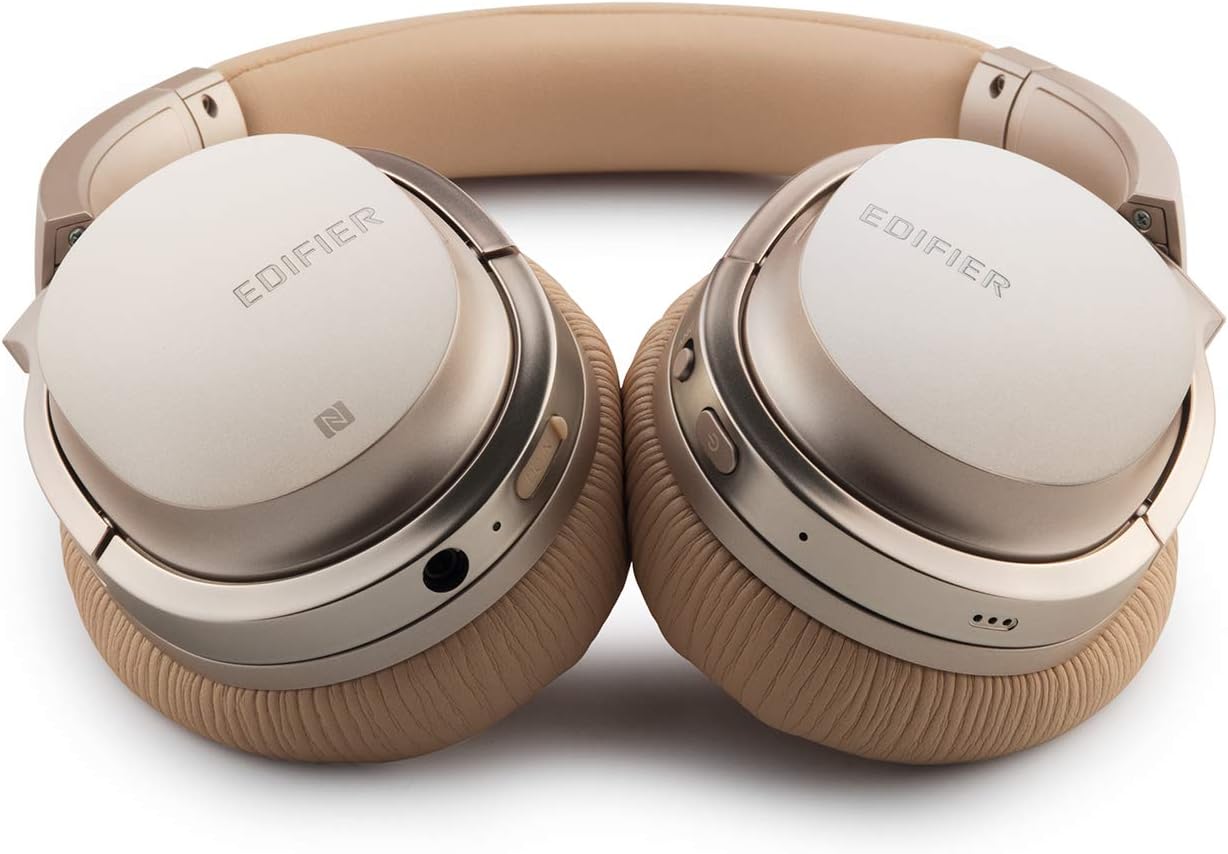
Image: A detailed shot of the right earcup, showing the power button, volume controls, and audio jack.

Image: A close-up on the plush, faux leather earcup, emphasizing the comfort-oriented design.

Image: The adjustable headband mechanism, showing the model designation 'W860NB' on the side.
4. Nhazi
4.1 Ịchaji ekweisi
Before first use, fully charge your headphones. Connect the provided USB charging cable to the charging port on the headphones and to a USB power source (e.g., computer USB port or wall adapter). The LED indicator will show charging status and turn off when fully charged. A full charge provides approximately 25 hours of playback with both Bluetooth and ANC active, or 45 hours with only wireless use.
4.2 Gbanyụọ ma ọ bụ gbanyụọ
- Iji gbanye: Pịa ma jide bọtịnụ ike ruo mgbe ihe ngosi LED na-enwu.
- Iji gbanyụọ: Pịa ma jide bọtịnụ ike ruo mgbe ihe ngosi LED gbanyụrụ.
4.3 Njikọ Bluetooth
- Gbaa mbọ hụ na agbanyụrụ ekweisi.
- Press and hold the power button for approximately 5 seconds until the LED indicator flashes blue and red alternately, indicating pairing mode.
- Na ngwaọrụ gị (smartphone, tabletị, wdg), gbanye Bluetooth wee chọọ ngwaọrụ dịnụ.
- Select "Edifier W860NB" from the list of found devices.
- Once paired, the LED indicator will flash blue slowly.
Njikọ NFC: If your device supports NFC, simply tap your NFC-enabled phone against the NFC area on the left earcup to pair instantly.
4.4 Njikọ wired
To use the headphones with a wired connection, connect one end of the included 3.5mm audio cable to the audio jack on the headphones and the other end to your audio source. The headphones can be used passively in wired mode even if the battery is depleted.
5. Ntuziaka ọrụ
5.1 Njikwa Smart Touch
The right earcup features smart touch controls for convenient operation:
- Olu elu: Swipe up on the earcup.
- Olu ala: Swipe down on the earcup.
- Gwuo/kwụsịtụ: Double-tap the earcup.
- Track na-esote: Swipe forward (towards the front of the earcup).
- Gara aga Track: Swipe backward (towards the back of the earcup).
5.2 Nkagbu mkpọtụ mkpọtụ (ANC)
The W860NB headphones feature Active Noise Cancelling technology to reduce ambient noise.
- Mee ka ANC rụọ ọrụ: Press the ANC button located on the earcup. The ANC indicator light will illuminate.
- Gbanyụọ ANC: Press the ANC button again. The ANC indicator light will turn off.
5.3 Njikwa oku
When connected to a smartphone, you can manage calls using the headphones:
- Azịza/Kwụsị Oku: Double-tap the earcup.
- Jụ oku: Press and hold the earcup for 2 seconds.
6. Nlekọta
- Nhicha: Jiri akwa dị nro dị nro hichaa ekweisi. Ejila ihe nchacha abrasive ma ọ bụ ihe mgbaze.
- Nchekwa: When not in use, store the headphones in the provided clamshell case to protect them from dust and damage. Avoid storing in extreme temperatures.
- Nlekọta batrị: Iji mee ka batrị dị ogologo, zere iwepụ batrị ahụ mgbe niile. Chajie ekweisi mgbe niile, ọbụlagodi na anaghị eji ya ruo ogologo oge.
- Nguzogide mmiri: Ekweisi ndị a anaghị anabata mmiri. Zere ka mmiri ghara iru gị ala.
7. Nchọpụta nsogbu
| Nsogbu | Ihe nwere ike ime | Ngwọta |
|---|---|---|
| Igwe ekweisi anaghị agba ọkụ. | Batrị dị ala ma ọ bụ mebie ya. | Chajie ekweisi nke ọma. |
| Enweghị ike ijikọ na ngwaọrụ. | Ekweisi anaghị adị n'ụdị njikọta; Bluetooth agbanyụrụ ngwaọrụ; ọtụtụ ngwaọrụ ejikọtara. | Ensure headphones are in pairing mode (flashing blue/red). Turn device Bluetooth off/on. Clear Bluetooth list on device or headphones. |
| Enweghị ụda. | Olu dị oke ala; isi iyi ọdịyo ezighi ezi; ejikọrọ ekweisi. | Increase volume on headphones and device. Ensure headphones are properly paired or wired. Check audio output settings on device. |
| ANC anaghị arụ ọrụ nke ọma. | ANC anaghị arụ ọrụ; mkpọtụ gburugburu ebe obibi dị oke elu. | Ensure ANC is activated (indicator light on). ANC is most effective for low-frequency, constant noise. |
| Touch controls unresponsive. | Temporary software glitch; dirty earcup surface. | Power off and on the headphones. Clean the earcup surface with a soft, dry cloth. |
8. Nka na ụzụ nkọwa
| Njirimara | Nkọwapụta |
|---|---|
| Aha Nlereanya | ed-w860nb-gold-us-fbm |
| Teknụzụ Njikọta | Ikuku (Bluetooth) |
| Teknụzụ nzikọrịta ozi ikuku | Bluetooth 4.0 |
| Jack ekweisi | 3.5mm ọkpụrụkpụ |
| Njikwa mkpọtụ | Nkagbu mkpọtụ nọ n'ọrụ |
| Usoro njikwa | Metụ aka |
| Ụdị ọkwọ ụgbọ ala ọdịyo | Ọkwọ ụgbọala dị ike |
| Oke ugboro ugboro | 20 Hz - 20,000 Hz |
| Ụdị ntị | N'elu Ntị |
| Ụdị Ihe | N'elu Ntị |
| Ihe onwunwe | Plastic |
| Agba | Ọlaedo |
| Ibu Ibu | 1.76 pound (gram 800) |
| Akụkụ ngwaahịa | 10 x 4 x 11 sentimita asatọ |
| Batrị | 1 batrị achọrọ |
| UPC | 875674004438 |
| Onye nrụpụta | Edifier |
| Ụbọchị mbụ dị | Maachị 27, 2019 |
9. Akwụkwọ ikike & Nkwado
9.1 Ozi akwụkwọ ikike
The Edifier W860NB headphones come with a 1-year US and Canada Warranty. Please retain your proof of purchase for warranty claims. For specific terms and conditions, refer to the warranty card included with your product or visit the official Edifier websaịtị.
9.2 Nkwado ndị ahịa
For further assistance, technical support, or inquiries regarding your Edifier W860NB headphones, please visit the official Edifier support website or contact their customer service department. Contact details can typically be found on the Edifier websaịtị ma ọ bụ na nkwakọ ngwaahịa.


