Okwu mmalite
Thank you for choosing the Solight 1D11 Security Alarm System. This manual provides essential information for the proper installation, operation, and maintenance of your device. Please read this manual thoroughly before using the product to ensure safe and efficient operation.
Ozi nchekwa
- Ensure the power source matches the device's requirements (1.5 Volts).
- Do not expose the device to extreme temperatures or humidity. The IP55 rating indicates protection against dust and low-pressure water jets, but it is not submersible.
- Debe ngwaọrụ ahụ ka ụmụaka ghara iru ya.
- Anwala imeghe ma ọ bụ rụkwaa ngwaọrụ n'onwe gị. Kpọtụrụ ndị ọrụ ruru eru ọrụ niile.
- Avoid placing the alarm near sensitive electronic equipment to prevent interference.
Ihe ngwugwu
Chọpụta na ihe niile dị na ngwugwu:
- Solight 1D11 Security Alarm System Unit (1x)
- Mounting hardware (screws, wall plugs) - (Assumed, not explicitly listed but common for wall-mount devices)
- Akwụkwọ ntuziaka (akwụkwọ a)
Note: Batteries are not included and are not required as the device is corded electric.
Ngwaahịa gafereview
The Solight 1D11 is a robust security alarm system designed for outdoor and indoor use, featuring a loud 110 dB siren and an IP55 rating for environmental protection. It is suitable for gardens, pathways, and general security applications.
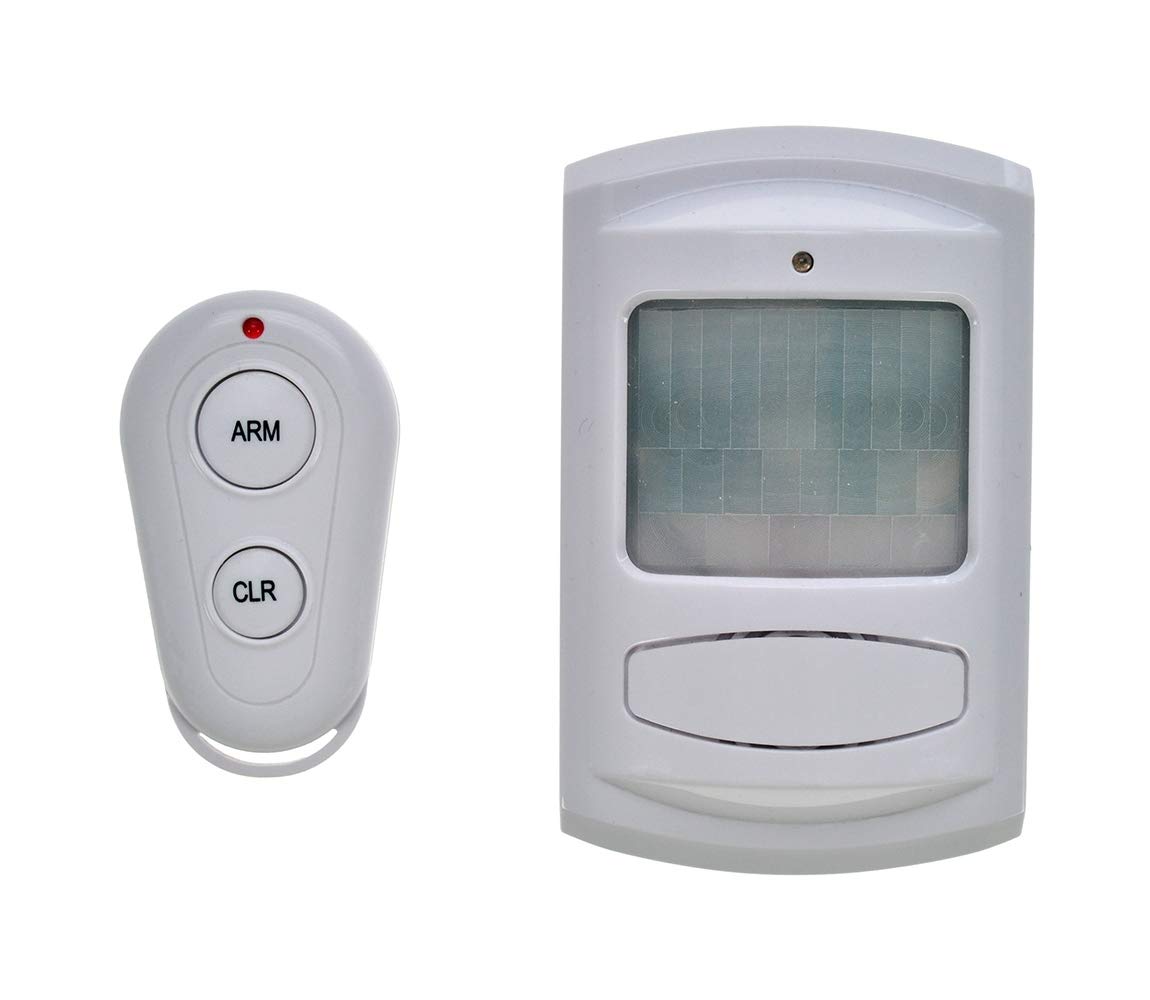
Figure 1: Solight 1D11 Security Alarm System. This image displays the compact, white plastic casing of the alarm unit, highlighting its wall-mountable design.
Akụkụ ndị bụ isi:
- Ọkwa ụda: 110 decibel
- Ogo nchekwa: IP55 (A na-echebe uzuzu, a na-echebe ya pụọ na mmiri na-adịghị arụ ọrụ nke ọma site na ntụziaka ọ bụla)
- Isi mmalite ike: Igwe ọkụ eletrik (1.5Vt)
- Ihe: Plastic
- Ụdị nkwụnye: Ugwu mgbidi
- Njirimara Pụrụ Iche: Ụdị akpaaka
Melite
- Họrọ ebe: Select a suitable wall-mounting location. Consider areas that provide optimal coverage for the desired security zone and are protected from direct heavy rain if possible, despite the IP55 rating.
- Ịkwanye:
- Mark the drilling points on the wall using the alarm unit as a template.
- Gwuo oghere n'ọnọdụ ndị akara.
- Insert wall plugs (if necessary for your wall type).
- Secure the alarm unit to the wall using screws.
- Njikọ ike: Connect the alarm system to a 1.5 Volt corded electric power source. Ensure the connection is secure and protected from environmental elements.
- Nnwale izizi: After mounting and connecting power, perform an initial test to ensure the siren functions correctly.
Ntuziaka ọrụ
The Solight 1D11 features an automatic mode for operation. Specific details on how to activate or configure this mode are not provided in the product specifications. Typically, such systems are integrated with a smart home controller or a security system.
- Ụdị akpaaka: The alarm is designed to operate in an automatic mode, suggesting it responds to triggers from a connected security system or sensor.
- Mmekọrịta: This device is compatible with Smart Home Controllers and Security Systems. Refer to the manual of your specific Smart Home Controller or Security System for instructions on how to integrate and configure the Solight 1D11 alarm.
- Mgbalite Siren: When triggered by a compatible system, the alarm will emit a 110 dB sound.
Nlekọta
- Nhicha: Wipe the exterior of the alarm unit with a soft, damp akwa . Ejila ihe nchacha abrasive ma ọ bụ ihe mgbaze.
- Nyocha: Periodically check the mounting and power connections for any signs of wear or damage.
- Nnwale: Regularly test the alarm function in conjunction with your security system to ensure it is operating correctly.
- Nchekwa gburugburu: While IP55 rated, ensure the alarm is not subjected to prolonged direct exposure to harsh weather conditions if possible, to extend its lifespan.
Nchọpụta nsogbu
If you encounter issues with your Solight 1D11 Security Alarm System, refer to the following common problems and solutions:
| Nsogbu | Ihe nwere ike ime | Ngwọta |
|---|---|---|
| Oti mkpu anaghị ada ụda. | No power; Faulty connection; System not triggered. | Check power supply and connections. Verify that the connected security system is functioning and sending trigger signals. |
| Alarm sounds continuously or falsely. | Faulty trigger from security system; Environmental interference. | Check your security system's sensors and configuration. Ensure the alarm is not placed near sources of strong electromagnetic interference. |
| Low sound output. | Obstruction of siren; Internal fault. | Ensure the siren opening is clear of debris. If the problem persists, contact support. |
Ọ bụrụ na usoro nchọpụta nsogbu edozighị nsogbu ahụ, kpọtụrụ ndị ahịa maka enyemaka ọzọ.
Nkọwapụta
- Nọmba nlereanya: part_B07JZ5962V (1D11)
- Onye nrụpụta: Solight
- Ihe: Plastic
- Agba: Regulable (Adjustable/Variable - Note: Product title states "wit" (white), but spec says "Regulable".)
- Isi mmalite ike: Igwe ọkụ eletrik
- Voltage: 1.5 volts
- Ọkwa ụda: 110 decibel
- Nkwụnye Profile / Mounting Type: Ugwu mgbidi
- Atụmatụ pụrụ iche: Ụdị akpaaka
- Batrị gụnyere: No (Battery not required)
- Akụkụ ngwugwu: 21.6 x 8.4 x 4.7 cm; 190 g
- ASIN: B07JZ5962V
- Ngwa dakọtara: Smart Home Controller, Security System
- Ngwa akwadoro: Intrusion protection, access control
- Ogo IP: IP55 (Protection against dust and low-pressure water jets)
Akwụkwọ ikike na nkwado
Specific warranty information for the Solight 1D11 Security Alarm System is not provided in the available product details. For warranty claims or technical support, please contact your retailer or the manufacturer, Solight, directly. Keep your purchase receipt as proof of purchase.
Onye nrụpụta: Solight
Ozi mkpọtụrụ: Please refer to the Solight official website or your point of purchase for current contact details.


