1. Ngwaahịa gafereview
The Fossil FTW4021 Smartwatch is a touchscreen device designed to integrate modern style with sport functionality. Powered by Wear OS by Google, it offers a range of features including heart rate tracking, activity monitoring, customizable watch faces, and smartphone notifications. This smartwatch is compatible with both iOS and Android devices.

Image: The Fossil FTW4021 Smartwatch, showcasinimewe mara mma ya na ngosipụta dijitalụ ya.
2. Mmalite: Ntọala
2.1. Nchaji mbụ
Before first use, fully charge your Fossil FTW4021 Smartwatch. The watch uses a Lithium Ion battery with an average life of 24 hours. Connect the included charging cable to the back of the watch and a power source. A full charge typically takes approximately one hour.

Foto: N'azụ view of the smartwatch, highlighting the heart rate sensor and charging rings.
2.2. Ijikọ na ekwentị mkpanaaka gị
- Ensure your smartphone is running Android OS 4.4+ or iOS 9.3+ and has Bluetooth enabled.
- Download and install the Wear OS by Google app from your phone's app store.
- Open the Wear OS app and follow the on-screen instructions to pair your smartwatch. The watch uses Bluetooth connectivity for communication with your phone.
- Accept all necessary permissions on both your phone and watch to ensure full functionality.
3. Na-arụ ọrụ Smartwatch gị
3.1. Nsoro ụzọ
- Ihuenyo mmetụ aka: Swipe left, right, up, or down to navigate through menus, notifications, and quick settings. Tap to select items.
- Bọtịnụ Okpueze: Press the rotating crown button to return to the watch face or access the app drawer. Rotate the crown to scroll through lists.
- Bọtịnụ akụkụ: The two additional side buttons can be customized for quick access to your favorite apps or functions.

Foto: Akụkụ profile of the smartwatch, illustrating the crown and programmable buttons.
3.2. Atụmatụ igodo
- Activity Tracker & Pedometer: Monitors your steps, distance, and calories burned using the built-in accelerometer.
- Nyochaa Ọnụọgụgụ Obi: The optical heart rate sensor continuously tracks your heart rate. Access this feature via the Google Fit app on your watch.

Image: Smartwatch display showing real-time heart rate data and a historical graph.
- GPS: The built-in GPS allows for accurate tracking of your runs, walks, and other outdoor activities without needing your phone.

Image: Smartwatch display showing GPS tracking of a route on a map.
- Amamọkwa: Receive alerts for calls, messages, emails, and social media directly on your wrist.
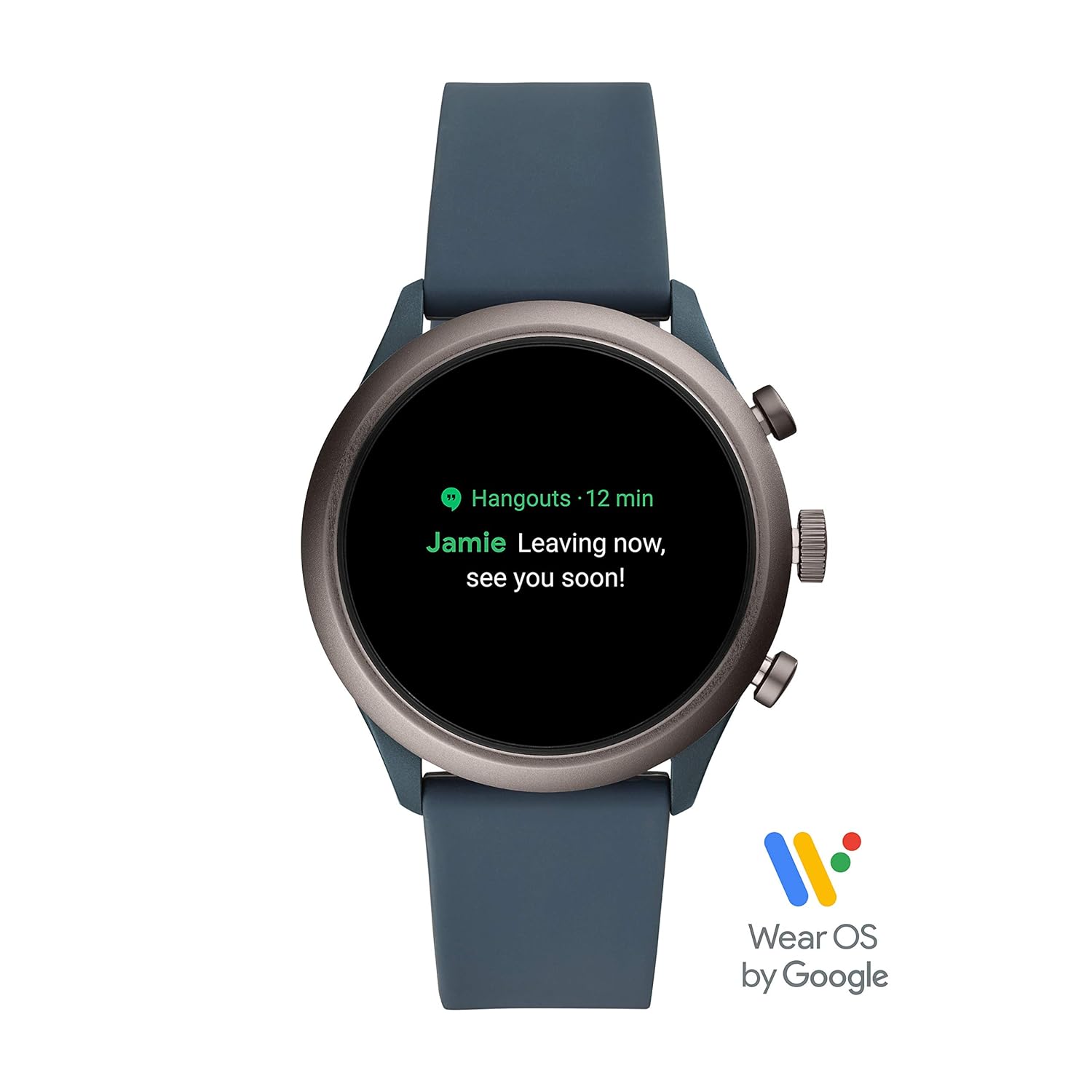
Image: Smartwatch display showing an incoming notification.
- NFC: Utilize NFC for contactless payments (where supported).
- Onye egwu: Control music playback from your wrist.
- Njikwa olu: Use Google Assistant for hands-free commands.
- Altimita: Measures altitude changes.
- Nleba anya ụra: Track your sleep patterns.
4. Nlekọta
4.1. Nhicha elekere smart gị
To maintain the appearance and functionality of your smartwatch, regularly clean the case and strap. Use a soft, damp cloth to wipe away dirt and sweat. For silicone straps, mild soap and water can be used. Ensure the watch is completely dry before charging or wearing.
4.2. Mmiri Nguzogide
The Fossil FTW4021 Smartwatch has a water resistance level of 50 meters (5 ATM) and an IPX5 waterproof rating. This means it is suitable for showering and shallow-water activities like swimming. However, it is not recommended for diving or high-speed water sports. Avoid exposing the watch to hot water, steam, or chemicals, as this may compromise its water resistance.
4.3. Mmelite ngwanrọ
Periodically check for software updates through the Wear OS by Google app on your smartphone. Updates often include performance improvements, new features, and bug fixes. Ensure your watch is sufficiently charged before initiating any software update.
5. Nchọpụta nsogbu
5.1. Batrị na-agbapụta ngwa ngwa
- Belata nchapụta ihuenyo.
- Disable 'Always-on display' feature.
- Machie ume ọhụrụ n'azụ.
- Gbanyụọ Wi-Fi ma ọ bụ GPS mgbe ejighị ya.
- Hụ na ngwa ọ bụla anaghị arụ ọrụ nke ukwuu n'azụ.
5.2. Connectivity Issues (Bluetooth)
- Gbaa mbọ hụ na agbanyere Bluetooth na ma elekere gị na ama ama gị.
- Malitegharịa ekwentị gị ma elekere gị.
- Unpair and re-pair the watch through the Wear OS app.
- Keep your watch and phone within close proximity.
5.3. Touchscreen Unresponsive or Lagging
- Malitegharịa ekwentị smartwatch.
- Ensure the screen is clean and dry.
- Check for available software updates.
- If issues persist, a factory reset may be necessary (note: this will erase all data on the watch).
6. Nkọwapụta
| Njirimara | Nkọwa |
|---|---|
| Nọmba nlereanya | FTW4021 |
| Sistemụ nrụọrụ | Wear OS by Google (Android, iOS compatible) |
| Ụdị ngosi | Dijitalụ |
| Mkpebi | 454 x454 |
| Nha ihuenyo | 1.19 sentimita asatọ |
| Ike Nchekwa ebe nchekwa | 4 GB |
| Etinyere ebe nchekwa RAM | 512 MB |
| Teknụzụ Njikọta | Bluetooth, 802.11b Wi-Fi |
| Communication Feature | NFC |
| Ihe mmetụta | Accelerometer, Optical Heart Rate Sensor, Ambient Light, Gyroscope |
| GPS | GPS arụnyere n'ime ya |
| Ụdị cell batrị | Lithium ion |
| Nkezi Ndụ batrị | Awa 24 |
| Ọkwa Nguzogide mmiri | 50 Metres (5 ATM) |
| Ngosi nke enweghị mmiri | IPX5 |
| Ihe gbasara ikpe | Igwe anaghị agba nchara |
| Ngwa igwe | Silikoni |
| Ibu Ibu | 99 grams |
7. Akwụkwọ ikike na nkwado
7.1. Akwụkwọ ikike Ozi
The Fossil FTW4021 Smartwatch comes with a 1-year manufacturer warranty from the date of purchase.
To avail warranty:
- Debanye aha ngwaahịa gị n'ịntanetị na https://www.fossilcare.com/registration/.
- To claim your warranty, present the original bill copy/invoice at an authorized Fossil service center. A warranty card and stamp are not mandatory for online purchases.
7.2. Nkwado ndị ahịa
For any service-related inquiries or feedback, please contact Fossil India customer support:
- Nọmba na-anaghị akwụ ụgwọ: 1860-4253-747 (Monday to Sunday, 10:00 AM to 7:00 PM)
- Email: service.in@fossil.com


