Okwu mmalite
This manual provides essential instructions for the safe and efficient use of your itel it2160 dual SIM mobile phone. Please read this guide thoroughly before operating the device and retain it for future reference.
Ihe ngwugwu
Chọpụta na ihe niile dị na ngwugwu ngwaahịa gị:
- itel it2160 Mobile Phone
- Batrị
- chaja
- Akwụkwọ ntuziaka (akwụkwọ a)
Nhazi ngwaọrụ
Familiarize yourself with the key components of your itel it2160 phone.

Foto: N'ihu view of the itel it2160 mobile phone, showing the display, keypad, and navigation buttons.
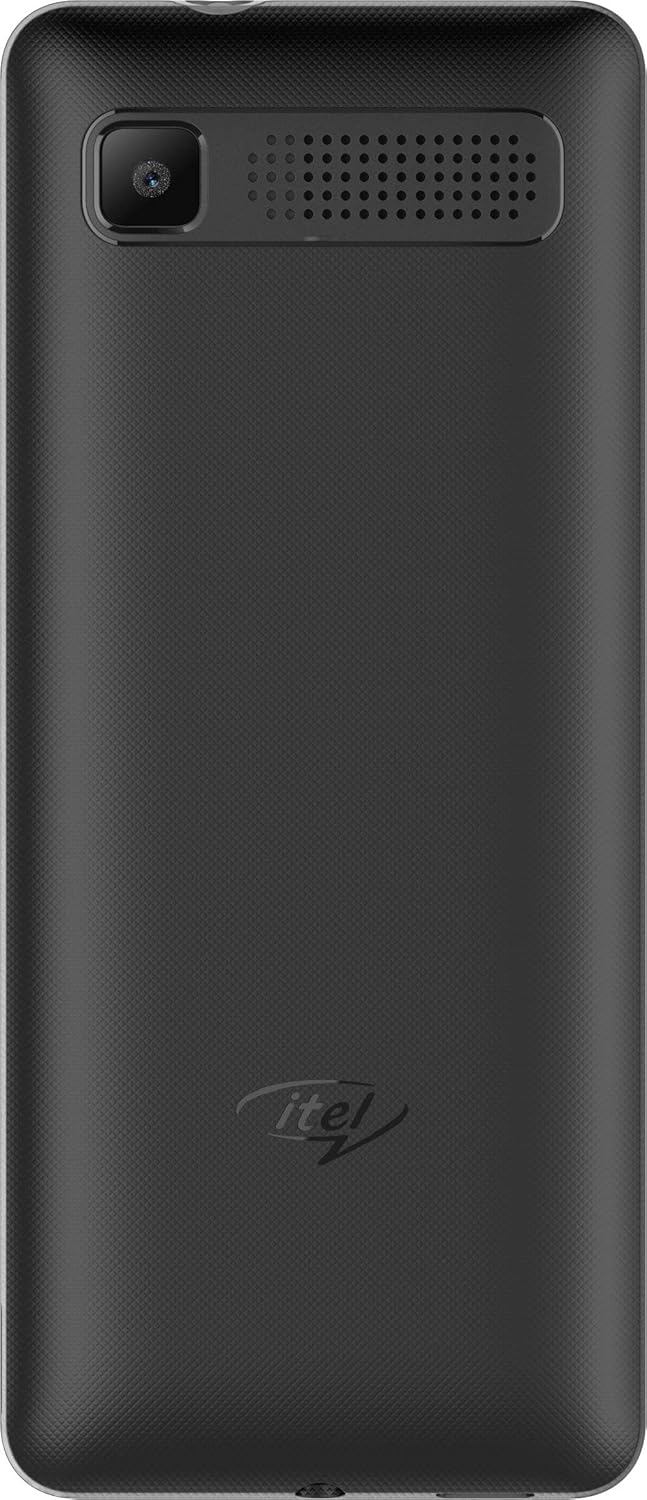
Foto: N'azụ view of the itel it2160 mobile phone, showing the camera and speaker grille.
- Ngosipụta: 1.77-inch screen for viewihe ọmụma.
- Igodo: Alphanumeric keys for dialing and text input.
- Igodo nsoroụzọ: Maka igodo menu na nhọrọ.
- Call/End Keys: To initiate and terminate calls.
- Igwefoto azụ: Located on the back for capturing photos.
- Ọkà okwu: Maka mmepụta ọdịyo.
Melite
1. Installing SIM Cards and Battery
- Remove the back cover of the phone by gently prying it open from the notch.
- Insert your SIM card(s) into the designated SIM slots. Ensure the gold contacts face downwards. This phone supports dual SIM cards.
- If applicable, insert a microSD card into the memory card slot for expanded storage.
- Insert the battery, aligning the contacts correctly.
- Dochie mkpuchi azụ ruo mgbe ọ pịrị na-echekwara n'ime ebe.
2. Ịchaji batrị
- Connect the charger to the charging port on your phone.
- Tinye chaja n'ime oghere ọkụ.
- Hapụ ekwentị ka ọ chajịa kpamkpam tupu ejiri ya na mbụ. Ihe ngosi batrị dị na ihuenyo ga-egosi ọnọdụ chajịa.
3. Ịgbanye / gbanyụọ
- Iji gbanye: Press and hold the Power/End key until the screen lights up.
- Iji gbanyụọ: Press and hold the Power/End key until the power-off options appear, then select "Power off".
Ntuziaka ọrụ
1. Ịkpọ na ịnata oku
- Ka ịkpọ oku: Enter the phone number using the keypad and press the Call key. If using dual SIM, select the desired SIM for the call.
- Iji nweta oku: Press the Call key when the phone rings.
- Iji kwụsị oku: Pịa igodo ngwụcha.
2. Sending and Receiving SMS
- To Send SMS: Go to "Menu" > "Messages" > "Write message". Enter your message and the recipient's number, then send.
- To Read SMS: New messages will be indicated on the screen. Go to "Menu" > "Messages" > "Inbox" to view.
3. Iji igwefoto
- Navigate to "Menu" > "Camera".
- Mepụta ogbunigwe gị site na iji ngosi.
- Press the center navigation key or a designated camera key to capture the image.
4. Redio FM
- Connect headphones to the phone's audio jack (headphones act as an antenna).
- Go to "Menu" > "FM Radio".
- Use the navigation keys to scan for stations or tune manually.
Nlekọta
- Nlekọta batrị:
- Zere oke okpomọkụ.
- Do not overcharge or completely drain the battery frequently.
- Use only the original charger provided with the device.
- Nhicha:
- Wipe the phone with a soft, dry cloth.
- Avoid using liquid cleaners or aerosols.
- Nchekwa:
- Chekwaa ekwentị ahụ n'ebe dị jụụ, kpọrọ nkụ na-adịghị na ìhè anyanwụ kpọmkwem.
- Debe ebe ụmụaka na anụ ụlọ na-apụghị iru.
Nchọpụta nsogbu
| Nsogbu | Ngwọta enwere ike |
|---|---|
| Ekwentị anaghị agbanye. | Hụ na etinyere batrị ahụ nke ọma ma chajịa ya. Jikọọ chaja ahụ wee nwaa ọzọ. |
| Enweghị mgbama netwọkụ. | Check if SIM cards are properly inserted. Move to an area with better network coverage. Contact your service provider. |
| Enweghị ike ịkpọ ma ọ bụ nata oku. | Verify network signal. Check if call barring is active. Ensure sufficient balance on your SIM card. |
| Batrị na-agbapụ ngwa ngwa. | Reduce screen brightness. Close unused applications. Limit background activities. |
Nkọwapụta
| Njirimara | Nkọwa |
|---|---|
| Aha Nlereanya | IT2160 |
| Ngosipụta nha | 1.77 sentimita asatọ |
| Ngosipụta mkpebi | 128 x 160 pikselụ |
| Igwefoto azụ | 1.3 megapixels |
| Igwefoto ihu | Ọ dịghị |
| RAM usoro | 4 Megabytes |
| Ike nchekwa | 256 Gigabytes (Expandable) |
| Sistemụ nrụọrụ | Proprietary Feature Phone OS |
| Ụdị CPU | Basic Feature Phone Processor |
| Ọsọ CPU | 260 MHz |
| Akụkụ ngwaahịa | 11.2 x 4.8 x 1.43 cm; 80 grams |
Ozi akwụkwọ ikike
Your itel it2160 mobile phone comes with a warranty. Please review ọnọdụ ndị a:
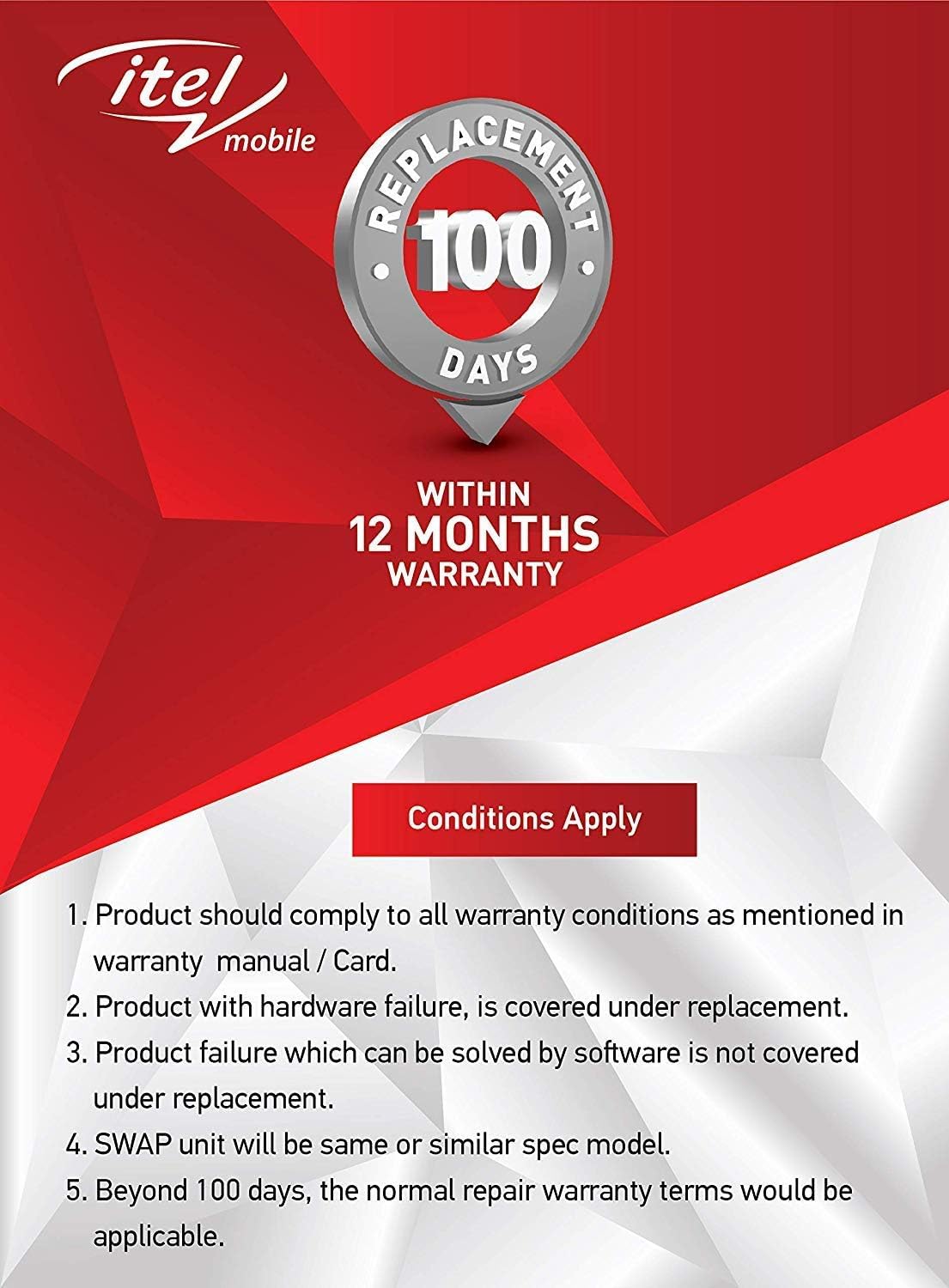
Foto: Warranty details for itel mobile products, indicating 100 days replacement and 12 months warranty.
- Product must comply with all warranty conditions as mentioned in the warranty manual/card.
- Product with hardware failure is covered under replacement.
- Product failure which can be solved by software is not covered under replacement.
- A SWAP unit will be the same or a similar spec model.
- Beyond 100 days, the normal repair warranty terms would be applicable.
- The warranty period is typically 12 months from the date of purchase.
For detailed warranty terms and conditions, refer to the warranty card included in your package or contact itel customer support.
Nkwado
For further assistance, technical support, or service inquiries, please contact itel customer service. Contact details can typically be found on the official itel websaịtị ma ọ bụ na kaadị ikike gị.
Akụrụngwa dị n'ịntanetị: You may find additional support and FAQs on the official itel brand store.


