Okwu mmalite
This manual provides detailed instructions for the setup, operation, and maintenance of your VTech VT1301-3 Triple Cordless Phone system. Please read this guide thoroughly to ensure optimal performance and longevity of your device. This system features digital enhanced clarity for clear communication and includes three handsets for convenience.
1. Nhazi
1.1 Mwepu na akụrụngwa
Carefully unpack all items from the box. Ensure all components are present:
- Ngalaba isi
- Three cordless handsets
- Three charging cradles
- Three power adapters
- One telephone line cord
- Rechargeable batteries (pre-installed or separate)

Image: The VTech VT1301-3 triple cordless phone system, showing the blue, red, and green handsets with their respective charging bases and power adapters.
1.2 Ijikọ Isi Ihe
- Connect one end of the telephone line cord to the TEL LINE jack on the back of the main base unit.
- Connect the other end of the telephone line cord to a telephone wall jack.
- Plug the power adapter into the POWER jack on the main base unit.
- Tinye nsọtụ ọzọ nke nkwụnye ọkụ n'ime oghere eletrik.
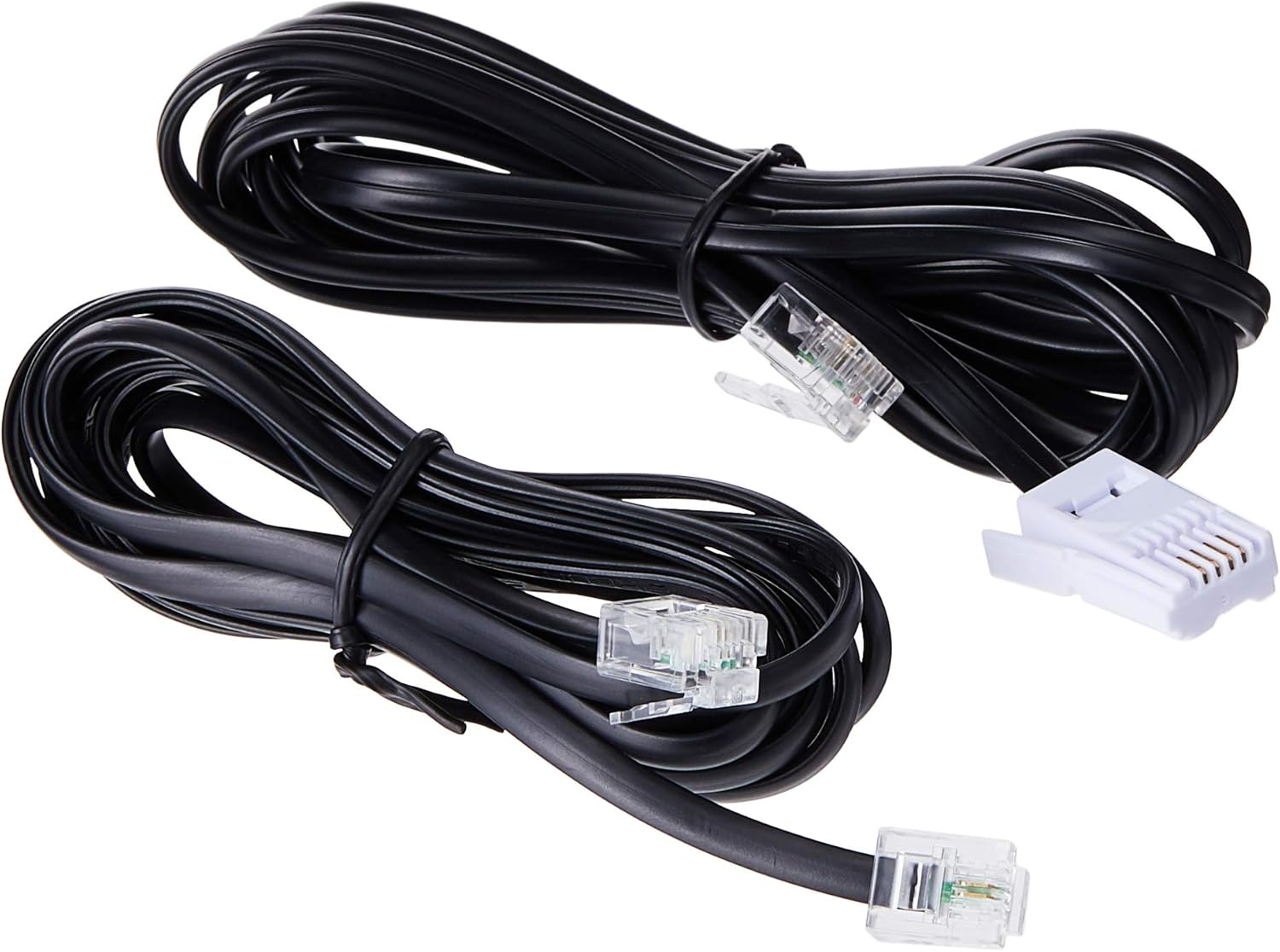
Image: Two black telephone line cords, essential for connecting the base unit to a telephone wall jack.
1.3 Charging the Handsets
Before initial use, charge each handset for at least 16 hours. Place each handset face forward in its respective charging cradle. The charge indicator on the handset or base will illuminate to confirm proper placement and charging.
- Ensure the power adapters for all charging cradles are plugged into electrical outlets.
- Place each handset securely in its cradle.
- A full charge ensures optimal battery performance.
2. Ntuziaka ọrụ
2.1 Ọrụ oku bụ isi

Foto: nkọwa zuru ezu view of the VTech VT1301-3 handset, highlighting its large character blue backlit LCD display and functional keypad.
- Ịkpọ oku: Pịa KWURU, then dial the number. Alternatively, dial the number first and then press KWURU.
- Na-aza oku: Mgbe ekwentị kụrụ, pịa KWURU or any dialing key (0-9, #, *).
- Ịkwụsị oku: Pịa Gbanyụọ or place the handset back in its charging cradle.
- Igwe okwu ekwe ntị: Mgbe oku na-aga, pịa Igwe okwu button (often integrated with TALK or a separate icon) to activate or deactivate the speakerphone.
2.2 Atụmatụ dị elu
- Akwụkwọ ndekọ aha: Store up to 20 names and numbers. Access via the NchNhr / OK button and navigate to the Phonebook option.
- NJ onye ọkpụkpọ: The phone displays the last 10 caller numbers. Press CID (Caller ID) to review ndepụta.
- Agbagharị: Pịa AH RR. ka view and redial the last 5 numbers called.
- Nyefee oku: N'oge oku mpụga, pịa NchNhr / OK, select 'Transfer', and choose the internal handset to transfer the call to.
- Oku ime obodo: Make calls between handsets by pressing the INT or NchNhr / OK button and selecting the desired handset.
- Oku Nzukọ nke Ụzọ Atọ: Initiate a 3-way conference call involving two internal handsets and one external line.
- Page/Handset Locator: Pịa IHE button on the main base unit to locate a misplaced handset.
- Ringer Melodies: Choose from 10 ringer melodies (5 polyphonic and 5 standard) in the handset settings.
- Mkpọchi ahụ igodo: Pịa ma jide # key to lock/unlock the keypad.
- Mkpu: Tọọ mkpu site na menu ekwentị.
3. Nlekọta
3.1 Na-ehicha ekwentị gị
To keep your phone clean, wipe it with a soft, slightly damp cloth. Do not use cleaning sprays or harsh chemicals as they may damage the finish or electrical components. Ensure the phone is disconnected from power before cleaning.
3.2 Nlekọta batrị
- Always use the VTech approved rechargeable batteries provided with your phone.
- For optimal battery life, avoid placing the phone in direct sunlight or in areas with extreme temperatures.
- Ọ bụrụ na agaghị eji ekwentị ahụ ogologo oge, wepụ batrị ahụ ka ọ ghara ịpụpụ.
4. Nchọpụta nsogbu
If you experience any issues with your VTech VT1301-3 phone, please refer to the following common solutions:
- No dial tone: Ensure the telephone line cord is securely connected to both the base unit and the wall jack. Check if the power adapter is properly connected to the base unit and an electrical outlet.
- Enweghị ike ịkpọ ma ọ bụ nata oku: Verify that the handset batteries are charged. Check the telephone line connection. If you have a DSL service, ensure a DSL filter is installed.
- Ogo ụda adịghị mma: Move closer to the base unit. Ensure there are no large metal objects or other electronic devices interfering with the signal. Check for any loose connections.
- Handset not charging: Ensure the handset is correctly seated in the charging cradle. Verify that the charging cradle's power adapter is plugged into a working electrical outlet. Clean the charging contacts on both the handset and cradle with a dry cloth.
- Handset displays "Out of Range" or "No Link": Move the handset closer to the main base unit. If the issue persists, try resetting the base unit by unplugging its power adapter for a few minutes, then plugging it back in.
5. Nkọwapụta
| Njirimara | Nkọwa |
|---|---|
| Nọmba nlereanya | VT1301-3 |
| Ụdị ekwentị | Cordless (DECT) |
| Ọnụ okwu | Up to 300m (outdoor)* |
| Radiation Mode | Ultra-low Radiation Mode** |
| Ngosipụta | Large character with blue backlit LCD display |
| Phonebook Directory | 20 Name and Number entries |
| Ngosipụta NJ onye ọkpụkpọ | 10 caller number display |
| Nọmba Ikpeazụ | 5 last number redial |
| Ringer Melodies | 10 (5 polyphonic and 5 standard) |
| Oku ọgbakọ | 3-Way conference call capability |
| Isi Iyi Ike | Igwe ọkụ eletrik |
| UPC | 735078040251 |
* The actual talk range may vary depending on environmental conditions.
** Ultra-low Radiation Mode operates with the lowest radiation.
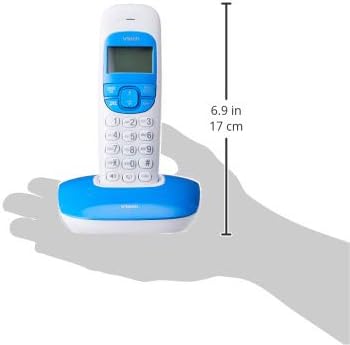
Image: Dimensions of a VTech cordless phone handset in its charging cradle, showing a height of 17 cm.
6. Akwụkwọ ikike na nkwado
For specific warranty terms and conditions, please refer to the warranty card included in your product packaging. This document outlines the coverage period and conditions for service.
For technical support, frequently asked questions, or to download the latest version of this manual, please visit the official VTech websaịtị ma ọ bụ kpọtụrụ ngalaba ọrụ ndị ahịa ha site na iji ozi kọntaktị enyere na akwụkwọ ngwaahịa gị.


