1. Okwu mmalite
This manual provides detailed instructions for the proper use and maintenance of your Edifier W820BT Bluetooth Headphones. Please read this manual thoroughly before using the product to ensure optimal performance and longevity.
2. Ihe ngwugwu
Verify that all items listed below are included in your package. If any items are missing or damaged, please contact Edifier customer support.
- Edifier W820BT Bluetooth Headphones
- Eriri Nchaji (USB)
- USB USB (3.5mm)
- Akwụkwọ ntuziaka (akwụkwọ a)
3. Ngwaahịa gafereview
The Edifier W820BT headphones are designed for comfort and extended listening, featuring Bluetooth v4.1 connectivity and a long-lasting battery.
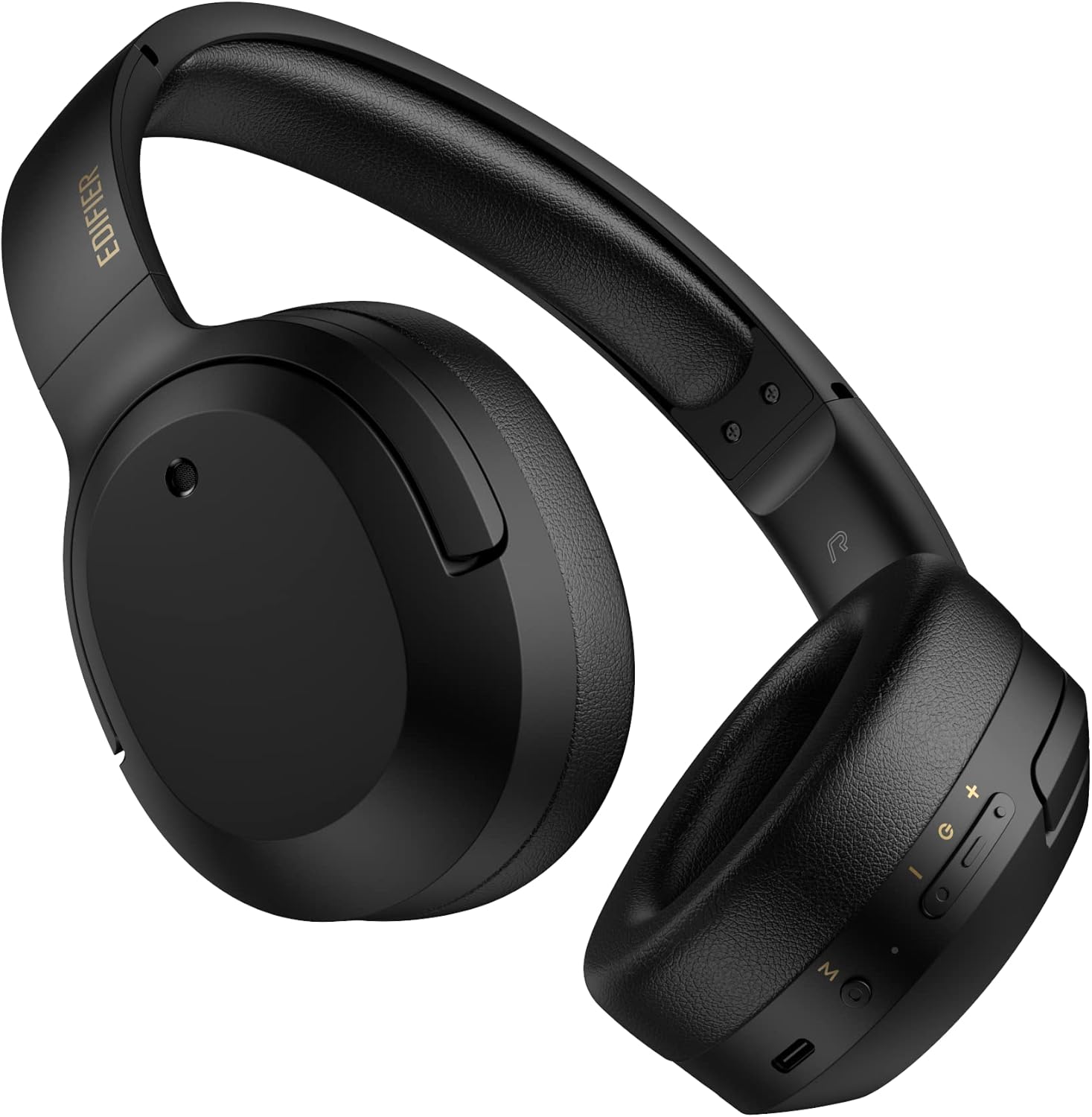
Foto 3.1: N'ihu view of the Edifier W820BT Bluetooth Headphones.

Foto 3.2: Akụkụ view of the Edifier W820BT Bluetooth Headphones, highlighting the control buttons.
Akụkụ ndị bụ isi:
- Bluetooth V4.1 with CSR Technology for stable wireless connection.
- Ruo 80 awa nke ndụ batrị.
- Foldable design for portability.
- Soft leather ear pads for comfort.
- Durable and flexible steel headband.
- On-ear controls for media playback and calls.
4. Nhazi
4.1 Ịchaji ekweisi
Tupu ejie ya nke mbụ, chajie ekweisi nke ọma.
- Connect the micro-USB end of the charging cable to the charging port on the headphone (located on the right earcup).
- Jikọọ njedebe USB-A nke eriri nchaji na ihe nkwụnye ọkụ USB (anaghị etinye ya) ma ọ bụ ọdụ ụgbọ USB nke kọmputa.
- The LED indicator will illuminate during charging and turn off once fully charged.
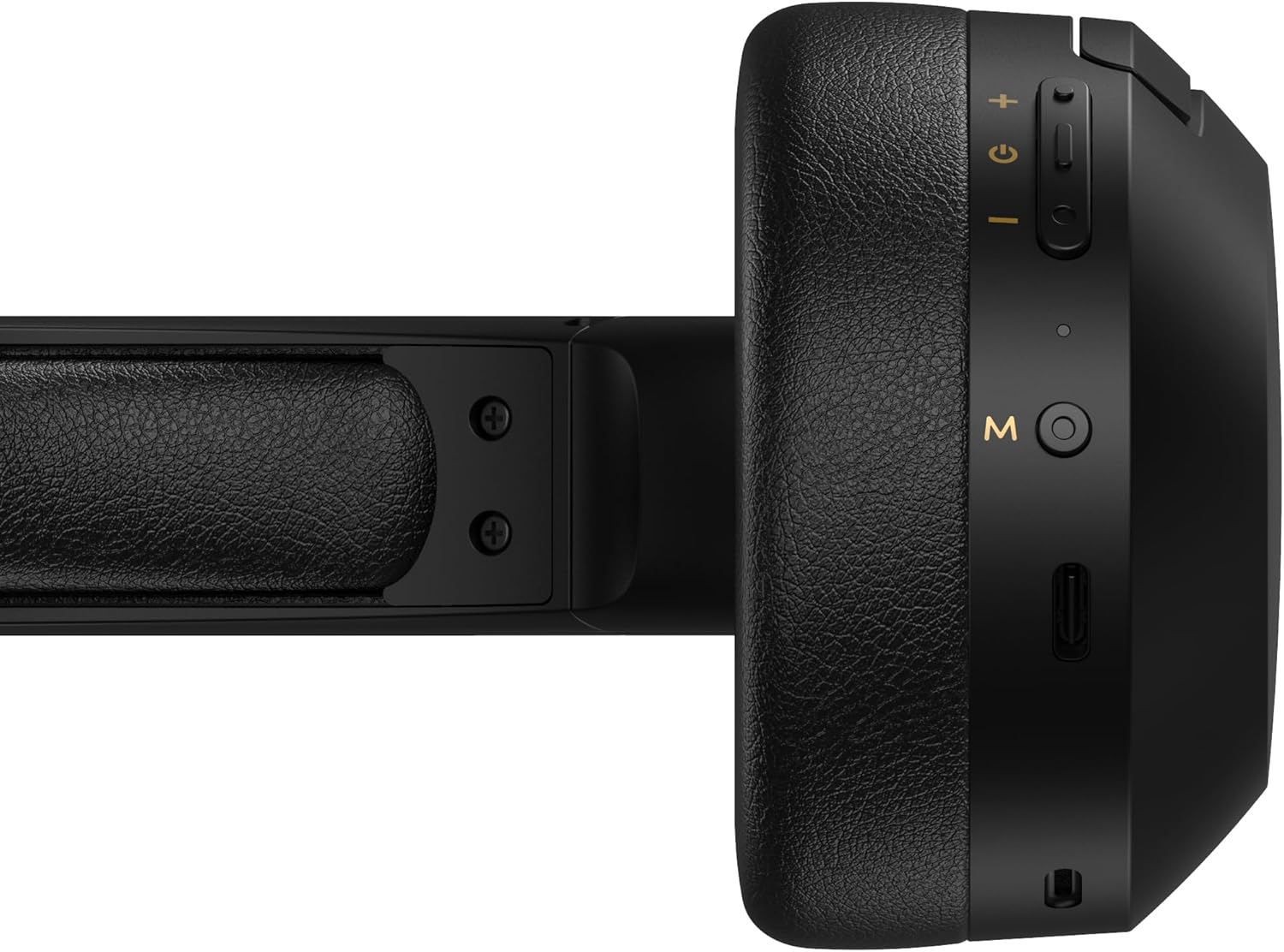
Figure 4.1: Close-up of the charging port and control buttons on the right earcup.
4.2 Gbanyụọ/ gbanyụọ
- Iji gbanye: Press and hold the multi-function button (usually marked with a power icon or 'M') for approximately 3 seconds until the LED indicator flashes blue.
- Iji gbanyụọ: Press and hold the multi-function button for approximately 5 seconds until the LED indicator flashes red and then turns off.
4.3 Njikọ Bluetooth
Iji jikọọ ekweisi gị na ngwaọrụ Bluetooth na-arụ ọrụ:
- Gbaa mbọ hụ na agbanyụrụ ekweisi.
- Press and hold the multi-function button for approximately 5-7 seconds until the LED indicator flashes red and blue alternately. This indicates pairing mode.
- Na ngwaọrụ gị (smartphone, tabletị, kọmpụta), mee ka Bluetooth nwee ike wee chọọ ngwaọrụ dị.
- Select "EDIFIER W820BT" from the list of found devices.
- Once paired, the LED indicator will flash blue slowly.
Mara: Ekweisi ndị a ga-anwa ijikọghachi na ngwaọrụ ikpeazụ ejikọtara na akpaghị aka mgbe agbanyere ya.
5. Ntuziaka ọrụ
5.1 On-Ear Controls
The control buttons are located on the right earcup.
| Bọtịnụ/Ihe omume | Ọrụ |
|---|---|
| Bọtịnụ ọrụ dị iche iche (M) |
|
| Elu elu (+) |
|
| Olu ala (-) |
|
5.2 Njikọ wired
The W820BT headphones can also be used with a wired connection.
- Connect one end of the 3.5mm audio cable to the audio input jack on the left earcup of the headphones.
- Connect the other end of the 3.5mm audio cable to the audio output jack of your device.
- Igwe ekweisi ga-agbanwe na-akpaghị aka na ọnọdụ wired. A ga-enwe nkwarụ ọrụ Bluetooth.

Figure 5.1: Connecting the 3.5mm audio cable for wired listening.
6. Nlekọta
- Jiri ákwà dị nro ma kpọọ nkụ hichaa ekweisi gị. Ejila ihe nhicha ma ọ bụ ihe mgbaze.
- Zere ikpughe ekweisi na oke okpomọkụ, iru mmiri, ma ọ bụ ìhè anyanwụ kpọmkwem.
- Debe ekweisi n'ebe dị jụụ ma kpọọ nkụ mgbe a naghị eji ya. Nhazi a na-apịachi apịachi na-enye ohere maka obere ebe nchekwa.
- Do not disassemble the headphones. This will void the warranty.
7. Nchọpụta nsogbu
If you encounter issues with your Edifier W820BT headphones, refer to the following common problems and solutions:
| Nsogbu | Ngwọta |
|---|---|
| Enweghị ike ịgbanye | Hụ na ekweisi gị chajị. Jiri eriri chajị jikọọ na isi iyi ọkụ eletrik. |
| Enweghị ike ijikọ site na Bluetooth |
|
| Enweghị ụda |
|
| Ogo ụda adịghị mma |
|
8. Nkọwapụta
| Njirimara | Nkọwa |
|---|---|
| Aha Nlereanya | W820BT |
| Teknụzụ Njikọta | Ikuku (Bluetooth), waya (Jack3.5mm) |
| Ụdị Bluetooth | 4.1 |
| Ndụ batrị | Ruo awa 80 |
| Ụdị ntị | N'elu Ntị |
| Ihe onwunwe | Steel (headband) |
| Ibu Ibu | 1.14 pound (ihe dị ka 517 g) |
| Akụkụ ngwaahịa | 9.25 x 7.64 x 3.41 sentimita asatọ |
| Onye nrụpụta | Edifier |
9. Akwụkwọ ikike na nkwado
Edifier provides a akwụkwọ ikike otu afọ in the USA and Canada for the W820BT headphones. For warranty claims or technical support, please contact Edifier customer service.
For more information, visit the official Edifier websaịtị ma ọ bụ lee akwụkwọ ịzụrụ ihe gị.
10. Ihe ngosi vidiyo
Watch the official product video for a visual guide on the Edifier W820BT Bluetooth Headphones' features and usage.
Vidiyo 10.1: Ngwaahịa a kwụsịrịview of the Edifier W820BT Bluetooth Headphones, demonstrating features like battery life, comfort, foldable design, and on-ear controls.


