Okwu mmalite
The Crayola Triple The Fun Art Studio is a versatile art station designed for young artists. It features a magnetic whiteboard, a chalkboard, and an activity desk with a stool, providing multiple creative options. This manual provides essential information for setup, operation, maintenance, and safety to ensure a fun and safe experience.
Ozi nchekwa
This table was made for N'ime ụlọ jiri. EMELA attempt to use or expose the unit outdoors. The board is weather sensitive; any wetness or excessive dampness will ruin the board. EMELA use any Spray or Dry-Erase cleaners on the board, as this may cause damage. Treat the board surface with care; EMELA use sharp pointed objects on the drawing surface. Scratching the surface will cause permanent damage. Completely erase the board surfaces before storing easel for an extended period of time. Eraser can be used for chalkboard surfaces. If there is some hard-to-erase ink/chalk left on the board or chalkboard surface, use a slightly damp sponge (or paper towel) and wipe the board clean. Any excessive water may damage the board. Chalkboard must be treated seasoned prior to use. To season: Hold Crayola® Anti-Dust® or school chalk on the flat side (not the point side) and using broad flat strokes, coat the board both horizontally then vertically, making sure to cover the entire board surface. Wipe off the chalk with a slightly damp sponge (or paper towel). Crayola® Anti-Dust® or school chalk (calcium carbonate based) is recommended for use on the chalkboard surface. EMELA use Crayola® Sidewalk Chalk or other 'street chalk' as it contains abrasives that will damage the board.
Kedu ihe dị na Igbe ahụ
- Crayola Triple The Fun Art Studio playset
- 1 Stool
Note: Additional art supplies such as markers, crayons, and chalk are sold separately unless otherwise specified on product packaging.
Melite
The Crayola Triple The Fun Art Studio includes assembly instructions within its packaging. Please refer to these instructions for detailed, step-by-step guidance on assembling the easel, activity desk, and stool. Ensure all components are securely fastened before use.
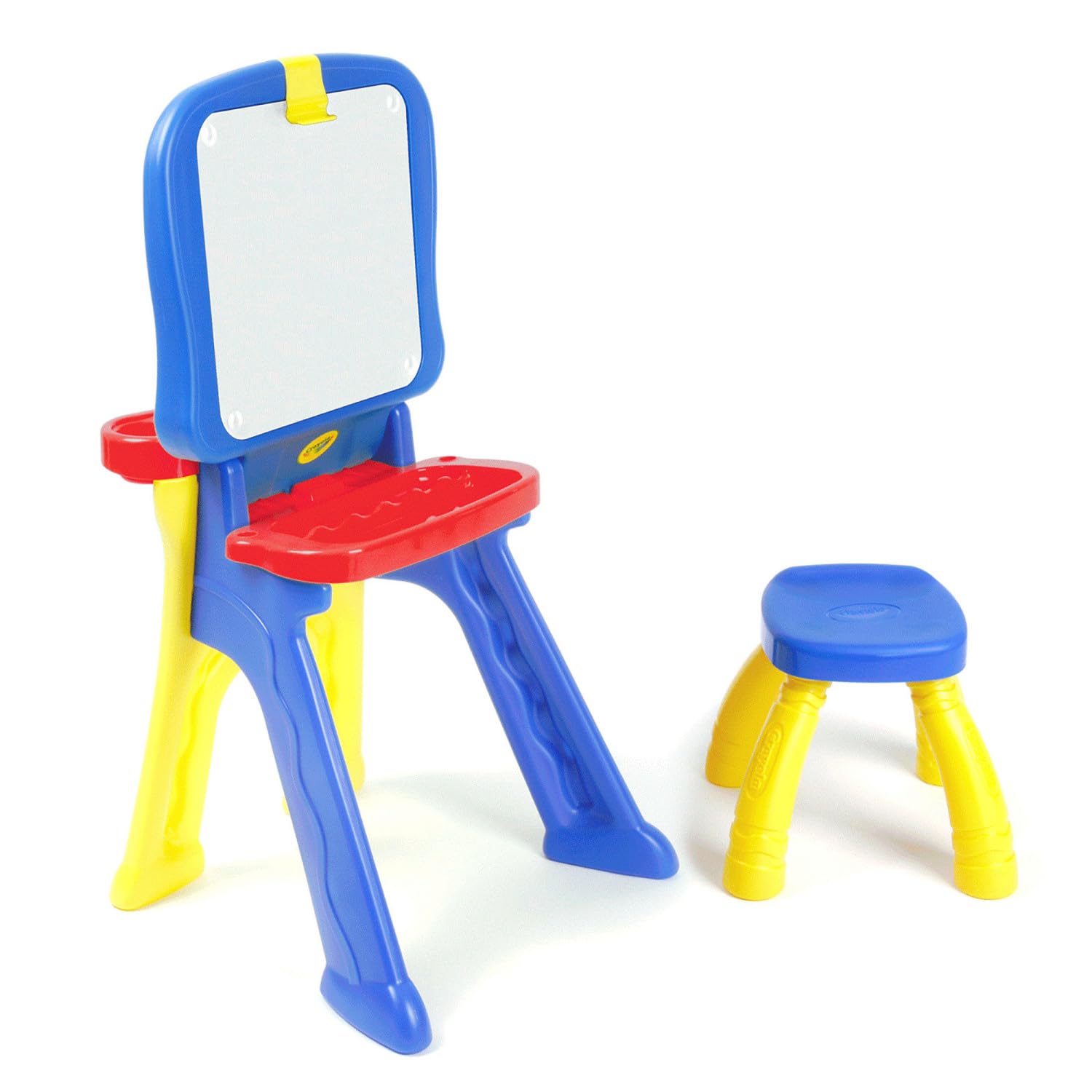
Image: The Crayola Triple The Fun Art Studio configured as an activity desk with a child-sized stool. The desk surface is blue, and the legs are yellow and blue. A red tray for art supplies is visible at the back of the desk.
Ntuziaka ọrụ
Converting Between Easel and Desk Modes (Qwikflip® Design)
The Art Studio features a Qwikflip® design, allowing easy conversion between an upright easel and a flat activity desk. To convert, carefully release the locking mechanism (refer to specific assembly instructions for exact location) and pivot the drawing surface to the desired position. Ensure it locks securely into place for stability.
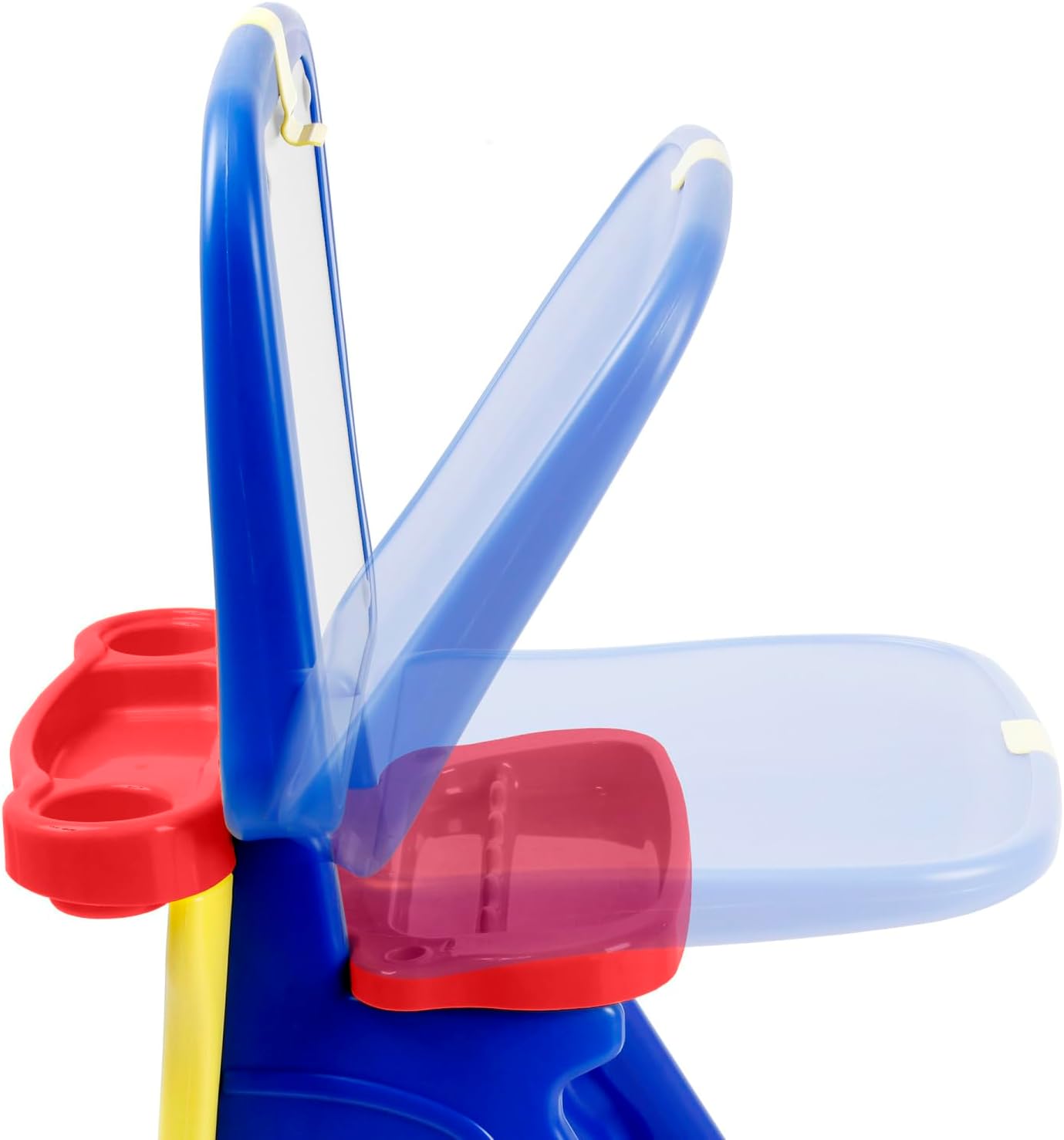
Image: A young child seated on the blue and yellow stool, coloring on the blue activity desk surface of the Crayola Art Studio. Art supplies are in the red tray behind the desk.

Image: A young child standing at the Crayola Art Studio in easel mode, drawing on the magnetic whiteboard surface. The easel is blue and yellow, with a red tray for art supplies.

Image: The Crayola Triple The Fun Art Studio in easel mode, showing the magnetic whiteboard surface with colorful magnetic letters and butterfly decorations. A red tray holds art supplies below the board.
Using the Magnetic Whiteboard
The whiteboard surface is magnetic and suitable for dry-erase markers. Use dry-erase markers for drawing and writing directly on the surface. Magnetic letters, numbers, or other magnetic accessories can be placed on the board for interactive learning and play. A clip at the top allows for securing paper for drawing or painting.

Image: A pile of colorful magnetic letters and numbers, along with a black eraser, on a white background, representing accessories for the magnetic whiteboard.

Image: A close-up of the yellow clip at the top of the easel, holding a piece of paper with a drawing. The Crayola logo is visible on the paper.
Using the Chalkboard
The reverse side of the drawing surface is a chalkboard. Use Crayola® Anti-Dust® or school chalk (calcium carbonate based) for best results. EMELA use Crayola® Sidewalk Chalk or other 'street chalk' as it contains abrasives that will damage the board. Refer to the "Maintenance and Care" section for instructions on seasoning the chalkboard prior to first use.
Activity Desk and Stool
In desk mode, the flat surface provides a comfortable area for drawing, coloring, or other activities. The included stool is designed for young children to sit comfortably while engaging with the desk. The integrated storage tray keeps art supplies organized and within reach.
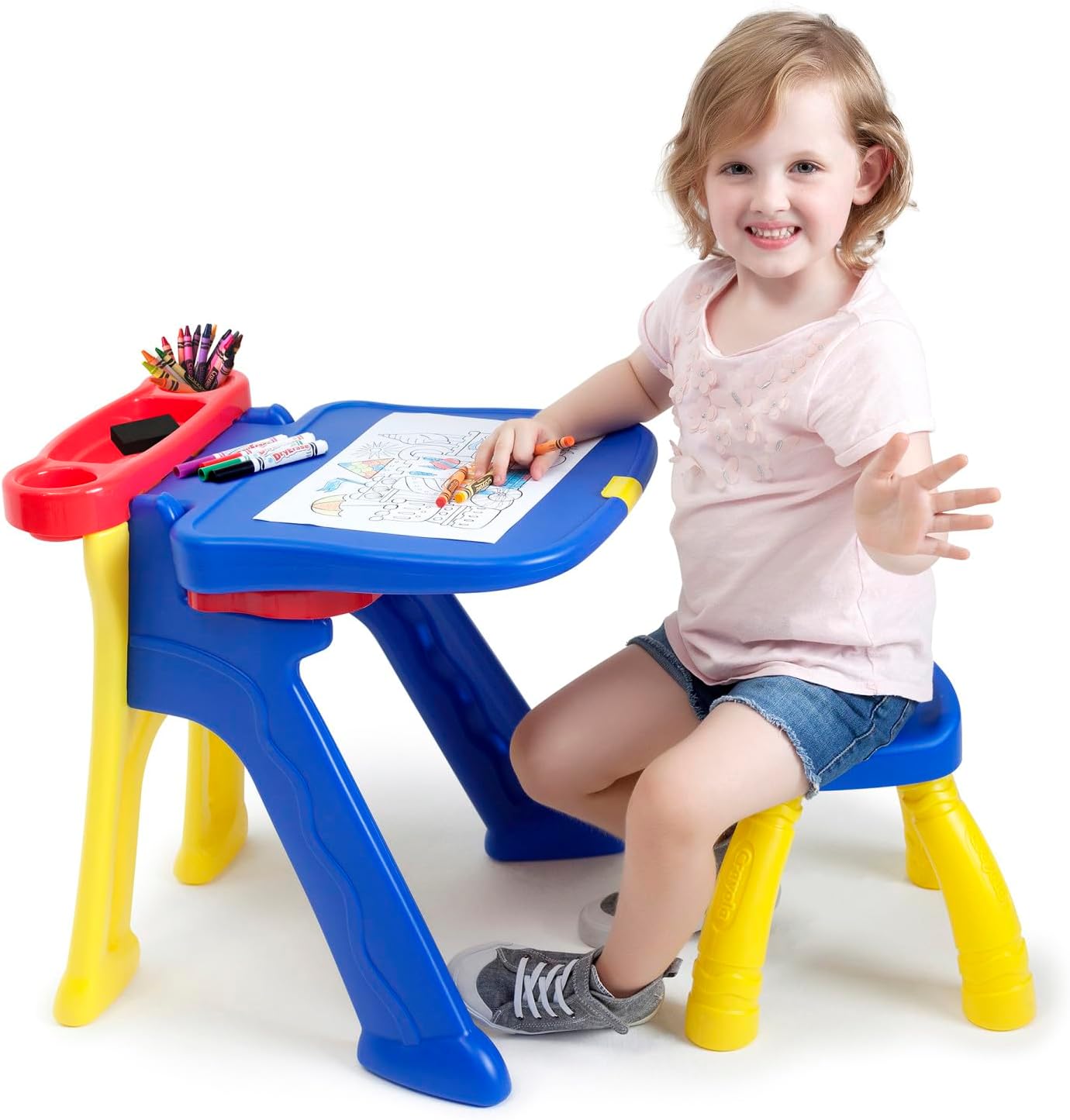
Image: A young girl sitting on the blue and yellow stool, engaged in coloring on a piece of paper placed on the blue activity desk of the Crayola Art Studio.

Image: Two children, a boy and a girl, happily drawing on opposite sides of the Crayola Triple The Fun Art Studio in easel mode. The girl is on the whiteboard side, and the boy is on the chalkboard side.
Vidiyo ngwaahịa ngwaahịa
Vidiyo: Ihe ngosi vidiyo ngwaahịa gọọmentịasing the features and versatility of the Crayola Triple-the-Fun Art Studio, demonstrating its conversion from easel to desk and use by children.
Nlekọta na nlekọta
This table was made for N'ime ụlọ jiri. EMELA attempt to use or expose the unit outdoors. The board is weather sensitive; any wetness or excessive dampness will ruin the board. EMELA use any Spray or Dry-Erase cleaners on the board, as this may cause damage. Treat the board surface with care; EMELA use sharp pointed objects on the drawing surface. Scratching the surface will cause permanent damage. Completely erase the board surfaces before storing easel for an extended period of time. Eraser can be used for chalkboard surfaces. If there is some hard-to-erase ink/chalk left on the board or chalkboard surface, use a slightly damp sponge (or paper towel) and wipe the board clean. Any excessive water may damage the board. Chalkboard must be treated seasoned prior to use. To season: Hold Crayola® Anti-Dust® or school chalk on the flat side (not the point side) and using broad flat strokes, coat the board both horizontally then vertically, making sure to cover the entire board surface. Wipe off the chalk with a slightly damp sponge (or paper towel). Crayola® Anti-Dust® or school chalk (calcium carbonate based) is recommended for use on the chalkboard surface. EMELA use Crayola® Sidewalk Chalk or other 'street chalk' as it contains abrasives that will damage the board.
Nchọpụta nsogbu
If you encounter any issues with your Crayola Triple The Fun Art Studio, please review the assembly instructions to ensure all parts are correctly installed. For persistent problems, refer to the manufacturer's contact information for support.
Nkọwapụta
| Njirimara | Nkọwa |
|---|---|
| Akụkụ ihe (L x W x H) | 18.3 x 17.7 x 32.9 sentimita asatọ |
| Ihe onwunwe | Plastic |
| Ibu Ibu | 7.7 pound |
| Nọmba nlereanya | 5082-03 |
| Afọ akwadoro | Afọ 3 na karịa |
| Njirimara Pụrụ Iche | Includes 1 stool, Qwikflip® Design |
| UPC | 833186009877 |
Akwụkwọ ikike na nkwado
For warranty information or customer support, please contact Grow'n Up INC, the manufacturer, directly. Contact details can typically be found on the product packaging or their official websaịtị.


