1. Okwu mmalite
This manual provides comprehensive instructions for the safe and effective operation of your HIDIZS DH1000 Portable Hi-Res DAC/Headphone Amplifier. The DH1000 is designed to enhance your audio experience with its dual balanced amplifier architecture, supporting a wide range of Hi-Res audio formats and driving various headphone impedances. Please read this manual thoroughly before initial use and retain it for future reference.

Image: Three HIDIZS DH1000 units in grey and black, highlighting the compact and premium build quality of the portable ampna -emegharị ihe.
2. Ihe ngwugwu
Biko chọpụta na ihe niile dị na ngwugwu:
- HIDIZS DH1000 Portable Hi-Res DAC/Headphone AmpNgalaba na-ebuli elu
- USB Nchaji/Data USB
- Akwụkwọ ntuziaka (akwụkwọ a)
3. Ngwaahịa gafereview
Familiarize yourself with the various components and ports of your DH1000 unit:
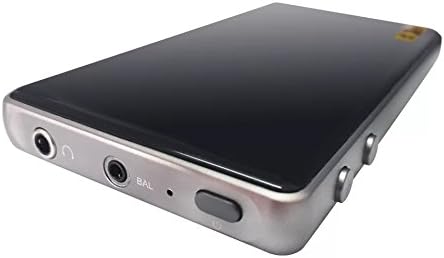
Foto: nkọwa zuru ezu view of the HIDIZS DH1000's input/output panel, featuring the 3.5mm unbalanced headphone jack, 2.5mm balanced headphone jack, and the power/control button.
Isi ihe:
- 2.5mm Balanced Headphone Jack: For connecting headphones with a 2.5mm balanced plug.
- 3.5mm Unbalanced Headphone Jack: For connecting headphones with a standard 3.5mm unbalanced plug.
- Bọtịnụ ike: Used to power the device on/off and potentially for other control functions.
- Ọdụ USB-C: For charging the device and connecting to audio source devices (e.g., smartphone, PC).
- Njikwa olu: (Location may vary, typically on the side) For adjusting audio output volume.
4. Nhazi
4.1 Ịchaji ngwaọrụ
The DH1000 is equipped with an internal rechargeable battery. Before first use, it is recommended to fully charge the device.
- Connect one end of the provided USB cable to the USB-C port on the DH1000.
- Connect the other end of the USB cable to a compatible USB power adapter (e.g., smartphone charger, computer USB port).
- The charging indicator (if present) will illuminate or change color to indicate charging status. Once fully charged, the indicator may turn off or change color again.
4.2 Ijikọ na Isi Iyi Ọdịyo
The DH1000 can be connected to various audio source devices such as smartphones, tablets, computers (PC/Mac), and digital audio players (DAPs).

Image: The HIDIZS DH1000 amplifier connected to a smartphone, demonstrating its portable use case for enhanced audio playback.
- Ensure the DH1000 is sufficiently charged.
- Using a compatible USB cable (often the same one used for charging), connect the DH1000's USB-C port to the USB port of your audio source device.
- Your audio source device may automatically recognize the DH1000 as an external audio device. If not, you may need to select it manually in your device's audio settings.
4.3 Ejikọ ekweisi
Connect your headphones to the appropriate jack on the DH1000.
- For standard headphones, use the 3.5mm Unbalanced Headphone Jack.
- For headphones with a 2.5mm balanced cable, use the Jack ekweisi kwụ ọtọ 2.5mm for optimal performance and stereo separation.
5. Ntuziaka ọrụ
5.1 Gbanyụọ/ gbanyụọ
To power on the DH1000, press and hold the Power Button until the indicator light illuminates. To power off, press and hold the Power Button again until the indicator light turns off.
5.2 Mgbanwe olu
Adjust the audio output volume using the dedicated volume controls on the DH1000. Start with a low volume level and gradually increase it to a comfortable listening level to prevent hearing damage.
5.3 Ngwugharị ọdịyo
Once connected and powered on, the DH1000 will process the audio signal from your source device. Ensure your audio source is playing Hi-Res audio files for optimal performance. The DH1000 supports a wide array of high-resolution audio formats, including:
- FLAC
- APE
- WAV
- ALAC (Apple Lossless Audio Codec)
- DSF
- DSDIFF
- PCM up to 24-Bit/192kHz
- Native DSD64/128
The DH1000 is capable of driving headphones with impedance ranging from 8 to 600Ω, providing ample power for a variety of headphone types.
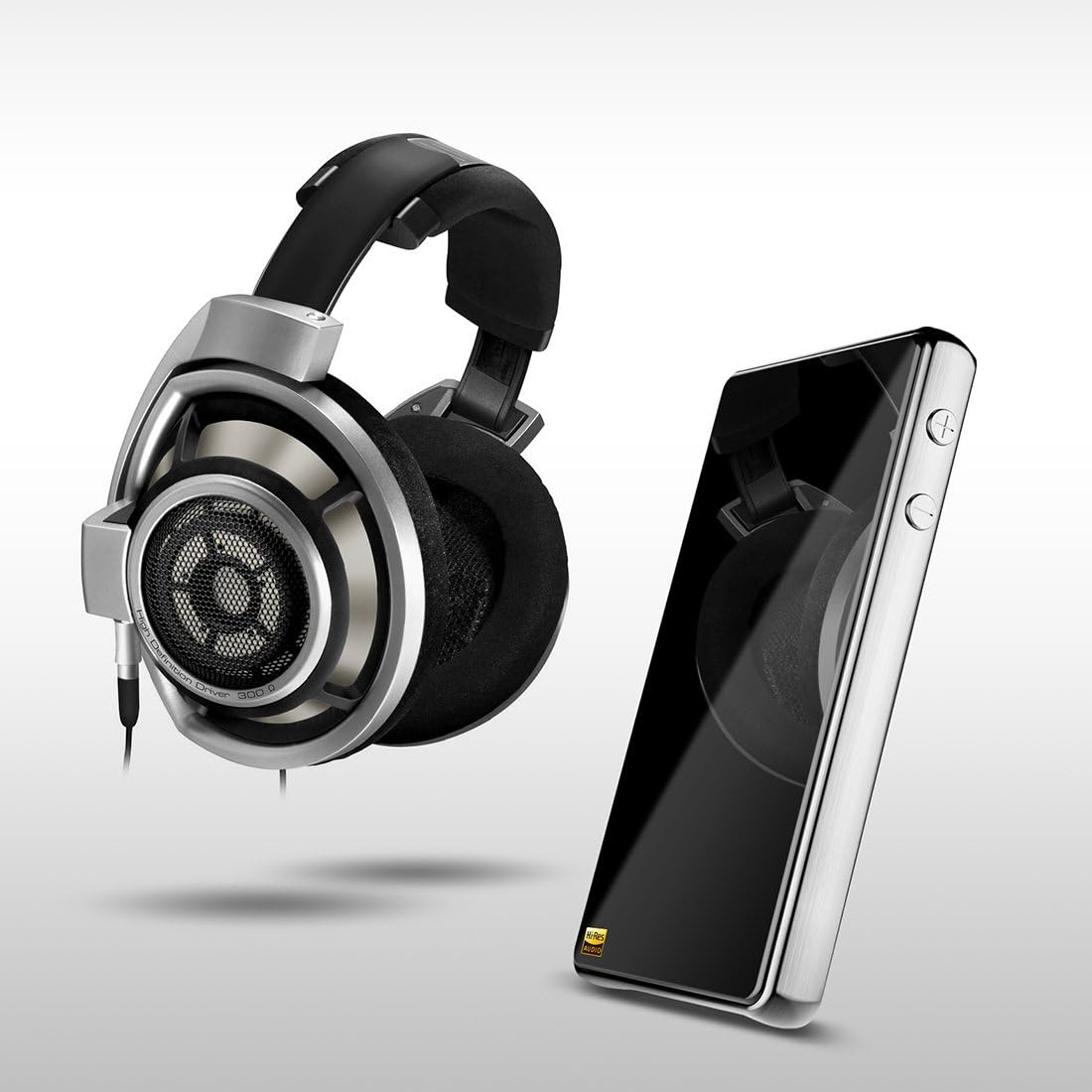
Image: The HIDIZS DH1000 positioned alongside a pair of high-end over-ear headphones, illustrating its role in a premium audio setup.
6. Nlekọta
To ensure the longevity and optimal performance of your HIDIZS DH1000, please follow these maintenance guidelines:
- Nhicha: Use a soft, dry, lint-free cloth to clean the exterior of the device. Avoid using abrasive cleaners, solvents, or strong chemicals, as they may damage the finish.
- Nchekwa: Mgbe a naghị eji ya ruo ogologo oge, debe ngwaọrụ ahụ n'ebe dị jụụ ma kpọọ nkụ, ebe anwụ na-anaghị apụta kpọmkwem ma ọ bụ oke okpomọkụ.
- Ijikwa: Jiri nlezianya jikwaa ngwaọrụ ahụ. Zere idobe ya ma ọ bụ tinye ya na mmetụta siri ike, nke nwere ike imebi ihe ndị dị n'ime.
- Mmiri: Keep the device away from water and other liquids. Do not operate it in humid environments.
- Mbupu: Do not attempt to disassemble, modify, or repair the device yourself. This will void the warranty and may cause damage or injury. Contact authorized service personnel for any repairs.
7. Nchọpụta nsogbu
If you encounter issues with your DH1000, refer to the following common problems and solutions:
| Nsogbu | Ihe nwere ike ime | Ngwọta |
|---|---|---|
| Ngwaọrụ anaghị agbanwu ọkụ. | Batrị dị ala. | Jiri eriri USB chajie ngwaọrụ ahụ nke ọma. |
| Enweghị mmepụta ụda. | Incorrect connection; Volume too low; Source device not playing. | Ensure all cables are securely connected. Increase volume on both DH1000 and source device. Verify audio playback on the source device. |
| Poor sound quality (distortion, static). | Damaged cable; Incorrect audio settings; Low-quality audio file. | Try a different USB or headphone cable. Check audio settings on your source device. Use high-quality audio files. |
| Kọmputa amataghị ngwaọrụ. | Driver issue; Faulty USB port/cable. | Try a different USB port or cable. Restart your computer. Check Hidizs website for any necessary drivers. |
If the problem persists after trying these solutions, please contact Hidizs customer support for further assistance.
8. Nkọwapụta
Detailed technical specifications for the HIDIZS DH1000:
| Njirimara | Nkọwapụta |
|---|---|
| Aha Nlereanya | HIDIZS DH1000 |
| Nọmba nlereanya | DH100GR01 |
| Akụkụ (L x W x H) | 12 x 6.7 x 1.5 cm |
| Ibu Ibu | 185.97 g (6.56 ounces) |
| Ihe onwunwe | Aluminom |
| Teknụzụ Njikọta | Ekwenyere (USB) |
| Jack ekweisi | 2.5 mm Balanced Jack, 3.5 mm Unbalanced Jack |
| Nzaghachi ugboro ugboro | 0Hz ~ 50 kHz |
| Nkewa Stereo | 120dB |
| Ratio Signal-to-Noise (SNR) | 122 dB |
| Supported Headphone Impedance | 8 ruo 600Ω |
| Ụdị ọdịyo akwadoro | FLAC, APE, WAV, ALAC, APPLE LOSSLESS, DSF, DSDIFF, PCM 24-Bit/192kHz, native DSD64/128 |
| Isi Iyi Ike | Battery (1 Lithium Ion battery required) |
| Atụmatụ pụrụ iche | Lightweight, Dual Balanced Ampna -emegharị ihe |
| Ndakọrịta | iPhone, Android Phones, iPad, PC, MAC, most DAPs |
9. Akwụkwọ ikike na nkwado
Warranty information for the HIDIZS DH1000 is typically provided at the point of purchase or on the official Hidizs website. Please refer to your purchase documentation or visit the Hidizs official website for detailed warranty terms and support contact information.
For technical support, troubleshooting beyond this manual, or service inquiries, please contact Hidizs customer service through their official channels.


