Ngwaahịa gafereview
The Puro Icon Silicone Case is designed to provide protection and style for your iPhone 6, 6s, 7, or 8. Crafted from soft-touch silicone, this case offers a comfortable grip and helps safeguard your device from everyday bumps and scratches. Its precise design ensures full access to all phone controls and features, including compatibility with wireless charging.
Ntọala na nwụnye
Installing the Puro Icon Silicone Case is a simple process:
- Clean your iPhone: Before installing the case, ensure your iPhone's back and sides are clean and free of dust or debris. Use a soft, dry cloth if necessary.
- Align the case: Hold the case with the camera cutout aligned with your iPhone's camera.
- Insert the phone: Gently push your iPhone into the case, starting from the top (camera end). Ensure all corners of the phone are securely seated within the case.
- Lelee dabara adaba: Verify that the case fits snugly around your iPhone and that all buttons and ports are accessible and aligned with the case's cutouts.

Foto 1: N'ihu view of the Puro Icon Silicone Case, highlighting its sleek design and precise fit for the iPhone.
Na-arụ ọrụ ahụ
The Puro Icon Silicone Case is designed for seamless integration with your iPhone, enhancing its usability and protection:
- Nchedo: The silicone material provides a protective layer against minor impacts, scratches, and daily wear and tear.
- Button Access: The case features precisely molded buttons that maintain the tactile feel and responsiveness of your iPhone's original buttons.
- Ịnweta ọdụ ụgbọ mmiri: Accurate cutouts ensure unobstructed access to the charging port, speaker, and microphone.
- Nchaji ikuku: The thin design of the case allows for full compatibility with wireless charging pads, eliminating the need to remove the case for charging.
- Njike emelitere: The soft-touch silicone exterior provides a comfortable and secure grip, reducing the likelihood of accidental drops.
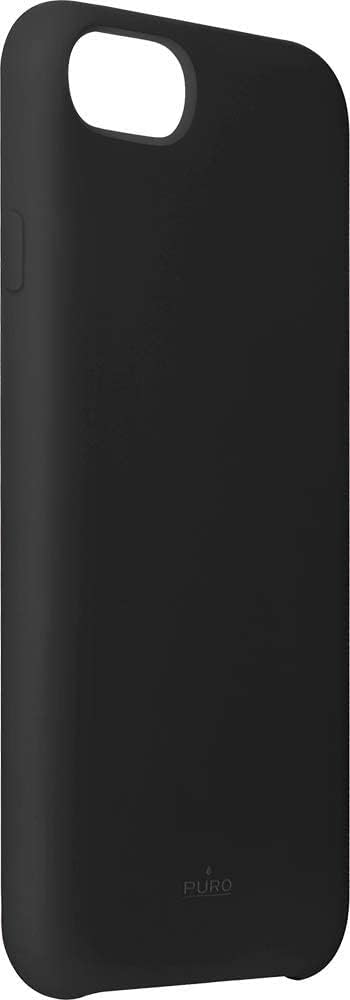
Foto 2: Akụkụ view of the case, illustrating the precise button covers and cutouts for easy access.
Nlekọta na nlekọta
To ensure the longevity and appearance of your Puro Icon Silicone Case, follow these simple care instructions:
- Nhicha: Jiri nwayọọ na-ehichapụ ikpe ahụ mgbe niile, damp ákwà. Maka akara siri ike, enwere ike iji mmiri ncha dị nro, wee jiri ihe dị ọcha hichaa ya.amp cloth and then drying thoroughly.
- Zere kemịkalụ siri ike: Do not use abrasive cleaners, solvents, or harsh chemicals, as these can damage the silicone material and its finish.
- Nchekwa: When not in use, store the case in a clean, dry place away from direct sunlight and extreme temperatures.
- Nguzogide UV: The case features enhanced UV resistance to help prevent yellowing over time, but prolonged exposure to direct sunlight should still be minimized.
Nchọpụta nsogbu
Most issues with a phone case are minor. Here are some common concerns and their solutions:
- Case feels loose: Ensure your iPhone model is compatible with the case (iPhone 6/6s/7/8). Re-install the case, making sure all corners are fully seated.
- Buttons are stiff: Check for any debris caught between the phone and the case buttons. Remove the phone, clean both surfaces, and re-install. The case buttons are designed to be responsive.
- Discoloration/Stains: Refer to the "Maintenance and Care" section for cleaning instructions. Some stubborn dyes from clothing or other materials may be difficult to remove from silicone.
Nkọwapụta
| Ụdị | Puro |
| Onye nrụpụta | KOMQI |
| Nlereanya | IPC747CICONBLK |
| Nọmba akụkụ | IPC747CICONBLK |
| Ngwa dakọtara | iPhone 6, iPhone 6s, iPhone 7, iPhone 8 |
| Atụmatụ pụrụ iche | Shock-absorbing, shockproof, UV resistant, wireless charging compatible |
| Ngwa gụnyere | Ikpe |
| Ụdị ihe | Silikoni |
| Ụdị Ihe | Akpa iPhone |
| Akụkụ ngwaahịa (L x W x H) | 6.7 x 0.2 x 13.8 cm |
| Ibu Ibu | 54 g |
| Agba | Nwa |
Akwụkwọ ikike na nkwado
For information regarding product warranty, returns, or technical support, please refer to the official Puro website or the retailer from whom the product was purchased. Keep your proof of purchase for any warranty claims.
Puro Official Websaịtị: www.puro.it (Note: This is a general link, specific support pages may vary.)


