1. Okwu mmalite
1.1 Ngwaahịa gafereview
The ELRO AS8000 Surveillance Camera System offers advanced security features for your home or business. This kit includes two high-definition cameras designed to integrate seamlessly with your existing ELRO AS8000 alarm system. When your alarm system is triggered, you receive instant notifications on your smartphone, allowing you to access live camera feeds via the ELRO Smart Alarm application.
Atụmatụ gụnyere:
- 1080p HD mkpebi: Na-enye foo vidiyo doro anya na zuru ezutage.
- 100° Viewn'akuku n'akuku: Captures a wide area, ideal for corner mounting.
- Audio Ụzọ Abụọ: Built-in microphone and speaker for communication via the ELRO Smart Alarm app.
- Ọhụụ abalị: Infrared LEDs ensure visibility even in complete darkness.
- Ngwakọta ekwentị: Remote access and control through the ELRO Smart Alarm app.
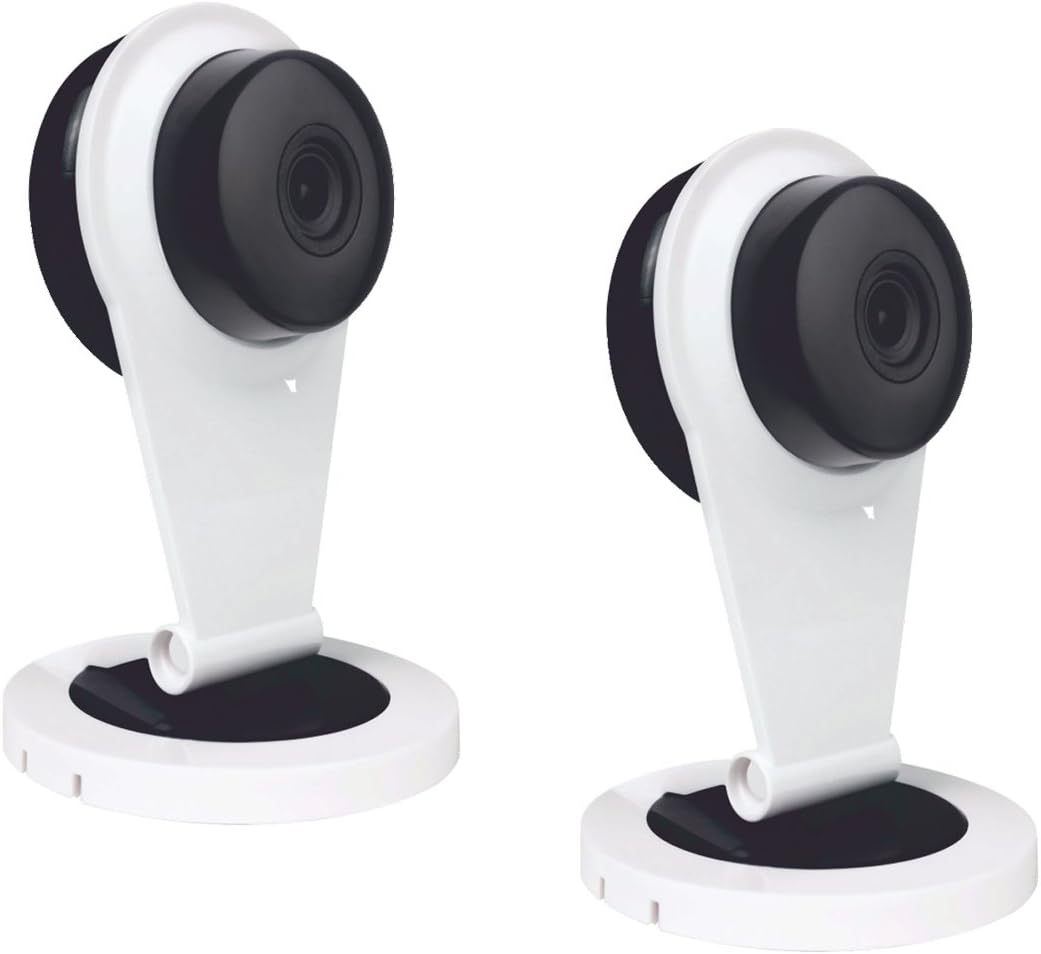
Figure 1: Two ELRO AS8000 Surveillance Cameras. These cameras provide high-definition video and are designed for indoor use.
Ihe ngwugwu 1.2
Biko lelee na ihe niile dị na ọ dịkwa mma:
- 2 x ELRO AS8000 Surveillance Cameras
- 2 x Ihe nkwụnye ọkụ
- Akwụkwọ ntuziaka (akwụkwọ a)
2. Ozi nchekwa
Read all safety instructions before using the product. Failure to follow these instructions may result in electric shock, fire, or other hazards.
- Use only the power adapters supplied with the cameras.
- Do not expose the cameras to water or moisture. This product is designed for indoor use only.
- Avoid placing cameras near heat sources or in direct sunlight.
- Do not attempt to open or repair the camera yourself. Refer all servicing to qualified personnel.
- Debe ebe ụmụaka na-apụghị iru.
3. Nhazi
3.1 Nwepu
Jiri nlezianya wepụ ihe niile dị na ngwugwu ahụ. Debe ngwugwu ahụ maka nchekwa ma ọ bụ ibuga n'ọdịnihu.
3.2 Ntinye
The ELRO AS8000 cameras are designed for easy installation. They are suitable for indoor use and can be mounted on a ceiling or placed on a flat surface.
- Họrọ ebe kwesịrị ekwesị: Select an indoor location that provides the desired viewing angle and is within reach of a power outlet. For optimal coverage, consider corner mounting to utilize the 100° viewakụkụ n'akuku.
- Jikọọ ike: Plug the supplied power adapter into the camera and then into a wall outlet. The camera will power on.
3.3 Connecting to the ELRO AS8000 System
To integrate the cameras with your ELRO AS8000 alarm system, follow these steps:
- Download the ELRO Smart Alarm App: If you haven't already, download the ELRO Smart Alarm application from your smartphone's app store (available for iOS and Android).
- Open the App and Log In: Launch the ELRO Smart Alarm app and log in to your account associated with your ELRO AS8000 alarm system.
- Tinye Ngwaọrụ ọhụrụ: Navigate to the device management section within the app. Select the option to "Add New Device" or "Add Camera."
- Soro ngwa ngwa na ihuenyo: The app will guide you through the process of pairing the camera with your alarm system. This typically involves scanning a QR code on the camera or entering a device ID.
- Hazie ntọala igwefoto: Once connected, you can configure settings such as motion detection zones, recording preferences, and notification alerts within the app.
4. Ntuziaka ọrụ
4.1 Using the ELRO Smart Alarm App
The ELRO Smart Alarm app is your primary interface for managing and monitoring your surveillance cameras. Ensure your smartphone has an active internet connection.
- Nweta Live View: From the app's main dashboard, select the desired camera to view its live feed.
- Nata ọkwa: When your ELRO AS8000 alarm system is triggered, or if motion is detected (if configured), you will receive push notifications on your smartphone. Tap the notification to quickly access the camera feed.

Figure 2: ELRO AS8000 Cameras highlighting key features: Camera function, Night Vision, and Live View site na App.
4.2 Audio ụzọ abụọ
The cameras are equipped with a microphone and speaker, enabling two-way communication:
- Mgbe viewing the live feed in the ELRO Smart Alarm app, locate the microphone icon.
- Press and hold the microphone icon to speak. Your voice will be transmitted through the camera's speaker.
- Release the icon to listen through the camera's microphone.
4.3 Ọhụụ abalị
The integrated infrared LEDs automatically activate in low-light conditions, providing clear black-and-white video footage up to a certain range. This ensures continuous surveillance 24/7.
5. Nlekọta
Regular maintenance helps ensure optimal performance and longevity of your cameras.
- Nhicha: Jiri ákwà dị nro ma kpọọ nkụ hichaa anya igwefoto na ahụ ya nwayọ. Ejila kemịkalụ siri ike ma ọ bụ ihe nhicha na-eme ka ọ dị nro.
- Mmelite femụwe: Periodically check the ELRO Smart Alarm app for available firmware updates for your cameras. Keeping the firmware updated ensures you have the latest features and security enhancements.
- okirikiri ike: If a camera becomes unresponsive, try unplugging its power adapter for 10 seconds and then plugging it back in.
6. Nchọpụta nsogbu
If you encounter issues with your ELRO AS8000 cameras, refer to the following common solutions:
| Nsogbu | Ihe nwere ike ime | Ngwọta |
|---|---|---|
| Camera not connecting to app | Incorrect Wi-Fi password, camera too far from router, app not updated, camera not powered on. | Verify Wi-Fi credentials. Move camera closer to router. Update ELRO Smart Alarm app. Ensure camera is powered and indicator light is on. Try resetting the camera (refer to app for specific reset instructions). |
| Adịghị ndụ view | Internet connection issues (phone or camera), camera offline. | Check your phone's internet connection. Verify the camera's status in the app. Power cycle the camera. Check your home internet connection. |
| Ogo vidiyo na-adịghị mma | Lensi ruru unyi, obere bandwit, ọkụ adịghị mma. | Clean the camera lens. Ensure stable and sufficient internet bandwidth. Adjust lighting conditions or rely on night vision. |
| Audio ụzọ abụọ anaghị arụ ọrụ | Microphone/speaker muted in app, app permissions, internet delay. | Check audio settings in the ELRO Smart Alarm app. Ensure the app has microphone permissions on your phone. Verify stable internet connection. |
If the problem persists, please contact ELRO customer support.
7. Nkọwapụta
| Njirimara | Nkọwa |
|---|---|
| Nọmba nlereanya | SAS80CA11A |
| Mkpebi vidiyo | 1080p HD |
| Viewna n'akuku | 100 ogo |
| Teknụzụ Njikọta | Ikuku |
| Atụmatụ pụrụ iche | HD Resolution, Night Vision, Two-Way Audio |
| Ngwa dakọtara | Smartphone (via ELRO Smart Alarm App) |
| Isi Iyi Ike | Igwe ọkụ eletrik |
| Ụdị nkwụnye | Ceiling Mount (also suitable for flat surface placement) |
| Ihe onwunwe | Ọla |
| Eji akwadoro | Home Security, Night Vision Surveillance |
| Ụdị Ihe | Dome |
8. Akwụkwọ ikike na nkwado
8.1 Ozi akwụkwọ ikike
ELRO products are designed and manufactured to the highest quality standards. For specific warranty details, please refer to the warranty card included with your product or visit the official ELRO websaịtị. Debe ihe akaebe nke ịzụrụ maka akwụkwọ ikike.
8.2 Nkwado ndị ahịa
If you require further assistance or have questions not covered in this manual, please contact ELRO customer support. Contact information can typically be found on the ELRO website or within the ELRO Smart Alarm application.
Akụrụngwa dị n'ịntanetị: For FAQs, additional guides, and software downloads, visit the official ELRO support page.


