Sharp PNB501 50-Inch Monitor User Manual
Model: PN-B501
Okwu mmalite
Thank you for choosing the Sharp PNB501 50-inch monitor. This display is designed for high-quality visual performance, featuring a 1920x1080 resolution, a 5000:1 contrast ratio, and a built-in System-on-Chip (SoC) for enhanced functionality. This manual provides essential information for the proper installation, operation, and maintenance of your monitor. Please read it thoroughly before use and keep it for future reference.

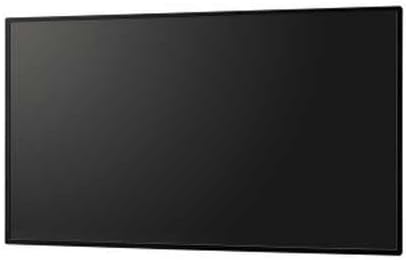
Foto 1: N'ihu view of the Sharp PNB501 50-inch monitor, showcasing ya sleek imewe.
Melite
Follow these steps to set up your Sharp PNB501 monitor. Ensure all components are present and undamaged before proceeding.
1. Mwepu na ntinye
- Carefully remove the monitor from its packaging. Retain all packaging materials for future transport or storage.
- Place the monitor on a stable, flat surface or mount it securely using a compatible VESA mount (sold separately). Ensure adequate ventilation around the display.
2. Njikọ eriri
The PNB501 features various input ports for versatile connectivity.
Ọgụgụ 2: N'azụ view of the monitor, highlighting the various input and output ports.
- Njikọ ike: Connect the power cord to the monitor's AC inlet and then to a grounded electrical outlet.
- Ntinye vidiyo: Connect your video source (e.g., PC, media player) to the monitor using a DisplayPort cable (Display Port x 1 Mini) or other available video inputs.
- Njikọ Audio: If your video source does not transmit audio via the video cable, connect an audio cable from your source to the monitor's audio input.
- Njikọ netwọk: For network features or SoC functionality, connect an Ethernet cable to the LAN port.
3. Gbanwee ike mbụ
- Press the power button on the monitor or remote control.
- The monitor will display the Sharp logo and then search for an active input signal.
- If no signal is detected, ensure your source device is powered on and the correct input is selected on the monitor.
Ntuziaka ọrụ
This section covers the basic operation of your Sharp PNB501 monitor.
1. Gbanyụọ / gbanyụọ
- Ka ịgbanwuo ihe nleba anya, pịa Ike button on the monitor's control panel or the remote control.
- To turn off the monitor, press the Ike button again. The monitor will enter standby mode.
2. Nhọrọ Ntinye
Ka ịgbanwee n'etiti isi mmalite vidiyo dị iche iche:
- Pịa Ntinye or Isi mmalite button on the remote control or monitor.
- Use the navigation buttons to select the desired input (e.g., DisplayPort, HDMI).
- Pịa Banye or OK iji kwado nhọrọ gị.
3. Ntugharị menu
Access and adjust monitor settings using the On-Screen Display (OSD) menu:
- Pịa NchNhr bọtịnụ iji mepee OSD.
- Jiri ihe Elu/ala or Aka ekpe/aka nri navigation buttons to browse through menu options (e.g., Picture, Audio, System).
- Pịa Banye or OK to select a sub-menu or adjust a setting.
- Use the navigation buttons to change values or select options.
- Pịa NchNhr ọzọ ma ọ bụ Ụzọ ọpụpụ to close the OSD.
Nlekọta
Proper maintenance ensures the longevity and optimal performance of your Sharp PNB501 monitor.
1. Na-ehicha ihuenyo
- Gbanyụọ mgbe niile ma wepụ ihe nleba anya tupu ihicha ya.
- Jiri akwa dị nro na-enweghị ntụpọ dampejiri mmiri ma ọ bụ ihe ngwọta nhicha ihuenyo pụrụ iche mee ya.
- Jiri nwayọọ hichaa elu ihuenyo ahụ. Zere itinye nrụgide gabigara ókè.
- Do not use abrasive cleaners, alcohol, benzene, or thinners, as these can damage the screen surface.
2. Na-ehicha kabinet
- Wipe the monitor cabinet with a soft, dry cloth.
- Maka unyi siri ike, jiri ákwà dị nroampened with a mild, non-abrasive detergent solution, then wipe dry.
3. Nchekwa
- If storing the monitor for an extended period, place it in its original packaging to protect it from dust and physical damage.
- Chekwaa n'ebe dị jụụ, kpọrọ nkụ na-adịghị na ìhè anyanwụ kpọmkwem na oke okpomọkụ.
Nchọpụta nsogbu
This section provides solutions to common issues you might encounter with your Sharp PNB501 monitor. If the problem persists, please contact customer support.
Enweghị ike
- Ensure the power cord is securely connected to both the monitor and a working electrical outlet.
- Lelee ma ọ bụrụ na ebe ọkụ eletrik ahụ na-arụ ọrụ site na ịpịnye ngwaọrụ ọzọ.
- Press the power button firmly on the monitor or remote control.
Enweghị mgbaama / Ihuenyo oghere
- Verify that the video cable (e.g., DisplayPort) is securely connected to both the monitor and the source device.
- Ensure the source device (e.g., computer) is powered on and outputting a signal.
- Use the monitor's input selection feature to ensure the correct input source is chosen.
- Try connecting a different video source or cable to rule out a faulty component.
Ogo Foto adịghị mma
- Check the resolution settings on your source device. Ensure it is set to the monitor's native resolution (1920x1080).
- Adjust picture settings (brightness, contrast, sharpness) via the OSD menu.
- Ensure the video cable is not damaged or excessively long.
Enweghị ọdịyo
- Increase the volume on the monitor and the source device.
- Check if the audio cable is properly connected (if not using audio over DisplayPort).
- Ensure the audio output on your source device is not muted or set to an incorrect output.
Nkọwapụta
Detailed technical specifications for the Sharp PNB501 monitor:
| Njirimara | Nkọwapụta |
|---|---|
| Ụdị | Nkọ |
| Nọmba nlereanya | PN-B501 |
| Ngosipụta ihuenyo nha | 49.5 sentimita asatọ |
| Mkpebi ihuenyo | 1920x1080 (FHD 1080p) |
| Akụkụ akụkụ | 16:9 |
| Nkọwa ihu ihu ihuenyo | kenkowaputa |
| Ibu Ibu | 49 pound |
| Akụkụ ngwaahịa (LxWxH) | 44.21 x 2.76 x 25.47 sentimita asatọ |
| Ọnụọgụ nke Nhazi | 4 (Built-in SoC) |
| Onye nrụpụta | Ụlọ ọrụ SHARP ELECTRONICS CORP |
| Ụbọchị mbụ dị | Maachị 2, 2018 |
Akwụkwọ ikike na nkwado
Sharp stands behind the quality of its products. For specific warranty terms and conditions, please refer to the warranty card included with your product or visit the official Sharp website. General support information is provided below.
Nkwado ndị ahịa
If you require technical assistance, have questions about your product, or need to arrange for service, please contact Sharp customer support. You can often find contact information on the official Sharp websaịtị ma ọ bụ site na onye na-ere ahịa ebe ịzụrụ ngwaahịa ahụ.
For additional resources and product information, you may visit the official Sharp store page:
Visit the Sharp Store on Amazon
Please note that return policies, such as the 30-day easy returns, are typically handled by the retailer.


