1. Okwu mmalite
This manual provides comprehensive instructions for the installation, operation, and maintenance of the FAAC E600 (D600) Electronic Board Remote Control. Please read this manual carefully before using the product to ensure safe and efficient operation. Keep this manual for future reference.
2. Ozi nchekwa
Na-edebe nchekwa nchekwa ndị a mgbe niile ka igbochi mmerụ ahụ ma ọ bụ mmebi ngwaahịa:
- Ensure the power supply is disconnected before any installation or maintenance procedures.
- Naanị ndị ọrụ ruru eru kwesịrị ịrụ nrụnye na nrụzi.
- Ewepụla ngwaọrụ ahụ na oke okpomọkụ, iru mmiri, ma ọ bụ ìhè anyanwụ kpọmkwem.
- Debe ngwaọrụ ahụ n'ebe ụmụaka nọ na anụ ụlọ.
- Use only original FAAC spare parts and accessories.
3. Ihe ngwugwu
Chọpụta na ihe niile dị na ngwugwu:
- FAAC E600 (D600) Electronic Board Remote Control
- Akwụkwọ ntuziaka (akwụkwọ a)
- Ngwa mgbakwasa (ọ bụrụ na ọdabara)
4. Ngwaahịa gafereview
The FAAC E600 (D600) is an electronic board remote control designed for reliable operation of compatible FAAC systems. It features a robust design and ergonomic handling.
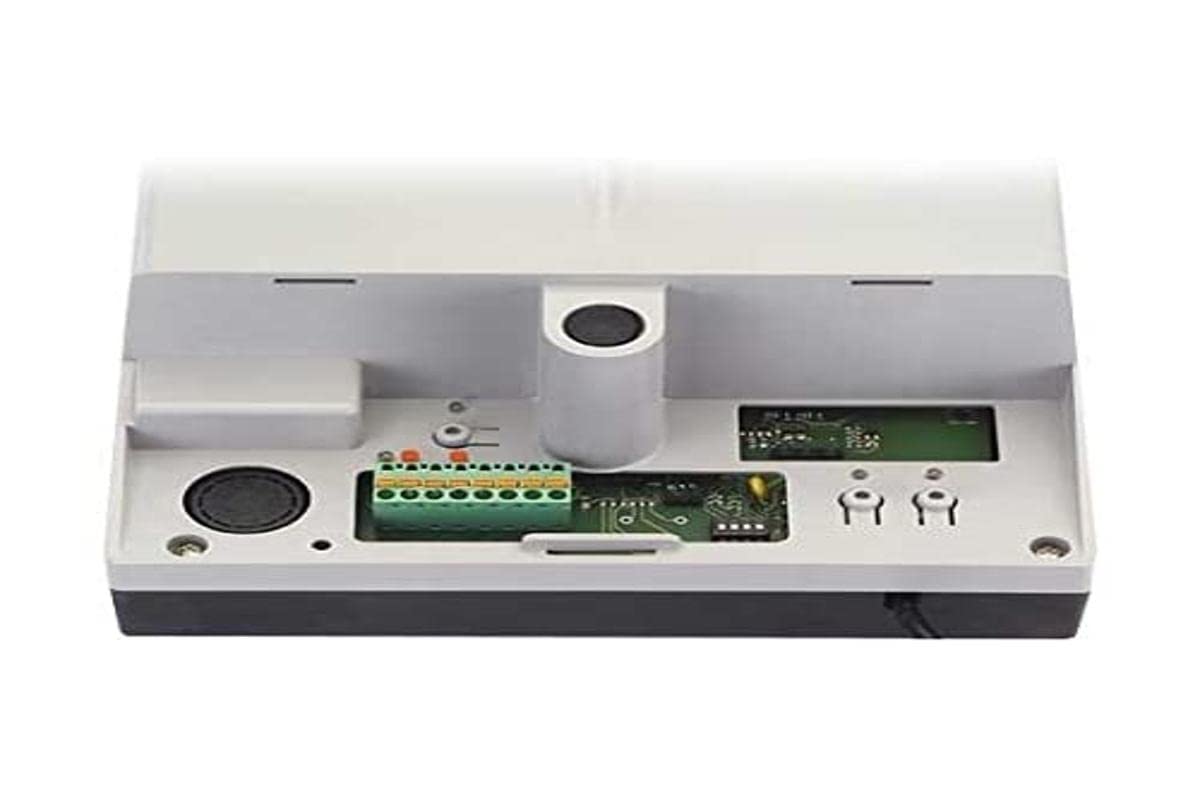
Image 1: FAAC E600 (D600) Electronic Board Remote Control. This image shows the compact design of the remote control unit.
Atụmatụ gụnyere:
- Nhazi Ergonomic: Ọ dị mma ijide na iji.
- Njikọta: Radio frequency and Infrared technology for versatile control.
- Ọnụọgụ bọtịnụ: 1 button for simple operation.
5. Ntọala na nwụnye
Follow these steps to set up your FAAC E600 (D600) remote control:
- Nwụnye batrị:
Open the battery compartment on the back of the remote control. Insert the required batteries, ensuring correct polarity (+/-). Close the compartment securely.
- Ejikọ ya na onye nnata:
Refer to the manual of your FAAC receiver unit (e.g., gate opener, barrier system) for specific pairing instructions. Typically, this involves pressing a programming button on the receiver and then pressing the button on the E600 (D600) remote control within a short timeframe.
- Nnwale:
After successful pairing, test the remote control's functionality by operating the connected device from a safe distance.
6. Ntuziaka ọrụ
The FAAC E600 (D600) remote control is designed for simple, single-button operation.
- Rụọ ọrụ: Press and hold the single button on the remote control. The connected FAAC device will respond according to its programmed function (e.g., open/close gate, activate barrier).
- Oke: Ensure you are within the operational range of the receiver for reliable communication. Obstacles can reduce the effective range.
7. Nlekọta
Iji hụ na ogologo ndụ na ịrụ ọrụ kacha mma nke njikwa remote gị, soro ntuziaka mmezi ndị a:
- Nhicha: Jiri ákwà dị nro ma kpọọ nkụ hichaa ihe njikwa remote. Ejila ihe nhicha ma ọ bụ ihe mgbaze.
- Ngbanwe batrị: Replace batteries when the operational range decreases or the indicator light (if present) signals low power. Dispose of old batteries responsibly.
- Nchekwa: Store the remote control in a dry place, away from direct sunlight and extreme temperatures, when not in use for extended periods.
8. Nchọpụta nsogbu
If you encounter issues with your FAAC E600 (D600) remote control, refer to the following table:
| Nsogbu | Ihe nwere ike ime | Ngwọta |
|---|---|---|
| Njikwa anya anaghị arụ ọrụ. | Batrị nwụrụ anwụ. | Dochie batrị. |
| Njikwa ime obodo nwere obere oge. | Low batteries; Obstruction between remote and receiver. | Replace batteries; Ensure clear line of sight or reduce distance. |
| Device not responding after battery change. | Remote control lost pairing with receiver. | Re-pair the remote control with the receiver (refer to Section 5). |
If the problem persists, contact FAAC customer support or a qualified technician.
9. Nkọwapụta
| Njirimara | Nkọwa |
|---|---|
| Ụdị | FAAC |
| Aha Nlereanya | E600 (D600) |
| Njirimara Pụrụ Iche | Ergonomic |
| Ngwa dakọtara | FAAC Camera Systems (and other compatible FAAC devices) |
| Teknụzụ Njikọta | Radio Frequency, Infrared |
| Ọnụọgụ bọtịnụ | 1 |
| Ụdị njikwa | Njikwa bọtịnụ |
| Ibu Ibu | 100 grams |
| Koodu edemede mba ụwa (EAN) | 08055195014853 |
10. Akwụkwọ ikike na nkwado
For warranty information and technical support, please refer to the official FAAC website or contact your authorized FAAC dealer. Keep your proof of purchase for warranty claims.


