Okwu mmalite
The House of Marley No Bounds EM-JA015-RD is a rugged, portable Bluetooth speaker designed for outdoor use. It features a durable, water- and dust-proof construction, a long-lasting battery, and sustainable materials. This manual provides essential information for setting up, operating, maintaining, and troubleshooting your No Bounds speaker.

Image: The House of Marley No Bounds speaker, showcasing its compact design and red finish.
Kedu ihe dị na Igbe ahụ
Upon unboxing your House of Marley No Bounds speaker, verify that all components are present:
- House of Marley No Bounds Portable Bluetooth Speaker
- Igwe nchaji USB
- Ihe nkiri Carabiner
- Ntuziaka mmalite ngwa ngwa (anaghị etinye ya na ntuziaka a)
Njirimara ngwaahịa
The No Bounds speaker offers a range of features for an enhanced audio experience:
- Ụda kacha elu: Delivers balanced, crisp audio.
- Ndụ batrị nke awa 10: Provides extended playtime with quick-charge technology.
- Waterproof and Dust-proof (IP67): Designed to withstand immersion in water up to 1 meter for 30 minutes and is fully protected against dust.
- Buoyant Design: Floats on water, making it ideal for poolside or beach use.
- Carabiner agbakwunyere: Allows for easy attachment to bags or belts for portability.
- Ọrụ ekwe ntị: Igwe okwu arụnyere maka oku na-enweghị aka.
- Ntinye inyeaka: For wired connection to compatible devices.
- Ihe na-adigide Crafted from REWIND™ fabric, REGRIND™ cork, REGRIND™ silicone, and recyclable aluminum.

Foto: Akụkụ view illustrating key features like battery life, carabiner, and sustainable materials.

Foto: N'ihu view showing the AUX input, speakerphone capability, and buoyant feature.
Melite
1. gingchaji Okwu Okwu
- Jikọọ eriri USB na-ebunye na ọdụ ụgbọ mmiri dị na ọkà okwu.
- Plug the other end of the USB cable into a USB power adapter (not included) or a computer's USB port.
- The LED indicator will show charging status. A full charge provides approximately 10 hours of playtime.
2. Njikọ Bluetooth
- Gbaa mbọ hụ na chajịrị ọkà okwu.
- Pịa ma jide bọtịnụ ike (O) on the speaker until you hear an audible cue and the LED indicator begins to flash, indicating it is in pairing mode.
- Na ama ma ọ bụ mbadamba gị, gaa na ntọala Bluetooth.
- Select "No Bounds" from the list of available devices.
- Once paired, the speaker will emit an audible confirmation, and the LED indicator will glow solid.

Image: Speaker connected wirelessly via Bluetooth to a mobile device.
Ntuziaka ọrụ
Gbanyụọ/ Gbanyụọ
- To power on, press and hold the Power button (O) until the LED indicator lights up.
- To power off, press and hold the Power button (O) until the LED indicator turns off.
Njikwa olu
- Pịa bọtịnụ Mpịakọta Elu (+) to increase volume.
- Pịa bọtịnụ Mbelata Olu (-) to decrease volume.
Egwu Egwu
- Pịa bọtịnụ Play/kwụsịtụ (||) ịkpọ ma ọ bụ kwụsịtụ egwu.
- Pịa bọtịnụ Play/Pause ugboro abụọ (||) ịgafe na egwu na-esote.
- Triple-press the Play/Pause button (||) to go to the previous track.
Ọrụ Ekwentị Ọkà Okwu
- When a call comes in, press the Play/Pause button (||) zaa.
- Pịa bọtịnụ Play/kwụsịtụ (||) again to end the call.
- Pịa ma jide bọtịnụ Play/Pause (||) to reject an incoming call.
Ntinye inyeaka
- Jikọọ eriri ọdịyo 3.5mm (anaghị etinye ya) site na isi iyi ọdịyo gị gaa n'ọdụ ụgbọ mmiri ntinye AUX na ọkà okwu.
- Ọkà okwu ga-agbanwe ozugbo gaa na ọnọdụ AUX.
Nlekọta
Nhicha
- Jiri nwayọ hichaa ọkà okwu, damp akwa . Ejila kemịkalụ siri ike ma ọ bụ ihe mkpocha abrasive.
- For cork surfaces, gently wipe with a damp akwa ma kwe ka ikuku kpoo.
Mgbochi mmiri na uzuzu (IP67)
- The speaker is rated IP67, meaning it is protected from dust ingress and can withstand immersion in water up to 1 meter for 30 minutes.
- Hụ na e mechiri mkpuchi ọdụ chaja nke ọma tupu ikpughee igwe okwu ahụ na mmiri ma ọ bụ uzuzu.
- Mgbe i jiri mmiri kpughee ya, kpoo igwe okwu ahụ nke ọma tupu ị chajie ya.

Image: The speaker demonstrating its durability and resistance to outdoor elements.
Nchekwa
- Chekwaa ọkà okwu n'ebe dị jụụ, kpọrọ nkụ na-adịghị na ìhè anyanwụ kpọmkwem na oke okpomọkụ.
- Ọ bụrụ na ị na-echekwa batrị ahụ ruo ogologo oge, chajie batrị ahụ mgbe niile iji hụ na ọ dị mma.
Nchọpụta nsogbu
If you encounter issues with your No Bounds speaker, refer to the following common solutions:
| Nsogbu | Ngwọta enwere ike |
|---|---|
| Ọkà okwu anaghị agba ọkụ | Hụ na batrị ahụ chajị. Jiri eriri USB jikọọ ọkà okwu ahụ na isi iyi ike. |
| Enweghị ike ijikọ site na Bluetooth | Make sure the speaker is in pairing mode (flashing LED). Turn off and on Bluetooth on your device. Move the speaker closer to your device. Forget the device in your Bluetooth settings and try pairing again. |
| Enweghị ụda ma ọ bụ olu dị ala | Check the volume levels on both the speaker and your connected device. Ensure the speaker is not muted. If using AUX, ensure the cable is fully inserted and functional. |
| Mgbagwoju anya ụda | Reduce the volume on both the speaker and your connected device. Ensure there are no obstructions between the speaker and your Bluetooth device. |
Nkọwapụta
| Njirimara | Nkọwa |
|---|---|
| Aha Nlereanya | EM-JA015-RD |
| Ụdị | Marley |
| Teknụzụ Njikọta | Bluetooth, inyeaka |
| Nkwukọrịta ikuku | Bluetooth |
| Ụdị Ọkà Okwu | N'èzí |
| Njirimara Pụrụ Iche | Built-in Microphone (Speakerphone) |
| Ngosi nke enweghị mmiri | IP67 |
| Ndụ batrị | Ruo awa iri abụọ |
| Isi Iyi Ike | Akwadoro batrị (1 batrị lithium ion achọrọ) |
| Ihe onwunwe | Aluminum, Metal, REWIND™ Fabric, REGRIND™ Cork, REGRIND™ Silicone |
| Ibu Ibu | 227 g |
| Akụkụ ngwaahịa (LxWxH) | 1.27 x 1.27 x 1.27 cm (approx. 13 x 13 x 13 mm) |
| Ike Nwepu kacha elu | 15 Watt |
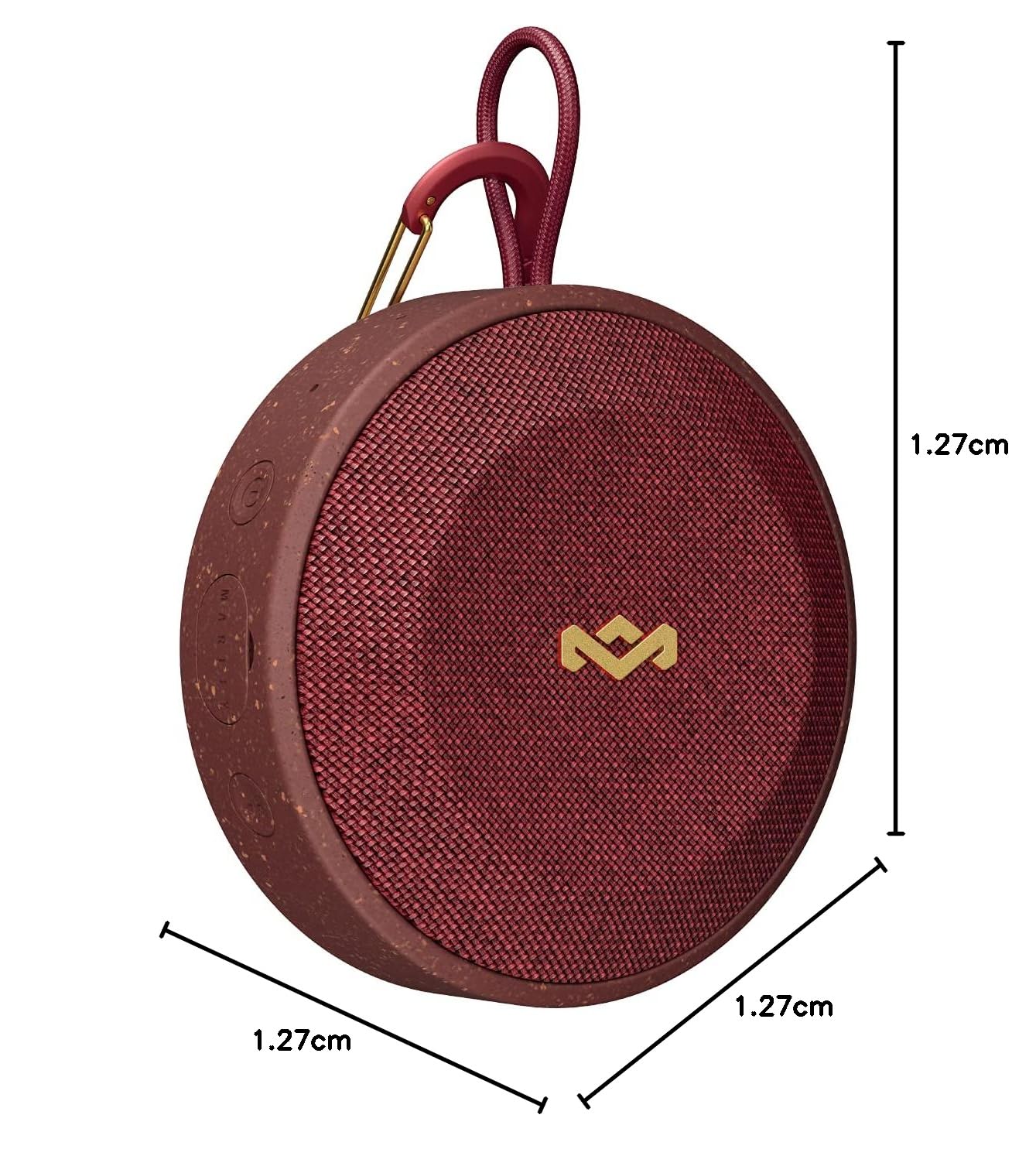
Image: Speaker with indicated dimensions.
Akwụkwọ ikike na nkwado
For warranty information and customer support, please refer to the official House of Marley websaịtị ma ọ bụ kpọtụrụ ndị ahịa ha ozugbo. Debe ihe akaebe nke ịzụrụ ihe maka akwụkwọ ikike.


