1. Nhazi
Ihe ngwugwu 1.1
Gbaa mbọ hụ na akụrụngwa niile dị:
- DADA-TECH Kids Sonic Electric Toothbrush handle
- Replacement Brush Heads (3 included)
- Akwụkwọ ntuziaka onye ọrụ
1.2 Ntinye batrị
The toothbrush is battery-operated. To install or replace the battery:
- Twist the bottom cap of the toothbrush handle counter-clockwise to open the battery compartment.
- Insert one AAA battery, ensuring correct polarity (+/-).
- Twist the bottom cap clockwise to securely close the compartment.
1.3 Na-agbakwunye isi ahịhịa
To attach a brush head:
- Align the brush head with the shaft on the toothbrush handle.
- Twist the brush head clockwise until it clicks securely into place.
- To remove, twist counter-clockwise and pull gently.
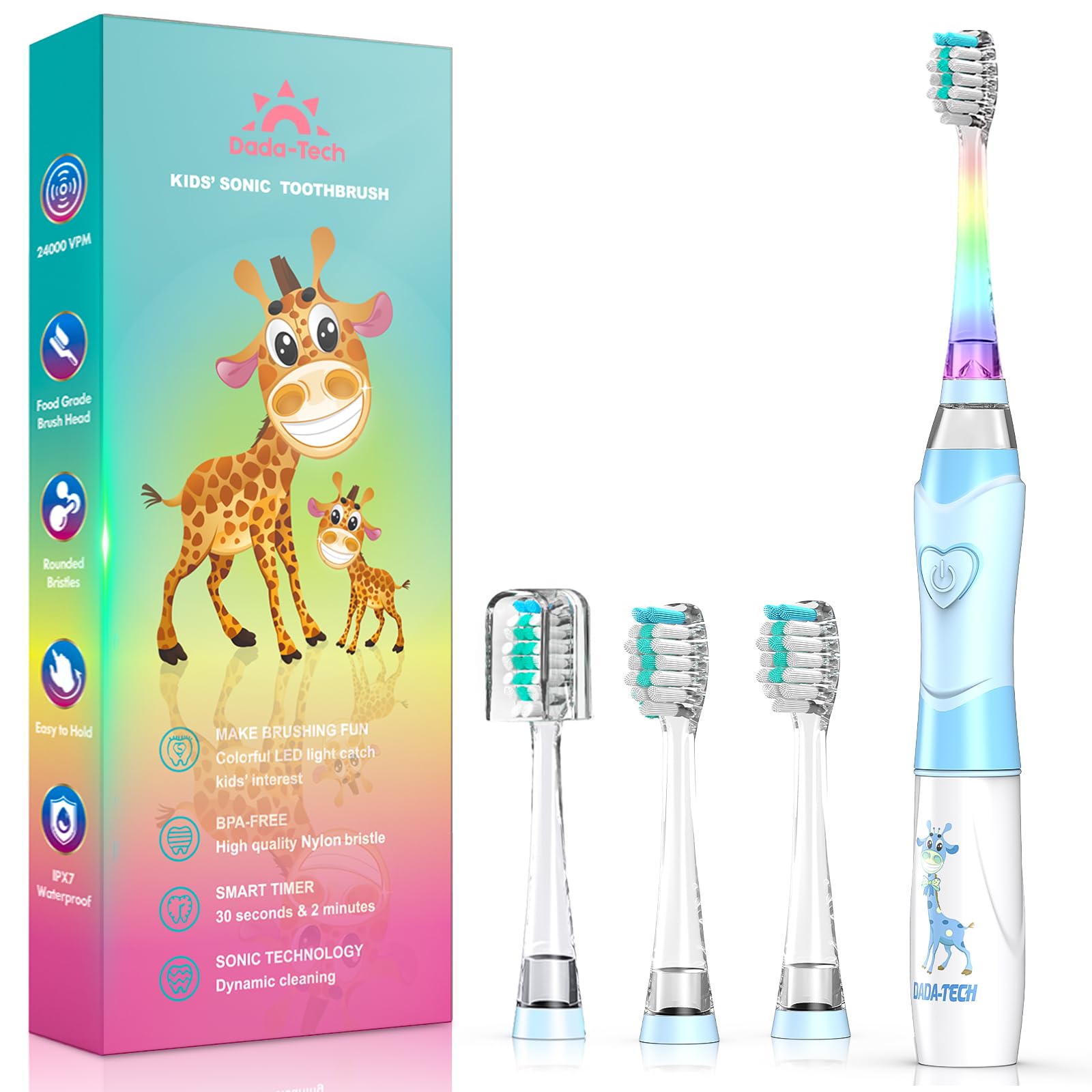
Figure 1: DADA-TECH Kids Sonic Electric Toothbrush (Blue Giraffe)

Figure 2: Toothbrush Components and Battery Compartment
2. Ntuziaka ọrụ
2.1 Ịgbanwu/ Gbanyụọ yana Nhọrọ ọnọdụ
Press the power button on the handle to cycle through the operating modes:
- Pịa mbụ: Activates the toothbrush with sonic vibrations and a white LED light for inspection.
- Pịa nke abụọ: Activates the toothbrush with sonic vibrations and a rainbow LED light mode, designed to make brushing engaging.
- Pịa nke atọ: Turns the toothbrush off.
2.2 Brushing Technique and Timer
The toothbrush features a built-in 2-minute timer and 30-second pulse reminders to guide proper brushing habits:
- Tinye nha nha nha nha nha n'isi ahịhịa.
- Place the brush head against the teeth at a slight angle towards the gum line.
- Gently move the brush across the teeth, allowing the sonic vibrations to clean.
- The toothbrush will pause briefly every 30 seconds, signaling to move to a different quadrant of the mouth (upper right, upper left, lower right, lower left).
- After 2 minutes, the toothbrush will automatically turn off, indicating the completion of the recommended brushing time.
Video 1: Demonstration of the DADA-TECH Kids Electric Toothbrush Rainbow Light Series, showcasing its colorful LED lights and sonic action.
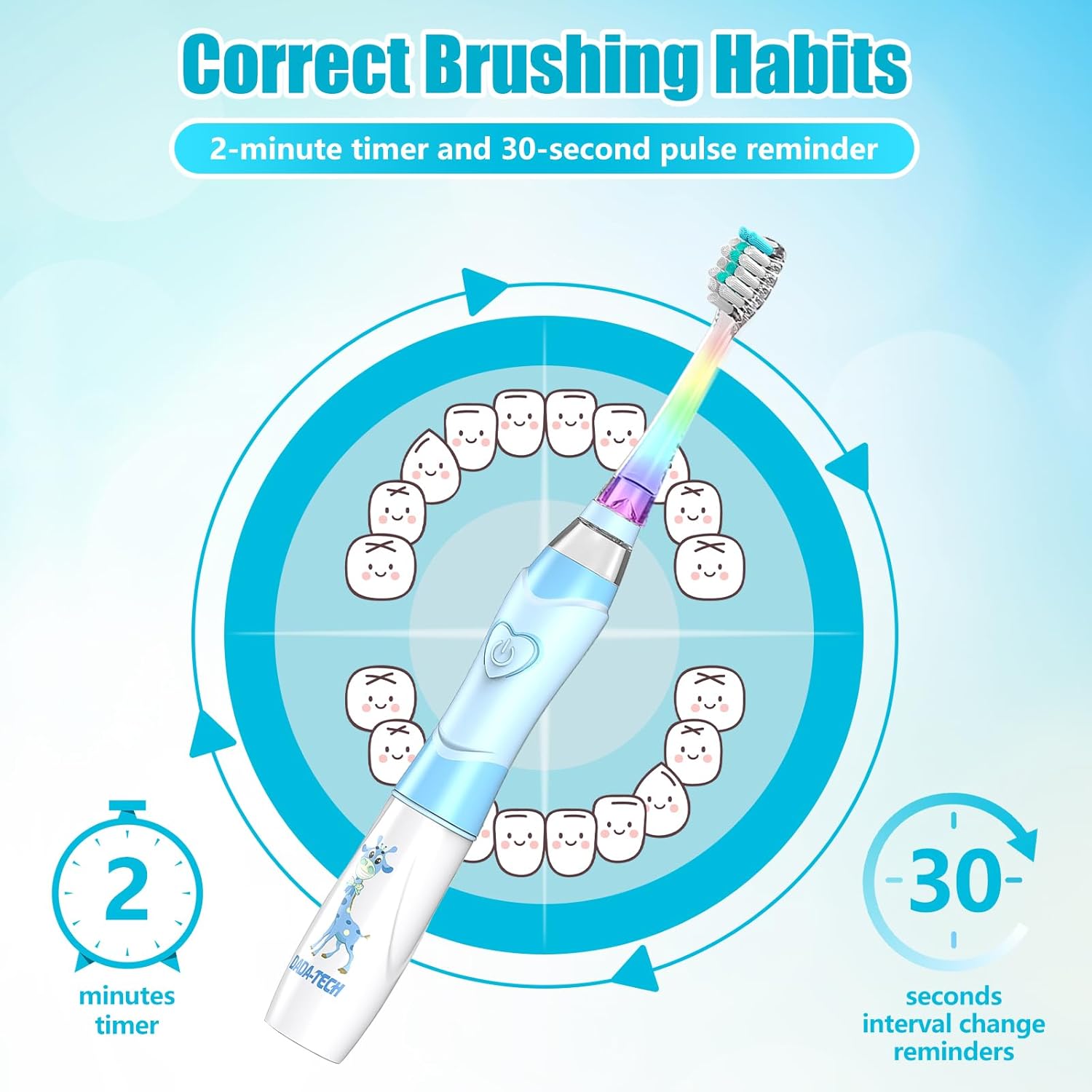
Figure 3: Brushing Habits with 2-Minute Timer and 30-Second Pulse Reminders

Figure 4: LED White Light for Oral Inspection
3. Nlekọta
3.1 Ihicha ahịhịa eze
Mgbe ojiji nke ọ bụla:
- Sachaa isi ahịhịa nke ọma n'okpuru mmiri pọmpụ.
- Jiri mgbasa ozi hichapụ aka ahụamp akwa .
- The toothbrush is IPX7 waterproof, allowing for safe rinsing under water, but avoid prolonged submersion.

Foto nke 5: Njirimara IPX7 nke na-anaghị echebe mmiri
3.2 Dochie isi ahịhịa
Dentists recommend replacing brush heads every 3 months, or sooner if bristles are frayed. Refer to section 1.3 for instructions on attaching and removing brush heads.

Figure 6: Soft Nylon Bristles and Food-Grade Brush Head
4. Nchọpụta nsogbu
| Nsogbu | Ihe nwere ike ime | Ngwọta |
|---|---|---|
| Ahịhịa eze anaghị agbanwuo. | Batrị anwụọla ma ọ bụ etinyere ya na ezighi ezi. | Replace the AAA battery or ensure it is inserted with correct polarity. |
| Weak vibration or LED light. | Ike batrị dị ala. | Dochie batrị AAA. |
| Brush head is loose. | Brush head not securely attached. | Ensure the brush head is twisted clockwise until it clicks into place. |
5. Nkọwapụta
- Ụdị: DT-K6
- Akara: DADA-TECH
- Ogologo afọ: Kid (2-12 years)
- Isi mmalite ike: Battery Operated (1x AAA battery)
- Vibrations Per Minute (VPM): 24,000
- Ihe Bristle: Nylon (Ultra Soft, >90% rounded tips)
- Ihe ejikwa: Acrylonitrile Butadiene Styrene (ABS) and TPE
- Ọnụọgụ enweghị mmiri: IPX7
- Atụmatụ pụrụ iche: 2-Minute Timer, 30-Second Pulse Reminder, Rainbow LED Light, White LED Inspection Light, BPA-Free, Non-slip handle
- Akụkụ ngwaahịa: 7.24 x 0.79 x 0.79 sentimita asatọ
- Ibu ihe: 2.08 ounces
- Ngwa gụnyere: Toothbrush handle, 3 Replacement Brush Heads, User Manual
- UPC: 615311758351
6. Akwụkwọ ikike & Nkwado
DADA-TECH offers a two-year warranty for this product. For warranty claims or any support inquiries, please follow these steps:
- Banye na akaụntụ Amazon gị.
- Navigate to "Your orders".
- Find the order ID for your DADA-TECH Kids Sonic Electric Toothbrush.
- Click on "Contact seller" to reach DADA-TECH customer support.
This process ensures you receive prompt assistance and helps us understand customer needs for continuous improvement.


