Okwu mmalite
The Coleman 360° Sound and Light Lantern is a versatile device designed for outdoor and indoor use, combining a 360-degree LED light with a wireless Bluetooth speaker. This manual provides essential information for safe and effective operation of your lantern.
Atụmatụ igodo
- Provides 360 degrees of light for wide area illumination.
- Built-in Bluetooth speaker for wireless audio streaming.
- USB charging capability for the integrated rechargeable battery.
- IPX4 water-resistant design for protection against splashing water.
- Multiple light runtime settings: 7 hours on high, 16 hours on medium, 40 hours on low.
Ihe ngwugwu
- Coleman 360° Sound and Light Lantern
- USB Chaja USB (Rịba ama: Agụnyere ihe nkwụnye mgbidi)
Melite
Nchaji mbụ
Before using your Coleman 360° Sound and Light Lantern for the first time, ensure it is fully charged.
- Locate the USB charging port at the base of the lantern. It is typically covered by a rubber flap for protection.
- Connect the provided USB charging cable to the lantern's port.
- Plug the other end of the USB cable into a compatible USB power source (e.g., a computer USB port, a USB wall adapter, or a portable power bank).
- The charging indicator light will illuminate, typically red, to show that the lantern is charging. The light will change or turn off when charging is complete.

Image: The Coleman 360° Sound and Light Lantern being charged via its USB port. The port is located at the base, covered by a rubber flap, and a red indicator light is visible during charging.
Ntuziaka ọrụ
Powering On/Off and Light Modes
The lantern features a multi-function control dial on the top for managing both light and audio functions.

Image: Close-up of the lantern's top control panel, showing the central dial for light adjustment and surrounding buttons for audio control (Bluetooth, volume, play/pause).
- To turn on the light, rotate the central dial clockwise from the 'off' position.
- Continue rotating the dial clockwise to cycle through the three available brightness settings: Low, Medium, and High.
- To turn off the light, rotate the dial counter-clockwise until it clicks into the 'off' position.

Image: Graphic illustrating the three light modes (Low, Medium, High) with corresponding lumen outputs (80, 175, 400 lumens) for the Coleman 360° Sound and Light Lantern.
Ọrụ Ọkà Okwu Bluetooth
The integrated Bluetooth speaker allows you to stream audio wirelessly from your compatible device.
- To activate Bluetooth pairing mode, press and hold the Bluetooth button (indicated by a Bluetooth symbol) on the top control panel. The indicator light will flash, signaling it is ready to pair.
- Na ngwaọrụ mkpanaaka gị (smartphone, tabletị, wdg), gbanye Bluetooth wee chọọ ngwaọrụ dịnụ.
- Select "Coleman 360 Sound and Light Lantern" (or a similar name) from the list of found devices to establish a connection. A confirmation tone will sound upon successful pairing.
- Use the volume buttons (+/-) on the lantern's control panel to adjust the speaker volume.
- Use the play/pause button to control audio playback.
- To disconnect, turn off Bluetooth on your mobile device or press and hold the Bluetooth button on the lantern again.

Image: Graphic highlighting the built-in Bluetooth speaker feature of the Coleman 360° Sound and Light Lantern, showing musical notes emanating from the speaker.
Nlekọta
- Nhicha: Jiri nwayọ hichaa mpụta nke oriọna, damp akwa . Ejila ihe nchacha abrasive, ihe mgbaze, ma ọ bụ kemịkalụ siri ike, n'ihi na ndị a nwere ike imebi njedebe ma ọ bụ ihe dị n'ime.
- Nchekwa: When not in use, store the lantern in a cool, dry place away from direct sunlight and extreme temperatures. For long-term storage, ensure the battery is partially charged (around 50%) to maintain battery health.
- Nlekọta batrị: To prolong the lifespan of the integrated lithium-ion battery, recharge it regularly, even if the lantern is not in frequent use. Avoid fully discharging the battery for extended periods.
Nchọpụta nsogbu
Ìhè anaghị agbanwu
- Ensure the battery is charged. Connect the lantern to a power source and check if the charging indicator light illuminates.
- Verify that the control dial is rotated past the "off" position to one of the brightness settings (Low, Medium, or High).
Igwe okwu Bluetooth anaghị ejikọta
- Ensure the lantern's Bluetooth is in pairing mode (the indicator light should be flashing).
- Check that Bluetooth is enabled on your mobile device and that the device is within range of the lantern.
- Try unpairing the lantern from your device's Bluetooth settings and then re-pairing it.
- Ensure the lantern's battery is sufficiently charged, as low battery can affect Bluetooth functionality.
Ogo ụda adịghị mma
- Adjust the volume on both the lantern and your connected mobile device.
- Ensure there are no physical obstructions between the lantern and your device that could interfere with the Bluetooth signal.
- Move your mobile device closer to the lantern to improve signal strength and clarity.
Nkọwapụta
| Njirimara | Nkọwa |
|---|---|
| Ọkwa Nguzogide mmiri | IPX4 (mmiri na-eguzogide) |
| Battery Life (Light - High) | Awa 7 |
| Battery Life (Light - Medium) | Awa 16 |
| Battery Life (Light - Low) | Awa 40 |
| Battery Life (Speaker) | Ruo awa 20 |
| Ụdị batrị | Lithium ion (gụnyere) |
| Voltage | 3.7 volts |
| Wattage | 2.67 watt |
| Akụkụ ihe (LxWxH) | 11.25 x 6 x 5.62 sentimita asatọ |
| Ibu Ibu | 1.3 pound |
| Ụdị isi iyi ọkụ | ọkụ Emitting Diode (LED) |
| Aha Nlereanya | 2000033384 |
| UPC | 076501243789 |
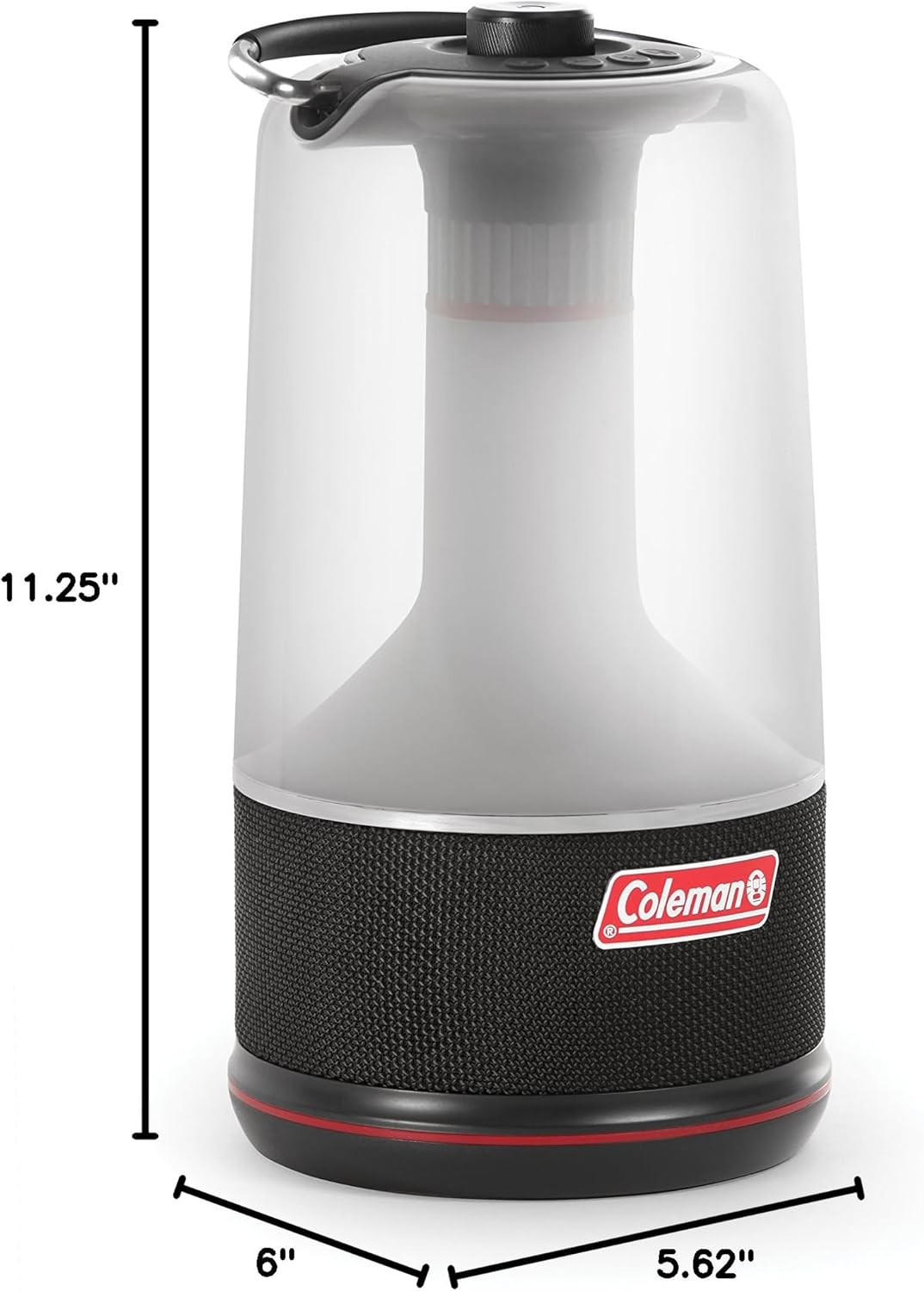
Image: Diagram showing the dimensions of the Coleman 360° Sound and Light Lantern, with a height of 11.25 inches and a base diameter of 6 inches by 5.62 inches.
Akwụkwọ ikike na nkwado
This Coleman product comes with a manufacturer's warranty. For specific warranty details, terms, and conditions, please refer to the documentation included with your product. For further support or inquiries, visit the official Coleman websaịtị ma ọ bụ kpọtụrụ ndị ahịa ha ọrụ.
Vidiyo ngwaahịa
Coleman 360° Sound and Light Lantern Overview
Vidiyo: Onye ọrụ gọọmentị gafereview of the Coleman 360° Sound and Light Lantern, demonstrating its features and functionality.


