1. Okwu mmalite
Thank you for choosing the Fifine K670 USB Microphone. This manual provides essential information for setting up, operating, and maintaining your microphone to ensure optimal performance. The K670 is a versatile condenser microphone designed for high-quality audio capture on Mac and Windows computers, suitable for various applications including recording, streaming, podcasting, and voice overs.

The Fifine K670 USB Microphone, shown with its included desktop stand and USB cable, ready for connection.
2. Ngwaahịa gafereview & Atụmatụ
- Njikọ USB: Plug-and-play operation for seamless connection to Mac and Windows computers.
- Ụda dị oke mma: Optimized for clear, rich, and warm audio capture, ideal for various vocal applications.
- Ihe owuwu na-adịgide adịgide: Features an all-metal body for enhanced durability and a premium feel.
- Njikwa agbakwunyere: Includes a convenient volume control knob and a 3.5mm headphone jack for real-time, zero-latency monitoring.
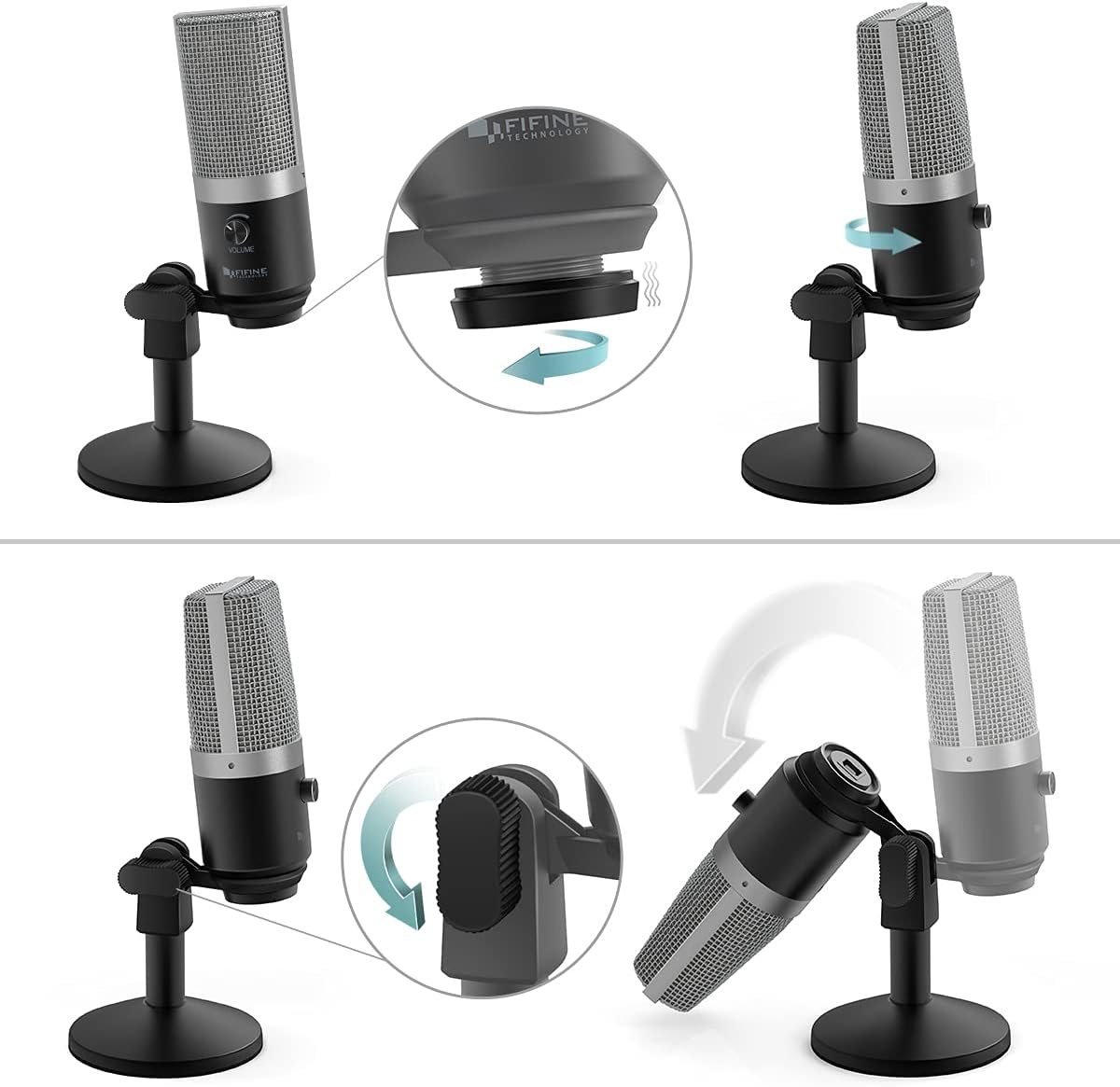
- Nkwụzigharị: Comes with a detachable desktop stand that allows for height and angle adjustments, offering flexibility in placement.
- Sound Isolation: Designed to minimize background noise and prevent echo, ensuring crisp and clean audio output.
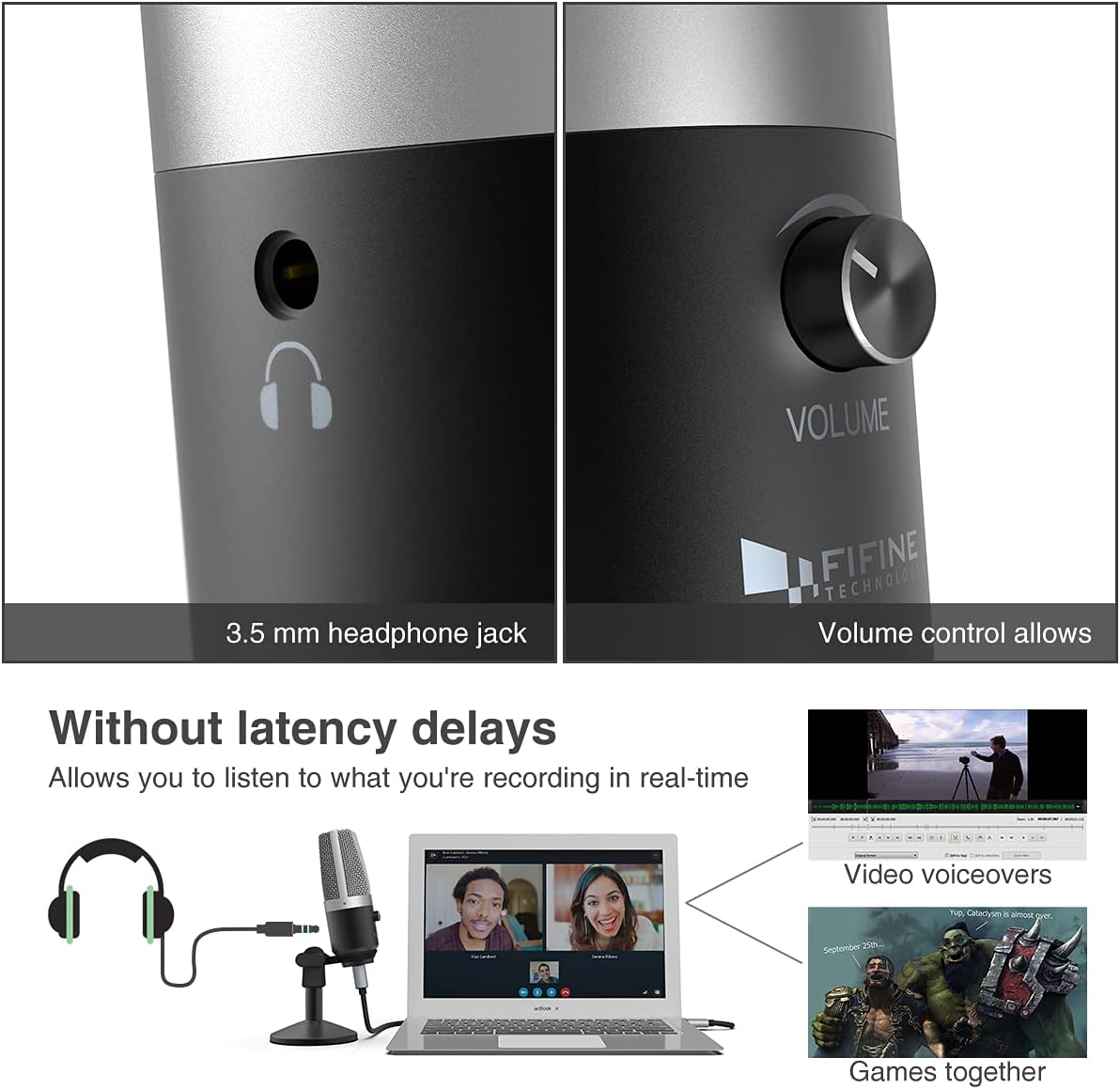
A nso-elu view highlighting the 3.5mm headphone jack for real-time monitoring and the integrated volume control knob for easy audio adjustments.
3. Kedu ihe dị na Igbe ahụ
Your Fifine K670 USB Microphone package includes the following items:
- Fifine K670 USB Microphone
- Detachable Desktop Stand (base and adjustable pole sections)
- USB Cable (approximately 6.56 ft / 2 meters)
- 3/8" to 5/8" Adapter (for compatibility with various boom arms)
- Ntuziaka onye ọrụ
All components included in the package: the K670 microphone, a 6.56 ft USB cable, a detachable desktop stand, a 3/8" to 5/8" adapter, and the user's guide.
4. Nhazi
- Kpọkọta Stand: Screw the microphone onto the desktop stand. The stand is designed for stability and can be adjusted for height and angle.
- Jikọọ eriri USB: Plug the USB-C end of the provided cable into the microphone's USB port. Connect the USB-A end to an available USB port on your Mac or Windows computer.
- Nkwụnye na-egwu: The microphone is plug-and-play, meaning no additional drivers are typically required. Your computer should automatically recognize the device.
- Optional: Boom Arm Connection: If using a boom arm, attach the included 3/8" to 5/8" adapter to the microphone, then mount it onto your boom arm.

Visual guide on assembling the microphone stand and adjusting the microphone's angle for optimal positioning.

A zuru ezu view of the USB port on the microphone, where the included USB cable connects for power and data.
An official product video from Fifine showcasing the K670 USB Microphone, highlighting its ease of use and suitability for PC recording on Mac and Windows computers.
5. Ntuziaka ọrụ
- Gbanwee olu: Use the volume knob on the microphone to control the input gain. Adjust it to an appropriate level to avoid distortion or low audio.
- Nleba anya oge: Plug your headphones into the 3.5mm jack on the microphone to monitor your audio in real-time with zero latency. This allows you to hear exactly what is being recorded or transmitted.
- Mechie ọrụ: (If applicable) Refer to the microphone's physical controls for a dedicated mute button, if present.

The Fifine K670 USB Microphone in use for video voiceovers and gaming, demonstrating real-time monitoring capabilities.
6. Ndakọrịta
The Fifine K670 USB Microphone is compatible with:
- Kọmputa Mac
- Kọmputa Windows
- Gaming Consoles (check specific console compatibility)
- Laptops and PCs
It is optimized for use with various applications including:
- Recording music and vocals
- Streaming (Twitch, OBS)
- Pọdkastị
- Voice Overs
- Online communication (Skype, Zoom, Discord)

The microphone connected to a computer, illustrating its simple plug-and-play functionality for various uses.
7. Nlekọta
- Debe igwe okwu ahụ ọcha site na iji akwa dị nro na nke kpọrọ nkụ hichapụ ya.
- Zere ikpughe igwe okwu na oke okpomọkụ, iru mmiri, ma ọ bụ ìhè anyanwụ kpọmkwem.
- Debe igwe okwu ahụ n'ebe dị mma mgbe a naghị eji ya iji gbochie mmebi.
8. Nchọpụta nsogbu
- Microphone not picking up sound (Windows 10): If the microphone suddenly stops working after a Windows 10 update, navigate to Settings > Privacy > Microphone and ensure that apps are allowed to access the microphone.
- Enweghị ụda sitere na ekweisi: Ensure your headphones are properly plugged into the 3.5mm jack and the volume knob on the microphone is turned up. Check your computer's audio settings to ensure the microphone is selected as the input device.
- ọdịyo agbagọ: Lower the microphone's volume knob to prevent clipping. Ensure you are not speaking too close to the microphone.
9. Nkọwapụta
| Njirimara | Nkọwapụta |
|---|---|
| Ibu Ibu | 1.96 pound (gram 890) |
| Mgbochi | 2200 ohms |
| Ihe kpatara ụdị igwe okwu | Nnukwu diaphragm |
| Akụkụ akụkụ L x W x H | 4.88 x 2.6 x 7.28 sentimita asatọ |
| Isi Iyi Ike | Igwe okwu USB |
| Ihe onwunwe | Ọla |
| Signgbaàmà-na-Noise ruru | 78 dB |
| Ngwaike Platform | Gaming Console, Laptọọpụ, PC |
| Ọnụọgụ nke ọwa | 1 |
| Nzaghachi ugboro ugboro | 15 kHz |
| Nọmba ihe nlereanya | K670 |
| Eji akwadoro maka ngwaahịa | Podcasting, Streaming |
| Teknụzụ Njikọta | USB |
| Ụdị njikọ | Njikọ USB, 3.5mm |
| Njirimara Pụrụ Iche | 1-Touch Recording |
| Agba | Ọlaọcha |
| Ụkpụrụ Polar | Unidirectional |
10. Akwụkwọ ikike & Nkwado
For warranty information or technical support, please refer to the contact details provided in your product packaging or visit the official Fifine Technology websaịtị. Debe nnata nzụta gị maka nkwupụta akwụkwọ ikike ọ bụla.