Okwu mmalite
The ANSMANN Energy 16 Plus is a universal smart battery charger and maintenance station designed for various rechargeable battery types, including AAA, AA, C, D, and 9V NiMH/NiCd batteries. It also features a USB charging port for external devices. This manual provides essential information for safe and efficient operation of your charger.
Ntuziaka nchekwa
- Gụọ ntuziaka niile tupu i jiri chaja.
- Use the charger only for rechargeable NiMH/NiCd batteries. Do not attempt to charge non-rechargeable batteries, as this may lead to explosion, rupture, or leakage, causing personal injury and property damage.
- Ewepụla chaja na mmiri ozuzo ma ọ bụ mmiri.
- Ejila chaja rụọ ọrụ ma ọ bụrụ na emebiela n'ụzọ ọ bụla.
- Debe chaja n'ebe ụmụaka nọ.
- Gbaa mbọ hụ na ikuku ikuku dị mma mgbe ị na-ebufe.
- Kpupu chaja n'ofe ọkụ mgbe ejighi ya.
- Do not disassemble the charger. Refer all servicing to qualified personnel.
Ihe ngwugwu
Chọpụta na ihe niile dị na ngwugwu gị:
- ANSMANN Energy 16 Plus Charger
- Power cord (1.8m, US plug)
- Akwụkwọ ntuziaka
- 12x NiMH Mignon AA HR6 rechargeable batteries
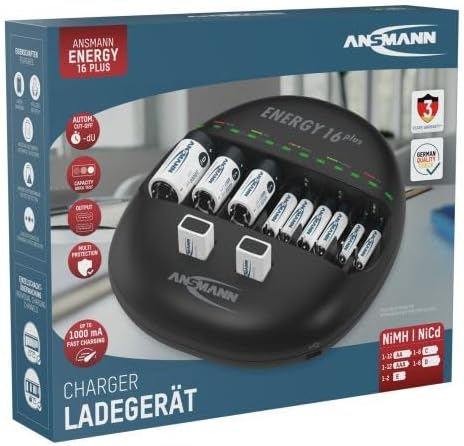
Image: The ANSMANN Energy 16 Plus charger shown within its retail packaging.

Image: A blister pack containing four ANSMANN 2850 mAh Slimline AA NiMH rechargeable batteries, often included with the charger.
Ngwaahịa gafereview
The ANSMANN Energy 16 Plus is a versatile charging station. It features 12 charging slots for AAA, AA, C, and D batteries, plus 2 dedicated slots for 9V block batteries. An integrated USB port allows for charging external devices.
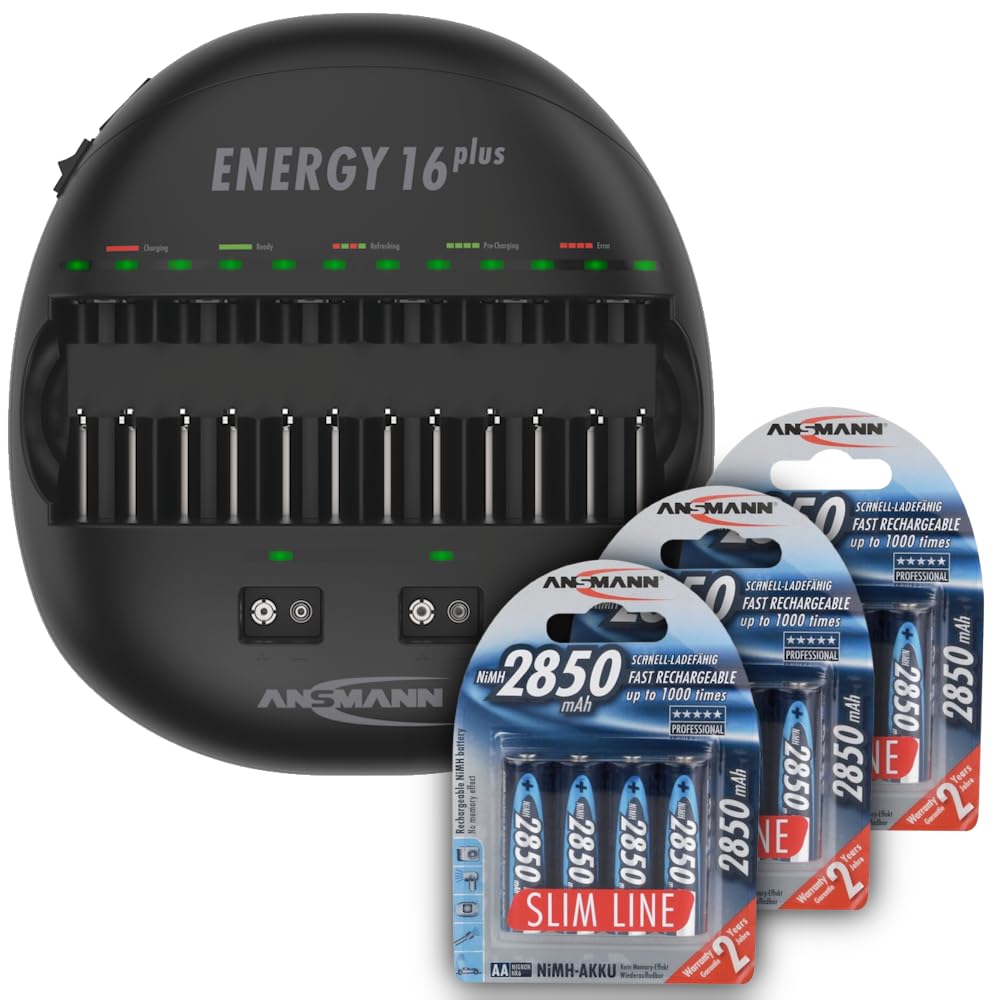
Image: The ANSMANN Energy 16 Plus charger, displaying its multiple charging slots for different battery sizes, including AA, C, D, and 9V batteries.

Oyiyi: Otu akụkụ view of the charger, highlighting the individual LED indicators above each battery slot, which show the charging status.

Foto: A side profile of the ANSMANN Energy 16 Plus charger, illustrating its ergonomic and space-saving design.
Akụkụ ndị bụ isi:
- 12 charging slots for AAA, AA, C, D batteries.
- 2 charging slots for 9V block batteries.
- Individual charging control for each battery.
- Automatic termination of charging process (-dV detection).
- Integrated USB charging port (5V, 1000mA).
- Multi-protection features against overcharge, short-circuit, and incorrect polarity.
Melite
- Tinye chaja n'elu ebe kwụsiri ike, dị larịị na mpaghara ikuku nke ọma.
- Connect the provided power cord to the charger's power input port.
- Plug the other end of the power cord into a standard US AC power outlet (100-240V AC, 50/60Hz).
- Ensure the power switch on the side of the charger is in the 'ON' position.
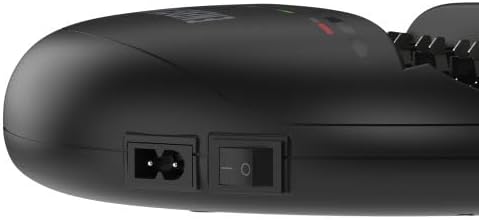
Foto: nkọwa zuru ezu view of the charger's side, showing the power input socket and the main on/off switch for connecting to the AC power supply.
Ntuziaka ọrụ
Charging Batteries (AAA, AA, C, D):
- Insert rechargeable NiMH or NiCd batteries into the appropriate charging slots. Ensure correct polarity (+ and - terminals match the markings in the slot).
- The charger will automatically detect the battery type and begin the charging process.
- Each slot has an individual LED indicator:
- Red ikanam: Ịchaji na-aga n'ihu.
- Green ikanam: Nchaji zuru ezu.
- Ìhè Red LED: Error (e.g., non-rechargeable battery, incorrect polarity, defective battery).
- Once the LED turns green, the battery is fully charged and ready for use. You can remove it from the charger.
Charging 9V Block Batteries:
- Insert 9V NiMH or NiCd block batteries into the two dedicated 9V charging slots. Ensure correct polarity.
- The charging process and LED indicators function similarly to the cylindrical batteries.

Image: A close-up of the charger demonstrating the correct insertion of 9V block batteries into their specific charging bays.
Ịchaji ngwaọrụ USB:
- Connect your USB device (e.g., smartphone, tablet) to the USB output port on the charger using a compatible USB cable.
- The charger will provide 5V/1000mA output for charging.
- Note that the USB charging function operates independently of battery charging.
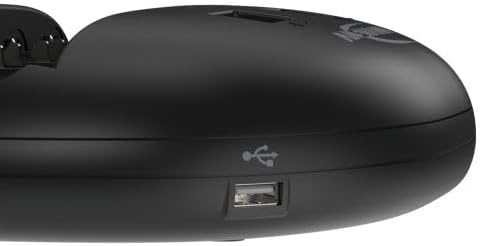
Foto: nkọwa zuru ezu view of the integrated USB charging port located on the side of the ANSMANN Energy 16 Plus charger, used for charging external devices.
Nlekọta
- Nhicha: Disconnect the charger from the power supply before cleaning. Use a soft, dry cloth to wipe the exterior. Do not use liquid cleaners or solvents.
- Nchekwa: Chekwaa chaja n'ebe dị jụụ na ebe kpọrọ nkụ na-anọghị na ìhè anyanwụ kpọmkwem na oke okpomọkụ.
- Nlekọta batrị: For optimal battery life, avoid deep discharging and store fully charged batteries in a cool, dry place if not used for extended periods.
Nchọpụta nsogbu
| Nsogbu | Ihe nwere ike ime | Ngwọta |
|---|---|---|
| Chaja anaghị agba ọkụ. | Power cord not connected, power switch off, no power from outlet. | Check power cord connection, ensure switch is ON, test outlet with another device. |
| Ikanam na-egbuke egbuke uhie. | Non-rechargeable battery, incorrect polarity, defective battery. | Remove non-rechargeable batteries, reinsert with correct polarity, replace defective batteries. |
| Batrị anaghị achaji. | Poor contact, battery fully charged, defective battery. | Ensure battery is properly seated, check LED status (green means charged), replace battery if necessary. |
| USB device not charging. | USB cable faulty, device not compatible, device fully charged. | Try a different USB cable, ensure device is compatible with 5V/1A charging, check device's charge status. |
Nkọwapụta
| Nọmba nlereanya | 1001-0004-US-590-5 |
| Ntinye Voltage | 100-240V AC, 50/60Hz (Internal power supply) |
| Mmepụta Voltage (USB) | 5 Volts (1000mA) |
| Ụdị batrị dakọtara | NiMH / NiCd (AAA, AA, C, D, 9V) |
| Ọnụọgụ Oghere Nchaji | 12 (AAA/AA/C/D) + 2 (9V) |
| Akụkụ ngwaahịa | 9.61 x 2.36 x 10.32 sentimita asatọ |
| Ibu Ibu | 2.79 pound |
| Onye nrụpụta | Ansmann USA Corporation |
Akwụkwọ ikike na nkwado
ANSMANN products are manufactured to high-quality standards. For warranty information, technical support, or service inquiries, please refer to the warranty card included with your product or visit the official ANSMANN websaịtị. Debe nnata nzụta gị ka ihe akaebe nke ịzụrụ.


