1. Okwu mmalite
Thank you for choosing the HOMCOM Mobile Storage Cabinet and Printer Stand. This versatile unit is designed to enhance your office or home workspace with its compact size, ample storage, and convenient mobility. Featuring a top shelf, a spacious drawer, and a lower cabinet, it provides organized storage for various office supplies. Its wheeled design allows for easy repositioning, while two locking casters ensure stability when needed. Please read this manual thoroughly before assembly and use to ensure proper function and longevity of your product.

Figure 1.1: HOMCOM Mobile Storage Cabinet and Printer Stand in use.
2. Ozi nchekwa
Biko debe ụkpụrụ nchekwa ndị a ka igbochi mmerụ ahụ ma ọ bụ mmebi ngwaahịa:
- Always use the cabinet on a flat, stable surface to prevent tipping.
- Keep the cabinet away from heat sources and direct sunlight to prevent material degradation.
- Never place heavy objects on the top shelf that exceed the specified weight capacity of 55 lbs (25 kg).
- Be cautious when opening and closing drawers and cabinet doors to avoid pinching fingers.
- Always engage the brakes on the casters when the cabinet is stationary to prevent unintended movement.
- Hụ na skru na ihe njide niile siri ike nke ọma n'oge a na-ejikọta ha, ma na-elele mgbe ụfọdụ ma ọ dị mfe.
- This product is not designed for children to climb on or play with.
3. Ihe ngwugwu
Before beginning assembly, please verify that all components and hardware are present and undamaged. If any parts are missing or damaged, please contact customer support.
- Cabinet Panels (Top, Bottom, Sides, Back, Shelf)
- Drawer Front, Sides, and Bottom
- Ọnụ ụzọ Cabinet
- Casters (4 units, 2 with brakes)
- Drawer Glides
- Handles (2 units)
- Mkpịsị aka
- Ngwa Mgbakọ (skru, dowels, mkpọchi cam, wdg)
4. Ntuziaka Mgbakọ
Assembly is required for this product. Please follow the provided instructions carefully. It is recommended to have a second person for assistance during certain steps.
- Kwadebe oghere ọrụ: Clear a spacious, clean, and flat area for assembly. Lay out all components and hardware.
- Tinye ndị Casters: Secure the four casters to the bottom panel of the cabinet using the provided screws. Ensure the two locking casters are positioned at the front for easy access.
- Kpọkọta akụkụ akụkụ: Attach the side panels to the bottom panel using dowels and cam locks.
- Wụnye Glides Drawer: Mount the drawer glides to the interior side panels according to the instructions. Pay close attention to the orientation of the glides.
- Kpọkọta Drawer: Construct the drawer box by attaching the sides and bottom to the drawer front. Install the drawer handles.
- Fanye drawer: Carefully slide the assembled drawer onto the installed glides.
- Wụnye shelf: Secure the middle shelf panel into place using the designated hardware.
- Tinye ọnụ ụzọ kabinet: Mount the hinges to the cabinet door and then attach the door to the cabinet frame. Adjust hinges for proper alignment.
- Tinye Ogwe Elu: Place the top panel onto the assembled structure and secure it with the remaining hardware.
- Nyocha ikpeazụ: Ensure all connections are tight and the cabinet is stable. Test the drawer and door for smooth operation.

Ọgụgụ 4.1: Ọpụample of panel connection during assembly.

Figure 4.2: Detail of cabinet door hinge.
5. Ojiji
The HOMCOM Mobile Storage Cabinet is designed for versatile use in various settings:
- Ihe nkwụnye nbipute: The sturdy tabletop is ideal for holding most standard printers, freeing up valuable desk space.
- Shelf Nchekwa Meghee: Use the open shelf for frequently accessed items such as paper reams, small books, or decorative items.
- Nchekwa drawer: The pull-out drawer provides concealed storage for office supplies, stationery, or personal items.
- Kabinet dị ala: The enclosed cabinet offers additional storage for larger items, binders, or other office essentials.
- Mbugharị: Utilize the four omnidirectional wheels to easily move the cabinet around your workspace. Engage the two locking brakes when the cabinet is in its desired position to prevent movement.
- Under-Desk Fit: Its compact dimensions allow it to fit conveniently under most standard desks, providing discreet storage.

Nyocha 5.1: N'eluview of storage features.

Figure 5.2: Cabinet designed to fit under most desks.
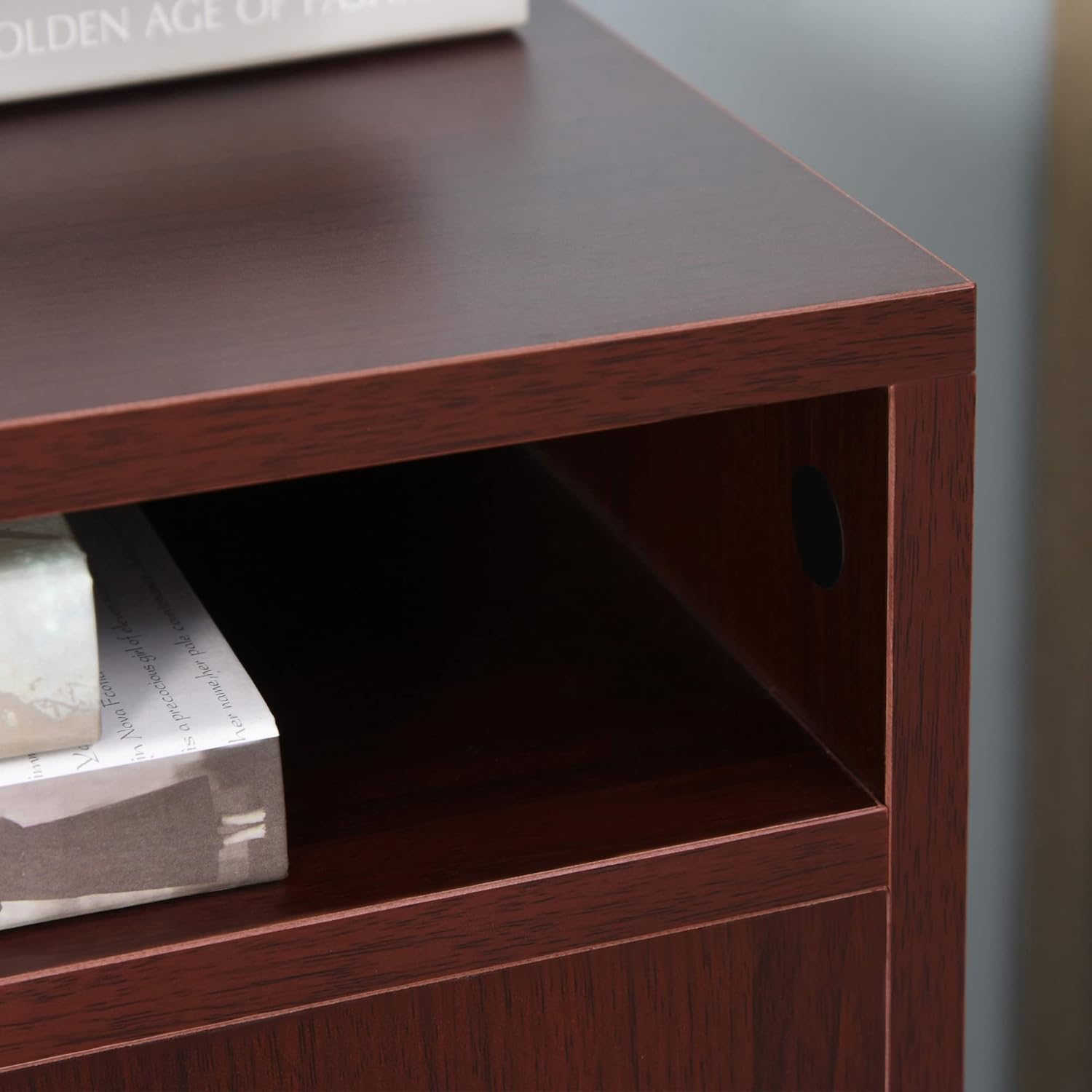
Figure 5.3: Detail of casters with locking brakes for easy mobility.

Figure 5.4: Important note: This cabinet is not designed for hanging files; files should be laid flat.
6. Nlekọta
To maintain the appearance and functionality of your storage cabinet, follow these simple maintenance tips:
- Nhicha: Jiri nwayọ hichaa elu ala, damp cloth. Avoid abrasive cleaners or harsh chemicals that may damage the melamine finish.
- Nchara Jiri uzuzu kpuchie kabinet ahụ mgbe niile iji gbochie ya ịgbakọta.
- Nyochaa ngwaike: Na-elele skru na ihe njide niile mgbe niile iji hụ na ha siri ike. Na-eme ka ọ sie ike ọzọ ma ọ bụrụ na ọ dị mkpa iji nọgide na-eguzosi ike n'ihe.
- Nlekọta Caster: Debe ihe mkpuchi ahụ ka ọ ghara inwe ihe ruru unyi (ntutu, uzuzu, wdg) iji hụ na ọ na-agbagharị nke ọma. Tee mmanụ ma ọ bụrụ na ọ dị mkpa.
- Zenarị ibu ibu: Do not exceed the specified weight capacity for any part of the cabinet to prevent damage.
7. Nchọpụta nsogbu
If you encounter any issues with your HOMCOM Mobile Storage Cabinet, refer to the following common problems and solutions:
- Nsogbu: Drawers or cabinet door do not open/close smoothly.
Ngwọta: Check that the drawer glides and hinges are correctly installed and free of obstructions. Ensure all assembly screws are tightened. Adjust hinges if necessary. - Nsogbu: Cabinet na-ama jijiji ma ọ bụ na-akwụsighị ike.
Ngwọta: Verify that the cabinet is on a flat, level surface. Check all assembly connections and tighten any loose screws. - Nsogbu: Ndị nkedo anaghị agbagharị nke ọma ma ọ bụ na-akpọchi.
Ngwọta: Clean any debris from the caster wheels. Ensure the locking mechanism is fully engaged or disengaged. If a caster is damaged, it may need replacement. - Nsogbu: Akụkụ na-efu efu ma ọ bụ ihe mebiri emebi mgbe mbata.
Ngwọta: Do not proceed with assembly. Contact HOMCOM customer support immediately for assistance and replacement parts.
8. Nkọwapụta
| Ụdị | HOMCOM |
| Nọmba nlereanya | 836-027CF |
| Agba | Kọfị |
| Akụkụ ngwaahịa (n'ozuzu) | 15.7" W x 13.8" D x 23.6" H |
| Drawer Size (Inner) | 12.5" W x 11" D x 2.75" H |
| Cabinet Size (Inner) | 14.5" W x 13.75" D x 12.25" H |
| Ike Ibu (N'ozuzu) | 55 lbs (25 n'arọ) |
| Ihe onwunwe | Engineered Wood with Melamine Surface |
| Njirimara Pụrụ Iche | Wheeled (4 casters, 2 with brakes) |
| Mgbakọ chọrọ | Ee |
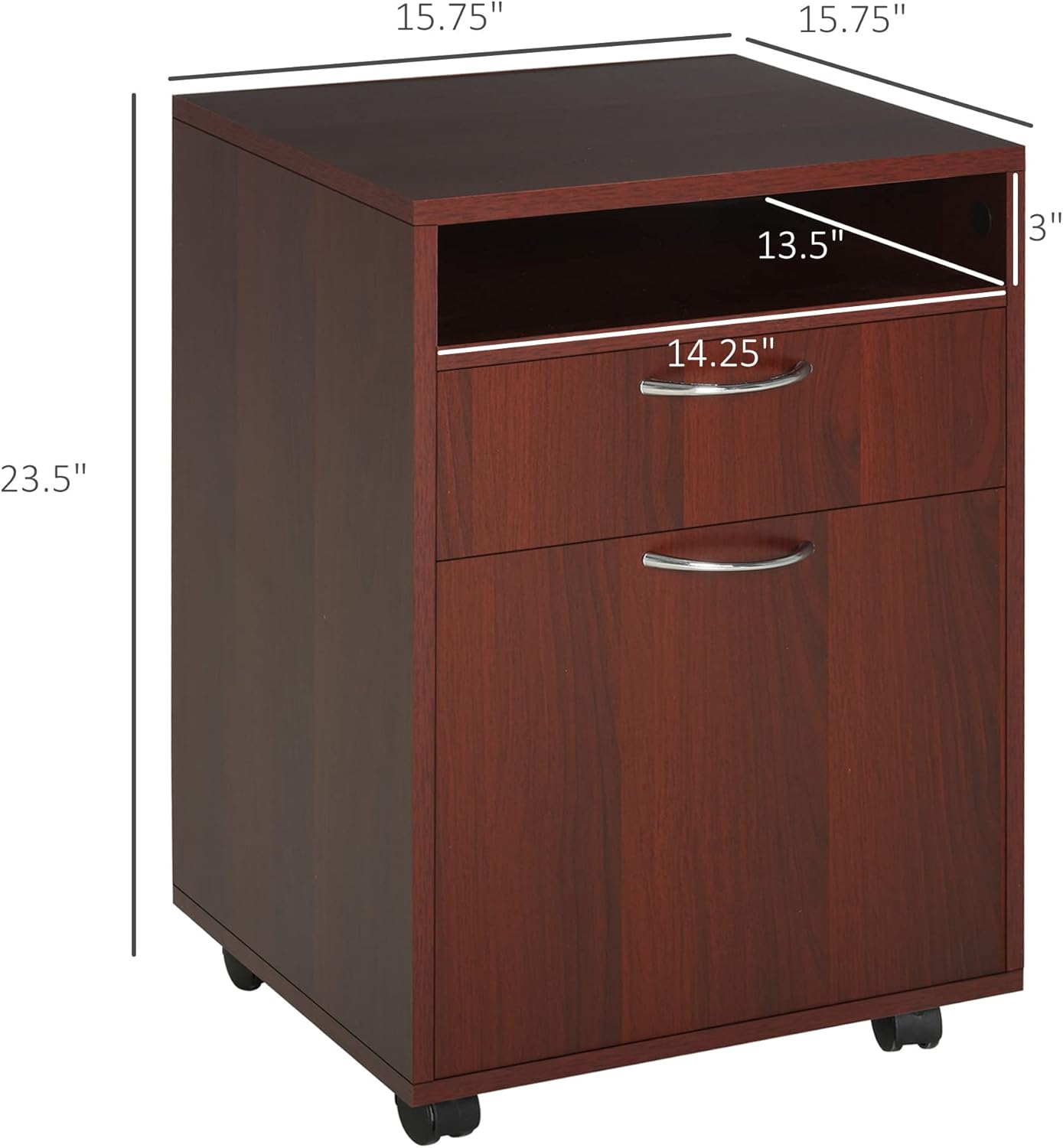
Ọgụgụ 8.1: Akụkụ ngwaahịa.
9. Akwụkwọ ikike na nkwado
HOMCOM products are manufactured with quality and care. For warranty information, technical support, or to order replacement parts, please contact HOMCOM customer service. Keep your purchase receipt and model number (836-027CF) handy for faster service.
Onye nrụpụta: Aosom LLC


