Okwu mmalite
This manual provides detailed instructions for setting up, operating, maintaining, and troubleshooting your ViewSonic VA2446MH-LED 24-inch Full HD 1080p LED monitor. Please read this manual thoroughly before using the product to ensure proper functionality and safety.
Kedu ihe dị na Igbe ahụ
- LCD Nyochaa
- Igwe ọkụ ọkụ
- USB VGA
- Igwe okwu ọdịyo
- Ntuziaka mmalite ngwa ngwa

Ngwungwu ahụ gụnyere ViewSonic VA2446MH-LED monitor, a power cable, an HDMI cable, and a Quick Start Guide to assist with initial setup.
Melite
Chịkọta Guzosie
Follow the instructions in the Quick Start Guide to attach the stand to the monitor. Ensure all connections are secure.
Ijikọ Monitor
The VA2446MH-LED monitor supports both HDMI and VGA inputs.
Njikọ Ike
Connect the provided power cable to the monitor's power input and then to a power outlet.
Njikọ vidiyo
Choose either an HDMI or VGA cable to connect your computer to the monitor.
- For HDMI: Connect one end of the HDMI cable to the HDMI port on your computer and the other end to the HDMI input on the monitor.
- For VGA: Connect one end of the VGA cable to the VGA port on your computer and the other end to the VGA input on the monitor.
Audio Connection (Optional)
If using the monitor's built-in speakers or audio output, connect the audio cable from your computer's audio output to the monitor's audio input.

This image displays the rear of the monitor, highlighting the HDMI, VGA, and audio input/output ports for flexible connectivity, as well as the location of the integrated 2x 2.5-watt speakers.

A zuru ezu view of the monitor's back panel, illustrating the power input, HDMI port, VGA port, and audio ports for connecting external devices.
Na-arụ ọrụ Monitor
Gbanyụọ/ Gbanyụọ
Pịa bọtịnụ ike dị n'ihu ma ọ bụ ala nke ihe ngosi ahụ iji gbanye ya ma ọ bụ gbanyụọ ya. Ọkụ ihe ngosi ike ga-enwu mgbe ihe ngosi ahụ gbanyere.
Nhọrọ ntinye
Use the monitor's On-Screen Display (OSD) menu or dedicated input selection buttons to switch between HDMI and VGA inputs.
Ngosipụta na ihuenyo (OSD) NchNhr
The OSD menu allows you to adjust various display settings such as brightness, contrast, color temperature, and aspect ratio.
- Press the Menu button to access the OSD.
- Use the navigation buttons (usually arrows) to browse through options.
- Press the Select or Enter button to confirm a selection.
- Press the Exit or Menu button again to close the OSD.
ViewSplit Software (Optional)
ViewSonic pụrụ iche ViewSplit software allows you to create customized screen layouts for enhanced productivity.
To install, download the software from the ViewSonic website's product support page.
After installation, double-click the ViewSplit icon on your desktop or click the notification tray icon to open the application.
Select a predefined template or create a customizable template by dragging and resizing the red borders. Save your customized templates for future use.
This official ViewSonic video illustrates how to use the ViewSplit software to divide your monitor screen into multiple viewing windows, enhancing multitasking and productivity. It shows how to select predefined templates and customize layouts by dragging application windows into desired zones.
Nlekọta
Na-ehicha ihuenyo ahụ
Jiri nwayọ hichaa ihuenyo ahụ site na iji akwa dị nro na-enweghị lint. Maka akara ndị isi ike, dị obere dampen the cloth with water or a non-abrasive screen cleaner. Avoid spraying liquid directly onto the screen.
Na-ehicha Casing
Jiri akwa dị nro dị nro hichaa ihe nleba anya casing. Do not use strong detergents or abrasive cleaners.
Nchekwa
When storing the monitor for an extended period, ensure it is powered off and disconnected from the power source. Store it in a cool, dry place, ideally in its original packaging.
Nchọpụta nsogbu
Enweghị ike
- Gbaa mbọ hụ na bọtịnụ ike (ma ọ bụ mgba ọkụ) agbanwuru.
- Ensure the A/C power cord is securely connected to the display.
- Tinye ngwaọrụ eletrik ọzọ (dị ka redio) n'ime oghere ọkụ iji chọpụta na ebe ahụ na-enye volt kwesịrị ekwesị.tage.
Ike dị ma enweghi onyo ihuenyo
- Jide n'aka na ejiri eriri vidiyo ewepụtara na ihe ngosi ahụ nke ọma n'ọdụ ụgbọ mmiri mmepụta vidiyo dị n'azụ kọmputa. Ọ bụrụ na ejikọtaghị akụkụ nke ọzọ nke eriri vidiyo na ngosipụta na-adịgide adịgide, chekwaa ya nke ọma na ngosipụta.
- Gbanwee ntọala nchapụta na ọdịiche site na menu OSD.
- If you are using an older Macintosh (older than G3), a Macintosh adapter may be required.
Agba na-ezighi ezi ma ọ bụ nke na-adịghị mma
- Ọ bụrụ na agba ọ bụla (acha ọbara ọbara, akwụkwọ ndụ akwụkwọ ndụ, ma ọ bụ anụnụ anụnụ) na-efu, lelee vidiyo vidiyo iji jide n'aka na ejikọtara ya. Loose ma ọ bụ agbaji mkpọ na USB njikọ nwere ike ime ka ihe na-ekwesịghị ekwesị njikọ.
- Connect the display to another computer to isolate the issue.
- Ọ bụrụ na ị nwere kaadị eserese ochie, kpọtụrụ ViewSonic for a non-DDC adapter.
Bọtịnụ njikwa anaghị arụ ọrụ
- Press only one button at a time. Ensure no objects are obstructing the buttons.
Nkọwapụta
| Njirimara | Nkọwapụta |
|---|---|
| Ngosipụta ihuenyo guzoro ọtọ | 24 sentimita asatọ |
| Mkpebi ihuenyo | 1920x1080 |
| Mkpebi ihuenyo kacha | 1920 x 1080 pikselụ |
| Ụdị | ViewSonic |
| Usoro | VA |
| Nọmba ihe nlereanya | VA2446MH-LED |
| Ibu Ibu | 9.02 pound |
| Akụkụ ngwaahịa | 8.32 x 22.49 x 15.78 sentimita asatọ |
| Akụkụ akụkụ LxWxH | 8.32 x 22.49 x 15.78 sentimita asatọ |
| Agba | Nwa |
| Isi Iyi Ike | 10 |
| Voltage | 240 volts |
| Onye nrụpụta | ViewSonic |
| ASIN | B074F28QNS |
| Ụbọchị mbụ dị | Julaị 1, 2017 |
| Nha ihuenyo | 24 sentimita asatọ |
| Mkpebi | FHD 1080p |
| Akụkụ akụkụ | 16:9 |
| Nkọwa ihu ihu ihuenyo | Anti-glare, Hard coating (3H) |
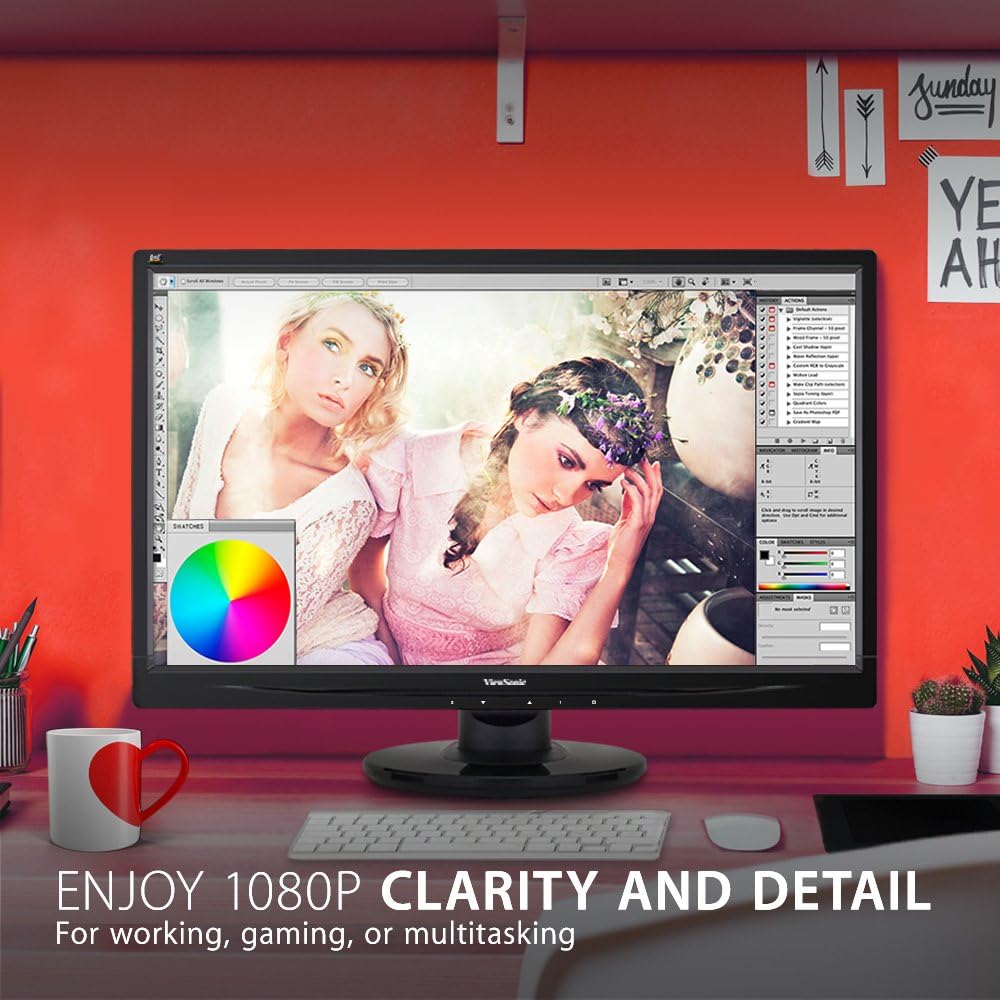
The monitor showcases its Full HD 1080p clarity and detail, ideal for tasks like graphic design, gaming, or general multitasking, with a color palette visible on screen.
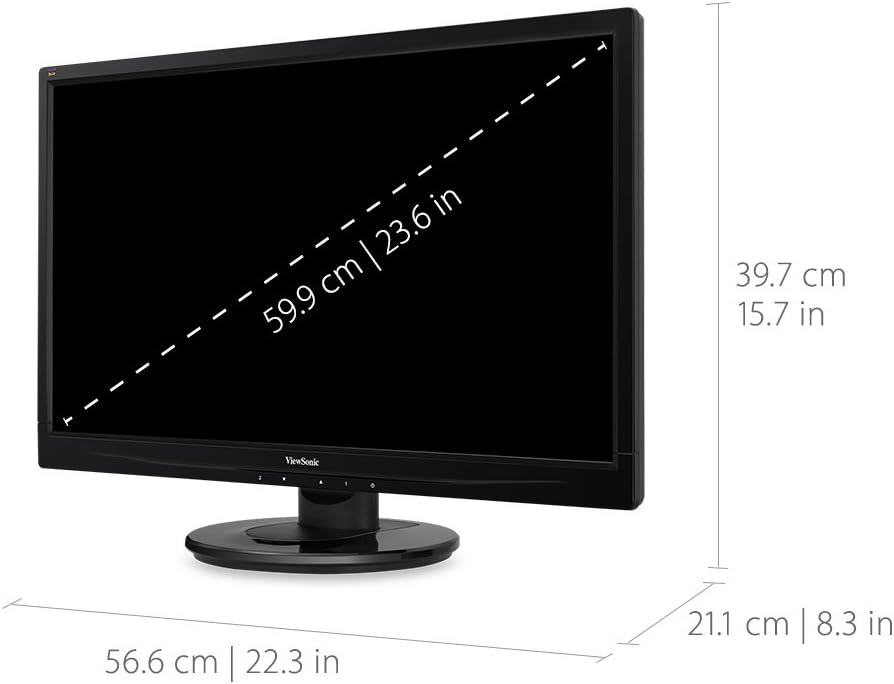
This diagram provides the physical dimensions of the monitor, indicating a 23.6-inch diagonal screen size (59.9 cm) and overall measurements of 22.3 inches (56.6 cm) width, 15.7 inches (39.7 cm) height, and 8.3 inches (21.1 cm) depth.
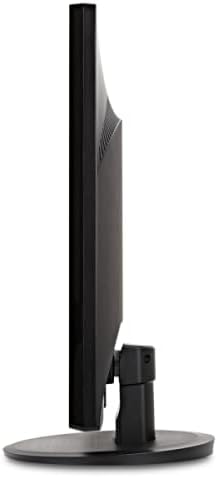
Akụkụ view of the monitor, highlighting its slim profile and the design of the stand.
Akwụkwọ ikike na nkwado
For warranty information and technical support, please refer to the official ViewSonic websaịtị ma ọ bụ akwụkwọ agụnyere na ngwaahịa gị.
Ị nwere ike ịga leta onye ọrụ ahụ ViewSonic Store for more information: ViewỤlọ Ahịa Sonic


