Okwu mmalite
This manual provides comprehensive instructions for the setup, operation, maintenance, and troubleshooting of your Mediacom 2020B1-B2 Universal On Demand TV/Cable Remote Control. Please read this guide thoroughly to ensure proper use and to maximize the functionality of your remote.
Melite
1. Ntinye batrị
The remote control requires two AAA batteries (included). Follow these steps to install them:
- Chọta mkpuchi mkpuchi batrị n'azụ nke njikwa anya.
- Pịa ala na taabụ wee wepụ mkpuchi ahụ.
- Fanye batrị AAA abụọ, na-ahụ na njedebe dị mma (+) na nke na-adịghị mma (-) dabara nke ọma na akara ndị dị n'ime ụlọ ahụ.
- Weghachite mkpuchi batrị n'ime ebe ruo mgbe ọ pịrị na nchekwa.

Foto: Azụ view of the Mediacom 2020B1-B2 remote control, showing the battery compartment and quick setup instructions.
2. Quick Setup / Programming
To program your remote control to operate your TV or cable box, use the quick setup method:
- Press and Hold SETUP: Locate the 'SETUP' button on your remote. Press and hold this button until the LED indicator light on the remote blinks twice.
- Enter 3-Digit Code: Refer to your device's manual for the appropriate 3-digit programming code for your TV or cable box. Enter this code using the number buttons on the remote.
- Ọrụ nnwale: After entering the code, press the 'CH+' or 'CH-' button to test if the remote is controlling your device. If the device responds, the programming was successful. If not, repeat the steps with a different code from your device's manual, if available.
Ntuziaka ọrụ
The Mediacom 2020B1-B2 remote control features a standard layout for easy navigation of your TV and cable services. Below are the primary functions of key buttons:
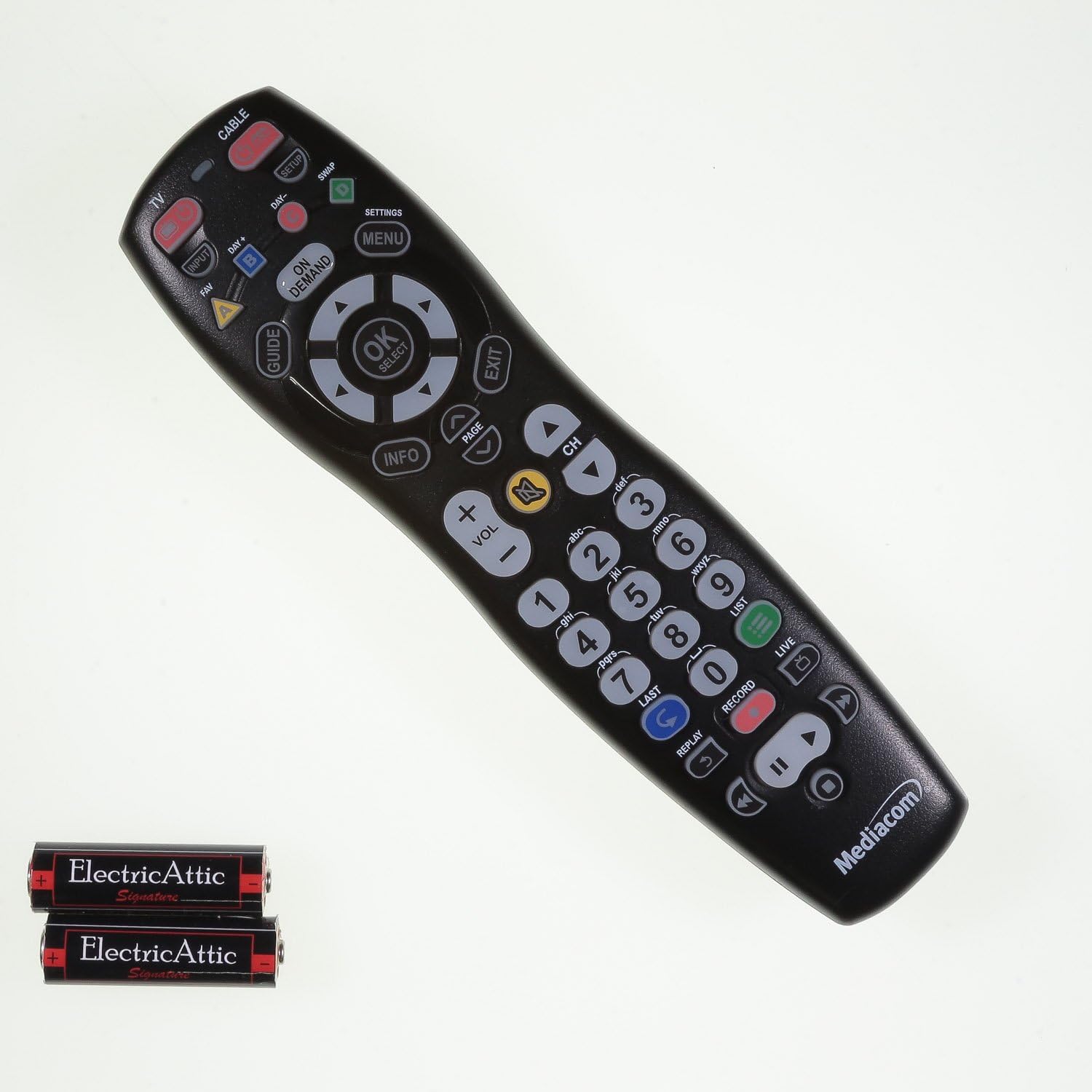
Foto: N'ihu view of the Mediacom 2020B1-B2 remote control, displaying all operational buttons.
- IKE: Turns your TV or cable box on/off.
- TV / CABLE: Toggles control between TV and cable box functions.
- NDỤMỌDỤ: Na-egosiputa ntuziaka mmemme.
- MENU / SETTINGS: Accesses the device's main menu or settings.
- OK / SELECT: Na-akwado nhọrọ dị na menu.
- Akụ Nsoroụzọ (Elu, Ala, Aka ekpe, Aka nri): Navigates through menus and program guides.
- Vol +/-: Na-edozi ọkwa olu.
- CH +/-: Na-agbanwe ọwa elu ma ọ bụ ala.
- Nọmba akara (0-9): Na-etinye nọmba ọwa ozugbo.
- Ozi: Na-egosiputa ozi gbasara mmemme dị ugbu a.
- A NA-ACHỌ: Accesses On Demand content.
- Playback Controls (PLAY, PAUSE, STOP, REW, FWD, RECORD): Na-achịkwa ọrụ egwugharị mgbasa ozi.
Nlekọta
Ngbanwe batrị
Replace batteries when the remote's LED indicator light fails to illuminate or blinks weakly, or when the remote becomes unresponsive. Always replace both batteries simultaneously with new AAA batteries.
Nhicha
To clean the remote, use a soft, dry cloth. For stubborn dirt, slightly dampen the cloth with water. Avoid using harsh chemicals or abrasive cleaners, as these can damage the remote's surface or internal components.
Nchọpụta nsogbu
- Remote anaghị aza: Check battery orientation and ensure batteries are fresh. Reprogram the remote if necessary.
- Bọtịnụ ndị akọwapụtara anaghị arụ ọrụ: Ensure the remote is in the correct mode (TV or CABLE). Clean around the unresponsive button to remove any debris.
- LED indicator not blinking: This usually indicates dead or incorrectly installed batteries. Replace batteries and check their orientation.
- Remote not controlling device after programming: Try alternative 3-digit codes for your device. Ensure there are no obstructions between the remote and the device's infrared sensor.
Nkọwapụta
- Nọmba nlereanya: 2020B1-B2
- Teknụzụ Njikọta: Infrared
- Ngwa dakọtara: Television, Cable Box
- Isi mmalite ike: 2 x AAA batrị
- Agba: Nwa
- Ibu ihe: Ihe dị ka 6 ounces
- Akụkụ ngwugwu: Ihe dịka 9.84 x 2.48 x 1.26 sentimita asatọ
- Njirimara Pụrụ Iche: Universal
Nkwado
For additional support, programming codes, or further assistance with your Mediacom 2020B1-B2 Universal Remote Control, please visit the official support websaịtị:


