Okwu mmalite
The SONICAKE SHARK Distortion Guitar Pedal is a compact and powerful effects unit designed to deliver a wide range of distortion tones, from classic British crunch to high-gain modern sounds. Featuring 100% analog circuitry and a true bypass footswitch, it ensures signal integrity and dynamic response. This manual provides essential information for setting up, operating, maintaining, and troubleshooting your pedal to achieve the best possible performance.
Melite
Ịnye ọkụ
The SHARK Distortion Pedal operates on a standard 9V DC power supply (center negative). Please note that the power supply is not included with the pedal. Using an incorrect power supply may damage the unit and void the warranty.
Njikọ
- Jikọọ guitar gị na ya Ntinye jack dị n'akụkụ aka nri nke pedal site na iji eriri ngwa egwu 1/4-inch ọkọlọtọ.
- Jikọọ Mpụta jakị dị n'akụkụ aka ekpe nke pedal gaa na nke gị amplifia ma ọ bụ pedal ọzọ dị na agbụ mgbaàmà gị site na iji eriri ngwa egwu nke 1/4-inch ọkọlọtọ.
- Plug a 9V DC (center negative) power adapter into the DC 9V input on the top of the pedal.

Image: The SONICAKE SHARK Distortion Pedal, illustrating its compact size and the placement of input/output jacks and power input.
Ntuziaka ọrụ
The SHARK Distortion Pedal features intuitive controls for shaping your tone. Familiarize yourself with each knob and switch to unlock the pedal's full potential.
Njikwa
- Ọkwa: This knob controls the overall output volume of the pedal. Turn clockwise to increase volume, counter-clockwise to decrease.
- ỤDỤ: This knob adjusts the tonal character of the distortion, from darker, warmer tones (counter-clockwise) to brighter, more cutting tones (clockwise).
- DIST: This large knob controls the amount of distortion or gain. Turn clockwise for more aggressive, high-gain distortion, and counter-clockwise for less saturation.
- Ụdị mgbanwe: This 3-way toggle switch allows you to select between three distinct distortion modes:
- ỌKWU: Provides a classic, balanced distortion tone.
- OGE: Offers a more aggressive, scooped-mid distortion suitable for contemporary rock and metal.
- Klassikị: Na-enye vintage-style, warm, and rich distortion reminiscent of early British rock ampndị na -enye ndụ.
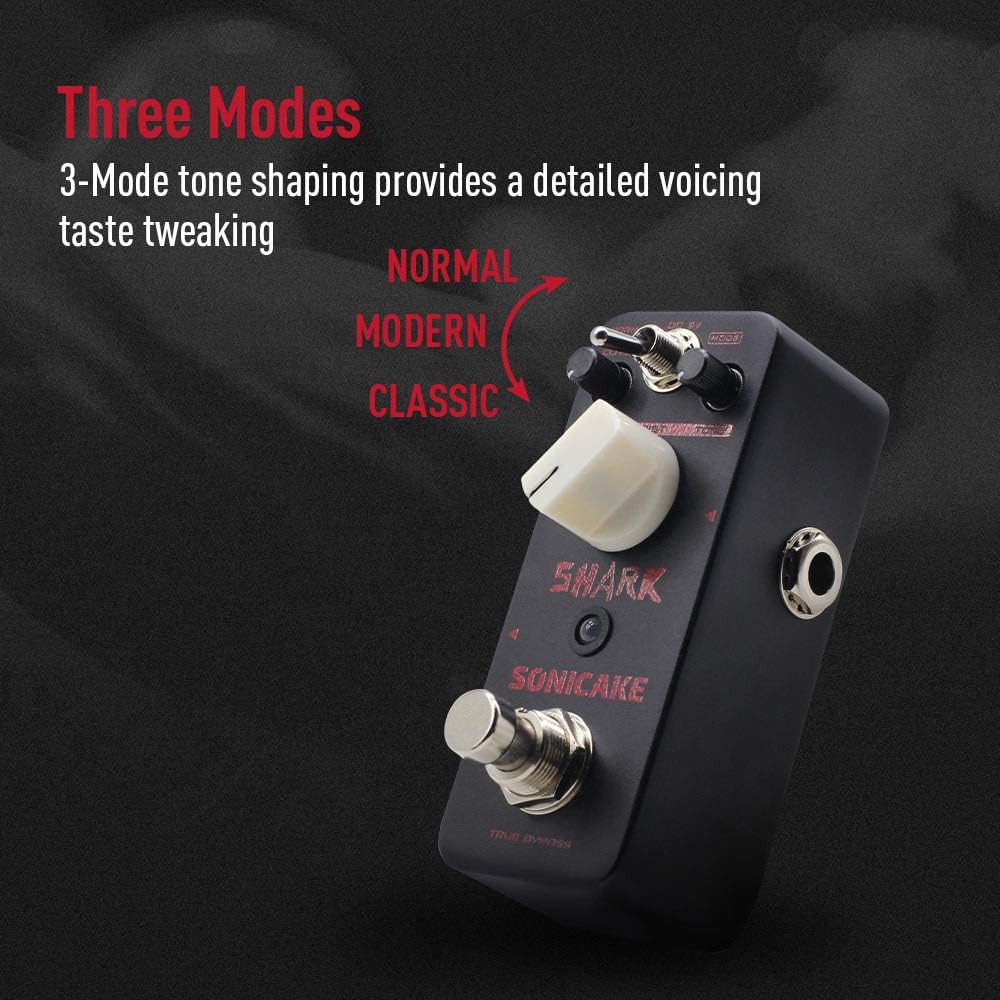
Image: The SONICAKE SHARK Distortion Pedal highlighting the three distinct tone shaping modes: Normal, Modern, and Classic.
Ezi uzo
The SHARK Distortion Pedal features a true bypass footswitch. This means that when the pedal is disengaged (effect off), your guitar signal passes directly through the circuit without any coloration or degradation, preserving your original tone. The LED indicator will illuminate when the effect is active.

Image: The SONICAKE SHARK Distortion Pedal, visually representing the clean signal path provided by its true bypass footswitch.
Nlekọta
To ensure the longevity and optimal performance of your SONICAKE SHARK Distortion Pedal, follow these simple maintenance guidelines:
- Nhicha: Use a soft, dry cloth to wipe down the pedal's exterior. Avoid using abrasive cleaners, solvents, or excessive moisture, as these can damage the finish or internal components.
- Nchekwa: When not in use for extended periods, store the pedal in a cool, dry place away from direct sunlight, extreme temperatures, and high humidity. Disconnect the power supply and all cables.
- Ijikwa: Handle the pedal with care. While built with a durable zinc-alloy die-cast casing, excessive force or dropping the unit can cause damage.
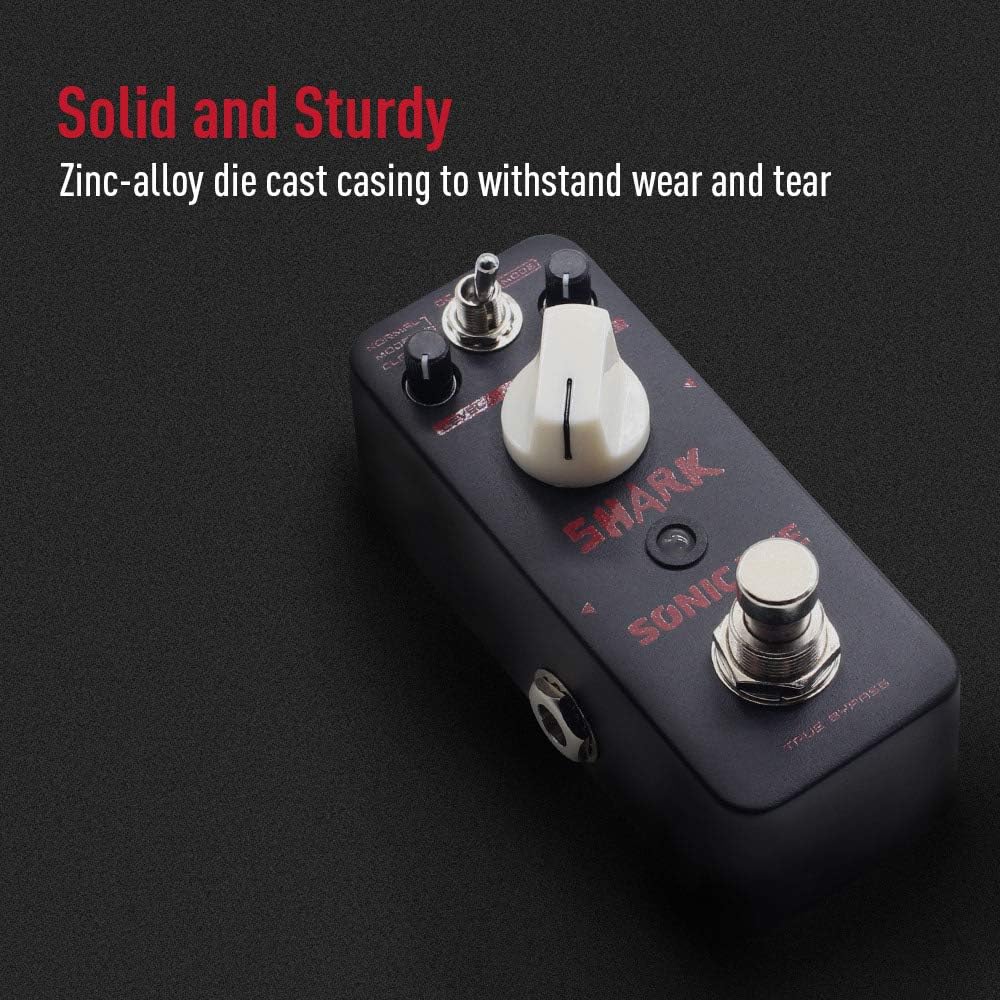
Image: A close-up of the SONICAKE SHARK Distortion Pedal, emphasizing its solid and sturdy zinc-alloy die-cast casing designed for durability.
Nchọpụta nsogbu
If you encounter any issues with your SHARK Distortion Pedal, please refer to the following common problems and solutions:
- Enweghị ụda:
- Ensure all cables (guitar, amplifier, power supply) are securely connected.
- Verify that the power supply is functioning correctly and meets the 9V DC (center negative) requirement.
- Check if your guitar and amplifia na-arụ ọrụ nke ọma site n'ịgbafe pedal.
- Confirm the pedal's LEVEL knob is not set to minimum.
- Mkpọtụ/Ukwe A Na-achọghị:
- Ensure you are using a regulated 9V DC power supply specifically designed for guitar pedals.
- Lelee maka eriri ma ọ bụ njikọ ndị na-adịghị mma.
- Move the pedal away from other electronic devices that might cause interference.
- Mmetụta Na-adịghị Abara Uru:
- Press the footswitch firmly to ensure it clicks and the LED illuminates.
- Check the power supply as insufficient power can prevent the effect from engaging.
If the problem persists after trying these steps, please contact SONICAKE customer support for further assistance.
Nkọwapụta
| Njirimara | Nkọwapụta |
|---|---|
| Nọmba nlereanya | SONICAKE11 |
| Ibu Ibu | 8.1 ounces (0.23 Kilogram) |
| Akụkụ ngwaahịa | 3 x 2 x 2 sentimita asatọ |
| Isi Iyi Ike | Corded Electric (9V DC, Center Negative) |
| Ngwaọrụ Akụrụngwa | 1/4-anụ ọhịa Audio |
| Ụdị mgbaàmà | Analọg |
| Agba | Ntughari |
Akwụkwọ ikike na nkwado
SONICAKE products are designed for reliability and performance. This product is covered by the manufacturer's warranty against defects in materials and workmanship. For detailed warranty information, technical support, or service inquiries, please visit the official SONICAKE webma ọ bụ kpọtụrụ ndị ọrụ ahịa ha ozugbo. Biko debe ihe akaebe nke ịzụrụ ihe gị maka nkwupụta nkwa.


