Okwu mmalite
The StarTech.com Thunderbolt 3 Dock transforms your Thunderbolt 3 equipped laptop into a powerful dual-4K workstation. Designed for efficiency, this docking station supports 40Gbps speeds and 4K resolution on two monitors, enabling you to run resource-demanding applications without draining system resources. It offers a comprehensive solution for connectivity, power delivery, and display expansion, making it ideal for video editing and other Ultra HD tasks.
Kedu ihe dị na Igbe ahụ

Ọgụgụ 1: Ihe ngwugwu
- Dual 4K Monitor Thunderbolt 3 Dock with 3x USB 3.0 Ports
- Thunderbolt 3 USB
- USB-C na eriri DisplayPort
- Ihe nkwụnye ọkụ zuru ụwa ọnụ
- Ụdọ ọkụ
- Akwụkwọ ntuziaka (akwụkwọ a)
Ntọala na Njikọ
Ntọlite mbụ
The Thunderbolt 3 Dock features a driverless setup for plug-and-play installation. Simply connect the universal docking station to your laptop using the included Thunderbolt 3 cable to begin operation. No time-consuming driver installations are required.
Ngwa jikọọ
The dock provides a variety of ports for connecting your peripherals and displays.

Figure 2: Front Ports (USB-A, USB-C)

Figure 3: Rear Ports (Ethernet, USB-A, Audio, Thunderbolt 3, DisplayPort, Power)

Figure 4: Rear Port Functionality Diagram
- DisplayPort: Connect one 4K monitor via the DisplayPort.
- Thunderbolt 3 USB-C Port: Connect a second 4K monitor via the Thunderbolt 3 USB-C Port (1.8 m cable included). Alternatively, a 5K monitor can be connected using both the DisplayPort and the Thunderbolt 3 USB-C port.
- ọdụ ụgbọ mmiri USB 3.0: Three USB 3.0 ports are available for connecting various USB devices like flash drives, external hard drives, or keyboards/mice. Two are Type-A ports, and one is a USB-C port (5Gbps - data only). The front USB-A port supports Fast-Charge and sync for mobile devices.
- gigabit Ethernet: Connect to a wired network for reliable internet access.
- 3.5mm Headset Port: Maka ijikọ ekweisi ma ọ bụ ekweisi.
- Ntinye igweokwu: Maka ijikọ igwe okwu mpụga.
Nnyefe ike
The Thunderbolt 3 port replicator features a 170W power adapter, supporting Power Delivery up to 85W. This allows the dock to power and charge your laptop (e.g., MacBook Pro 13 & 16, MacBook Air, HP, Lenovo ThinkPad, & Dell XPS) while simultaneously powering all connected devices. This eliminates the need for separate power adapters for your laptop and the dock.
Ndakọrịta
This docking station is compatible with a wide range of operating systems, including Windows, macOS, and Ubuntu. It supports laptops with Thunderbolt or USB4 ports. Dual display is supported on M1, M2, M3 Max/Pro, M4 Pro/Max MacBooks, and single display on base M-series MacBooks and iPad Pro M1 & later.
Operating the Dock
Dual 4K Workstation
The dock enables the creation of a dual-4K workstation, perfect for demanding tasks such as video editing, graphic design, and other Ultra HD applications. You can extend your desktop across two independent 4K displays at 60Hz, enhancing productivity and multitasking capabilities.
Nyefee data
Benefit from high-speed data transfer with up to 40Gbps bandwidth through the Thunderbolt 3 connection. This allows for rapid transfer of large files and efficient operation of high-bandwidth peripherals.
Njikọ ọdịyo
Utilize the dedicated 3.5mm headset port for audio output to headphones or speakers, and the microphone input for voice communication or recording. Ensure your system's audio settings are configured to use the dock's audio output.
Daisy-Chaining
The downstream Thunderbolt 3 port offers versatile functionality, allowing you to daisy-chain up to five additional Thunderbolt 3 devices. This includes monitors, external hard drive bays, card readers, or even an external GPU, expanding your workstation's capabilities significantly.
Nlekọta
To ensure the longevity and optimal performance of your StarTech.com Thunderbolt 3 Dock, follow these maintenance guidelines:
- Nhicha: Use a soft, dry cloth to clean the exterior of the dock. Avoid using abrasive cleaners or solvents, as they may damage the finish.
- Igwe ikuku: Hụ na e tinyere ọdụ ụgbọ mmiri ahụ n'ebe ikuku na-anaghị apụta nke ọma iji gbochie oke okpomọkụ. Ekpuchila oghere ikuku ọ bụla.
- Nchekwa: Mgbe a naghị eji ya ruo ogologo oge, debe ebe a na-adọba ụgbọ mmiri ahụ n'ebe dị jụụ ma kpọọ nkụ, ebe anwụ na-anaghị anwụ kpọmkwem ma ọ bụ oke okpomọkụ dị elu.
- Njikwa USB: Avoid sharp bends or excessive tension on connected cables to prevent damage to the cables or ports.
Nchọpụta nsogbu
If you encounter issues with your Thunderbolt 3 Dock, refer to the following common troubleshooting steps:
- Enweghị mmepụta ihe ngosi:
- Ensure all cables (Thunderbolt 3, DisplayPort, USB-C to DisplayPort) are securely connected to both the dock and your devices.
- Verify that your laptop's Thunderbolt 3 port supports video output.
- Check your display settings on your laptop to ensure the external monitors are detected and configured correctly.
- Some monitors may be limited to 4K at 30Hz when connecting through DisplayPort. Adjust the monitor's resolution if necessary.
- Enweghị nnyefe ike na laptọọpụ:
- Confirm the dock's power adapter is securely connected to a working power outlet and to the dock.
- Ensure your laptop supports Power Delivery via its Thunderbolt 3 port.
- Use the included Thunderbolt 3 cable, as some USB-C cables may not support Power Delivery.
- Achọpụtaghị ngwaọrụ USB:
- Try connecting the USB device to a different USB port on the dock.
- Ensure the USB device is functioning correctly by testing it directly with your laptop.
- Ngosipụta na-egbuke egbuke:
- This can sometimes occur with certain monitor models or cable quality. Try using different DisplayPort or USB-C to DisplayPort cables.
- Ensure your monitor's firmware is up to date.
- Enweghị ọdịyo:
- Check your laptop's sound settings to ensure the dock's audio output is selected as the default playback device.
- Verify that your speakers or headphones are properly connected to the dock's audio ports.
Nkọwapụta
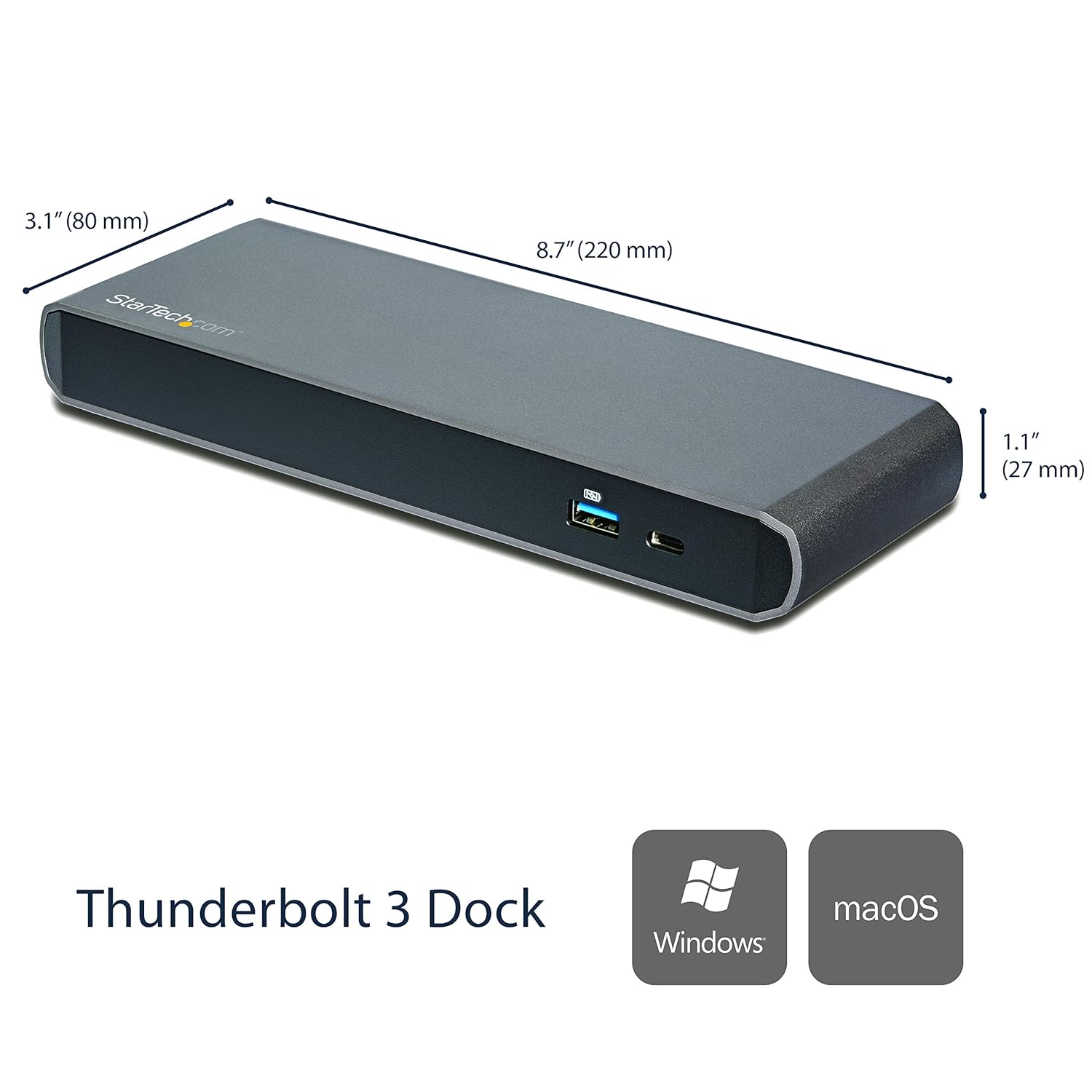
Ọgụgụ 5: Akụkụ ngwaahịa
| Njirimara | Nkọwa |
|---|---|
| Nọmba nlereanya | TB3DK2DPPD |
| Akụkụ (L x W x H) | 8.7 x 3.1 x 1.1 sentimita (220 x 80 x 27 mm) |
| Ibu Ibu | 15.8 ounce (447.9 grams) |
| Ọnụego mbufe data | Ruo 40Gbps (Thunderbolt 3) |
| Nnyefe ike | Ruo 85W |
| Mmepụta vidiyo | Dual 4K @ 60Hz (DisplayPort, Thunderbolt 3 USB-C) or Single 5K |
| ọdụ ụgbọ mmiri USB | 2x USB 3.0 Type-A, 1x USB-C (data only) |
| Ọdụ ụgbọ mmiri | 3.5mm Headset, Microphone Input |
| Netwọk | Gigabit Ethernet |
| Ihe onwunwe | Aluminom Casing |
| Ndakọrịta | Windows, macOS, Ubuntu (Thunderbolt/USB4 laptops) |
Akwụkwọ ikike na nkwado
The StarTech.com Thunderbolt 3 Dock (TB3DK2DPPD) is backed by a STARTECH.COM 3-YEAR WARRANTY and FREE LIFETIME TECHNICAL SUPPORT.
For additional support or to download the official PDF user manual, please visit the StarTech.com websaịtị ma ọ bụ rụtụ aka na njikọ enyere:


