Ngwaahịa gafereview
The Ultimate Ears WONDERBOOM is a compact, portable, and waterproof Bluetooth speaker designed to deliver surprisingly serious sound. Its robust design makes it ideal for outdoor adventures, poolside parties, or even use in the shower. With 360-degree sound and impressive battery life, the WONDERBOOM ensures your music is always with you.
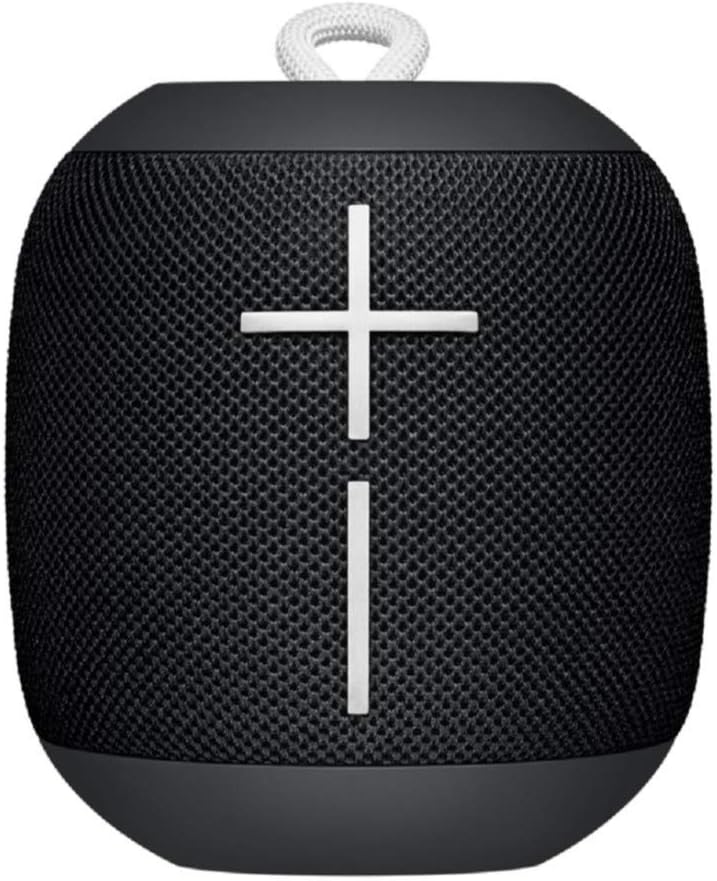
Foto: N'ihu view of the Ultimate Ears WONDERBOOM speaker in Phantom Black, showcasing its compact, cylindrical design with large volume controls.
Kedu ihe dị na Igbe ahụ
- Ultimate Ears WONDERBOOM Speaker
- Igwe nchaji USB
- Ntuziaka mmalite ngwa ngwa
Melite
1. Ike Na
Press the power button located on the top of the speaker. A sound will indicate that the speaker is powered on and ready for pairing.
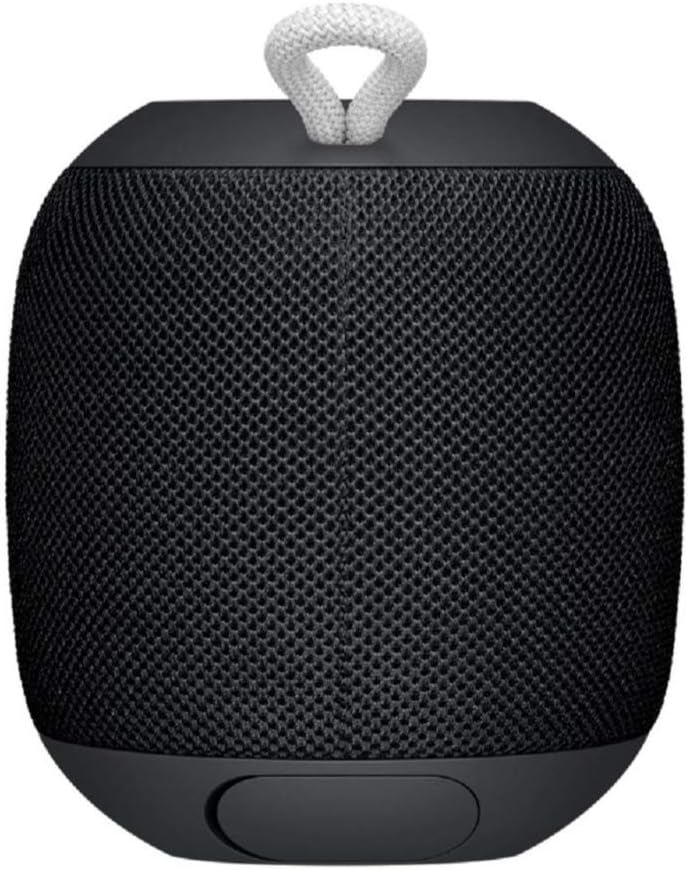
Image: Close-up of the top surface of the WONDERBOOM speaker, highlighting the power button and the Ultimate Ears logo.
2. Njikọ Bluetooth
- Turn on your WONDERBOOM speaker.
- Na ngwaọrụ mkpanaka gị, gaa na ntọala Bluetooth.
- Select 'WONDERBOOM' from the list of available devices to pair.
- Ozugbo ejikọtara ya, ọkà okwu ahụ ga-ewepụta ụda nkwenye.
Ntuziaka ọrụ
Njikwa ntọala
- Gwuo/kwụsịtụ: Press the UE logo button on the top of the speaker once.
- Ikwu Abụ: Double-tap the UE logo button to skip to the next track.
- Njikwa olu: Use the large '+' and '-' buttons on the front of the speaker to adjust the volume.

Foto: N'ihu view of the WONDERBOOM speaker, clearly showing the prominent '+' and '-' buttons for volume control.
Double Up (Pairing Two WONDERBOOMs)
For a louder and more immersive audio experience, you can wirelessly pair two WONDERBOOM speakers together.
- Ensure both WONDERBOOM speakers are powered on.
- On one speaker, press and hold the UE logo button on the top until you hear a confirmation tone.
- Repeat the process on the second speaker.
- Both speakers will now play audio from the same source, creating a stereo sound.

Image: Two individuals interacting with two WONDERBOOM speakers, demonstrating the 'Double Up' pairing feature for enhanced sound.
Waterproof Features
The WONDERBOOM is IPX7 rated, meaning it can be immersed in water up to 1 meter (3.3 feet) for up to 30 minutes. It is designed to float, making it perfect for use around pools, beaches, or in the shower.
Video: An official product video demonstrating the Ultimate Ears WONDERBOOM's waterproof capabilities and robust design.
Ndụ batrị & Nchaji
The WONDERBOOM offers up to 10 hours of continuous playback on a single charge. When the battery is low, the speaker will indicate this with an audible alert.
Ịchaji
To charge your WONDERBOOM, open the weather door at the bottom of the speaker and connect the included USB charging cable to a power source. A full charge takes approximately 2.8 hours.
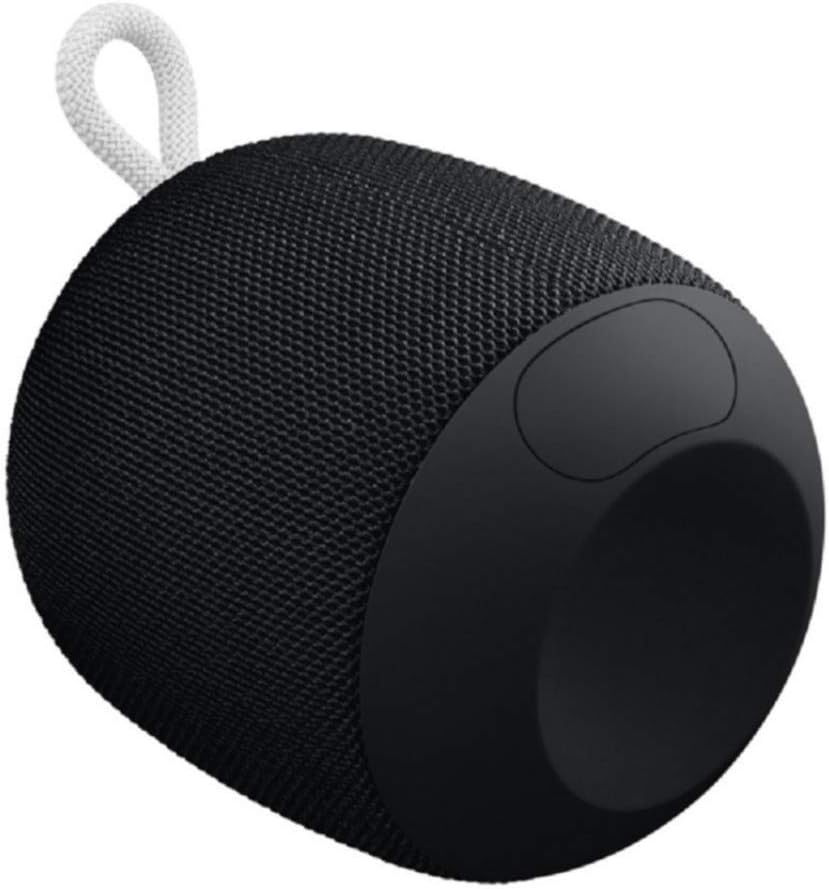
Image: The underside of the WONDERBOOM speaker, showing the protective flap covering the charging port in an open position.
Nkọwapụta
| Njirimara | Nkọwa |
|---|---|
| Aha Nlereanya | IHE ịtụnanya |
| Ụdị Ọkà Okwu | N'èzí |
| Atụmatụ pụrụ iche | Stereo pairing, Portable |
| Ndụ batrị | Ruo awa 10 |
| Mmiri Nguzogide | IPX7 (Waterproof up to 1m for 30 mins) |
| Oge Nchaji | Ihe ruru. Awa 2.8 |
| Ikuku iche | Ruo 100 ụkwụ (mita 30) |
| Ibu Ibu | 0.5 Pound (8 ounces) |
| Akụkụ ngwaahịa | 4.2"D x 4.6"W x 5.3"H |
| Njikọta | Bluetooth |
| Onye nrụpụta | Logitech |
Nlekọta
To ensure the longevity of your WONDERBOOM speaker, follow these maintenance guidelines:
- Nhicha: Jiri nwayọ hichaa ọkà okwu, damp akwa . Ejila kemịkalụ siri ike ma ọ bụ ihe mkpocha abrasive.
- Nchekwa: Debe igwe okwu n'ebe dị jụụ ma kpọọ nkụ mgbe a naghị eji ya. Zere ka a na-ekpughe ya ruo ogologo oge n'ebe okpomọkụ dị oke njọ.
- Nchaji ọdụ ụgbọ mmiri: Ensure the charging port cover is securely closed when the speaker is not charging, especially when near water, to maintain its waterproof integrity.
Nchọpụta nsogbu
If you encounter issues with your WONDERBOOM speaker, try the following solutions:
- Enweghị ike: Ensure the speaker is fully charged. Connect it to a power source using the provided USB cable.
- Okwu njikọ Bluetooth:
- Gbaa mbọ hụ na agbanyere Bluetooth na ngwaọrụ gị.
- Bugharịa igwe okwu ahụ nso na ngwaọrụ gị.
- Forget the speaker from your device's Bluetooth settings and re-pair.
- Malitegharịa ekwentị ma igwe okwu ma ngwaọrụ gị.
- Enweghị ụda/ụda dị ala:
- Lelee ọkwa olu na ma ọkà okwu na ngwaọrụ gị ejikọrọ.
- Ensure the speaker is not muted.
- If using 'Double Up', ensure both speakers are properly paired.
Akwụkwọ ikike na nkwado
The Ultimate Ears WONDERBOOM comes with a Limited Warranty. For detailed warranty information and support, please refer to the official User Guide (PDF) available for download or visit the Ultimate Ears support websaịtị.


