Okwu mmalite
Daalụ maka ịzụrụasing the Ibanez BigMini Chromatic Tuner Pedal. This compact and robust tuner is designed for precise instrument tuning, offering both needle and strobe display modes. Its true bypass circuitry ensures your instrument's signal integrity. This manual provides essential information for setting up, operating, and maintaining your BigMini tuner.
Ngwaahịa gafereview
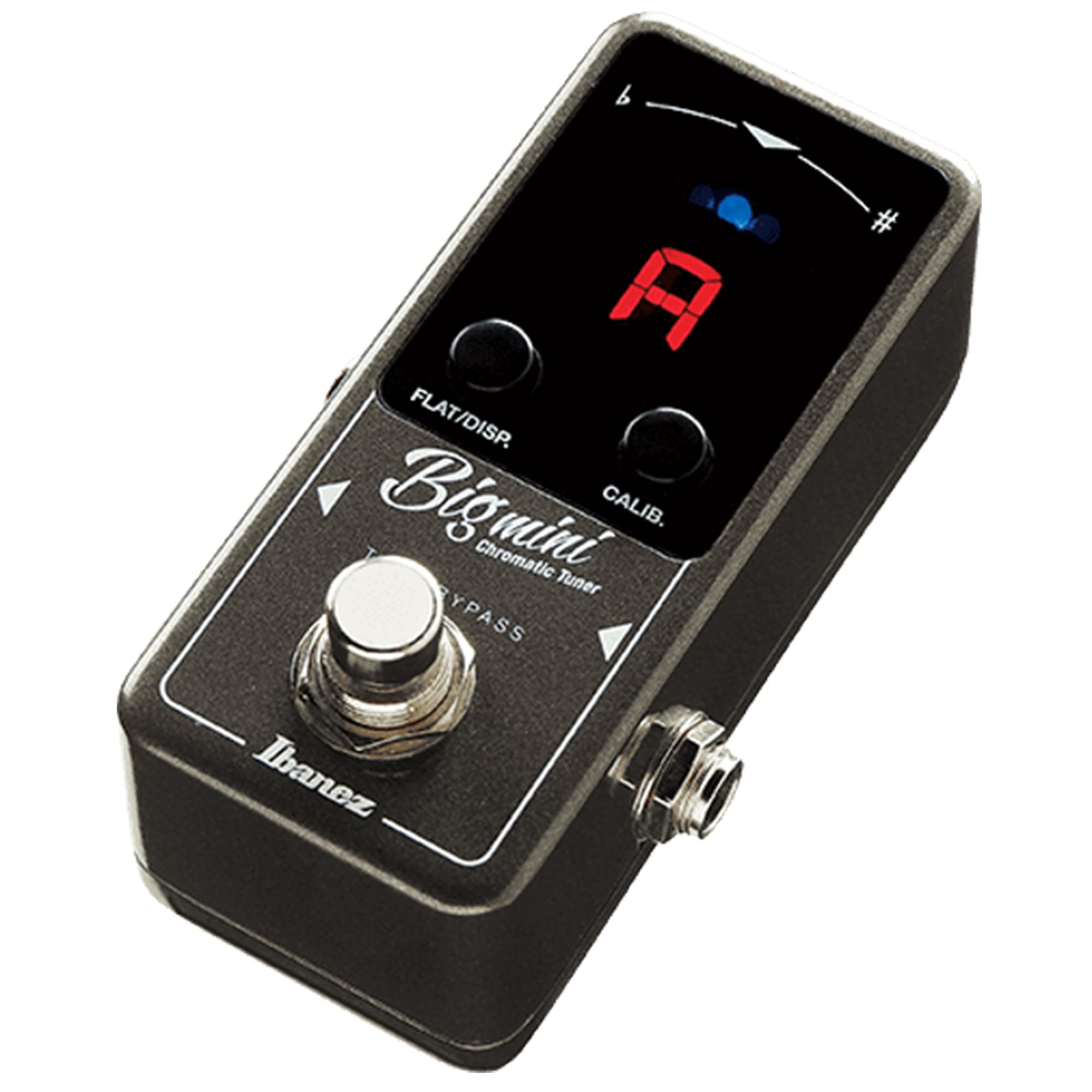
Foto: N'ihu view of the Ibanez BigMini Chromatic Tuner Pedal, showing the display, FLAT/DISP. button, CALIB. button, and footswitch.
The Ibanez BigMini is a compact chromatic tuner pedal featuring a bright LED display for clear visibility. It includes two control buttons: FLAT/DISP. and CALIB., along with a footswitch for activation. The pedal is housed in a durable metal casing, designed for reliability on a pedalboard.
Akụkụ ndị bụ isi:
- Chromatic tuning for guitar and bass.
- Needle and Strobe display modes.
- True Bypass switching for signal integrity.
- Compact mini pedal design.
- Ọdịdị ígwè siri ike.
Melite
Jikọọ Pedal:
Njikọ ike: Connect a standard 9V DC power adapter (center negative) to the "DC IN" jack on the rear of the pedal. The BigMini requires an external power supply and does not operate on batteries.

Foto: N'azụ view of the Ibanez BigMini pedal, highlighting the "DC IN" power input jack.
Njikọ ntinye: Connect your instrument (guitar or bass) to the "INPUT" jack on the right side of the pedal using a standard 1/4-inch instrument cable.

Foto: Akụkụ view of the Ibanez BigMini pedal, showing the input jack.
Njikọ mmepụta: Connect the "OUTPUT" jack on the left side of the pedal to your amplifier or the next pedal in your signal chain using another 1/4-inch instrument cable.
Ntuziaka ọrụ
Ịgbanyụ/ Gbanyụọ:
The pedal powers on automatically when a power supply is connected. To engage the tuner, press the footswitch. The display will illuminate, and your instrument's signal will be muted. Press the footswitch again to disengage the tuner and return to true bypass mode, allowing your signal to pass through unaffected.
Ụdị nlegharị anya:

Foto: Close-up of the Ibanez BigMini display, illustrating the Needle and Strobe tuning modes.
Ụdị agịga: This mode displays tuning with a virtual needle, similar to traditional analog tuners. The note name is shown in the center, and the needle indicates whether the pitch is flat, sharp, or in tune.
Ụdị strok: This mode provides highly accurate tuning by displaying a rotating pattern. When the pattern stops moving, the note is in tune. This mode is ideal for precise adjustments.
To switch between Needle and Strobe modes, press and hold the "FLAT/DISP." button for approximately 1 second while the tuner is active.
Flat Tuning:
The BigMini tuner supports flat tuning (down to 3 semitones). While in tuner mode, press the "FLAT/DISP." button briefly to cycle through flat tuning settings: b (one semitone flat), bb (two semitones flat), bbb (three semitones flat), and normal tuning.
Nhazi
The standard calibration (A4 pitch) is 440Hz. To adjust the calibration, press the "CALIB." button while the tuner is active. Each press will cycle the A4 pitch in 1Hz increments, typically from 435Hz to 445Hz.

Foto: N'ihu view of the Ibanez BigMini pedal, showing the FLAT/DISP. and CALIB. buttons for mode selection and calibration.
Nlekọta
Nhicha: Jiri ákwà dị nro ma kpọọ nkụ hichaa mpụta pedal ahụ. Zere ihe nhicha ma ọ bụ ihe mgbaze, nke nwere ike imebi njedebe ma ọ bụ ihe dị n'ime ya.
Nchekwa: When not in use for extended periods, disconnect the power supply and store the pedal in a dry, cool environment away from direct sunlight and extreme temperatures.
Njikọ: Periodically check all cable connections for wear and tear. Ensure jacks are free of dust and debris to maintain optimal signal quality.
Nchọpụta nsogbu
Enweghị ike: Ensure the 9V DC power adapter is correctly connected and functioning. Verify that the power outlet is active.
Enweghị akara: Check all instrument cables. Ensure they are securely plugged into the input and output jacks. Confirm that the tuner is disengaged (true bypass mode) if you expect signal to pass through to your amplifier without tuning.
Ndozi Na-ezighi Ezi: Verify the calibration setting (A4 pitch) is correct for your needs. Ensure your instrument is properly intonated. Try switching between Needle and Strobe modes to see if one provides clearer feedback.
Ihe ngosi: If the display is dim or flickering, check the power supply. If issues persist, contact customer support.
Nkọwapụta
| Njirimara | Nkọwa |
|---|---|
| Nọmba nlereanya | BIGMINI |
| Ngbanwe Tunge | Chromatic |
| Ụdị ngosi | Needle, Strobe |
| Ntugharị larịị | Up to 3 semitones flat |
| Oke nhazi nhazi | 435Hz - 445Hz (adjustable) |
| Ụdị ngafe | Ezi uzo |
| Ịnye ọkụ | External 9V DC (center negative) |
| Ihe onwunwe | Ọla |
| Akụkụ (L x W x H) | 3.68" x 2.11" x 1.97" (ihe dị ka) |
| Ibu Ibu | 0.2 Kilogram (ihe dị ka 7 ounces) |
Akwụkwọ ikike na nkwado
For warranty information and customer support, please refer to the official Ibanez website or contact your local Ibanez dealer. Keep your purchase receipt as proof of purchase.


