Okwu mmalite
The Altec Lansing IMW478s Mini Life Jacket-3 is a rugged, portable Bluetooth speaker designed for various environments. It features a durable construction that is waterproof, sandproof, snowproof, dustproof, and shockproof, and it floats on water. This speaker offers up to 16 hours of battery life and includes an onboard power bank for charging other devices. It also supports hands-free calls via its integrated microphone and offers True Universal Wireless Stereo pairing for an enhanced audio experience.
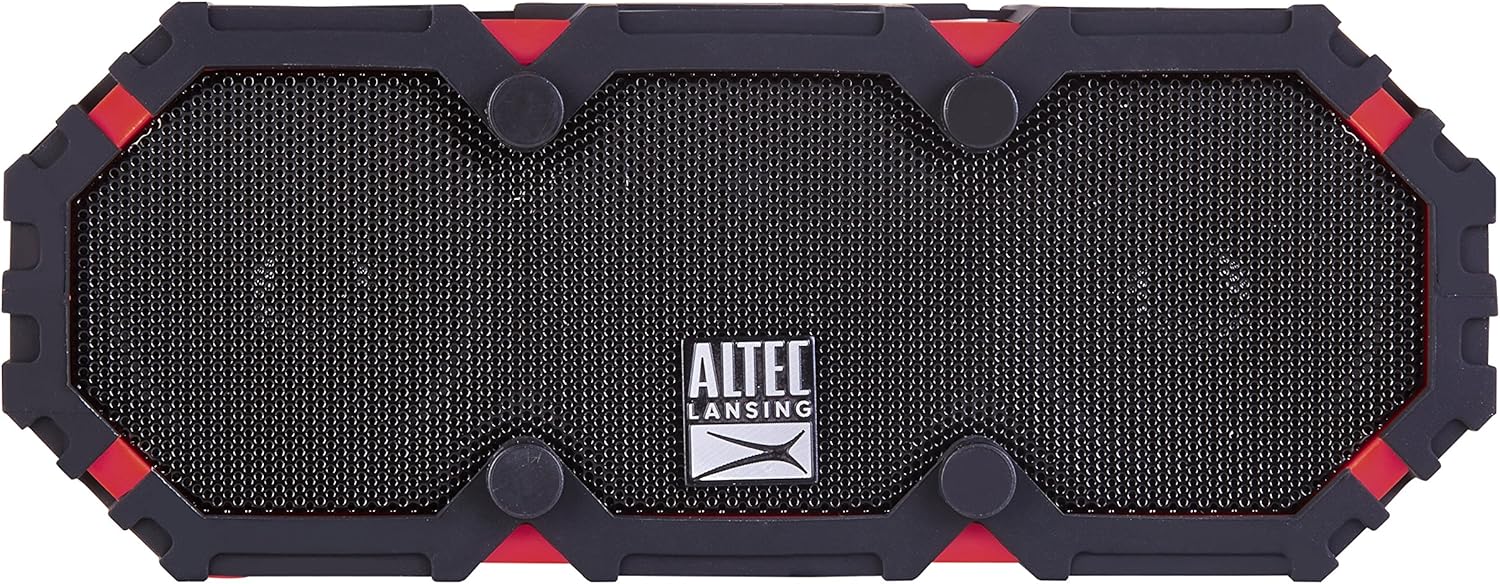
Foto 1: N'ihu view of the Altec Lansing IMW478s Mini Life Jacket-3 Bluetooth Speaker.
Ihe ngwugwu
- Altec Lansing IMW478s Mini Life Jacket-3 Bluetooth Speaker
- Arịọnụ mgbodo
- Igwe nchaji USB
- eriri AUX

Figure 2: The Altec Lansing IMW478s Mini Life Jacket-3 Bluetooth Speaker in its retail packaging, showing included accessories.
Melite
1. gingchaji Okwu Okwu
Before initial use, fully charge the speaker. Connect the supplied USB charging cable to the DC IN 5V port on the speaker and the other end to a USB power adapter (not included) or a computer's USB port. The charging indicator light will illuminate during charging and turn off when fully charged.
2. Ịgbanye / gbanyụọ
- Iji gbanye: Pịa ma jide bọtịnụ Ike (O) located on the top of the speaker until you hear an audible tone.
- Iji gbanyụọ ọkụ: Pịa ma jide bọtịnụ Ike (O) again until you hear an audible tone.

Foto 3: Top view of the speaker, highlighting the power and control buttons.
3. Njikọ Bluetooth
- Ensure the speaker is powered on and in pairing mode. The Bluetooth indicator light will flash.
- On your smartphone or other Bluetooth-enabled device, navigate to the Bluetooth settings.
- Select "IMW478s" from the list of available devices.
- Once paired, the Bluetooth indicator light will become solid, and you will hear a confirmation tone.
4. Ịwụnye Ọkà Okwu
The speaker includes a mounting bracket for attachment to various surfaces or equipment. Secure the bracket to the speaker and then attach it to your desired location, such as a bicycle handlebar or motorcycle frame.
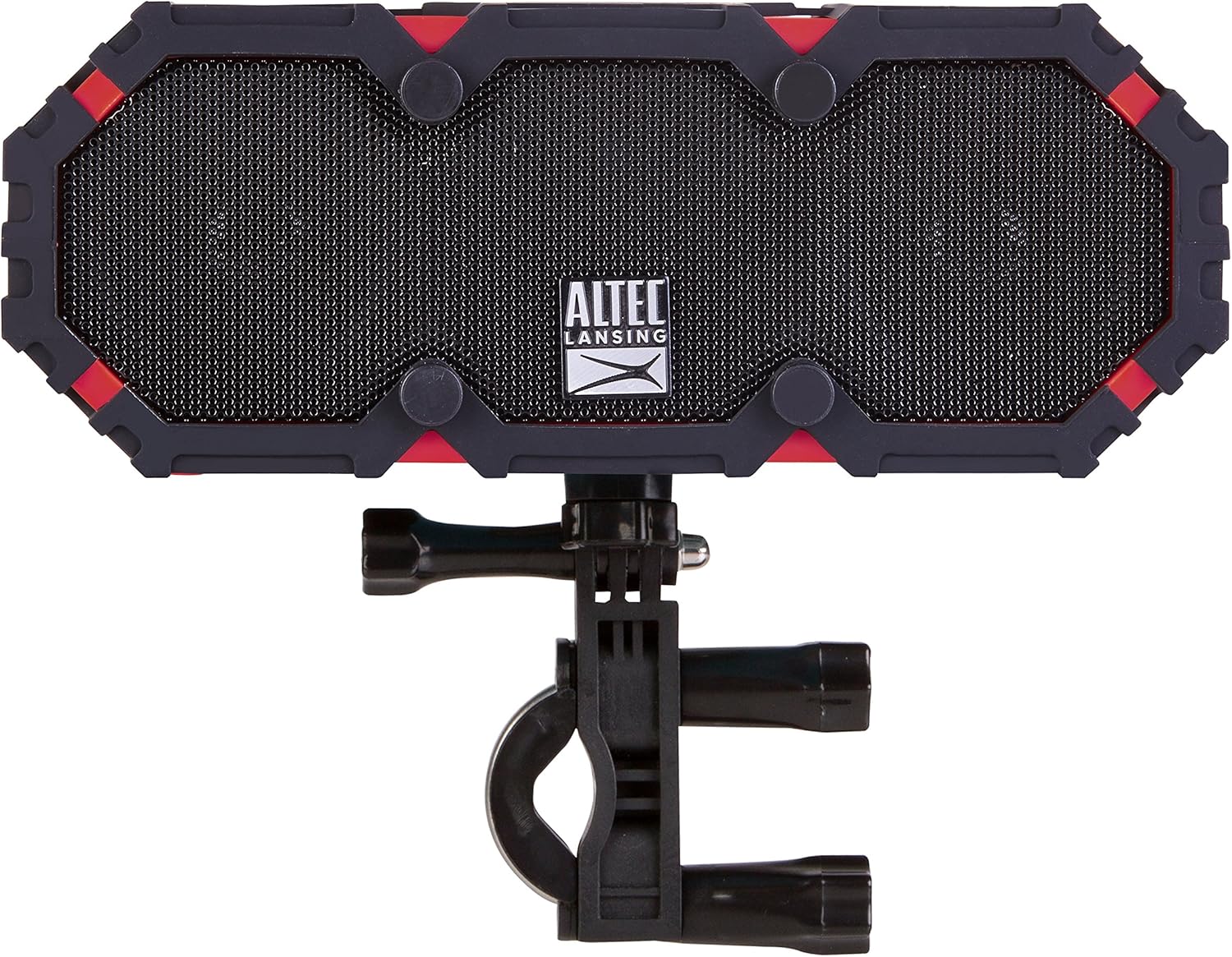
Figure 4: The speaker shown with the included mounting bracket.

Figure 5: The speaker mounted on a bicycle handlebar, demonstrating its portability.

Figure 6: The speaker mounted on a motorcycle, illustrating another mounting option.
Ntuziaka ọrụ
1. Audiokpọ Audio
- Bluetooth: Once paired, audio from your device will stream wirelessly to the speaker. Use your device's volume controls or the speaker's volume buttons (+ / -) to adjust the sound level.
- Ntinye AUX: Connect one end of the supplied AUX cable to the AUX IN port on the speaker and the other end to the audio output of your device. The speaker will automatically switch to AUX mode.

Ọgụgụ 7: N'azụ view of the speaker, showing the USB OUT, AUX IN, and DC IN ports.
2. Ọrụ nke Igwe okwu
When connected via Bluetooth, the speaker can be used for hands-free calls. When a call comes in, the music will pause. Press the Play/Pause button (▶||) to answer or end a call. The integrated microphone will pick up your voice.
3. Using the Power Bank
The speaker features an onboard power bank. Connect your mobile device's charging cable to the USB OUT 5V port on the speaker to charge your device. This function is available even while the speaker is playing audio.
4. True Universal Wireless Stereo Pairing
For a stereo audio experience, two Altec Lansing IMW478s speakers can be paired together wirelessly. Refer to the specific instructions provided with your product for detailed steps on initiating True Universal Wireless Stereo pairing.
Nlekọta
Nhicha
Jiri nwayọ hichaa ọkà okwu, damp cloth. Do not use harsh chemicals or abrasive cleaners. Ensure all port covers are securely closed before exposing the speaker to water or dust.
Nchekwa
Store the speaker in a cool, dry place away from direct sunlight and extreme temperatures. If storing for an extended period, charge the battery periodically to maintain its lifespan.
Nchọpụta nsogbu
- Ọkà okwu agaghị agba ọkụ: Ensure the battery is charged. Connect the speaker to a power source using the USB charging cable.
- Enweghị ike ijikọ site na Bluetooth:
- Ensure the speaker is in pairing mode (flashing Bluetooth indicator).
- Gbaa mbọ hụ na agbanyere Bluetooth na ngwaọrụ gị.
- Bugharịa igwe okwu ahụ nso na ngwaọrụ gị.
- Turn off and on both the speaker and your device, then attempt pairing again.
- Chefuo ọkà okwu dị na ndepụta Bluetooth nke ngwaọrụ gị wee jikọta ya ọzọ.
- Enweghị ụda:
- Lelee ọkwa olu na ma ọkà okwu na ngwaọrụ gị ejikọrọ.
- Ensure the correct input source is selected (Bluetooth or AUX).
- Ọ bụrụ na ị na-eji AUX, hụ na e tinyere eriri ahụ nke ọma ma rụọ ọrụ nke ọma.
- Charging issues (speaker or external device):
- Verify the charging cable is securely connected.
- Gbalịa ọdụ ụgbọ USB ma ọ bụ ihe nkwụnye ọkụ dị iche.
- Ensure the speaker's battery has sufficient charge to power external devices.
If you encounter persistent issues, please refer to the support section for further assistance.
Nkọwapụta
| Njirimara | Nkọwa |
|---|---|
| Nọmba nlereanya | IMW478-DR |
| Teknụzụ Njikọta | Bluetooth, inyeaka, USB |
| Ọnọdụ mmepụta ọdịyo | Stereo |
| Ụdị Ọkà Okwu | N'èzí |
| Ọkwa Nguzogide mmiri | Ihe mgbochi mmiri (IP67 gosiri) |
| Isi Iyi Ike | Batrị kwadoro (1 batrị lithium polymer gụnyere) |
| Nkezi Ndụ batrị | Ruo awa iri abụọ |
| Usoro njikwa | Metụ aka |
| Akụkụ ngwaahịa | 6 x 8 x 2 sentimita asatọ |
| Ibu Ibu | 1 pound |
| Atụmatụ pụrụ iche | Travel, Onboard Power Bank, Speakerphone, True Universal Wireless Stereo Pairing |
Ozi akwụkwọ ikike
Altec Lansing products are covered by a limited warranty. Specific warranty terms and conditions, including duration and coverage details, are typically provided with your product at the time of purchase or can be found on the official Altec Lansing websaịtị. Biko dowe ihe akaebe nke ịzụrụ ihe maka akwụkwọ ikike.
Nkwado
For additional support, frequently asked questions, or to contact customer service, please visit the official Altec Lansing website. You may also find helpful resources and product registration information there.
Websaịtị: www.edemere.com


